- tips & tricks
- |By Aleksey Haritonenko, Last Updated:
10 Best Shopify Alternatives (and Sites Like Shopify) in 2026
- Digital products, courses, subscriptions, and print-on-demand merch: Sellfy, built for creators and priced from $22 a month billed annually.
- Physical products at scale, multi-channel selling, or B2B: BigCommerce, with native Amazon, Walmart, and B2B tools.
- Large funnels and course businesses: ThriveCart, with advanced checkout and funnel tools.
- Design-led sites with a few products: Squarespace or Wix.
- Content-led and SEO-led stores: WooCommerce, on WordPress.
- The lowest price to start: Shift4Shop, free for US merchants who use Shift4 Payments, or Hostinger on a long-term plan.
- Print-on-demand apparel: Teemill.
- Marketplace traffic with no monthly fee: Etsy.
- Coaching and one-on-one sessions: Pensight, an honorable mention after the main list.
The best Shopify alternative depends on what you sell. I tested ten platforms hands-on to get to those short answers.
Whether you call them Shopify alternatives, Shopify competitors, or sites like Shopify, people usually look for one of three reasons: cost, fees, or control. Shopify’s Basic plan is $29 a month billed annually ($39 month-to-month), but it’s barebones out of the box, so an average store runs about 7 apps and pays roughly $66 a month on top of the plan.
Shopify also takes an extra 2% on Basic for every sale made through a third-party processor (GPay, ApplePay, PayPal), while its in-house gateway, Shopify Payments, is only available in 37 countries. Payment processing makes up the majority of Shopify’s revenue – 74%.
And you don’t fully control your store: Shopify can shut you down without warning, cutting your revenue and destroying your SEO rankings for whatever reason, for example false copyright infringement claims by your competitors. It is also very fussy about merchants’ products and pricing policies.
For reference, here is what Shopify costs today:
| Shopify plan | Billed annually | Billed monthly | Third-party gateway fee |
| Basic | $29/mo | $39/mo | 2% |
| Grow | $79/mo | $105/mo | 1% |
| Advanced | $299/mo | $399/mo | 0.6% |
Shopify Plus starts at $2,300 a month. New stores can try Shopify for 3 days free, then pay $1 a month for the first 3 months. Prices are from Shopify’s pricing page as of October 2026.
If you want full control over your online business, flexibility, and cost efficiency, there are many options that are better than Shopify. With this overview, I hope to help you find the best Shopify alternatives for your store.
Disclosure: Sellfy publishes this article, and Sellfy is #1 on the list. I ranked all ten platforms against the same criteria (see how I reviewed them), and I say where another platform is the better fit, Sellfy included.
Alternatives to Shopify at a glance
| Platform | Best for | Features | Pricing (billed annually; monthly in brackets) |
| Shopify (the benchmark) | Physical retail at scale with a large app ecosystem | Largest app ecosystem, Shopify Payments in 37 countries, built around physical inventory | Basic from $29/mo ($39 monthly) |
| Sellfy | Most well-rounded platform to replace Shopify | Flexibility, scalability, digital, physical, POD products, built-in email marketing, sales, and SEO tools | From $22/mo ($29 monthly) |
| BigCommerce | Scaling into multi-channel and B2B sales | Native Amazon/Walmart/eBay/social selling, built-in B2B price lists and purchase orders, headless APIs, 0% fee on approved payment gateways | Core $29/mo ($39 monthly); Growth $79/mo ($105 monthly) |
| ThriveCart | Large businesses | Advanced funnels and analytics, customizable checkout, native LMS, affiliate management, one-time payment, tax automation | Standard $495 (one-time); Pro+ $790 + $295/yr |
| Squarespace | Small businesses | Drag-and-drop website builder, built-in email marketing, SEO tools, responsive design, blog, and memberships | Core $29/mo ($39 monthly); Advanced $99/mo ($139 monthly) |
| WooCommerce | SEO and content marketing | WordPress plugin, full customization, rich blogging tools, inventory control, advanced SEO, vast plugin ecosystem | Free core; WordPress.com hosting from $25/mo ($40 monthly) |
| Hostinger | Startups looking to scale up | AI website builder, 300+ templates, 0% transaction fees, built-in marketing, scalable hosting, speed optimization | Premium $2.99/mo; Unlimited $3.99/mo (48-month term; renews at $10.99 and $16.99) |
| Wix | Easy customization and beautiful layouts | Drag-and-drop builder, AI site creation, 100+ templates, no coding, SEO tools, built-in blog | Core $29/mo ($36 monthly); Business $39/mo ($46 monthly) |
| Teemill | Easy print-on-demand creation | Built-in POD design tools, sustainable production, intuitive store builder, AI mockups, blog, marketing tools | Basic Free; Pro £8.25/mo billed annually (£10 monthly) |
| Shift4Shop | Tinkerers looking to save money | Unlimited products, advanced SEO, loyalty tools, inventory, blog, affiliate system, free migration service | Free End-to-End plan (US + Shift4 Payments); Basic Store $29/mo |
| Etsy | International selling with access to a marketplace | Global marketplace, easy setup, huge customer base, low barrier to entry, community support | One-time $15–$29 set-up fee; $0.20 per listing + 6.5% per sale |
| Pensight (honorable mention) | Coaches and course sellers | Link-in-bio storefront, built-in calendar and chat, funnels, email marketing, payment plans | Basic free; Pro $23/mo ($29 monthly); Business $79/mo ($99 monthly) |
How did I review Shopify alternatives?
I focused my attention on Shopify alternatives that are strong competition for specific use cases and business types. That said, I did my best to find apps that match Shopify’s scope of features as closely as possible.
To compare Shopify’s features with the alternatives on this list, I viewed the platforms both from the perspective of a small creator and a growing business. My main goal was to establish how well each solution serves the needs of a specific type of online seller. Here is what I assessed:
- Ease of use: how intuitive the creation of a shop and dashboard navigation is, especially for newbies with no eCommerce experience
- Native features vs. third-party apps: how versatile the platform is out of the box, do plans include native features or require plugins
- Integrations: if third-party integrations are required, how big is the choice, and how easy is it to plug them in
- Range of products: what are the capabilities for selling digital and physical items, creating courses, setting up subscriptions, etc.
- Product handling: how easy it is to add new products/variations, create categories, track inventory, etc.
- Upfront prices vs. hidden costs: how each tool’s offerings in different tiers compare in terms of value and cost, are there any fees and commissions that might crop up
- Marketing and sales: how many built-in features are there for email campaigns, automation, affiliate programs, funnels, etc.
- SEO functionality: built-in tools for researching and integrating keywords, URL management, control over the domain name, blogging features, etc.
- Analytics: what is the potential for gathering actionable data for each platform
To test each platform, I went through the following steps:
- Sign up for the free tier or trial period.
- Build a basic store with available templates.
- Add digital and/or physical products.
- Test integrated marketing and automation tools (emails, funnels, popups, and upsells).
- Publish a demo store and view how it performs on desktop and mobile.
When and how I tested. I tested nine of the platforms on this list, plus Pensight, hands-on between January and March 2026. For each one I signed up for the free tier or trial and worked through the steps above, moving to an entry-level paid plan where I needed to. BigCommerce joined the list in September 2026, and I tested it the same way, with a hands-on trial that month.
Each platform got days, not months, of hands-on time. That means I based some of my evaluations on each platform’s potential to grow with your business rather than on long-term live performance. For example, marketing efficiency, customer conversion, and analytics were assessed this way, drawing on my prior experience in the niche.
Who published this. Sellfy publishes this article, and Sellfy is #1 on the list, so I tried to make the ranking easy to check. Every platform was judged on the same nine criteria above, the weak points of each one are listed in its pros and cons, and I point readers to other platforms where they fit better, for example BigCommerce for physical products at scale, WooCommerce for content-led stores, and Etsy for marketplace traffic.
How prices are quoted. Prices are billed annually unless noted, with the month-to-month price in brackets, because monthly billing usually costs noticeably more. Hostinger’s price is a long-term introductory rate. Prices for most of the platforms were re-checked against their official pricing pages on 1 October 2026.
Disclaimer: All the pricing, features, trial periods, and stats I offer here are based on the data publicly available at the time of my researching and writing this article. Things change quickly, so some details might be different by the time you read this. For getting the most up-to-date information, please always check directly with the platform.
Top 10 Shopify alternatives I tested in 2026
1. Sellfy: The best Shopify alternative for creators
Best for: creators selling digital products, subscriptions, or print-on-demand merch without building a full storefront.
Sellfy is a leaner and more streamlined alternative to Shopify that still has all the core features necessary for an e-commerce business. Initially created for digital products, Sellfy excels in this niche, but constantly adds new features for managing physical products, including print-on-demand.
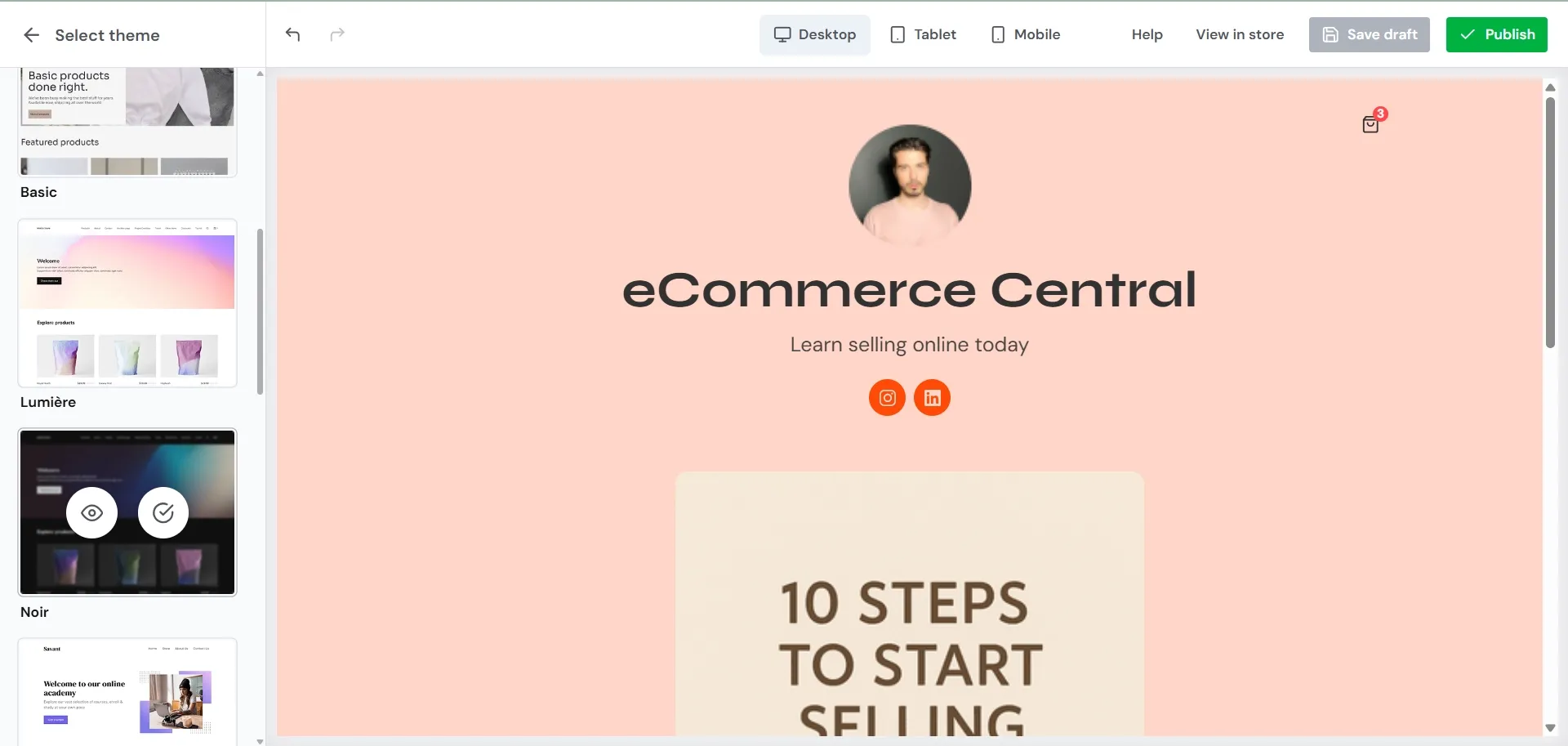
Why I picked Sellfy
Sellfy perfectly balances versatility with newbie-friendly simplicity. It has everything that a small to medium business might need and makes it easy to fine-tune and oversee everything from your dashboard. What I experienced creating and testing my online shop is the epitome of user-friendly and effortless.
You can set up a functional and clean storefront in 5 minutes or spend time thoughtfully crafting the look of each page – it just flows. Marketing, SEO, analytics, order management, financial tools – everything is there, easy to find and apply.
Standout features
- All-in-one hosted e-commerce solution
- Intuitive drag-and-drop website builder
- 12 free themes + multiple color schemes
- Easy adding pages or modules, including an embedded “buy now” button
- Built-in advanced marketing tools (including timed promos, discounts, bundles, abandoned cart management, and affiliate program)
- Integrated email marketing tools, with unlimited templates and one-click import of your email list
- Easy product management with customizable categories and inventory
- Print-on-demand feature is built in
- Native financial tools, including automated tax handling and invoicing
- Integrated tips and information support for newbie sellers
- Multi-currency functionality for global selling
Products you can sell
Digital products (downloadables, subscriptions, pay-walled content, freebies, software), physical products (including print-on-demand), services (coaching, design, development, etc.)
Sellfy is the store builder behind 75K+ creators. One flat monthly fee, and no commissions on your sales.
Integrations
Google Analytics, Google Merchant Center, Facebook pixel, Twitter Ads, Zapier, +DIY integrations via webhooks.
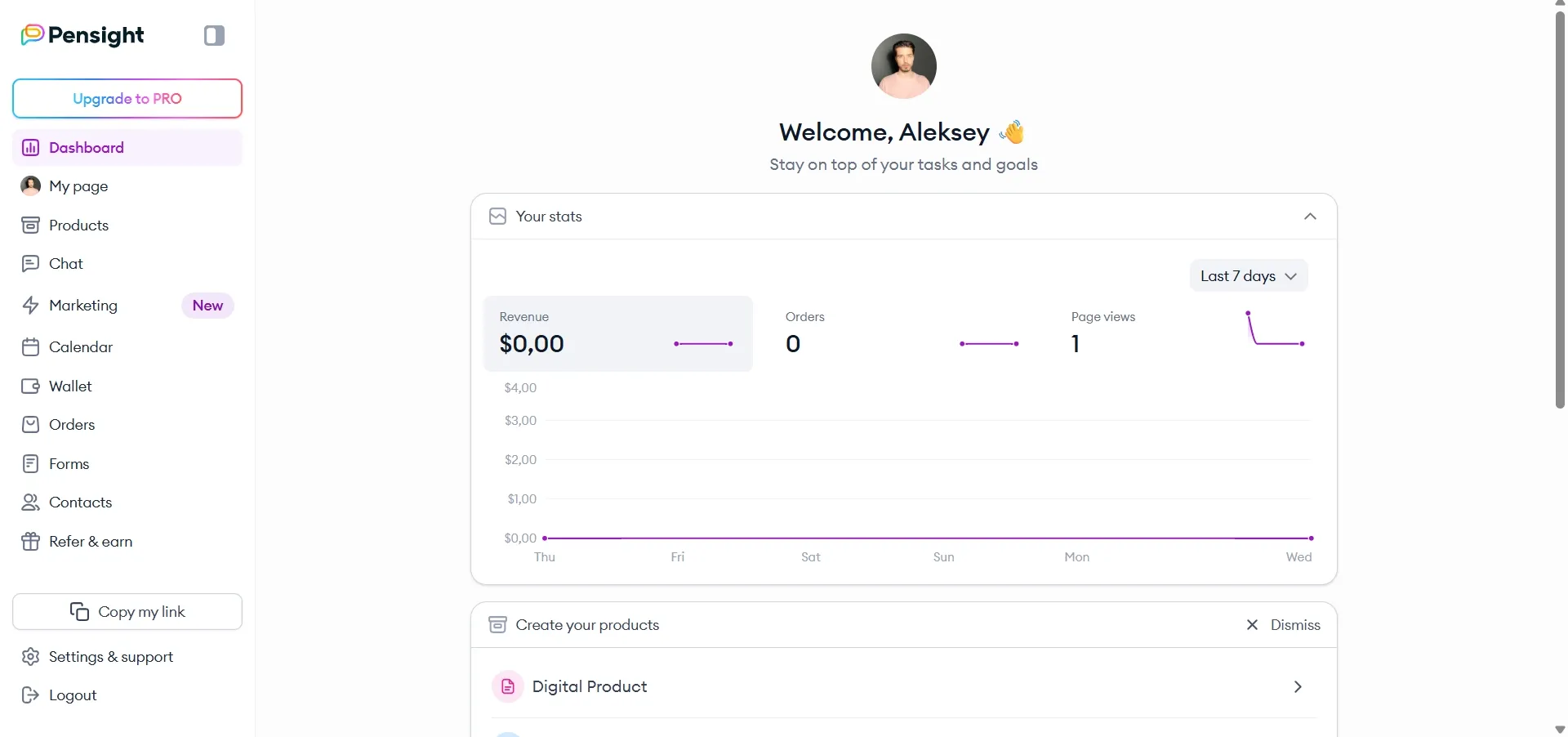
Pricing
Sellfy has three paid tiers. The prices below are annual-billing rates; month-to-month costs more, at $29 for Starter, $79 for Business, and $159 for Premium.
Starter Plan: Starter ($22 a month, billed annually)
- Up to $10k in sales per year
- Downloads, subscriptions, and merch
- Unlimited products
- Email marketing features
- Core marketing features
Best Value Plan: Business ($59 a month, billed annually)
- Everything from Starter, plus:
- Custom fields
- Product upselling
- Cart abandonment functionality
- Affiliate marketing
Scaling Plan: Premium ($119 a month, billed annually)
- Everything from Business, plus:
- Annual sales cap raised to $200k (versus $50k on Business, $10k on Starter)
- Priority support, instead of the 24/7 email support on Starter and Business
- 50,000 monthly email marketing credits, up from 10,000 on Business and 2,000 on Starter
- 20GB max file size per product, up from 15GB on Business and 10GB on Starter
Sellfy is a pleasure to work with, with seamless customization all the key features for selling and promoting under the hood. Its digital product functionality is superb, while features for physical products has some room for growth. Still, for a small to medium-sized business, Sellfy has everything. It’s an elegant self-contained solution with all the core features and no complicated corporate fluff.
For more detailed information, check out this expert review.
2. BigCommerce: Best for scaling multi-channel and B2B sales
Best for: growing retailers who need to sell on Amazon, Walmart, and social marketplaces from day one, or who need B2B pricing and purchase orders without stitching together apps.
BigCommerce is aimed at a different stage of a business than most platforms on this list: the point where a single storefront isn’t enough, and inventory needs to show up on Amazon, Walmart, and Instagram at the same time. It also has a native B2B toolkit, which puts it in a different category from the creator-first and small-business platforms reviewed above.
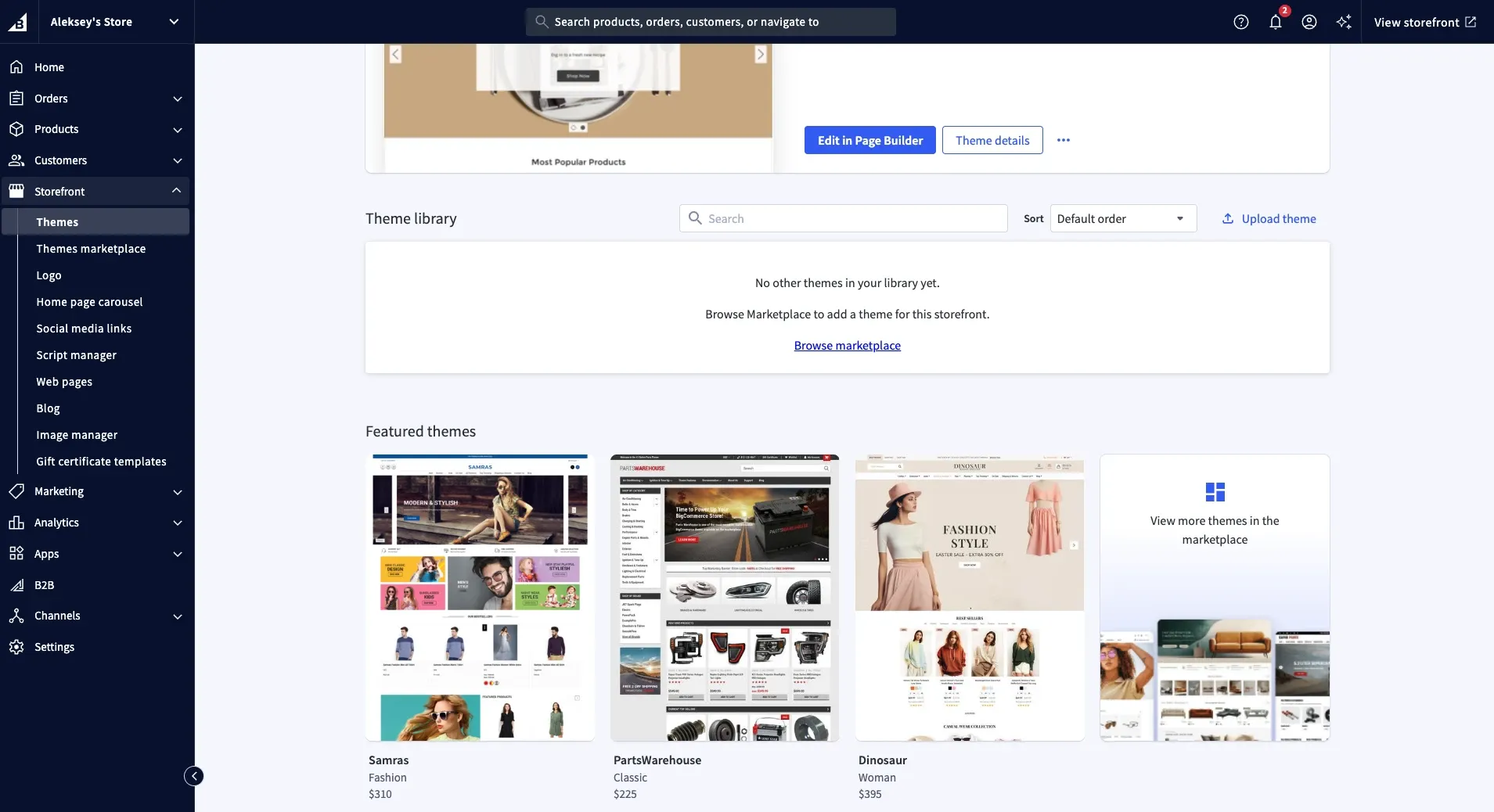
Why I picked BigCommerce
BigCommerce earns its place on a different basis than the rest of this list. It’s the one platform that shows up in nearly every competing “Shopify alternatives” roundup, usually near the top, and it’s the name most often raised as Shopify’s direct rival for growing retailers. The difference from Shopify isn’t really the price. It’s what ships by default: multi-channel selling, B2B pricing tools, and a headless option are all built in, where Shopify would have you add, and pay for, a separate app for each one.
Setting up a demo store here felt less like assembling a storefront and more like configuring a back office. The admin panel packs in more than Wix or Squarespace ever show you, and any real design work means learning BigCommerce’s own Stencil framework rather than dragging blocks around.
Standout features
- Native selling on Amazon, Walmart, eBay, Meta, Instagram, TikTok, Pinterest, and Google Shopping, with no paid app required
- 0% BigCommerce transaction fee on approved payment providers (Stripe, PayPal, BigCommerce Payments, and others), on every plan
- Built-in B2B tools: customer-specific price lists, quote requests, purchase orders, net payment terms, and a dedicated buyer portal
- Headless commerce through REST and GraphQL APIs, plus the Catalyst storefront framework for a fully custom front end
- Multiple storefronts, multi-currency, and multi-language support from one back end
- Built-in abandoned cart recovery, product reviews, and blogging
- Real-time shipping rates and automated tax calculation
- 1,200+ app marketplace for anything not covered natively
Products you can sell
Physical products at any volume, from a single storefront to a multi-brand, multi-region operation, plus wholesale and B2B orders through the built-in buyer portal. Digital products and subscriptions are possible but need a third-party app — this isn’t a platform built around downloads the way Sellfy is.
Integrations
Amazon, Walmart, eBay, Meta, Instagram, TikTok, Pinterest, and Google Shopping for sales channels; 65+ payment providers including Stripe, PayPal, and BigCommerce Payments; plus Avalara, ShipperHQ, Klaviyo, Mailchimp, QuickBooks, and Zapier, among the 1,200+ apps in its marketplace.
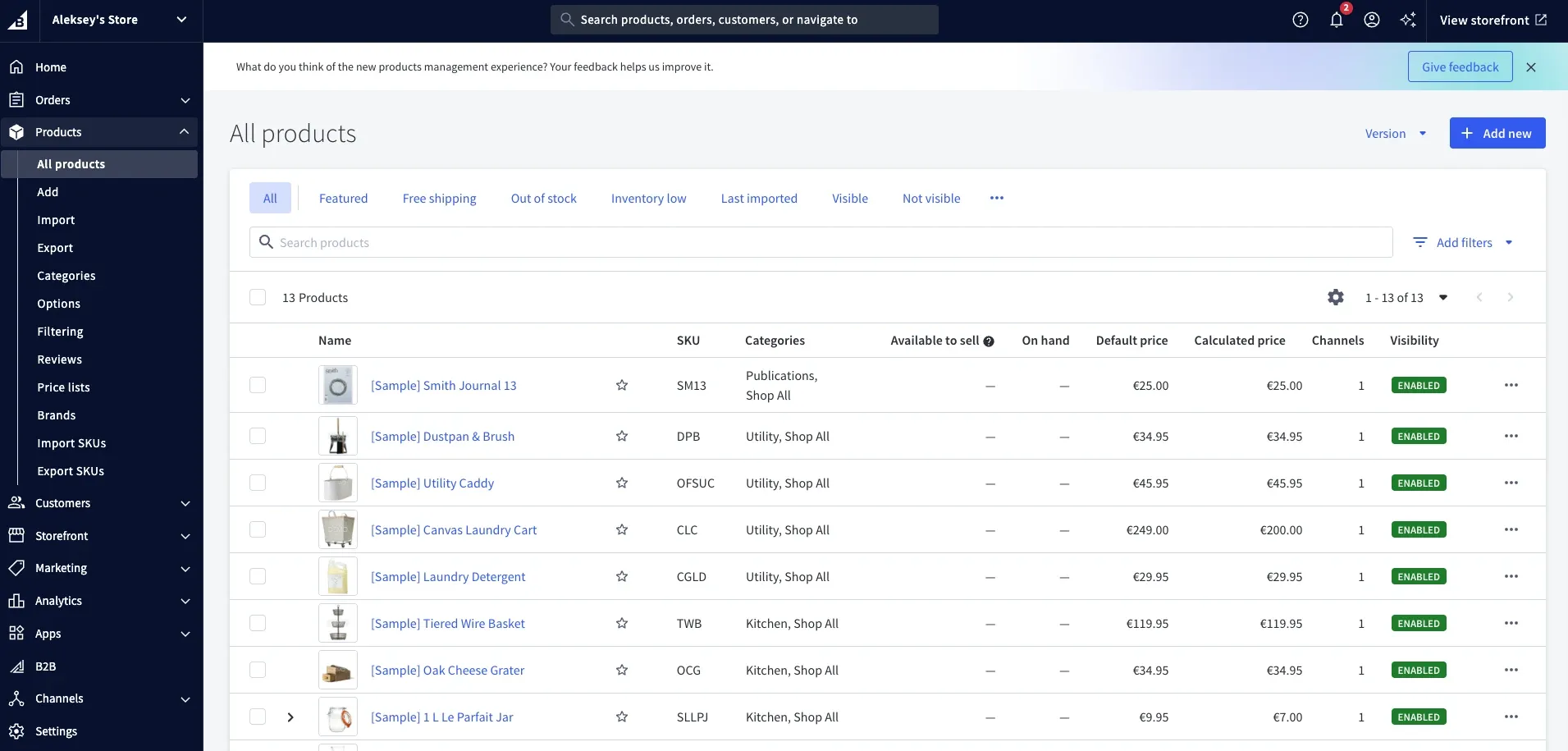
Pricing
BigCommerce prices by tier and by how much you sell, not by a flat fee alone. Each plan carries a trailing-twelve-month sales ceiling; cross it, and BigCommerce moves your store to the next plan up automatically.
Starter Plan: Core ($29 a month billed annually, $39 monthly)
- Up to $30,000 in trailing-twelve-month sales before an automatic upgrade
- Unlimited products, staff accounts, and storage
- Native multi-channel selling (Amazon, Walmart, eBay, social)
- 2.0% fee on orders processed through a non-approved payment gateway (0% on Stripe, PayPal, BigCommerce Payments, and other approved providers)
Best Value Plan: Growth ($79 a month billed annually, $105 monthly)
- Up to $100,000 in trailing-twelve-month sales before an automatic upgrade
- Everything from Core, plus:
- Customer segmentation and abandoned cart recovery
- Non-approved gateway fee drops to 1.0%
Two higher tiers exist for bigger operations: Scale ($299 a month billed annually, $399 monthly, capped around $33,333 in monthly sales before a 0.9% overage fee applies) and Performance (custom pricing starting near $1,499 a month, aimed at enterprise catalogs with dedicated support and no gateway fees at all).
For a retailer planning to sell everywhere at once, BigCommerce removes a lot of the app-shopping that a Shopify store eventually needs. It isn’t the platform for a creator selling downloads or a single coaching offer, though — its built-in strengths point toward inventory, catalogs, and channels, not digital delivery.
3. ThriveCart: Best for large businesses
Best for: established businesses and course creators who sell through funnels rather than a storefront.
ThriveCart is a platform that online businesses could graduate to after a quick start with something more casual. Websites like Shopify are popular because they offer a quick, beginner-friendly way to set up a storefront and start selling. ThriveCart, on the other hand, equips you with a professional toolkit for marketing and sales.
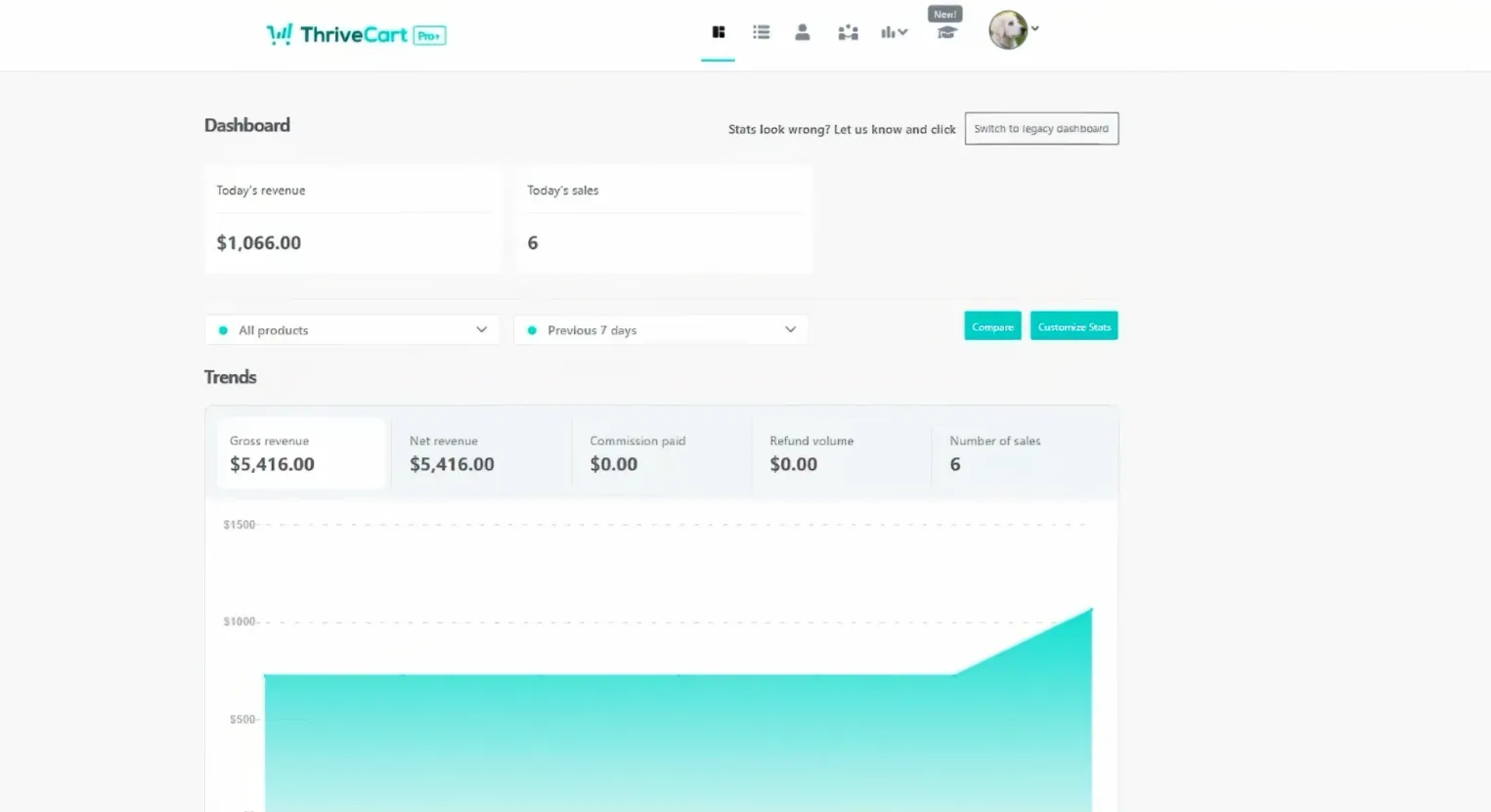
Analytics, A/B testing, customized checkout experience, funnel management, etc., are particularly attractive for digital creators with a polished product that they want to promote on another level.
Why I picked ThriveCart
ThriveCart offers the most powerful sales funnel, checkout customization, and conversion features, which, combined with the built-in course builder and membership management, make it great for selling any content, including educational products, at scale.
One-time upfront payment is also beneficial for the coaching business, where demand ebbs and flows throughout the year with spikes and lean times.
Standout features
- Advanced marketing and sales customization for a tailored growth strategy
- Elegant and clean layout
- Intuitive dashboard interface
- Proprietary Learning Management System (LMS Learn) for creating and managing courses
- Built-in analytics on conversion data, traffic sources, customer profiles, etc.
- Customizable checkout pages with conversion features (countdown timers, upsell messages, personalized bundles, etc.)
Products you can sell
Digital downloads, online courses, memberships, coaching sessions, etc. There is also functionality for selling physical products.
Integrations
Google Analytics, Google Sheets, Convertri, Stripe, PayPal, Authorize.net, Demio, Slack, MailChimp, ConvertKit, Drip, GetResponse, Printiful, Teachable, etc.
Pricing
Starter plan: ThriveCart Standard ( $495 upfront payment)
- Customization for carts and checkout pages
- Integrations with payment processors
- Marketing tools for A/B testing, coupons, discounts, upsells, bundles, etc.
- Basic version of LMS Learn (proprietary course management system)
Best value plan: ThriveCart Pro+ ($790 upfront payment + $295 a year from year 2)
- Everything from ThriveCart Standard
- Custom domain
- Affiliate management center
- Tax and invoicing automation
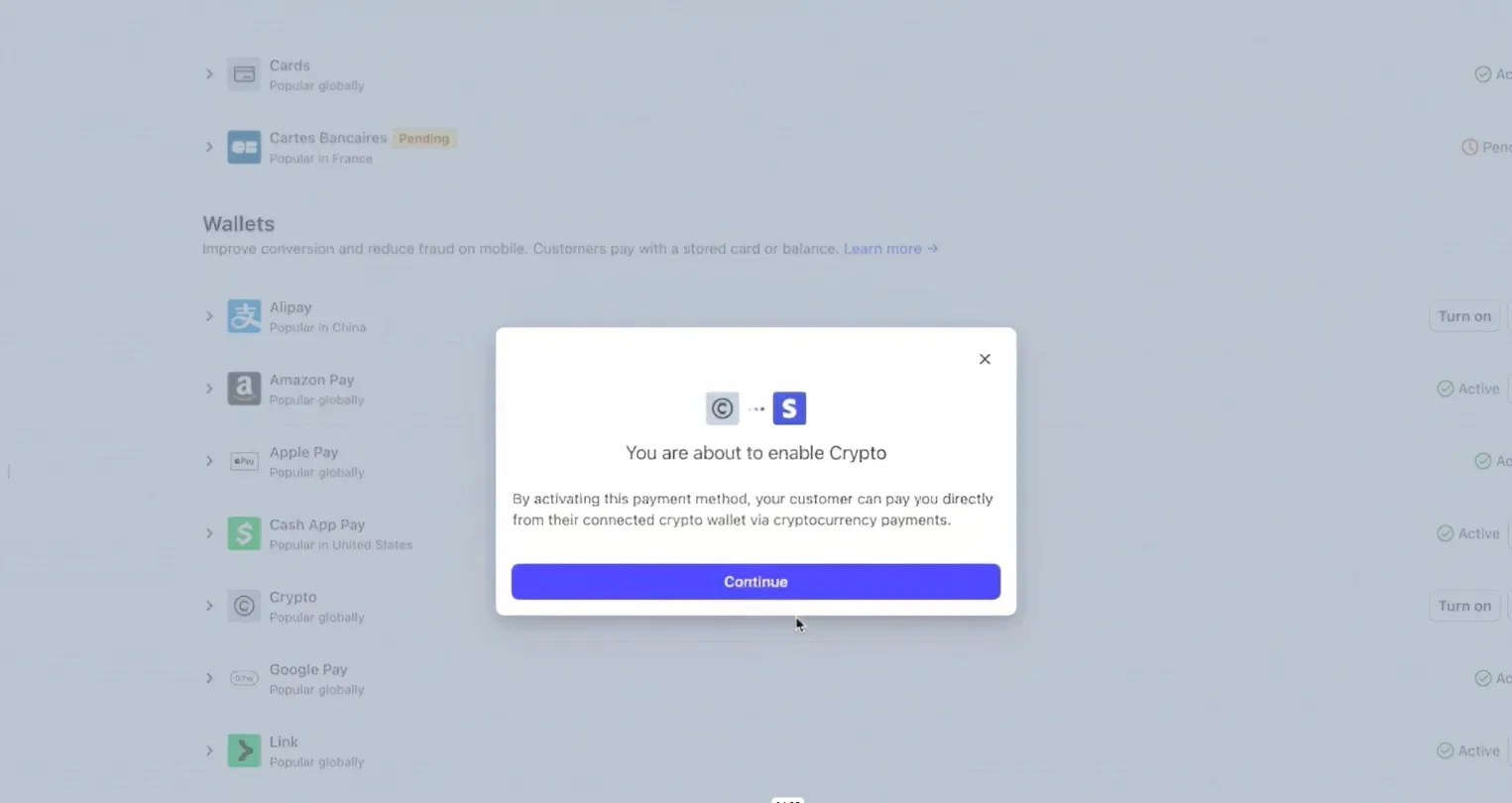
- Possibility to allow crypto payments
- Advanced business analytics
- Multi-user permissions
ThriveCart is best for someone with an established business. It allows you to build a growth strategy and focus on perfecting sales tactics. A dedicated LMS Learn course builder will also benefit solo entrepreneurs with quality educational content.
However, the platform might not be the best choice for beginners due to the steep upfront cost, no trial period, and advanced professional functionality. For those who are only starting up, Shopify is a more comfortable option.
Learn more about ThriveCart and how it compares to other e-commerce platforms in ThriveCart Vs Kajabi vs Sellfy.
4. Squarespace: Best for small businesses
Best for: designers and service businesses that want the site to read as a portfolio first and a store second.
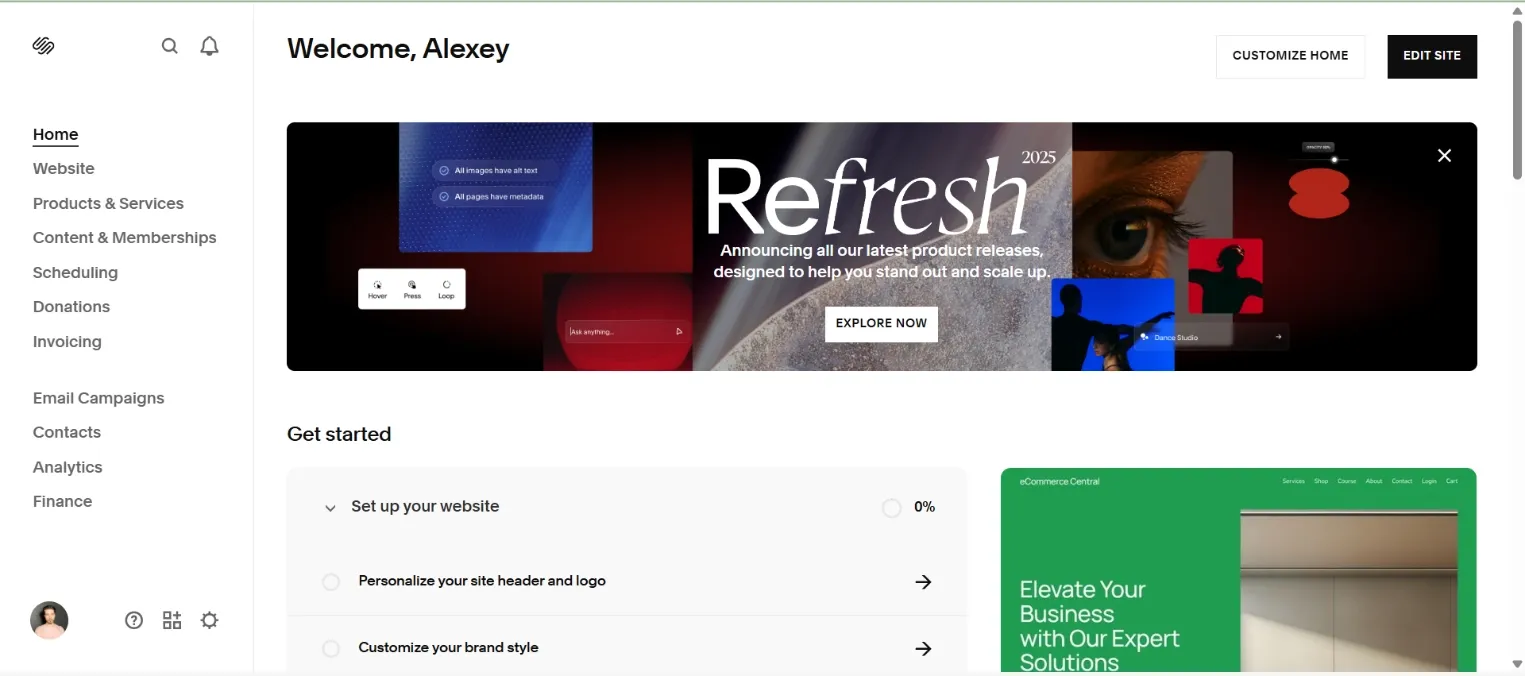
Squarespace is rarely listed among sites like Shopify because it’s a website builder first, and an eCommerce platform second. Still, it has a lot to offer for a small business or a hobbyist who wants to start earning online doing what they love. It’s focused on design and offers many customization features, but takes some time to get the hang of it.
Why I picked Squarespace
Squarespace has a gentler learning curve and is more affordable than Shopify, but it still favors a determined newbie or someone with website-building experience. The interface is intuitive enough, even if it will take some tinkering to create something that fits your vision.
It’s relatively easy to construct a course, set memberships, or create a physical product listing, and all the basic tools for marketing, analytics, and finances are there. Squarespace even offers an AI website builder, although it’s rather underwhelming compared to similar features in other platforms.
Standout features
- All-in-one website platform with e-commerce functionality
- AI-powered drag-and-drop builder
- Mobile-friendly responsive design
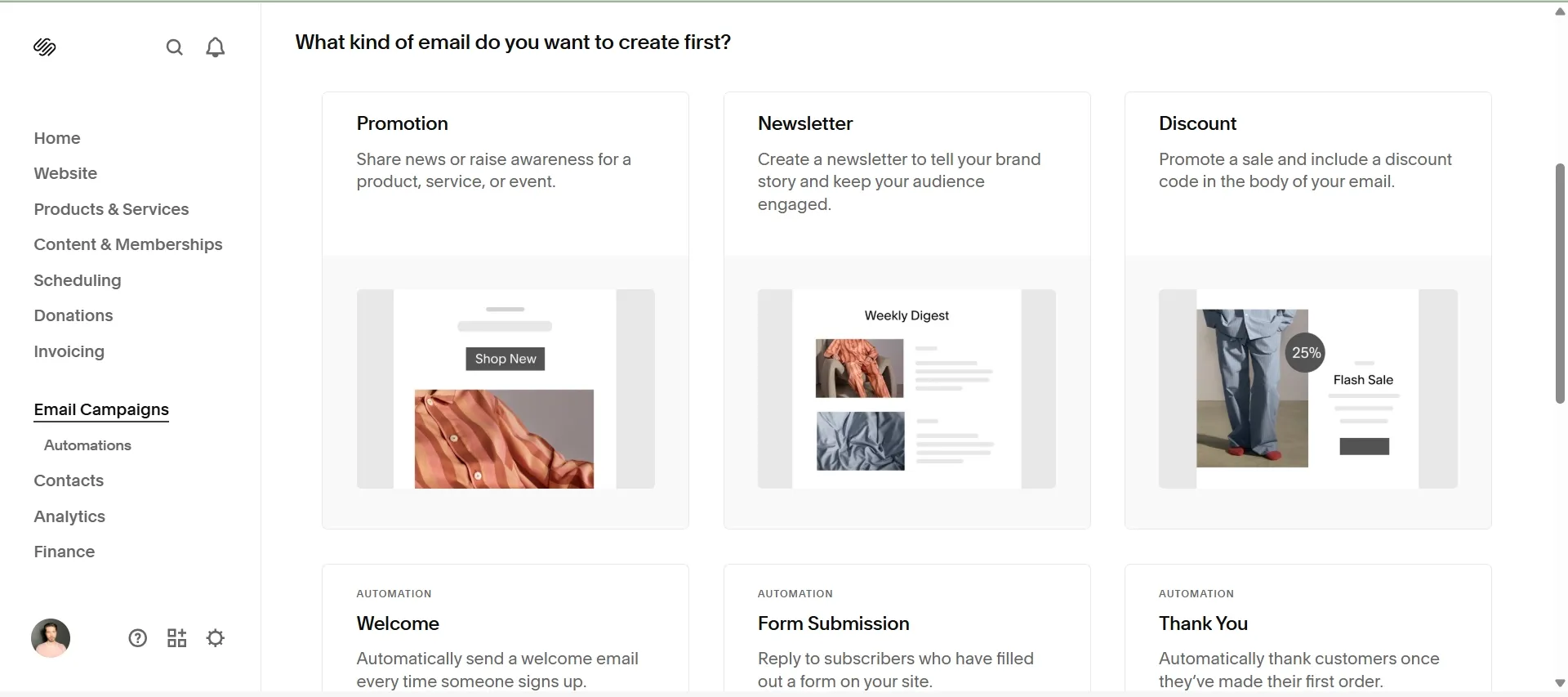
- Built-in email marketing tool and sales analytics
- Built-in course builder, membership functionality, blog, etc.
- SEO tools allow tracking traffic sources, search keywords, geography, engagement with site content, etc.
- Possibility to manage several websites from one dashboard
Products you can sell
Digital products like downloadable files, courses, memberships, access to paywalled content, consulting services etc., as well as physical products.
Integrations
Apple Pay, Apple News, Google Workspace, Google Analytics, Mailchimp, Disqus, PayPal, Stripe, FedEx, USPS, Facebook and Instagram, Dropbox, Weglot, Zapier, etc.
Pricing
Squarespace renamed its whole lineup, and it now has four tiers: Basic ($19 a month), Core ($29), Plus ($49), and Advanced ($99), all billed annually. Basic is the cheapest but still takes a 2% cut of store sales, so Core is the real entry point for selling. Month-to-month billing costs roughly a third more across the board.
Starter Plan: Core ($29 a month billed annually, $39 monthly)
- 0% Squarespace transaction fee (card processing is 2.9% + 30¢)
- 200+ clean templates
- Custom domain registration
- Mobile-friendly responsive design
- Unlimited bandwidth and storage
- SSL security certificate
- Video hosting
- Advanced website analytics
- Checkout, shipping, and merchandising functionality
- 24/7 support
Best Value Plan: Advanced ($99 a month billed annually, $139 monthly)
- 0% transaction fees and the lowest card processing rate (2.5% + 30¢)
- Everything from Core, plus:
- Subscription functionality
- Advanced sales tools (bundles, promotions, product suggestions, etc.)
Squarespace will work if you are a designer at heart, prepared to spend time and effort building a nice-looking website, and want to sell a couple of core products. Choose it for fine-tuned customization to sell courses, merch, or subscriptions as a content creator or a niche boutique. However, it’s not going to support scaling up to a serious e-commerce endeavor.
Read more about the platform in the Squarespace vs. Etsy comparison.
5. WooCommerce: Best for SEO and content marketing
Best for: WordPress users who want full code-level control and don’t mind managing their own hosting.
WooCommerce is not an all-in-one solution like some Shopify competitors on this list, but instead a free plugin for WordPress-powered websites. It does require a bit more learning and technical expertise, but it offers unparalleled customization, lower costs, and control over your website, content, and store.
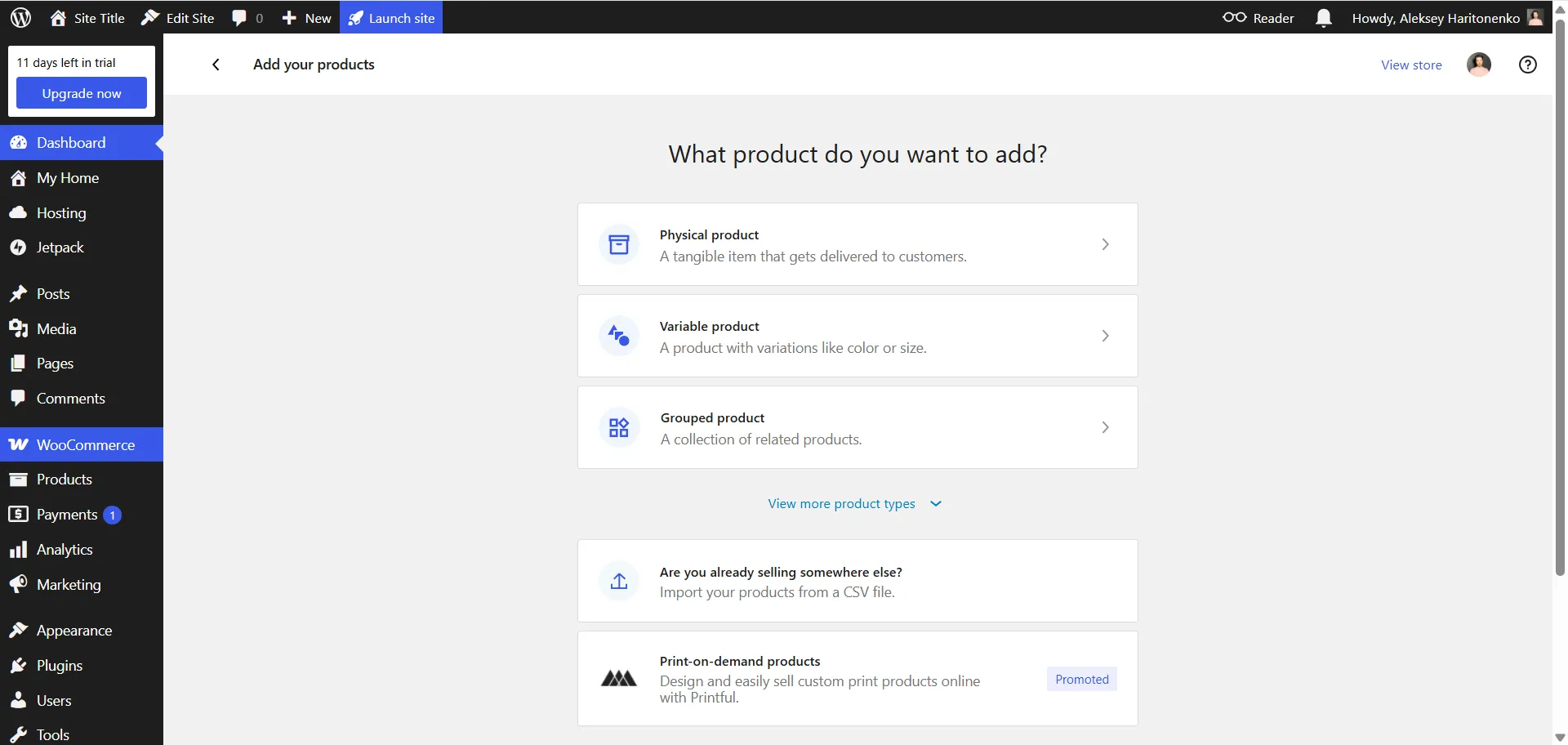
Why I picked WooCommerce
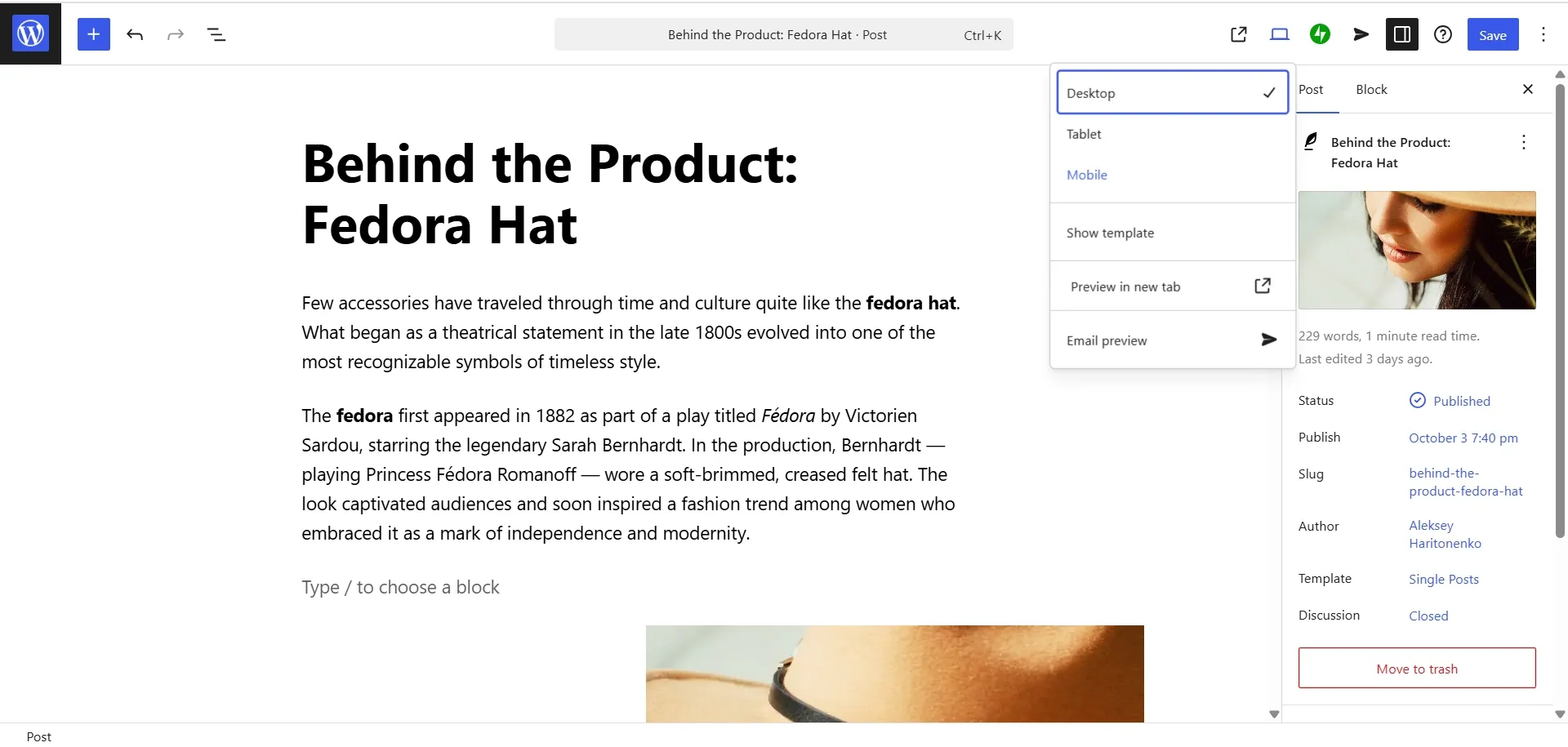
WooCommerce is perfect if you want to promote your store via content marketing and SEO tools, which yours truly is clearly partial to. While Shopify offers a native blogging feature, it’s awkward, limited, and has clunky, uncustomizable URLs, which I consider a crime against SEO.
WordPress, on the other hand, is the best blogging platform in the world, powering about 40% of the entire internet. It can be glitchy when you add too many features, but I appreciate that keywords, tags, and descriptions are there on the surface, and you cannot ignore them, even if you try.
Standout features
- Freemium with core features available at no cost
- Extended website ecosystem with a vast library of plugins
- Works with rich website and blogging tools powered by WordPress for content marketing
- Built-in marketing tools (coupons, gift cards, promotions)
- Built-in performance and business analytics
- Inventory management
- Possibility to categorize and group products
Sellfy is the store builder behind 75K+ creators. One flat monthly fee, and no commissions on your sales.
Products you can sell
Absolutely anything: physical goods (yours or dropshipping), print-on-demand items, downloadable files, courses, subscriptions, bundles, access to pay-walled content, etc. You can also accept donations and tips.
Integrations
Google Analytics, AutoDS, Yoast SEO, Wordfence Security, WP Super Cache, VaultPress, BackWPup, Performance Lab, Akismet Anti-spam, and countless more.
Pricing
WooCommerce itself is free, but it requires a WordPress-compatible hosting plan (Commerce), plus some associated costs (domain registration, SSL certificate, extensions for shipping, marketing, and premium payment processing, etc.) Hence, here is the breakdown of the WordPress plans:
Starter Plan: Business ($25 a month billed annually, $40 monthly)
- 2% transaction fee
- 50 GB storage
- Unlimited pages, users, visitors, and bandwidth
- Priority 24/7 support
- Developer tools
- Advanced security (brute-force, spam, malware, and DDoS protection)
- Minute customization (including layouts, colors, and fonts)
- Inventory management
- Streamlined checkout
- Customized marketing tools (both built-in and available with plugins)
Best Value Plan: Commerce ($45 a month billed annually, $70 monthly)
- No transaction fees
- Everything from Business
- Advanced features integrated without the need for plugins (design, marketing, sales, analytics, and SEO tools)
WooCommerce is not for everyone – you need to be a tech-savvy DIYer and problem solver, because things are going to break sometimes. Yet if you value freedom, flexibility, seek full ownership over your online business, and plan to lean on rich content for promoting your products, WooCommerce is one of the best solutions out there.
Find more information on WooCommerce and other ways to sell through WordPress here.
6. Hostinger: Best for fast-growing startups
Best for: budget-first sellers who want hosting, domain, email, and store on one bill.
Hostinger is an all-in-one hosting provider with a very intuitive and beginner-friendly AI-powered website builder that isn’t just a gimmick (looking at you, Squarespace!). It is a newer and very affordable platform that makes it very easy to set up your first e-commerce website with zero programming knowledge. Hostinger combines the ease of Shopify with the full ownership of your online store.
Why I picked Hostinger
While companies like Shopify usually target a specific niche: small businesses or larger enterprises, Hostinger is perfect for growing from the ground up. Your website, built with Hostinger, can potentially be transferred to WordPress and WooCommerce, or PrestaShop at no additional cost as your business evolves.
Standout features
- Easy drag-and-drop AI website builder
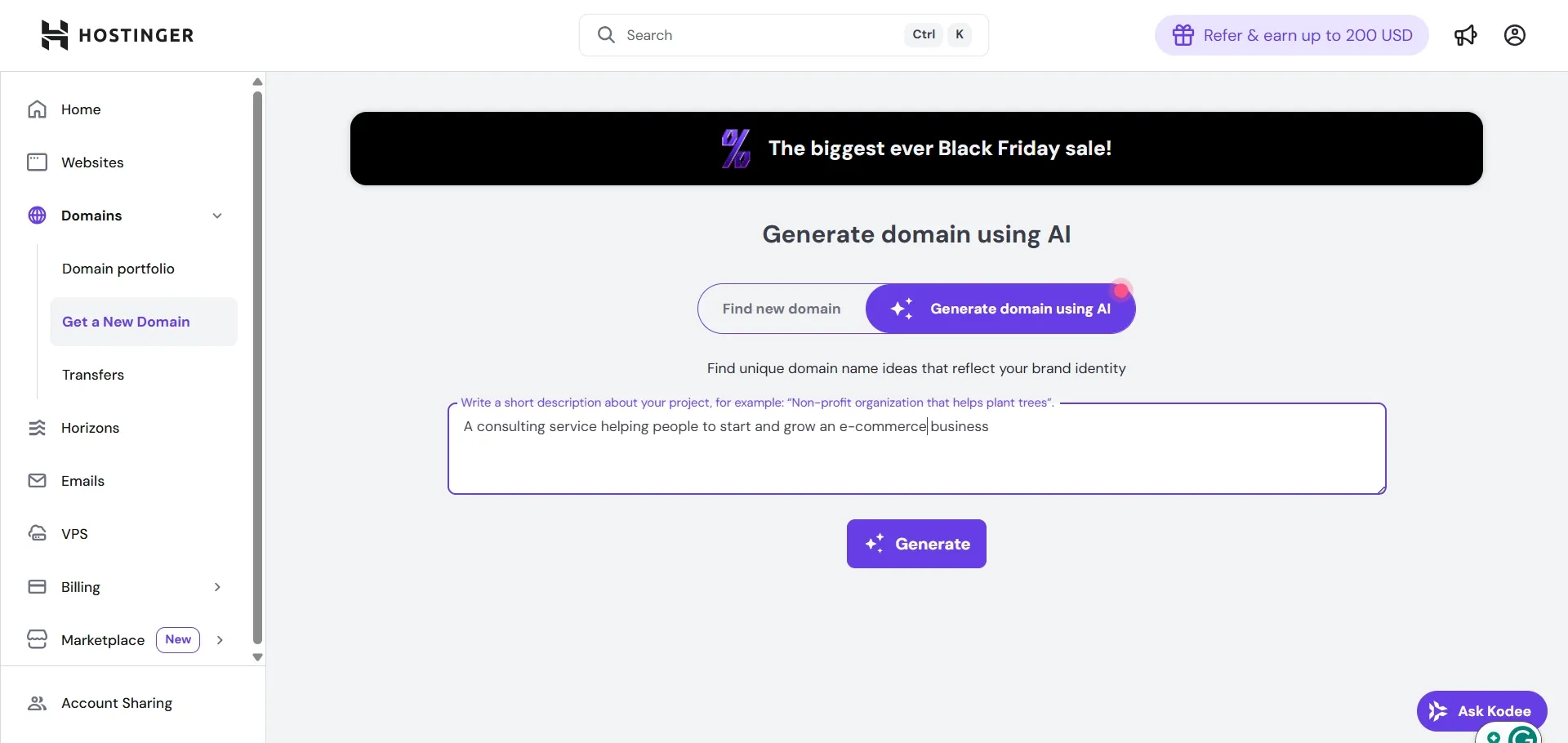
- AI-powered features for product descriptions, optimizing SEO, and generating domain names
- 300+ drag-and-drop templates
- 100+ payment methods
- 0% transaction fees
- Support for 8 languages
- Entry-level shared hosting solution for migrating from pricier providers
- Free SSL certificate
- Unlimited bandwidth
- Speed and uptime allow loading momentarily even with a lot on your page
- Advanced security for customer data safety
Products you can sell
Physical products (clothing, electronics, print-on-demand, books), digital products (downloadables, courses, memberships), and services (design, ads, etc.)
Integrations
Google Analytics, Meta Pixel, Hotjar, Mailchimp, Sync, Supabase, Stripe, WhatsApp, AdSense, Jira, Trello, Asana, Zapier, Hostinger Horizons, etc.
Pricing
Hostinger’s website builder comes in three tiers: Premium, Unlimited, and Cloud Startup. Premium lets you sell by adding “Buy” buttons and links to PayPal or Stripe, but full e-commerce functionality starts with Unlimited (the tier previously called Business).
Starter Plan: Premium ($2.99 a month on a 48-month term, renews at $10.99 a month)
- Up to 3 websites
- 2 mailboxes per website
- Free domain for the first year
- 300+ templates
- AI website builder credits
Best Value Plan: Unlimited ($3.99 a month on a 48-month term, renews at $16.99 a month)
- Unlimited websites
- Unlimited mailboxes per website
- Full e-commerce functionality
- Free domain for the first year
- Daily and on-demand backups
- CDN for maximum website speed
- AI agent credits for content and SEO
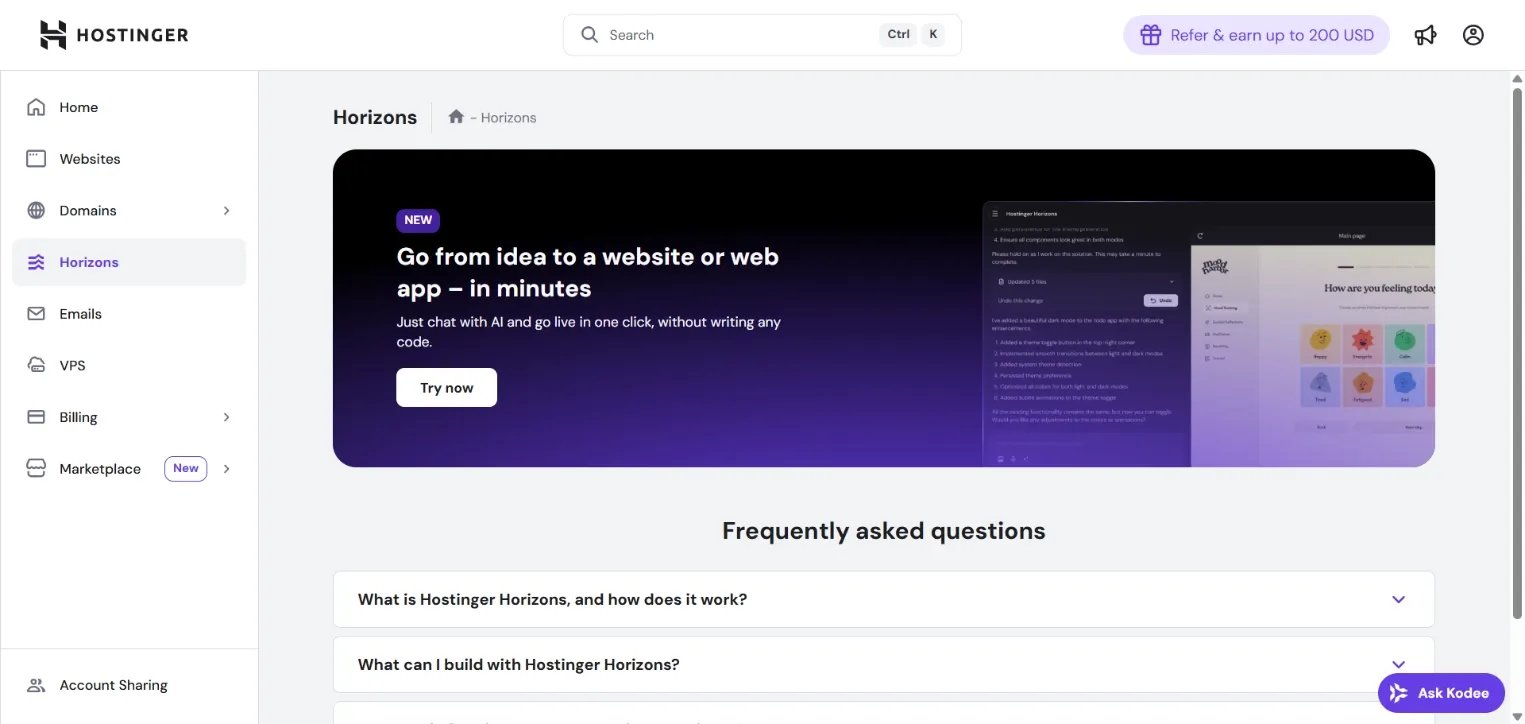
Month-to-month billing is far more expensive: $11.99 for Premium, $18.99 for Unlimited, and $27.99 for Cloud Startup. Another caveat is that Hostinger offers a whole load of tiered product ranges: hosting, domain name (.com, .io, or .shop will all cost differently), Horizons (AI product for managing and improving your website). I’ve spent some time chatting with Kodee (their AI assistant) and contacting support just to find out what I’ll really need and what the total cost is going to be after their promotion period is over.
Hostinger has a perfect mix of affordability, scalability, reliable performance, security, and openness to user feedback. It allows you to open and maintain an online store at a very modest total cost and gives you time to grow your business. On the flip side, its limited customization and caps in entry-level plans might be a deal breaker for some.
7. Wix: Best for customization and flexibility (with no coding)
Best for: beginners who want real design freedom without touching code.
Wix is one of those competitors of Shopify that give you more control over how your website looks and feels while still being affordable and easy to navigate. This website builder has been known among bloggers and photographers since 2006, but it has since then developed powerful e-commerce features.
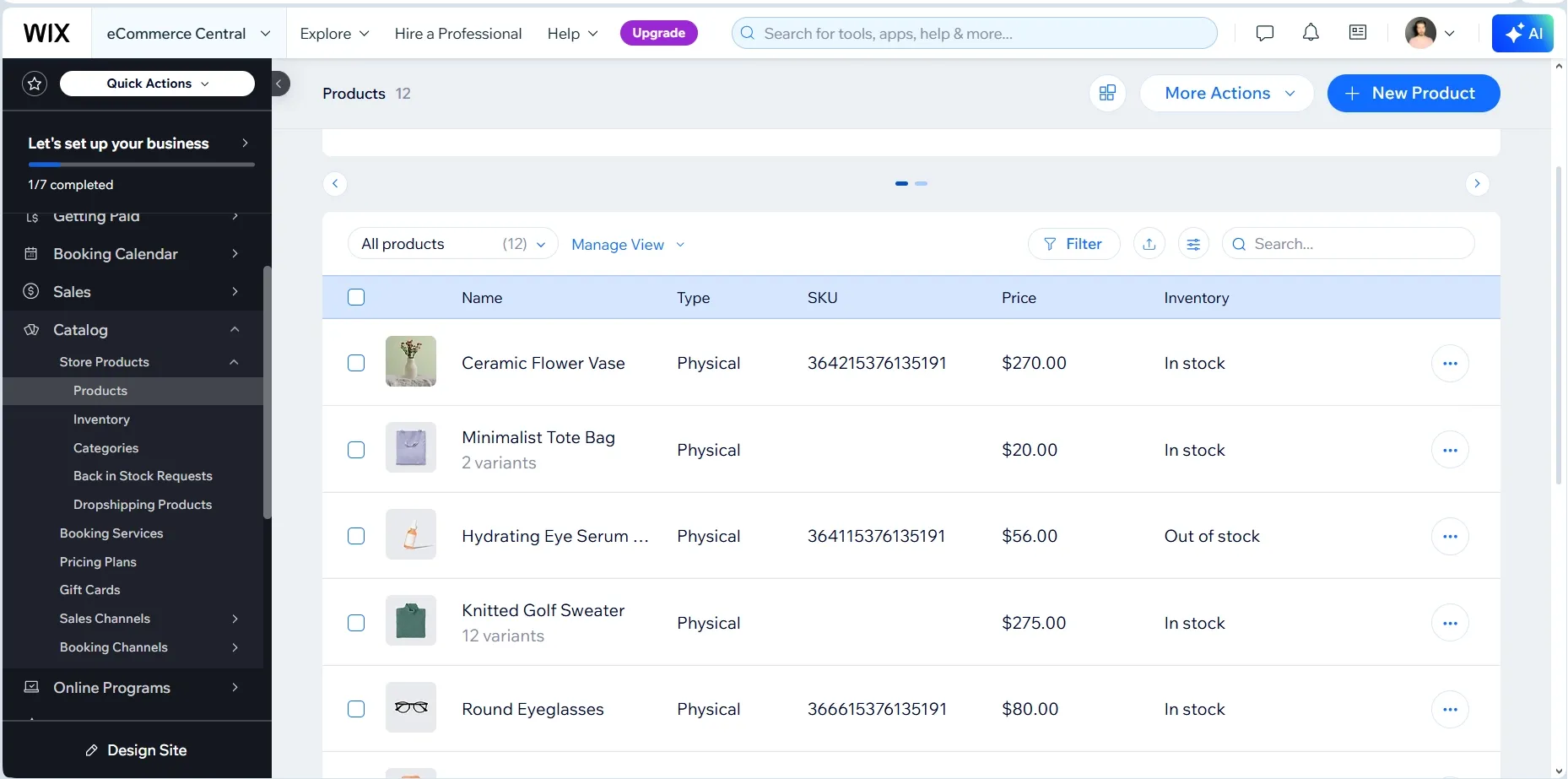
Why I picked Wix
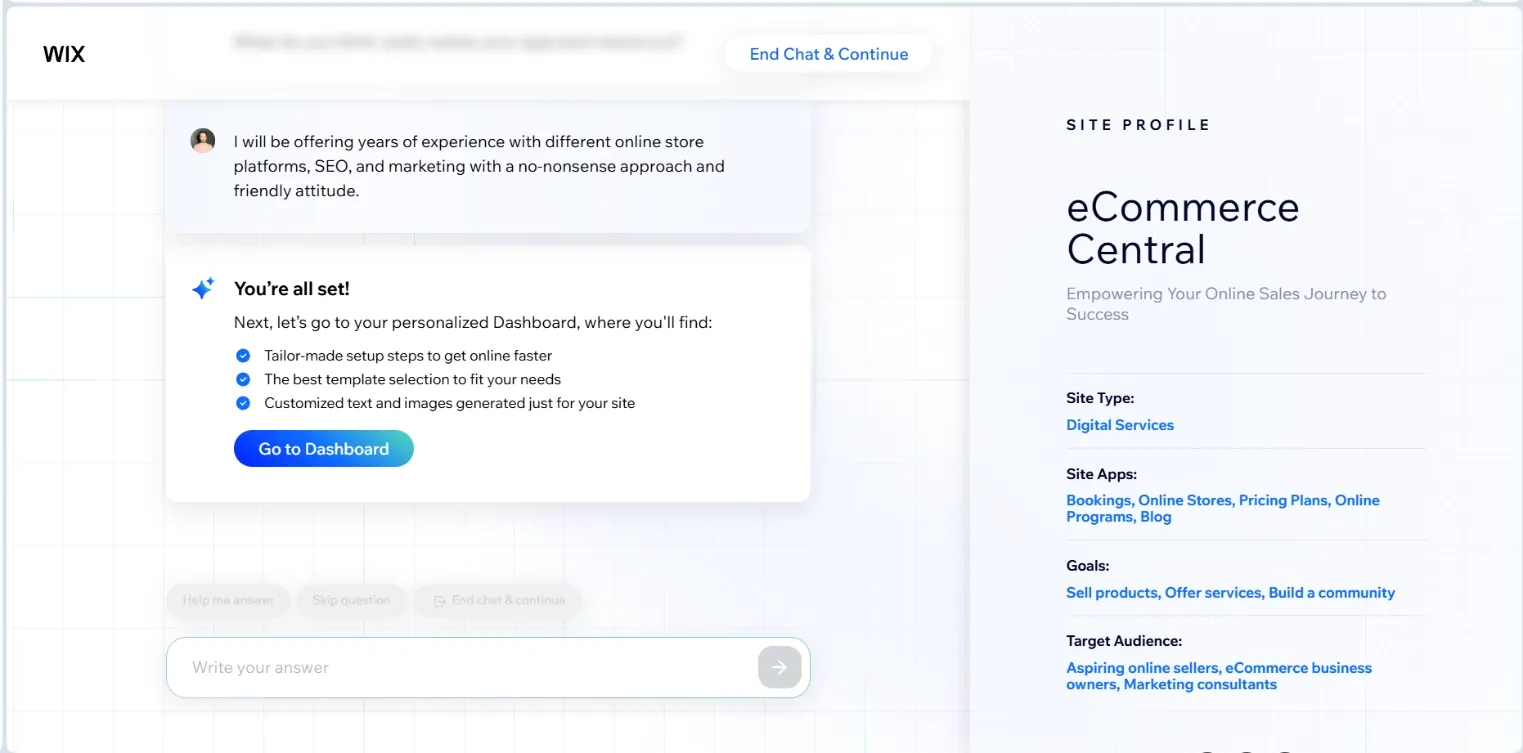
Wix’s responsive AI assistant adds features and shapes your website’s look and functionality based on your goals, unique propositions, and other requests. You say what you want, and Wix creates it as if by magic. Yet even without the AI, Wix has been offering many more templates and customization options than Shopify.
Standout features
- Drag-and-drop website builder
- Choice between manual control and AI-generated design
- Hundreds of free polished templates
- Auto-save and revision history
- 6 product options and 1,000 product variants
- Layouts and plugins are automatically added depending on the store’s needs
- Built-in blog and SEO features
- Built-in sales and finance features
- Native SEO and marketing analytics
Sellfy is the store builder behind 75K+ creators. One flat monthly fee, and no commissions on your sales.
Products you can sell
Physical products (including print-on-demand and dropshipping), digital products (downloadables, memberships), and services.
Integrations
Google Analytics, Google Ads, Google Sheets, HubSpot, Mailchimp, Omnisend, Stripe, Shopify, AliExpress, Slack, Microsoft Teams, Salesforce, Zapier, etc.
Pricing
Starter Plan: Core ($29 a month billed annually, $36 monthly)
- 5 collaborators
- 50 GB storage space
- Basic e-commerce and marketing suite
- Customer accounts
- Abandoned cart recovery
- Pre-orders, discounts, loyalty program, back-in-stock notifications
- Advanced shipping
- Unique domain registration is free for 1 year
- Unique branding without the Wix logo
- Site analytics
- Events Calendar, Get Found Today apps free for 1 year
- Google Ads with Wix
- 10 lead-capture forms, 50 fields each
- 24/7 customer support
Best Value Plan: Business ($39 a month billed annually, $46 monthly)
- 10 collaborators
- 100 GB storage space
- 50,000 products with 5 additional pages per product
- Six currencies
- 25 lead-capture forms, 75 fields each
- Automated sales tax on 100 transactions per month
- Advanced features for loyalty program (tiers, loyalty points expiration, referral program)
- Unlimited “back in stock” notifications
Wix is a solid alternative to Shopify if you want a primarily content-driven website with a beautiful layout and some easy-to-use e-commerce features for a small selection of products. Creating a website was really fun for me, but I could already see the limitations on POS, dropshipping, and currencies. For bigger businesses, it’s a no.
8. Teemill: Best for print-on-demand
Best for: sellers who want print-on-demand apparel with a sustainability story built in.
Teemill is created around print-on-demand, but unlike Printify or other apps, it allows building an entire website, managing designs, and selling products from one dashboard. Its other advantage is a sustainability focus: organic materials, no plastic packaging, closed-loop systems, and renewable power sources in factories and storage facilities.
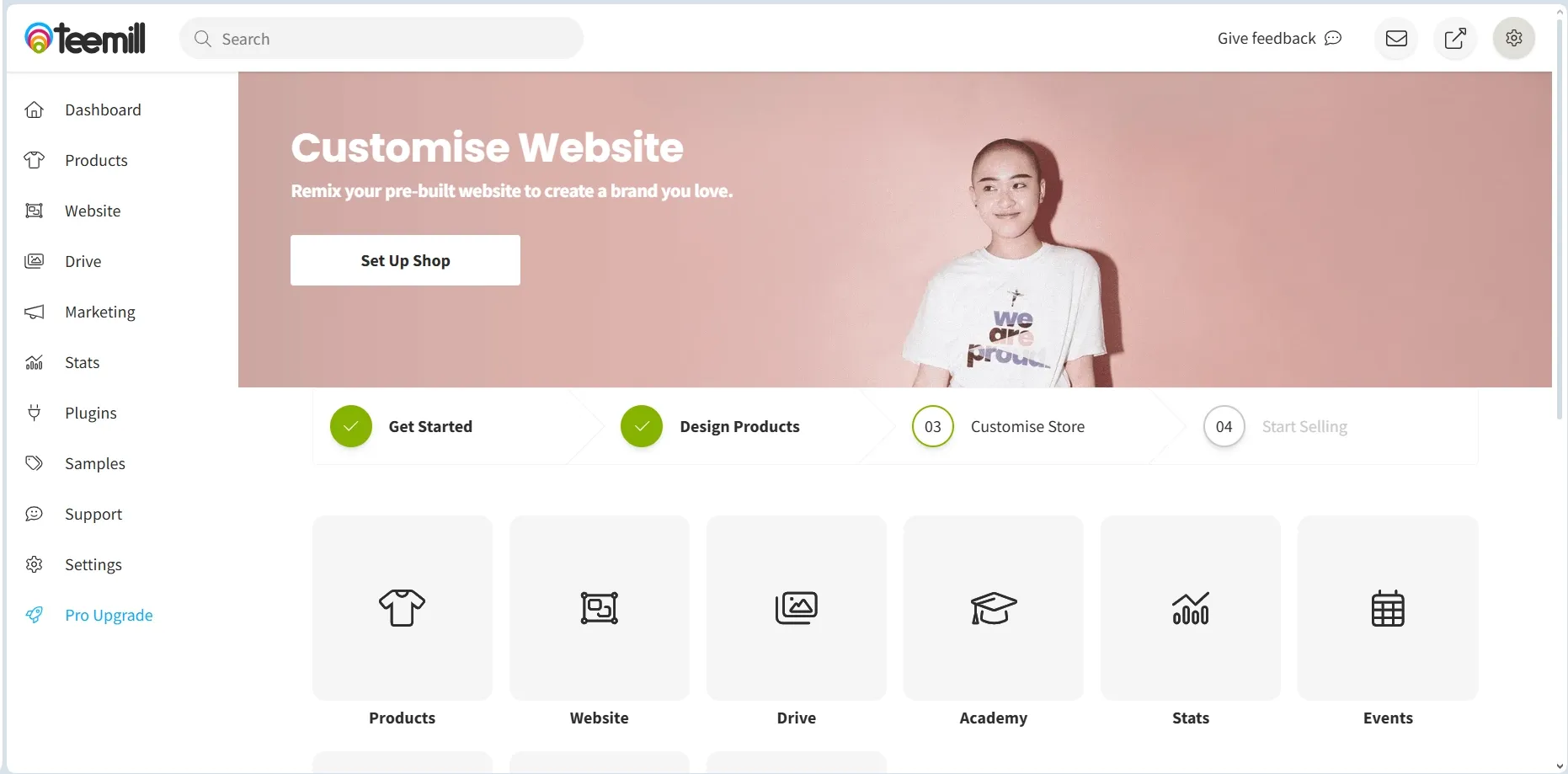
Why I picked Teemill
Teemill has a user-friendly website builder, intuitive tools for designing products, managing orders, production, and shipping. It allows you to set up a store and easily sell print-on-demand items without the need for inventory management or upfront investment. It also combines clean production with affordability.
Standout features
- All-in-one eCommerce website
- Intuitive website builder
- User-friendly layout with tips and prompts
- Library of product templates and AI mockups
- Built-in marketing tools and site analytics
- Native blogging feature
- Native graphic design tool and possibility to upload your photos
- Sustainability and work rights ethic at the core of supply chain
- No need for third-party print-on-demand apps like Shopify requires
- Community support and extensive learning materials for newbies
Products you can sell
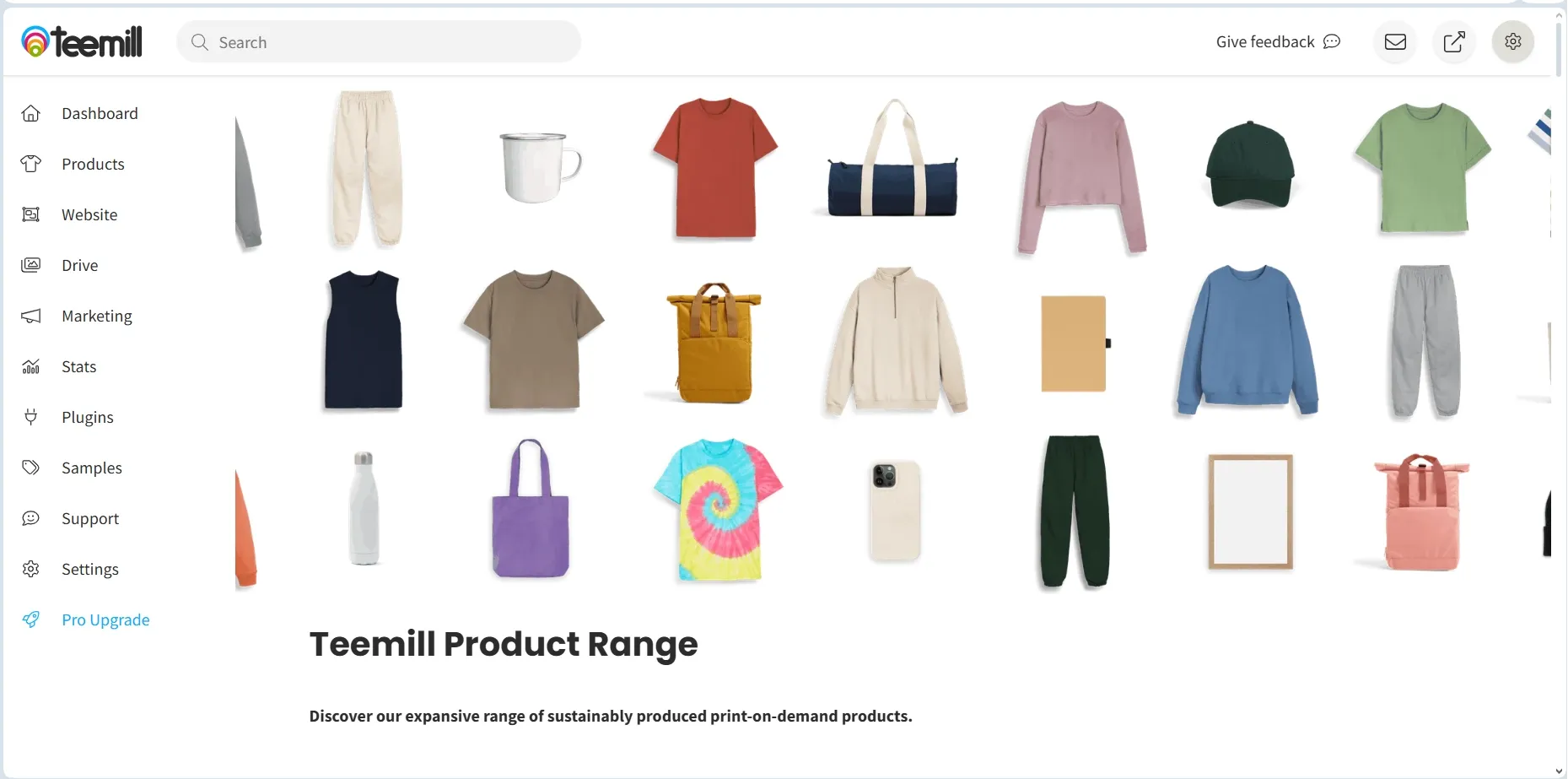
Most popular print-on-demand items: clothes (t-shirts, hoodies, kids’ clothing, vests, baseball caps, etc.), home goods (posters, mugs, towels, water bottles, jigsaw puzzles), and accessories (totes, backpacks, stickers, etc.)
Integrations
Google Analytics, Google Ads, Facebook Tracking, Instagram Shopping, Product Feed, Pinterest Catalogue, YouTube Merch Shelf, Etsy, etc.
Pricing
Starter Plan: Basic (Free)
- Allows creating a store with 5 pages and 30 products
- All the core print-on-demand options
- Basic AI mockups
- 150MB of cloud storage for photos
- Free design library to start from scratch
- Remill (recycled organic cotton range)
- Complete functionality with limits on scale
Best Value Plan: Teemill Pro (£8.25 a month billed annually, £10 month-to-month — roughly $11–13.50)
- Everything from Free, plus
- Up to 999 products, and unlimited pages and blog posts
- Custom domain
- Branded packaging and priority fulfilment
- 10GB storage space
- Advanced mail marketing tools
- Professional SEO tools
- Wider product range, including backprints and bundles
- Thousands of AI mockups, designs, and graphics
- Etsy and TikTok Shop integrations
- Community chats with founders and experts
As a user-friendly integrated solution, Teemill is a great choice for a newbie who wants to focus on creativity and play around with designs. I also must give it some brownie points for sustainability and conscientious business practices, which seem genuine and should attract a lot of eco-aware customers. However, Shopify has more customization and scalability potential for a bigger business.
9. Shift4Shop: Best free Shopify alternative
Best for: US merchants who want a genuinely free store and don’t mind using Shift4 Payments.
Shift4Shop used to be called 3dcart and has been around since 1997. It somehow never got quite as popular as Shopify, which is a shame, since it’s one of the most complete and cheapest e-commerce platforms like Shopify on the market. It has its downsides, but for the features it offers, it’s a steal.
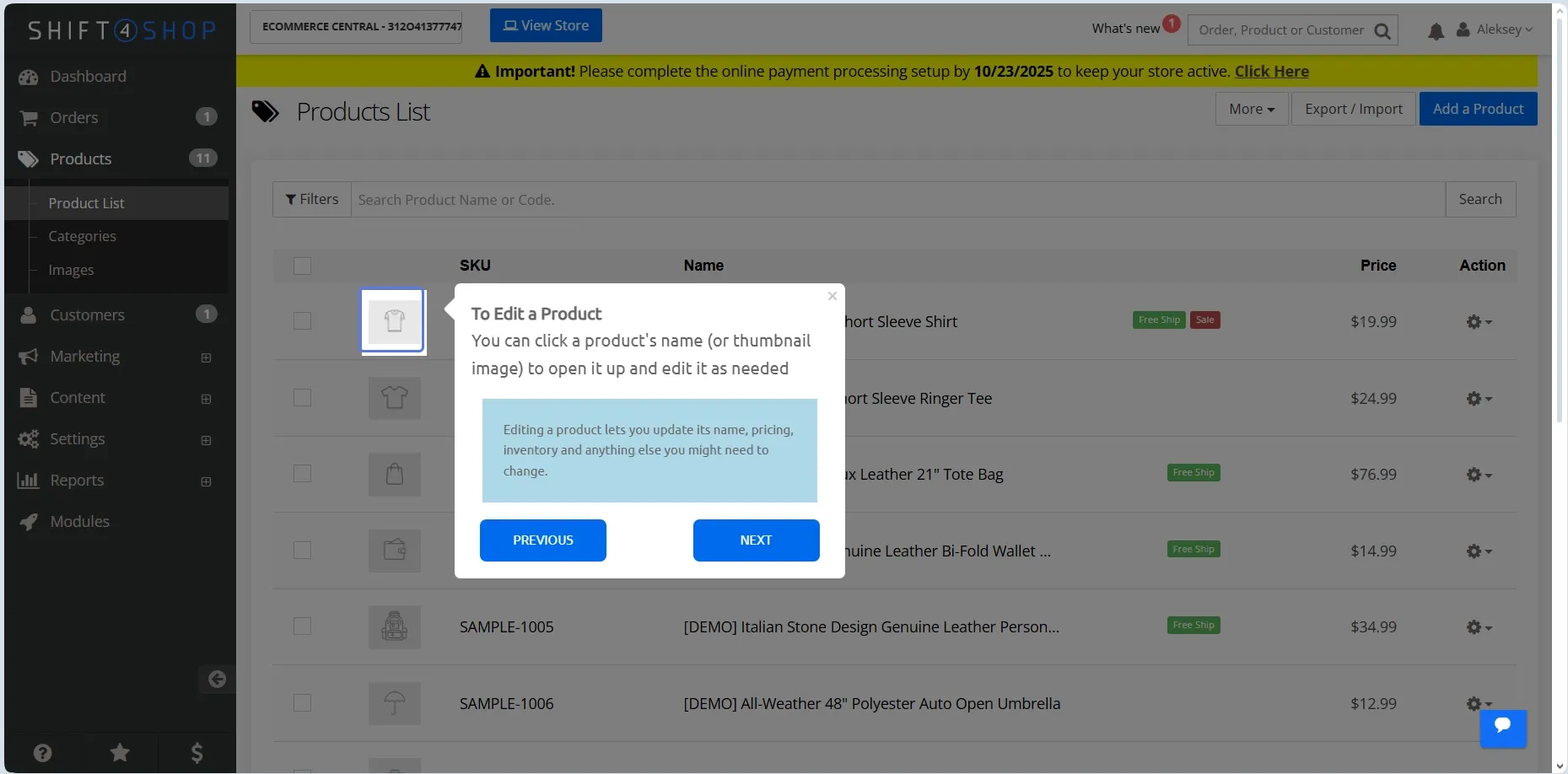
Why I picked Shift4Shop
This is a free (with a caveat) enterprise-level platform offering advanced features that would cost an extra fee each on Shopify. Everything is included out of the box, and you don’t have to upgrade your plan or pay for third-party app integrations.
Standout features
- Fully hosted PCI-compliant platform with free SSL certificate and unlimited storage
- Free for US merchants who process payments through Shift4 Payments (no monthly processing minimum is published)
- Unlimited products and staff accounts
- Built-in blogging feature
- Great SEO and content creation tools
- Sales functionality (loyalty programs, gift registries, daily deals)
- Free email marketing functionality
- Comprehensive inventory management is built in
- Built-in affiliate program
- Customizable URLs
- Multiple payment gateways can be added via Shift4, including PayPal, Apple Pay, GPay, and even cryptocurrency
- Convenient feature customization via Modules
Products you can sell
Everything you can sell on Shopify: digital products (downloadables, courses, software, music, etc.), physical products (clothing, electronics, collectibles), and services (consulting, design, etc.)
Integrations
Google Analytics, Google Cloud, Mailchimp, Axis LMS, Stripe, Klarna, PayPal, Square Payments, Katana Cloud Inventory, TrueLoyal, LiveChat, Amazon, Zapier, etc.
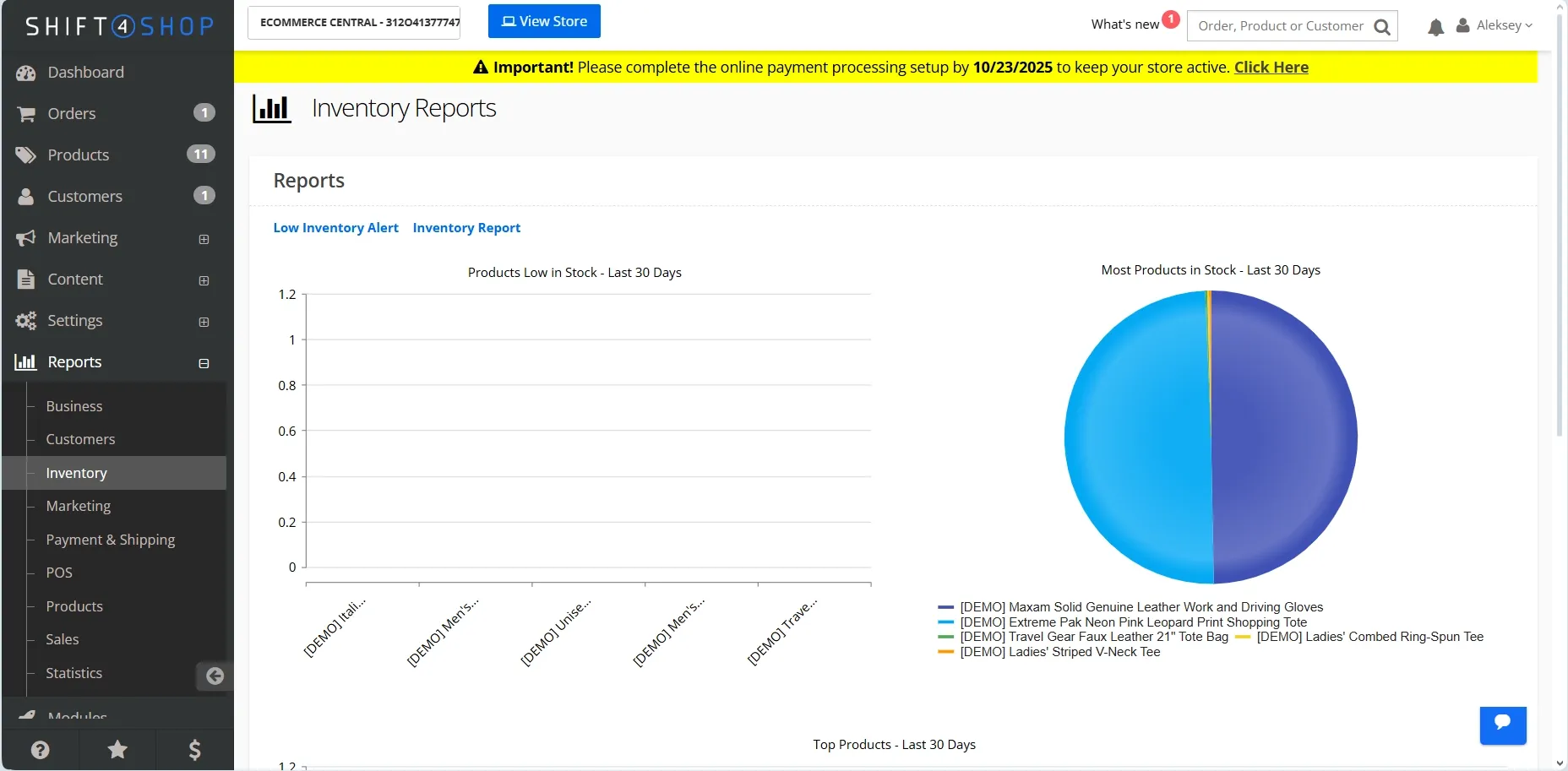
Pricing
Starter Plan: End-to-End eCommerce (Free)
- Free for US merchants who process payments through Shift4 Payments — Shift4Shop lists it as a “$229/mo value”, with unlimited staff users and no product, bandwidth, or order limits
- Standard Shift4 payment rates 2.9% + 30¢ per transaction
- 100+ free mobile-friendly themes
- Unlimited staff users
- Access to all core features, including marketing, blog, SEO, inventory, etc.
Best Value Plan: Basic Store ($29 a month)
- No requirement to use Shift4 Payments, so it works outside the US
- 2 staff users
- 100+ free themes
- Advanced SEO, marketing, customer service, and inventory management toolkits
- AI-driven fraud protection
- Free migration service from your previous eCommerce website
- Plus Store ($79 a month, 5 staff users) and Pro Store ($229 a month, 15 staff users) add the full marketing suite and e-commerce automation
Shift4Shop is a great choice for US-based small to medium businesses that are looking for Shopify alternatives free of immediate monthly fees. Of course, “free” doesn’t mean zero-cost, since you are going to incur payment processing fees. Still, it’s a robust and cost-effective option for a small business, especially if you don’t mind a bit of DIY.
10. Etsy: Best for international selling
Best for: handmade and vintage sellers who want built-in marketplace traffic instead of building an audience from scratch.
What separates Etsy from other platforms like Shopify is a huge marketplace with millions of daily shoppers. It’s a powerhouse worth considering if you haven’t built a customer base yet. Etsy is commission-based, so you don’t have to splurge on a subscription to tap into this channel for sales and exposure.

Why I picked Etsy
Etsy is best known for its handmade crafts and vintage items, so the majority of users come to the platform looking for a unique piece of clothing, home décor, or an accessory, making it the best for physical products. That said, there is a thriving community of digital artists selling downloadable files on Etsy, so it’s pretty versatile.
Standout features
- Relatively easy setup
- No monthly payments
- Renowned marketplace with nearly 100 million active buyers globally
- Allows flexibility and pivoting
- FAQs and comprehensive guides on starting out
- Huge supportive community
Products you can sell
All kinds of digital and physical products. Pretty much anything that doesn’t violate the platform’s rules on dangerous, violent, hateful items, nudity, etc. Common listings include website templates, eBooks, and courses with downloadable videos, workbooks, and journals.
Integrations
Shopify, Wix, WooCommerce, Printful, Mad Mimi, ReferralCandy, TaxJar, MySocialPig, Marmalead, Billbee, Spreesy, FotoFuze, Craftybase, etc.
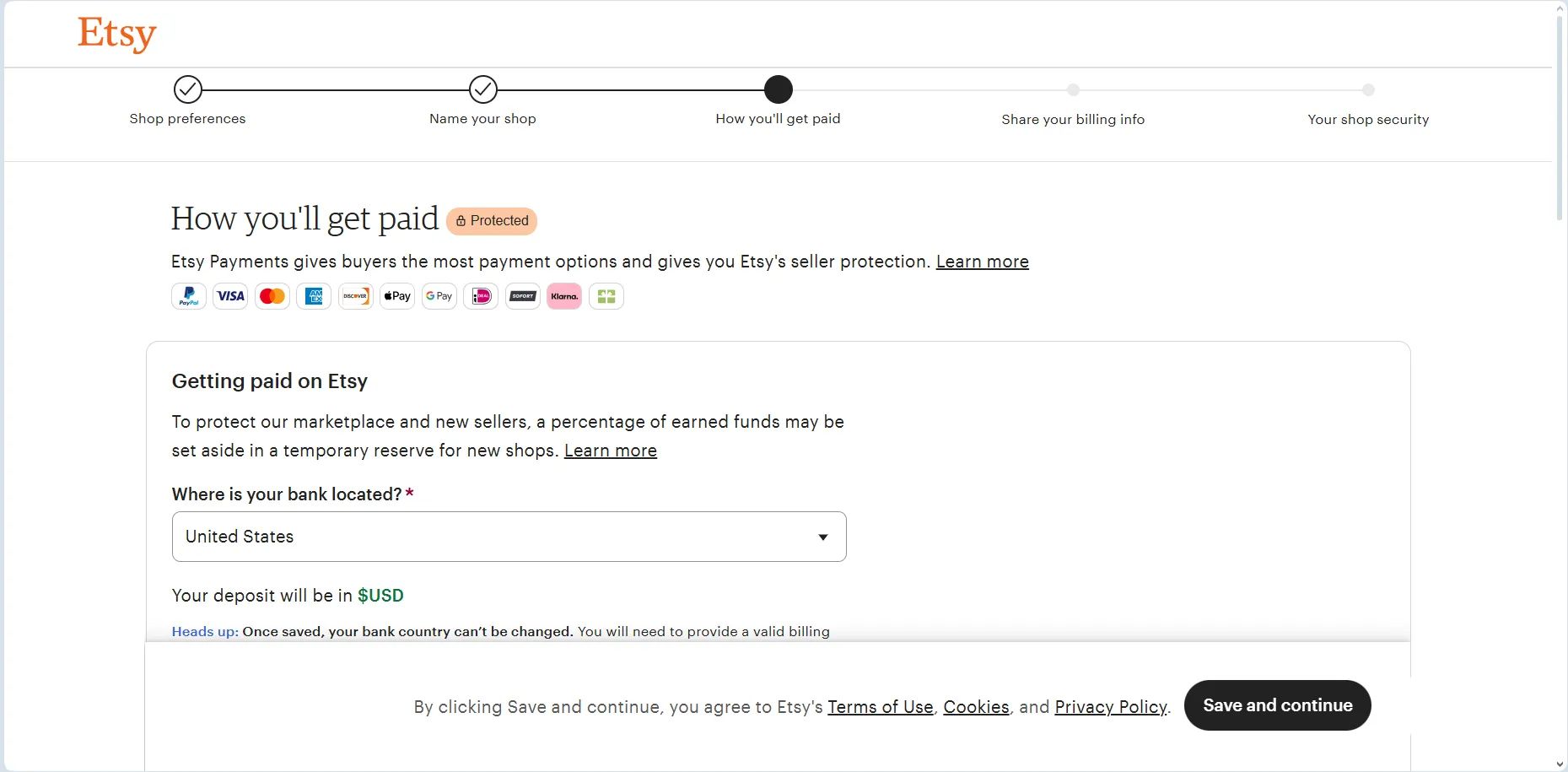
Pricing
Etsy doesn’t have recurring subscription fees. The platform charges new shops a one-time set-up fee of $15–$29 depending on your country, $0.20 per listing, and 6.5% per sale, plus payment processing and taxes based on location.
Etsy is a good option if you are only starting and looking for a niche in the market. The platform gives you access to millions of primed buyers and allows you to find your unique place through trial and error. However, if you already have a customer base, Shopify gives you more marketing and SEO tools.
Find a more detailed comparison in a dedicated Sellfy vs Etsy article.
Also worth a look: Pensight, best for coaches and course sellers
Pensight was #10 on an earlier version of this list. I moved it out of the main ranking when I added BigCommerce, but it is still the better pick for some sellers, so it stays here as an honorable mention. It is a link-in-bio storefront. It’s very similar to Shopify in what it lets you sell, but it allows selling without building a full website. Pensight is more focused on educational content with personalized client interactions, and it has better tools for scheduling, consultations, and client management than most platforms above (built-in DMs, client portal, landing page builder, calendar, etc.).
On the flip side, Pensight doesn’t offer as much in terms of product variety, detailed analytics, or native integrations.

Why Pensight is worth a look
Pensight is a lighter solution than Shopify, but it offers more for creators who want to sell their expertise and digital products. There are discount codes, payment in installments for your customers, unlimited funnels, email marketing, automation, pixel tracking, and your own affiliate program.
Standout features
- Built-in marketing features (email automation, broadcasts, funnels, affiliate program, etc.)
- Custom domain
- Unlimited links
- Unlimited video calls (+recordings)
- Customizable design (no Pensight logo, various themes, background colors, fonts, Open Graph customization)
- Advanced native analytics (earnings, page traffic, link clicks, etc.)
- Native marketing tools (partner programs, coupons, website embeds)
- Built-in chat
- Payment plans, with Klarna and Affirm buy-now-pay-later support
Products you can sell
Courses, one-on-one sessions, video Q&A, memberships, group programs, subscriptions, pay-for-what-you-want, and digital downloads.
Integrations
Pensight only supports integrations through Zapier. You can connect to Mailchimp, MailerLite, Flodesk, Sendy, Google Sheets, Google Calendar, Gmail, Outlook, ActiveCampaign, OpenAI, Google Analytics, Meta Pixel, TikTok Pixel, etc.
Pricing
Pensight has a free Basic tier and two paid plans. The paid plans come with a 7-day free trial that doesn’t require payment details, and annual billing takes about 20% off both paid tiers. Every plan, including Basic, carries a single 3% transaction fee that covers payment processing, hosting, and support.
Basic plan: Free
- Digital products and one-on-one sessions
- A basic Pensight page
- Unlimited video calling
- Basic analytics
Starter paid plan: Pro ($23 a month billed annually, $29 monthly)
- Everything from Basic, plus unlimited courses, session bundles, group events, video Q&A, memberships, and group programs
- Email marketing and payment plans, with Klarna and Affirm support
- Custom domain and page personalization
- Accelerated payouts, an AI assistant, and call transcription
Best value plan: Business ($79 a month billed annually, $99 monthly)
- Everything from the Pro plan
- Growth support package (onboarding with a sales and marketing expert, free course migration, bi-weekly calls with a growth manager, 1:1 marketing review, etc.)
Overall, Pensight wins for digital and expertise-based products, offering more features for the price. I’d recommend it for building a highly personalized coaching business. If you are looking for something more versatile with, say, branded merch, Shopify is more suited for that, and if you also sell downloads and subscriptions next to your sessions, Sellfy covers both in one store.
How to migrate from Shopify
To migrate from Shopify, you must export the data you need and use it to set up your new online store. After that, test that everything is working, tell your customers about the change, and update your links everywhere to point people to the new platform. The table below tells you what you can and cannot export from Shopify.
| Data/asset | Exportability | Caveats |
| Digital products (images, PDFs, videos, templates, etc.) | Partially | You’ll get image links in the product CSV, but the files themselves? Not included. If you used Shopify Digital Downloads or another app, download your files directly. |
| External file links | Yes | If your product delivered a file via a URL (like Dropbox or Google Drive), those links are yours to keep. Just grab them from your product descriptions or delivery settings. |
| Subscriber/email list | Yes | Head to your Customers tab, hit “Export,” and you’ll get a CSV with names, emails, and more. It won’t include unsubscribes or email history, so keep that data handy if you track it elsewhere. |
| Customer/order data | Yes | Orders and customers export cleanly as CSVs. Passwords, payment info, and subscription billing details stay behind (PCI rules). |
| Theme / layout / design | No | Your Shopify theme won’t work elsewhere. You can download your theme ZIP as a backup, but other platforms speak a different language. |
| Custom fields, checkout configurations, upsells, email flows, membership rules | No | You’ll need to rebuild them on your new platform, one step at a time. |
Steps to migrate from Shopify
1. Export everything from Shopify Download products, customers, and orders as CSVs. Save a list of every product, with name, price, description, and images. Screenshot your homepage layout, product pages, and any checkout apps or form customizations. Copy down email flows, shipping settings, and any key rules or automations.
2. Build on your new platform Pick your new eCommerce platform and create your store. Depending on the platform you choose, upload your product CSV if supported or add everything manually. Recreate your categories, pricing, and delivery methods. Set up payment processors, taxes, and shipping rules.
3. Test before you flip the switch Place a test order. Make sure payment works, confirmation emails are sent, and any digital products are delivered. Double-check that your shipping, tax, and fulfillment flows are right. If you used customer accounts, test that logins and resets work as expected. Fix anything that breaks.
4. Let customers know what's happening Email your list and tell them about the move. Let them know how to access past purchases and what’s changing. Provide dates and instructions for logging in or reordering. Make an FAQ to explain anything important. Be ready to help anyone who needs support.
5. Make the switch Change your domain settings so your website now points to the new store. Update all links in emails, ads, and social. Monitor orders and fix bugs fast. Keep Shopify live a little longer if needed. Once the new platform handles everything smoothly, cancel Shopify.
Sellfy is the store builder behind 75K+ creators. One flat monthly fee, and no commissions on your sales.
The process can vary depending on the platform you’re moving to. If you’re switching to Sellfy, the steps are mostly the same, but there are a few Sellfy-specific details to know.
On the Starter plan, I’ll need to manually import my data into Sellfy after exporting it from Shopify, as product migration is only available on the Business and Premium plans. However, email list import is free and available on all plans and will take about 1-2 business days to complete. That makes it easy to let people know I’ve moved to Sellfy and keep my audience in the loop.
Which Shopify alternative should you choose?
After comparing all these platforms, I can confidently say that we have a clear winner: Sellfy gives you everything you need and some things that you didn’t even know you needed. All that without nickel-and-diming you with commissions and overall at a lower cost for the value it offers.
However, which is the perfect fit specifically for you depends largely on your vision for your online store and your unique talents. If you are laser-focused on print-on-demand, Teemill might be a good place to start as a newbie. Etsy will suit you if you want to expose your creations to a global audience.
If you own a large business or plan on growing fast soon, ThriveCart or Hostinger might be what you are looking for, especially if you value hands-on approach or have a developer on your staff. If you're planning to sell across multiple channels or need B2B tools like purchase orders and custom pricing, BigCommerce is worth a serious look. Squarespace and Wix offer elegant and easy-to-use solutions to display your work as a small independent creator. If you sell coaching, consultations, or courses through a link in bio, Pensight is worth a look too.
If saving money is your priority, Shift4Shop is a comprehensive free platform that is absolutely worth considering, despite being a bit old-fashioned and clunky. If SEO and content marketing is your superpower – go on and try to tame WooCommerce.
Every platform has its unique value and serves a specific type of seller it was created for. Try to weigh all your strengths and goals realistically before you invest any of your hard-earned money in a long-term subscription – believe me, sunken cost fallacy is very real, and choosing the right one from the start is easier than migrating.
A checklist before you commit
Run through these six questions before you pay for any annual plan:
- What’s your real monthly ceiling? Add the plan price, apps, themes, and transaction fees together — not just the sticker price.
- What are you actually selling? Digital downloads, physical inventory, print-on-demand, and services each have a different best-fit platform.
- How much design control do you need? Template-and-go, or control over every element?
- What order volume do you expect in year one? Platforms that are cheap at 10 orders a month can get expensive at 1,000.
- Will you touch code? WooCommerce and Shift4Shop reward tinkering, and BigCommerce rewards it further if you go headless. Sellfy and Wix don’t ask for it at all.
- Where are your buyers? Check currency support, language versions, and whether the free plan is region-locked.
Pick by what you sell and where you sell
- Digital products (e-books, courses, presets, templates): Sellfy, or ThriveCart if you run paid funnels. More options in our guide to selling digital products.
- Coaching, consultations, and courses: Pensight for a link-in-bio storefront with booking and client tools built in, or Sellfy if you also sell downloads and merch.
- Print-on-demand merch: Teemill for the sustainability angle, or Sellfy if you want POD sitting alongside digital products in one store.
- Handmade and vintage: Etsy, for the marketplace traffic. See Etsy alternatives if you’d rather own the storefront.
- Dropshipping: WooCommerce with a supplier plugin, or Wix. This is the one category where Shopify’s app ecosystem is genuinely hard to beat.
- Content-led stores that live off SEO: WooCommerce on WordPress. More in selling digital downloads through WordPress.
- Selling from the UK or Australia: Anything except Shift4Shop’s free plan, which is US-only. Sellfy, Wix, Squarespace, and WooCommerce all handle multi-currency — check VAT and GST handling before you commit.
- Small business on a tight budget: Shift4Shop if you’re US-based, Hostinger on a long term, or Sellfy’s Starter plan. See the best e-commerce platform for small business.
- Scaling into wholesale, B2B, or multiple sales channels: BigCommerce, for native Amazon, Walmart, and social selling plus built-in purchase orders and price lists.
FAQ: Shopify alternatives
What is the best alternative to Shopify?
After testing all 10 platforms on this list, Sellfy was the one I'd recommend to most creators. It does pretty much everything Shopify does (storefronts, payments, marketing, analytics), but you can launch in under 10 minutes without watching a single tutorial. The big difference is focus. Shopify is built for retail merchants who ship physical inventory. Sellfy is built for creators who sell e-books, courses, presets, templates, music, software, or print-on-demand merch.
What is the cheapest alternative to Shopify?
Shift4Shop is technically the cheapest because it's free for U.S. merchants who use its built-in payment processor. The catch is the U.S.-only requirement and the dependency on Shift4's payments. If you're outside the U.S., or you want flexibility on payment processors, Sellfy's Starter plan at $22/month billed annually ($29 month-to-month) is the most cost-effective option I tested.
Which Shopify alternative is best for selling digital products?
Sellfy was the only platform on this list where I didn't have to install a single app to sell a digital product properly. PDF stamping, license keys, pay-what-you-want pricing, and subscription downloads are all built in. On Shopify, every one of those features is a paid third-party app, and the per-app fees add up fast. WooCommerce is a close second if you're already on WordPress and don't mind plugin-stacking, but the setup is a project, not an afternoon.
Can I switch from Shopify without losing my products and customers?
Yes, and the migration is less scary than most people think. Almost every alternative accepts CSV imports for products and customers exported straight out of your Shopify admin. The part to plan carefully is SEO. Before you flip the switch, list every Shopify URL that gets organic traffic, then set up 301 redirects from each old URL to the matching page on the new platform. Update your sitemap, resubmit it in Google Search Console, and watch your traffic rebound within a few weeks. Skip the redirects, and you'll lose rankings for months.
What are Shopify's main disadvantages?
Three things kept coming up across my testing. First, the real cost. The sticker price ($29 a month billed annually, $39 month-to-month) is just the entry point. Add transaction fees on third-party gateways, paid apps for features that should be standard, and a paid theme, and a small store easily lands at $80 to $150 a month. Second, the learning curve. Shopify is powerful, but you'll spend real hours figuring out apps, themes, and settings before your first sale. Third, the physical-product bias. If you're selling digital goods, you're constantly working around features designed for inventory and shipping you don't have.
Is there a free Shopify alternative?
Yes. Shift4Shop's End-to-End plan costs nothing per month if you're a US merchant processing payments through Shift4 Payments, and it carries the same features as their top paid tier. Teemill's Basic plan is free with a limit of 5 pages and 30 products. WooCommerce itself is free, though you still pay for hosting. Shopify has no free plan; its cheapest tier is $29 a month billed annually ($39 month-to-month), after a trial of 3 days free and then $1 a month for 3 months.
Which Shopify alternative has no transaction fees?
Wix charges 0% transaction fees on third-party payment gateways across its plans, and Squarespace charges 0% on Core, Plus, and Advanced (Basic still takes 2%). Sellfy, BigCommerce (on approved payment providers), Hostinger, and ThriveCart take no cut of your sales either. Shopify adds 0.6–2%, depending on the plan, on top of processing whenever you don't use Shopify Payments, which isn't available in every country.
What's the best Shopify alternative for dropshipping?
WooCommerce is the strongest option, since supplier plugins handle product syncing and order routing, and Wix supports dropshipping natively too. This is the one category where Shopify's app ecosystem is genuinely hard to beat, so if dropshipping is your entire business model, weigh the switch carefully rather than assuming a cheaper platform wins.
Who is Shopify's biggest competitor?
Among standalone store platforms, WooCommerce, BigCommerce, and Squarespace are Shopify's closest competitors by market share and name recognition, with Wix and Squarespace competing hardest at the small-business end. If you count marketplaces, Etsy and Amazon chase the same sellers. There's no single answer — it depends on store size and what you sell.
Is Shopify still worth it in 2026?
For merchants shipping physical inventory at scale who want the largest app ecosystem, yes. Shopify is still the default for a reason. But at $29–$39 a month before apps, plus 0.6–2% on third-party gateways, it's an expensive way to sell digital products or run a small catalog. If you sell downloads, courses, or merch, a leaner platform costs less and takes far less setup.

Tips & Tricks



Tips for creators
Join thousands of creators receiving sales tips, marketing resources, and inspiring stories. No spam, pure value.