- tips & tricks
- |By Aleksey Haritonenko, Last Updated:
10 Top Etsy Alternatives for Sellers in 2026
Etsy's been around for quite a while, giving artists and small business owners a place to sell handmade pieces, old collectibles, and other creative finds that you can't get in regular stores.
It's a great way to reach buyers almost anywhere. But it's not without problems: the fees are rising, competition is more challenging than ever, and a lot of sellers feel like they don't have much freedom to design their shops the way they want.
During 2026, more small businesses began testing other platforms that promised better control, fair pricing, and tools that actually help with promotion instead of getting in the way. I'll go through ten platforms that really stand out for their usability, pricing, and design flexibility.
A note on bias before you read on: Sellfy is our own product, and it's first on this list. Treat that with exactly the scepticism you'd apply to any company reviewing itself. Eight of the other nine platforms here compete with us directly, and I've written an honest "skip it if" line under every single entry, including ours. If Sellfy isn't right for what you sell, the sections below will tell you so.
Prices and features last checked: September 2026. Every platform on this list changes its pricing, so verify on the official site before you subscribe. I've linked all of them.
Why sellers are leaving Etsy in 2026
Before looking at where to go, it's worth being precise about what you're actually leaving. Most of the frustration I hear from sellers comes down to four things.
The fee stack adds up quietly. Etsy charges a listing fee per item, a transaction fee on each sale, and payment processing on top of that. None of them is large on its own. Together they take a meaningful bite, and because they're deducted at different points, a lot of sellers never sit down and add them up. There's a worked example below.
You don't own the customer. Etsy controls the buyer relationship. You can't export a mailing list of people who bought from you and market to them directly, which means every sale starts from zero again. On your own store, a buyer becomes an email subscriber you can sell to for years.
Search visibility is out of your hands. Etsy's search algorithm decides who sees your listings. When it changes, and it changes often, shops that were doing fine can lose most of their traffic overnight with no explanation and no recourse.
Handmade competes with mass-produced. Etsy's enforcement against drop-shipped and mass-produced goods has been a running complaint from genuine makers for years. If you hand-make what you sell, you're competing on price with sellers who don't.
How much does Etsy take from a $100 sale?
Here's the arithmetic on a single $100 sale, using Etsy's standard US fee structure at the time of writing:
| Fee | Amount |
| Listing fee | $0.20 |
| Transaction fee (6.5%) | $6.50 |
| Payment processing (approx. 3% + $0.25) | $3.25 |
| Total | ~$9.95 |
So roughly $10 on a $100 sale, or about 10%, before anything optional. If the sale came through Etsy's Offsite Ads, add another 12–15%. If you ran a promoted listing, add that too. A seller using both can easily be handing over a quarter of revenue.
Run your own numbers below. Drag the price and your monthly sales to see what Etsy keeps:
- Listing fee
- $0.20
- Transaction fee (6.5%)
- $6.50
- Payment processing (3% + $0.25)
- $3.25
- Total Etsy fees
- $9.95
- Net profit per sale
- $90.05
- You keep
- 90.0%
Want to add your cost of goods, shipping, or Offsite Ads on top? Use the full Etsy fee calculator. And check the current rates on Etsy's official fees page — rates change.
For comparison: most of the subscription-based platforms below charge 0% per sale. You pay a flat monthly fee and keep the rest, minus your payment processor's cut. That flips the maths as your volume grows. It's the whole reason this list exists.
10 Etsy alternatives at a glance
| Platform | Best for | Starts at | Fee per sale | Digital products | Built-in buyers |
| Sellfy | All-in-one creator storefront | $22/mo (annual) | 0% | Yes | No |
| Stan Store | Selling to a social media audience | $29/mo | 0% | Yes | No |
| Shopify | Long-term growth and multichannel | $39/mo | 0% via Shopify Payments | Via apps | No |
| SendOwl | Digital delivery on a site you already have | $39/mo | 0% | Yes | No |
| Big Cartel | The smallest budgets | Free (5 products) | 0% | Paid plans only | No |
| Bonanza | Crafts plus repeat customers | Free to list | ~3.5% + $0.40 | Yes | Yes (small) |
| Amazon Handmade | Maximum reach | $39.99/mo | 15% referral | No | Yes (very large) |
| IndieMade | Artists who want simple | $4.95/mo | 0% | Yes | No |
| Storenvy | Own store plus a marketplace | Free (20 items) | 0% own store / 15% marketplace | Yes | Yes (small) |
| Fine Art America | Print-on-demand art and photography | Free (25 uploads) | You set the markup | Yes | Yes |
The short version: if you want the cheapest possible start, Big Cartel or Storenvy's free tiers cost nothing. If you want buyers handed to you, Amazon Handmade has the audience but charges 15% for it. If you sell digital products and want to keep your margin, the subscription platforms with 0% per-sale fees pay for themselves quickly.
A quick look at the 10 most popular Etsy competitors
- Sellfy offers a complete store for digital files, subscriptions, physical goods, and print-on-demand items. You can set up your store quickly and learn how to use Sellfy with an intuitive editor for content creation. It's perfect for creators who want to focus on selling, not setting up things, since you don't need any external apps to use the built-in email marketing, discounts, or upsells.
- Stan Store makes it easy for creators to set up their businesses and allows users to buy products through social media with one-click checkout and product suggestions. Stan Store is a go-to choice for people who sell digital goods or services and need to connect to social media swiftly.
- Shopify. Sellers have complete discretion over how to build their brand and expand their business on the platform. The platform enables you to customize a lot about your store and offers you access to a lot of apps and the opportunity to sell through several channels.
- SendOwl is a digital-only items platform. It also gives plenty of options for affiliate marketing. The website is for anyone who makes digital products and wishes to sell them without having to build a whole internet store.
- Big Cartel is a great service for sellers who have tiny enterprises or do hobbies. The platform provides a free plan that lets users list up to five items without having to pay for the listings. The site is great for artists and other creative folks who don't have a lot of things to sell.
- Bonanza is a major online store that sells a lot of different things, including handcrafted ones, and charges modest costs to do so. With its easy setup and built-in Etsy import feature, sellers may reach a lot of different kinds of clients for a lower cost.
- Amazon Handmade. Amazon's fulfillment network and well-known brand enable sellers to access a large international customer base. The platform requires additional fees but allows you to connect with numerous potential customers. If you plan on selling digital items, this platform will not work for you (all you can sell are physical items).
- IndieMade has customizable themes and drag-and-drop tools to help artists create professional-looking online shops. The platform is great for artists who need simple tools for designing and setting up their stores.
- Storenvy is a hybrid store that helps sellers make an online store with their own domain name. It comes with a bespoke design and a separate checkout process.
- Fine Art America is made for artists and photographers. Big product range; some advanced tools are available only in a paid plan.
I'll dwell more on each platform below to help you decide on the best Etsy alternative website for your product line and business growth goals. Let's dive in.
Marketplace or your own store? Decide this first
Nearly every platform on this list falls into one of two camps, and picking the wrong camp is the most expensive mistake you can make. It's worth two minutes of thought before you compare features.
A marketplace, like Etsy, Amazon Handmade, Bonanza, or Fine Art America, brings you buyers. People are already there searching. You don't have to do marketing to make your first sale. In exchange, you pay a commission on every sale, you compete directly with everyone else on the platform, the marketplace owns the customer relationship, and its algorithm decides whether anyone sees you.
Your own store, like Sellfy, Shopify, Big Cartel, SendOwl, IndieMade, or Stan Store, brings you nothing. There is no built-in traffic. You have to send people there yourself, from social media, email, search, or wherever your audience already is. In exchange, you pay a flat fee instead of a commission, you own the customer list, nobody can change an algorithm and halve your income, and the store is unmistakably yours.
Storenvy is the interesting middle case. It gives you a standalone branded store and optional marketplace listings, with different fees for each.
Here's the honest test: do you already have somewhere to send people? An Instagram following, a mailing list, a YouTube channel, a Pinterest account that actually gets traffic. Anything. If yes, your own store will almost always make you more money, because you're already doing the hard part for free and paying a marketplace a commission on top. If you have no audience at all and no appetite to build one, a marketplace is the realistic choice, and the commission is what you pay for the traffic.
Plenty of sellers run both: a marketplace for discovery, an own store for repeat buyers and higher-margin products. That's usually the sensible endgame.
Sellfy is the store builder behind 75K+ creators. One flat monthly fee, and no commissions on your sales.
The 10 Etsy alternatives I tested, in detail
1. Sellfy: Best all-in-one storefront for creators
Sellfy is a creator-friendly e-commerce platform that lets you build a fully branded online store for selling digital downloads, physical products, subscriptions, memberships, and print-on-demand items, all in one place, without relying on marketplace algorithms or paying transaction fees.
Full disclosure: Sellfy is our own product. Read this section knowing that, and read the "skip it if" line at the end. It's accurate.
Why I picked Sellfy
I chose Sellfy because it's a platform that treats sellers like business owners, not marketplace vendors. Sellfy gives me what Etsy can't: complete brand control, transparent fees that don't eat into your profits with every sale, and instant payouts that hit your account immediately. On top of that, Sellfy is an all-in-one platform where every tool you need to market, sell, and scale is built in.
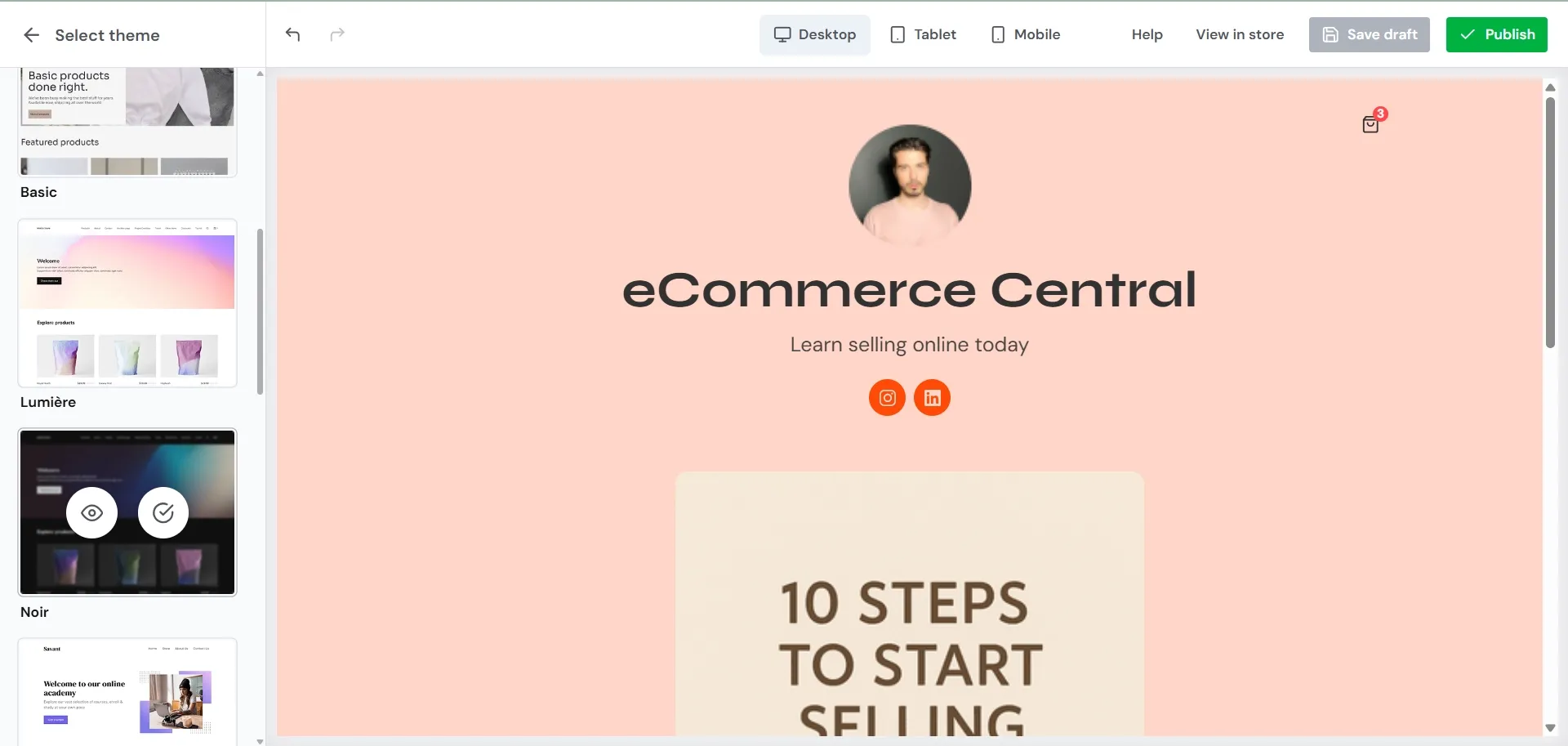
The setup was fast. The design is mobile-first, and you can always preview your store across desktop, mobile, and tablets to ensure perfection before launch.
I tried uploading a digital product (PDF template), setting a price, and hitting publish. The whole thing took me less than five minutes. The entire process was so easy that I immediately created three more digital items, uploading multiple files per product without any friction.
On Etsy, this same process would have involved navigating marketplace restrictions, dealing with their 4GB file size limit for some file types, and waiting for approval.
Etsy is great for beginners for instant audience access, but Sellfy is a stronger player for building a sustainable and long-term business on your own terms. While Etsy puts you in front of millions of potential customers immediately, that initial boost comes at a cost. You become dependent on Etsy's constantly shifting algorithm, and you don't own your customer data or relationships.
Sellfy eliminates this risk by letting you build an owned email audience that no algorithm can control and escape the platform dependency that makes Etsy sellers vulnerable to policy changes and algorithm updates.
Standout features
- Quick store setup (5-ish minutes)
- Email campaigns, discount codes, upsells, and cart recovery
- Sales reports, SEO, and analytics
- PDF protection and download limits for digital goods
- Easy embedding for your existing website or social media (store, cart, or "buy now" buttons)
- Affiliate system with custom commission rates
- Mobile-friendly, sleek design out of the box
- Option to offer freebies or flexible "pay what you want" pricing
- White-label branding and instant payouts
- Advanced VAT settings, multiple currencies, and no hidden fees
- Unlimited bandwidth and worldwide printing & shipping for POD
What you can sell
- Digital files (music, ebooks)
- Memberships
- Coaching sessions
- Print-on-demand products
- Subscriptions
- Physical products
Integrations
- Payments: Stripe, PayPal
- Analytics tools: Google Analytics, Facebook Pixel
- Emailing: Mailchimp
- Automation: Zapier
- Other: Patreon, and more
Pricing
- Starter plan: $22/month (for annual billing), perfect for creators just starting to sell online
- Best value plan: $59/month (for annual billing), great for growing businesses scaling online sales
See current plans on the Sellfy pricing page.
Pros and cons
Best for: creators who already have an audience somewhere and want one place to sell digital files, subscriptions, and POD merch without paying per sale.
Skip it if: you have no audience and need a marketplace to find buyers for you; you're building a complex multi-module course with drip content and quizzes; or you need a large third-party app ecosystem to run your operations.
Read more: Sellfy vs Etsy
2. Stan Store: Best for selling to a social media audience
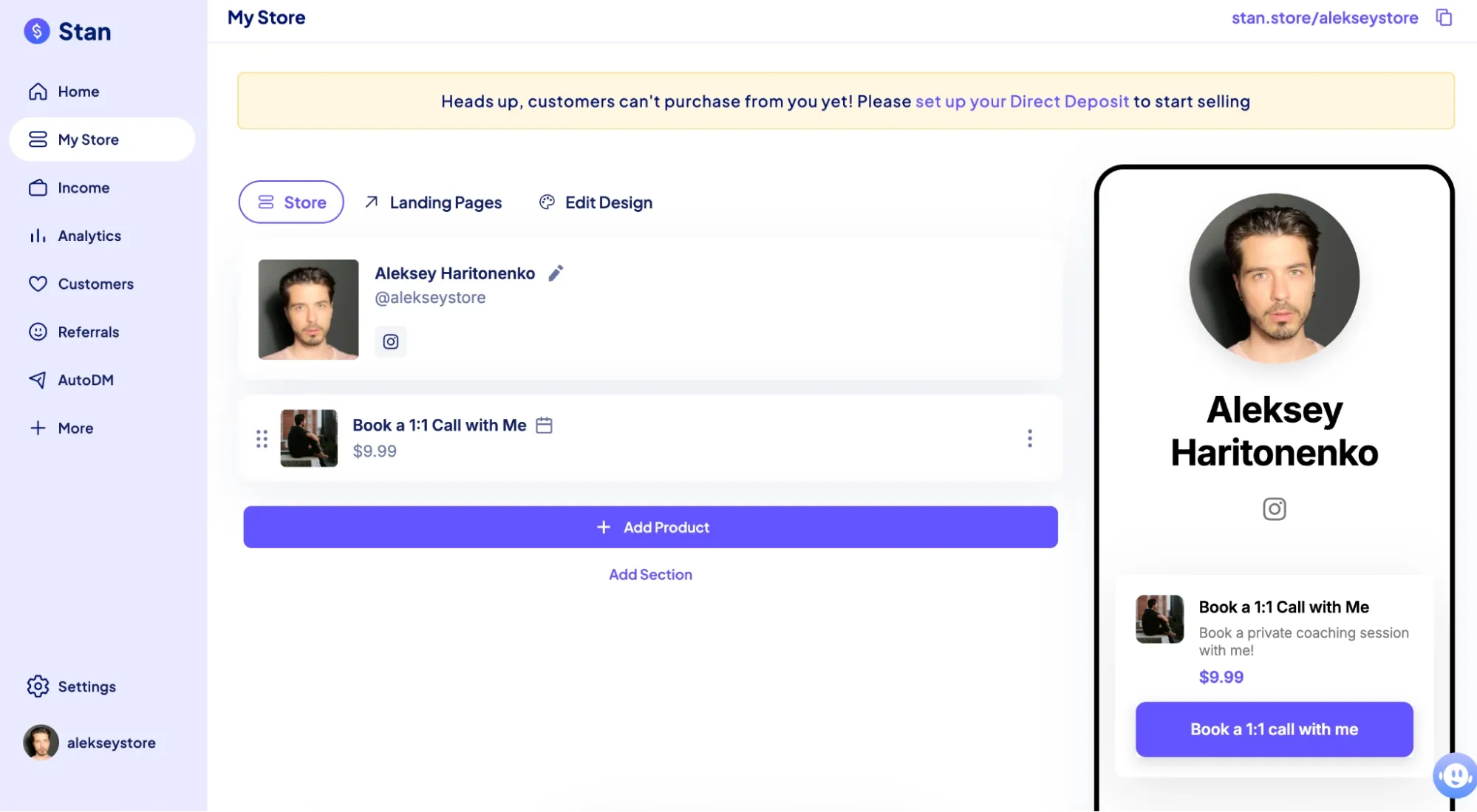
Stan Store is a link-in-bio selling platform built for creators who want to monetize their social media audience directly. It's designed to turn your Instagram and TikTok followers into paying customers without sending them to a traditional storefront or dealing with marketplace competition.
Why I picked Stan Store
I chose Stan Store because I wanted to try a selling platform that mirrors how creators actually build businesses today, from their social channels, not from a marketplace. Setting up my first offer took just a few minutes: the template pre-filled everything, I customized the copy, set the price, and it was live.
Compared to Etsy's clunky listing process, the entire Stan Store experience was intuitive. It was pretty easy to connect my Instagram and TikTok bios directly to my store. Within just an hour after signing up, I was all set up. On Etsy, that same setup would have taken days between listings and approvals.
Standout features
- One-click checkout
- Digital products and services focus
- Offers upsells and order bumps
- Deep social media integrations
- AutoDM responses on Instagram
- Lead magnets and email collection
- Discount codes
- Advanced analytics
- Calendar and appointment booking
- Online course builder
- Affiliate system (Pro only)
What you can sell
- Digital items, like PDFs, templates, eBooks
- Coaching calls
- Online courses
- Memberships
- Access to forum communities
- Links to websites and affiliate links
- Custom products (video reviews, audits)
Integrations
- Payments: Stripe, PayPal
- Email marketing: Mailchimp, Flodesk
- Calendar and appointments: Google Calendar, Zoom
- Automation: Zapier
- Website embedding: Link-in-bio URLs
Pricing
- Starter plan: $29/month, great if you're a solo entrepreneur
- Best value plan: Creator Pro ($99/month) with advanced features
Pros and cons
Best for: creators whose audience lives on Instagram or TikTok and who sell digital products, coaching, or courses.
Skip it if: you sell physical or handmade goods that need shipping, or your traffic comes mostly from search rather than social.
Read more: Stan Store Alternatives
3. Shopify: Best for long-term growth and multichannel selling
Shopify is a professional e-commerce platform for businesses that want to have full control over their brand and be able to sell on multiple channels.
Why I picked Shopify
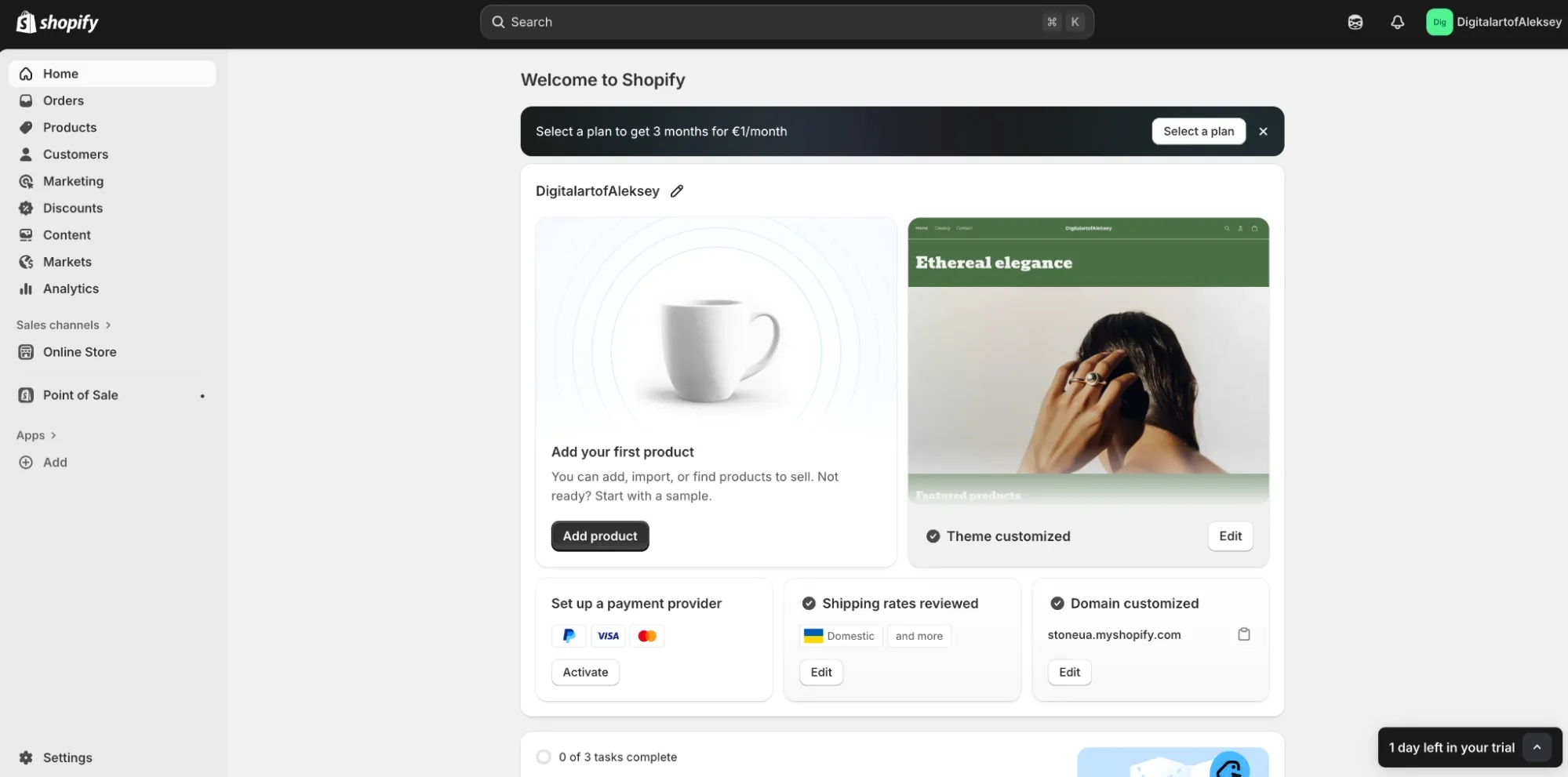
I chose Shopify because the reputation and user reviews confirmed what I suspected. Shopify isn't just a store builder. It's infrastructure for serious commerce. Unlike Etsy's marketplace model, Shopify gives you a fully owned storefront with access to over 13,000 apps.
What convinced me to try it was the speed of setup combined with professional-level features. Within an hour, I had a live store with a professional design. More importantly, I could instantly sync my store to Amazon, Instagram, and Facebook, channels where most sellers' audience already spent time.
Unlike Etsy, Shopify lets you drive your own traffic from multiple sources while maintaining complete control. The analytics dashboard shows you exactly which channels converted best. For a business with serious growth ambitions, this platform eliminates the risk of betting everything on one platform's algorithm or fee changes.
Standout features
- AI design helper. Describe what your business does, and Shopify will generate custom themes
- Manage your sales activities across multiple channels through a single dashboard
- Write a dedicated blog post on your store
- Global selling capabilities: sell in 150+ countries with multi-currency
- 24/7 chat support
What you can sell
- Digital items (music, digital art, and even NFTs)
- Physical products
- Consulting and coaching sessions
- Services
- POD items
- Items created by you
Pricing
- Starter plan: Basic Shopify ($39/month), best for solo entrepreneurs
- Best value plan: Grow ($92/month), best for small teams with 5 accounts available
Current plans are on the Shopify pricing page.
Pros and cons
Best for: sellers with real volume, a growing catalog, or plans to sell across several channels at once.
Skip it if: you sell a handful of digital files and don't want to pay for apps and a theme to do something simpler platforms do out of the box.
Read more: Shopify Alternatives
4. SendOwl: Best for digital products
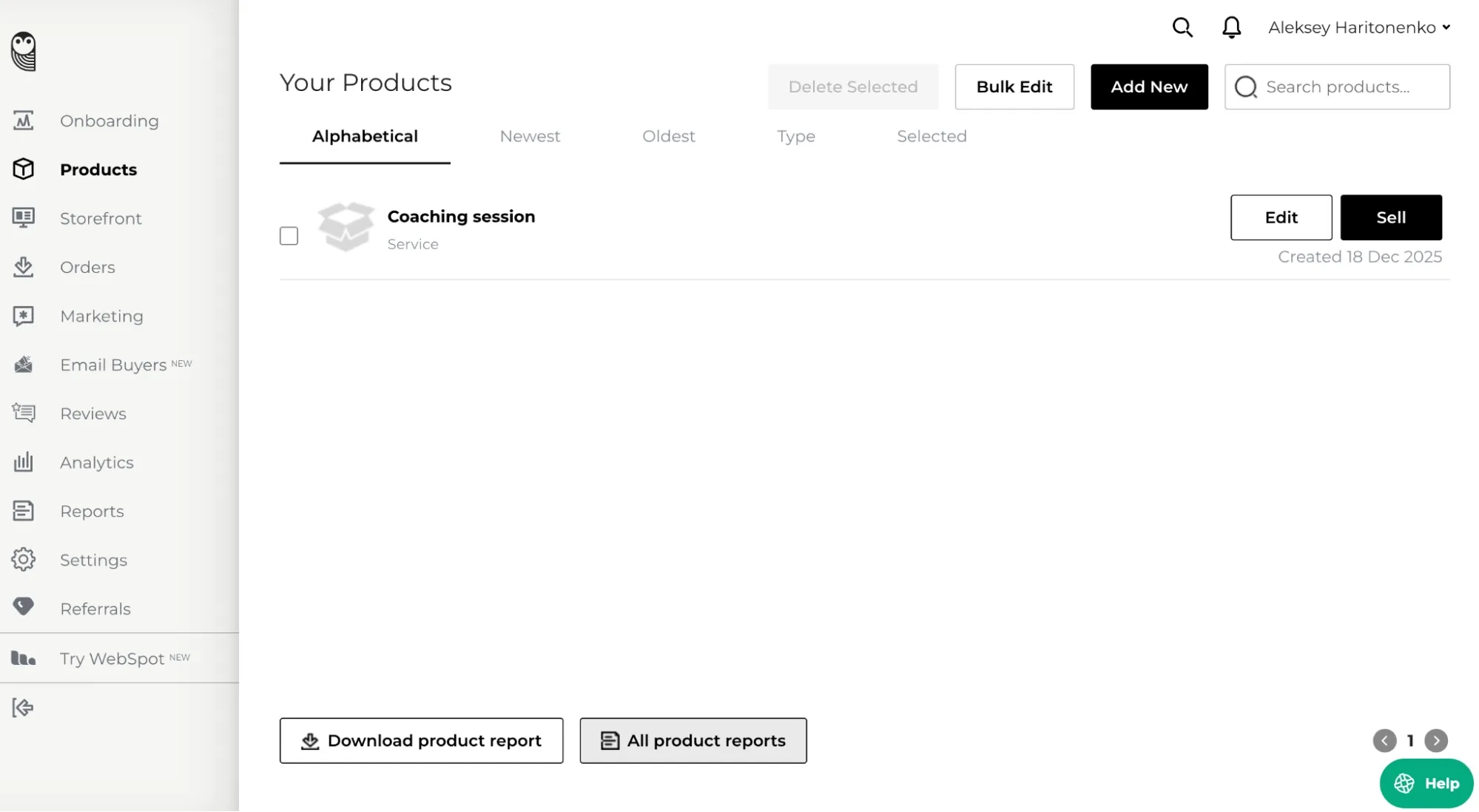
SendOwl is ideal for Etsy sellers who want more representation of digital downloads. Unlike Etsy's physical-product focus and fees, SendOwl handles instant file delivery, subscriptions, and licenses right from your existing site.
Why I picked SendOwl
I chose SendOwl because of Etsy's limitations on digital product delivery. It took me a few minutes to set up my first digital offer. It's designed specifically for people selling digital goods, not shoehorned into a general e-commerce platform.
SendOwl's laser focus on digital sales and embeddable checkouts is what makes it better than Etsy for sellers promoting digital goods. The anti-piracy tools and affiliate support stood out during my testing.
Standout features
- Buy Now buttons, shopping carts, or checkout forms that can be added to any website, blog, Notion page, or Linktree
- Advanced anti-piracy tools like PDF stamping and expiring download links
- Video streaming without downloads
- Automated emails remind customers of unpurchased items
- Built-in affiliate program
- Multiple payment gateways
What you can sell
- eBooks and PDFs
- Software and licenses
- Online courses
- Music
- Membership access
- Digital art
- Templates
Sellfy is the store builder behind 75K+ creators. One flat monthly fee, and no commissions on your sales.
Pricing
- Starter plan: $39/month, great for launching your first digital items. 20 products, 10GB storage, all core features included.
- Best value plan: Standard ($87/month), better for aspiring creators. 100 products, 50GB storage, all features with higher limits.
See the current tiers on the SendOwl pricing page.
Pros and cons
Best for: sellers who already have a website, blog, or Notion page and just need reliable paid file delivery bolted onto it.
Skip it if: you need a storefront built for you, or you sell physical goods.
5. Big Cartel: Best free alternative to Etsy
Big Cartel is a no-frills e-commerce platform designed for small creators, artists, and side hustlers who want to sell online without upfront costs or complexity.
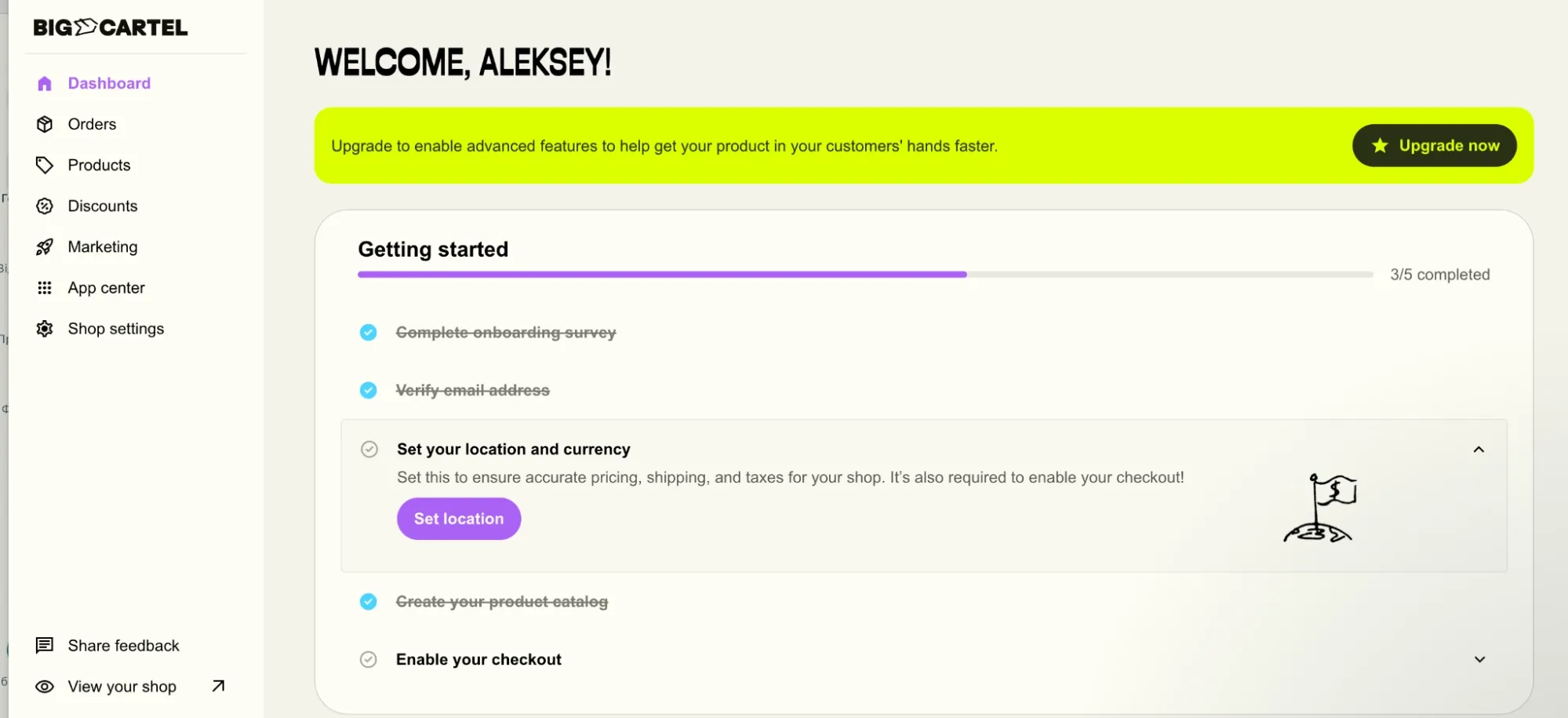
Why I picked Big Cartel
I signed up for Big Cartel, as you can't say no to its enticing free plan. It's favored by new sellers who are just starting out, all because of its permanent no-charge plan and a simple store setup. Indeed, it's ideal for hobbyists or artists, making it the least risky way to test whether you should move away from Etsy.
In comparison to Etsy, it has predictable pricing with no transaction fees and offers customizable storefronts. But its features are basic, and it requires you to handle marketing to drive traffic to your site.
I did encounter one friction point: the free plan doesn't support digital products, which meant I had to upgrade to list a digital product.
Standout features
- Free plan up to 5 products with no credit card info required
- Mobile-friendly admin
- Connect Printful and Printify for automatic fulfillment
- You can run discounts, free shipping offers, percentage-off deals
- Custom domain support: connect your own domain (including on the free plan)
- Import your products from Etsy
- Selling via multiple channels: Facebook Shop, Instagram Shop, Google Shopping integration
- Schedule product listing (handy for the holiday season)
What you can sell
- Handmade products
- Digital items (paid plans)
- Art and prints
- Physical items
- Print-on-demand goods
Integrations
- Payments: PayPal and Stripe
- Print-on-demand integrations: Printful and Printify
- Marketing and email: Mailchimp
- Analytics: Google Analytics integration
- Social selling: Facebook and Instagram Shops
- Shipping: Shipmondo
Pricing
- Starter plan: Free (up to 5 products)
- Best value plan: starting at $9.99/month for up to 50 products
See the current tiers on the Big Cartel pricing page.
Pros and cons
Best for: artists and hobbyists with a tiny catalog who want to test leaving Etsy at zero cost.
Skip it if: you sell digital downloads (you'll have to pay anyway), or you need marketing tools built in.
Related: Big Cartel vs Etsy
6. Bonanza: Best for crafts and building connections with your customers
Bonanza is a marketplace for unique, handmade, vintage, and collectible items, similar to Etsy in spirit but with significantly fewer sellers and a more boutique atmosphere.
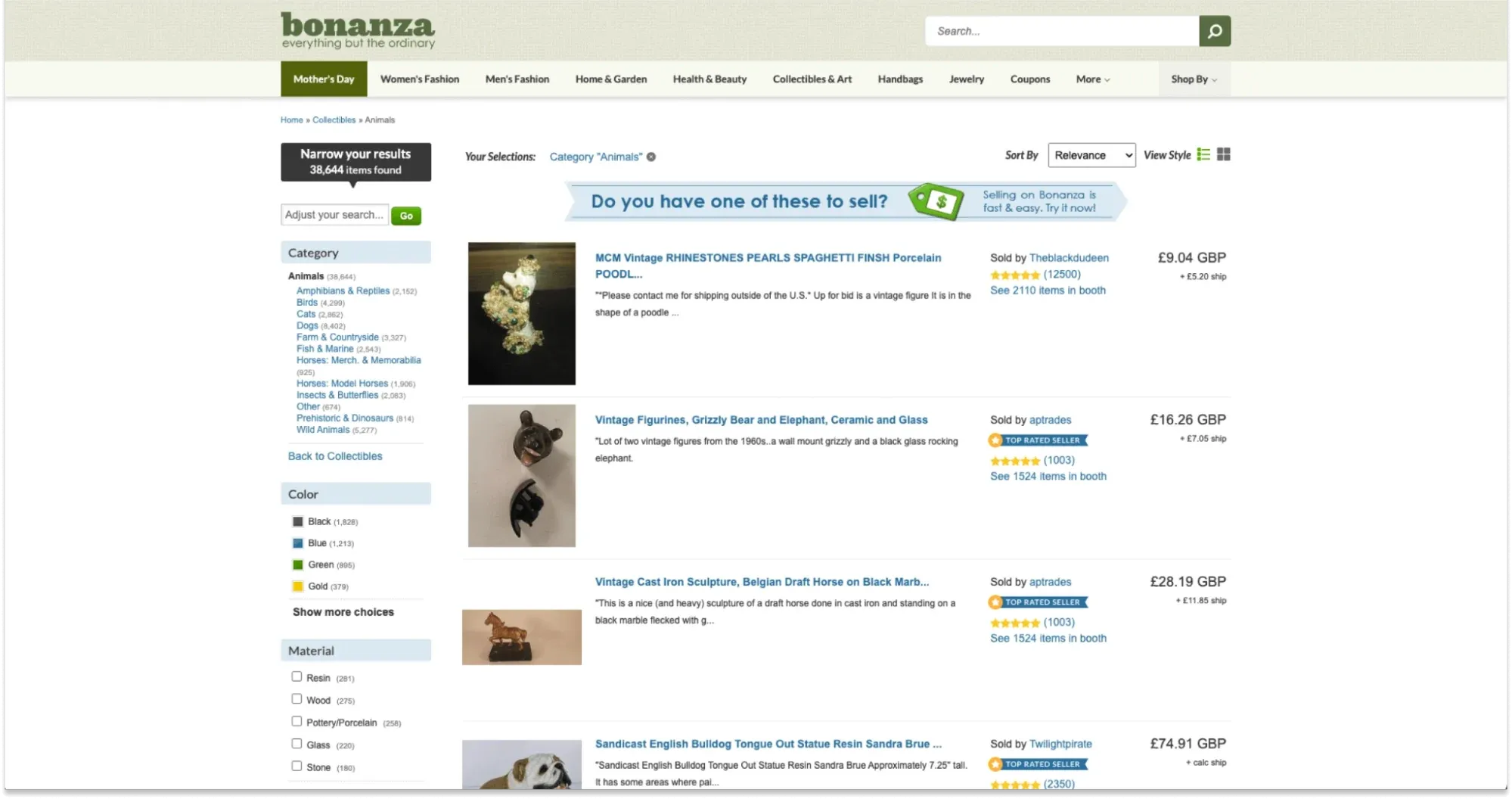
Why I picked Bonanza
I chose Bonanza for its built-in Etsy import tool and the appeal of a less-crowded marketplace. The registration process was straightforward, but I immediately hit a $14.99 non-refundable activation fee, which felt like a real barrier to entry for first-time sellers. You're paying before you've made a penny.
The platform actually gives you buyer information and communication tools so you can develop repeat customers and cultivate loyalty, something Etsy actively controls and restricts. The analytics dashboard shows which products convert, which gives you actionable insights for optimization.
Standout features
- Built-in Etsy importer: migrate entire shops with one click
- No monthly subscription fees: only pay per sale
- Google Shopping integration: automatic feed to Google Shopping
- Print-on-demand support: connect Printful for dropship fulfillment
- Direct buyer communication, unlike Etsy
What you can sell
- Handmade and artisan goods
- Vintage and collectibles
- Electronics
- Clothing and accessories
- Digital products
Integrations
- Order and inventory sync: WooCommerce, BigCommerce, Selro
- Shipping automation: ShipWorks, Shipmondo
- Print-on-demand: Printful
- API: Open API and marketplace apps like CedCommerce
- Marketing: Google Shopping integration
Pricing
- No monthly fees
- Commission of about 3.5% + $0.40 per sale
- Listing fees: $0.03/month per listing above 50 active listings
- $14.99 one-time, non-refundable account activation
Pros and cons
Best for: sellers who want marketplace mechanics but less competition, and who care about building repeat buyers.
Skip it if: you're relying on the marketplace to supply meaningful traffic. It's a fraction of Etsy's.
7. Amazon Handmade: Best for scale and a huge audience
Amazon Handmade is a dedicated marketplace within Amazon for verified artisans selling handcrafted, hand-altered, and hand-assembled items. It's a controversial Etsy alternative, mostly on fees.
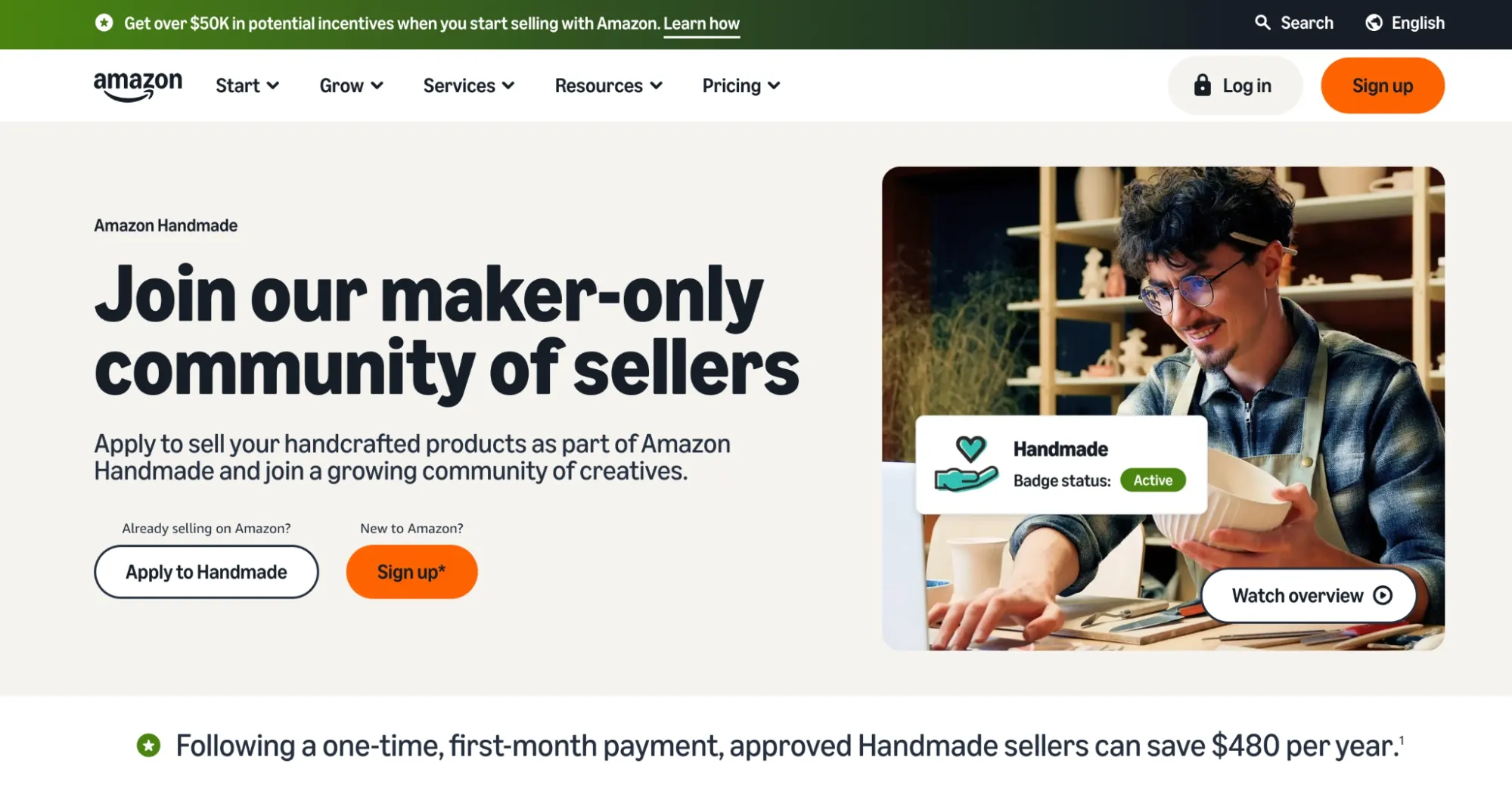
Why I picked Amazon Handmade
I chose Amazon Handmade because its main selling point is undeniable: instantly access millions of potential buyers without fighting algorithmic visibility battles or marketplace crowding.
However, I quickly discovered the tradeoff: Amazon's 15% referral fee is substantially higher than Etsy's 6.5% transaction fee (plus payment processing). Run your own numbers in our Etsy fee calculator. Amazon also requires candidates to submit all production methods documentation along with photographs of their work area during their application process.
Amazon Handmade purposely makes it hard for buyers and sellers to talk to each other directly, instead of letting them message each other the way Etsy does. This is actually a feature, not a bug, if you want to manage as few customers as possible and let Amazon's logistics network handle all of your orders.
Standout features
- The Fulfillment by Amazon program lets Amazon handle returns, store items, and ship them
- Exposure to a much wider audience that's already in buying mode
- Amazon Sponsored Ads: optional paid ads that help you get more visibility on the website
- Payment every 14 days: payouts that are planned and structured
What you can sell
- Handmade jewelry
- Custom artwork and paintings
- Hand-made clothing
- Personalized home decor
- One-of-a-kind pottery and kitchenware
- Bath and beauty
- Upcycled and hand-altered goods
Pricing
- Subscription: $39.99/month for a Professional selling account
- Per sale: a 15% referral fee on the total order
- See the current terms on Amazon Handmade's seller page.
Pros and cons
Best for: established makers of physical handmade goods with margins healthy enough to absorb 15%.
Skip it if: you sell digital products (you can't), your margins are thin, or you want to own the customer relationship.
8. IndieMade: Best alternative to Etsy for artists looking for simplicity
IndieMade is a store builder for artists who sell handmade goods and want a professional-looking store without having to deal with complicated setup, high fees, or competition from other sellers.
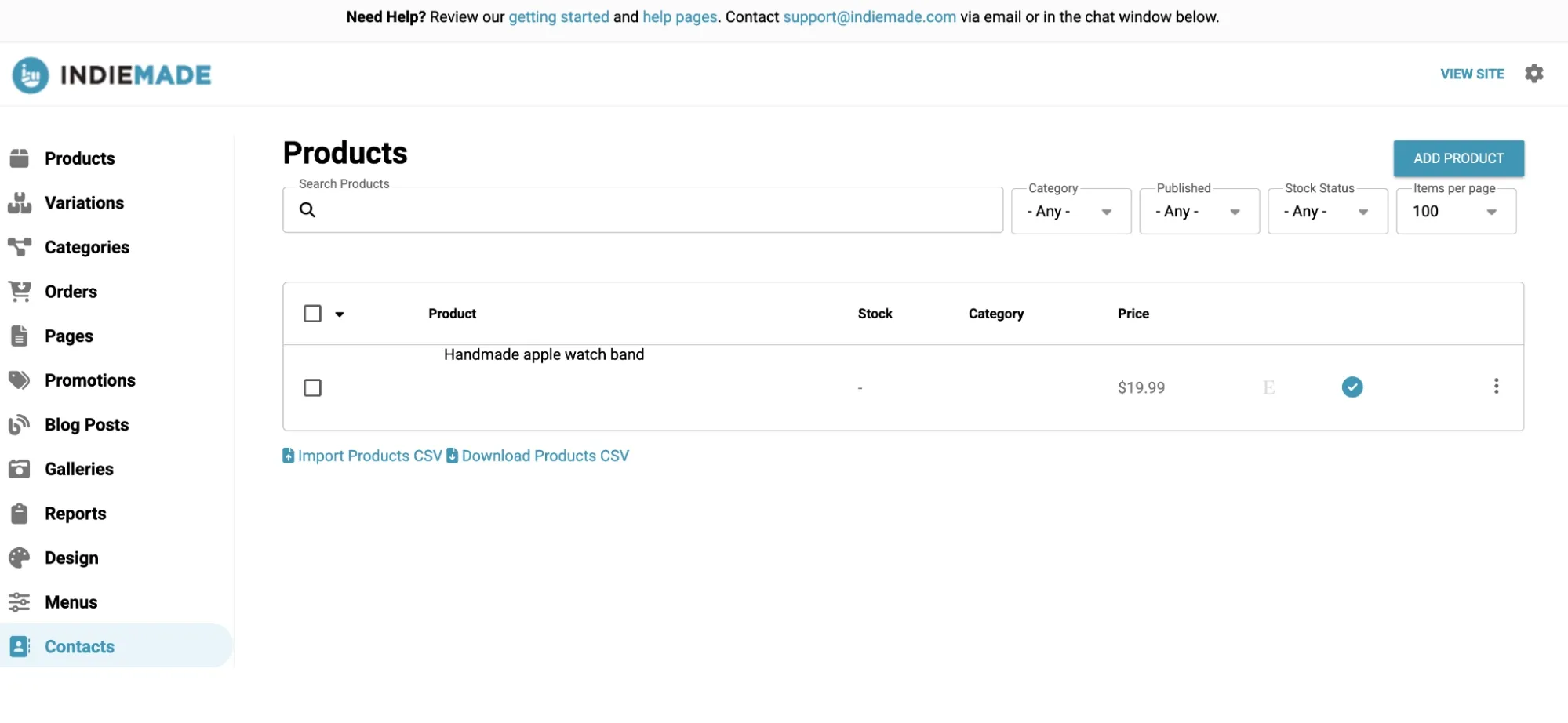
Why I picked IndieMade
I chose IndieMade because the low pricing and one-click Etsy import were impossible to pass up. You can try it for free for 30 days, which is a risk-free test period that most competitors don't offer.
Setting up my store took less than an hour, and the templates were so easy for artists to use that it felt like the platform was made just for creative people, not for all kinds of online stores.
Standout features
- Drag-and-drop store builder that needs zero coding knowledge
- One-click import from Etsy: migrate all your listings instantly
- Artist-friendly aesthetic templates
- Digital downloads support: sell digital PDFs, patterns, tutorials, and digital art files
- Built-in blog and email tools
- Discount codes for promotional offers and time-limited deals
What you can sell
- Handmade jewelry
- Art prints
- Textiles
- Digital patterns and tutorials
- Upcycled vintage
Pricing
- Starter plan: Basic ($4.95/month), with a 30-day free trial so you can test it first
- Best value plan: Standard ($12.95/month), which lets you list up to 250 items
See the current tiers on the IndieMade pricing page.
Pros and cons
Best for: individual artists on a tight budget who want a simple, cheap, own-branded shop.
Skip it if: you expect to grow past a few hundred products or need modern design and integrations.
9. Storenvy: Best for a store and marketplace in one
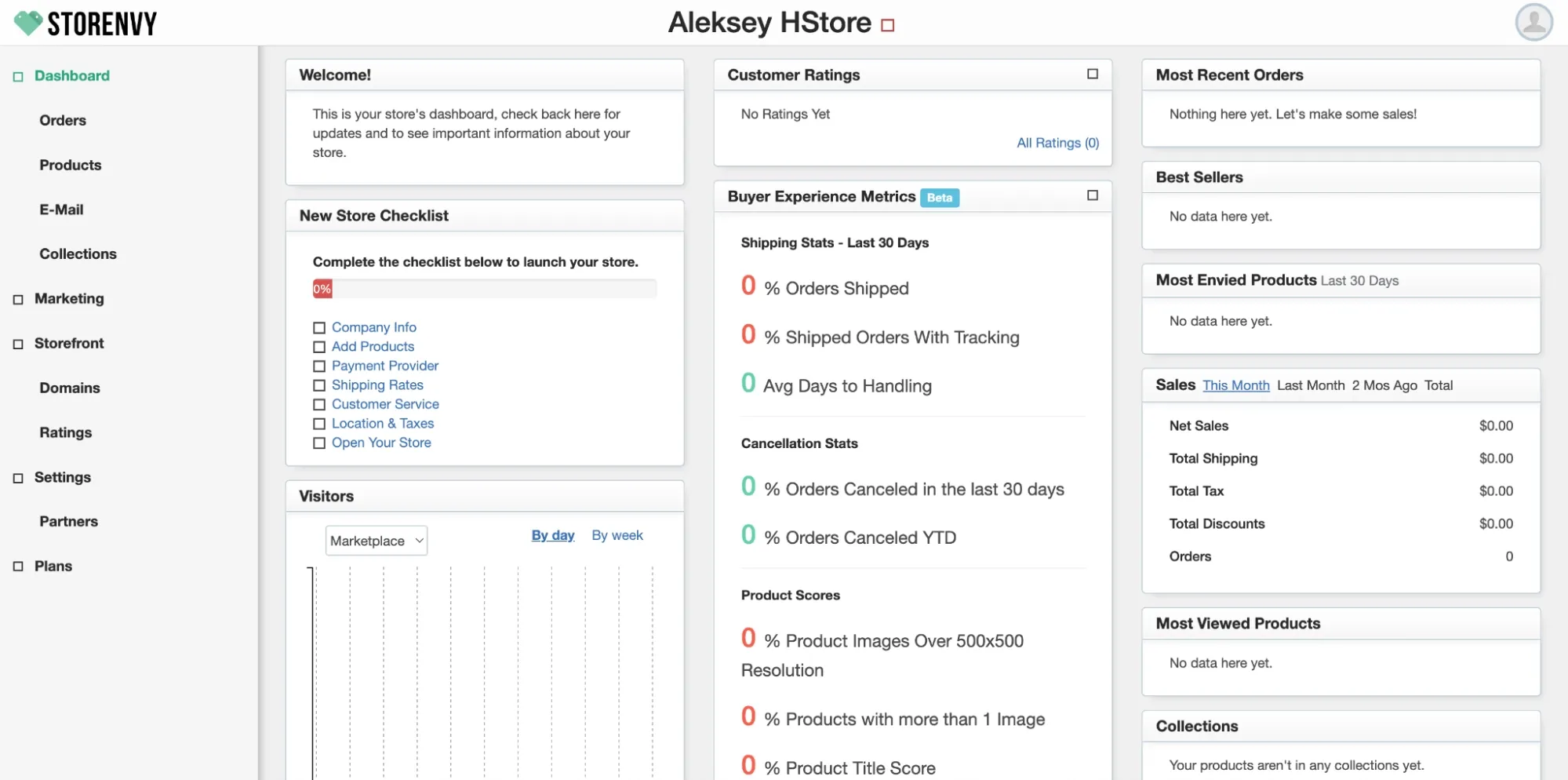
Storenvy is a unique e-commerce platform that operates on a hybrid model. You build a fully customizable, branded standalone store on your own custom domain, while optionally listing products in Storenvy's marketplace for additional discovery and traffic.
Why I picked Storenvy
I chose Storenvy because it has a hybrid system. The idea of running your own branded store while also being able to use marketplace traffic is really appealing. It's a good balance between Etsy's strict marketplace and completely independent platforms like Shopify.
Etsy's shop templates are pretty standard, but with Storenvy, you can add your own domain, change the colors and layouts, and even edit HTML and CSS on higher tiers to make a store that is truly unique and represents my brand.
Standout features
- Social media integrations to Instagram, Facebook, Pinterest
- Built-in blogging tools: create content for SEO, storytelling, and driving repeat traffic
- Discount codes and promotional tools
- Basic SEO tools: meta description editing, title customization, and sitemap generation
- Community discovery features: "Envy" buttons let shoppers follow your store and receive notifications when you add new products
Sellfy is the store builder behind 75K+ creators. One flat monthly fee, and no commissions on your sales.
What you can sell
- Handmade crafts and art
- Vintage items
- Apparel and accessories
- Digital downloads
- Custom or POD products
Pricing
- Starter plan: Free standalone store for 20 items
- Best value plan: $4.99/mo with 100 items to list; marketplace listings carry a 15% commission per sale with no monthly fee
See the current tiers on the Storenvy pricing page.
Pros and cons
Best for: sellers who want a free branded store and are happy to treat the marketplace as an optional bonus.
Skip it if: you're counting on the marketplace for volume, or you want a platform that's actively evolving.
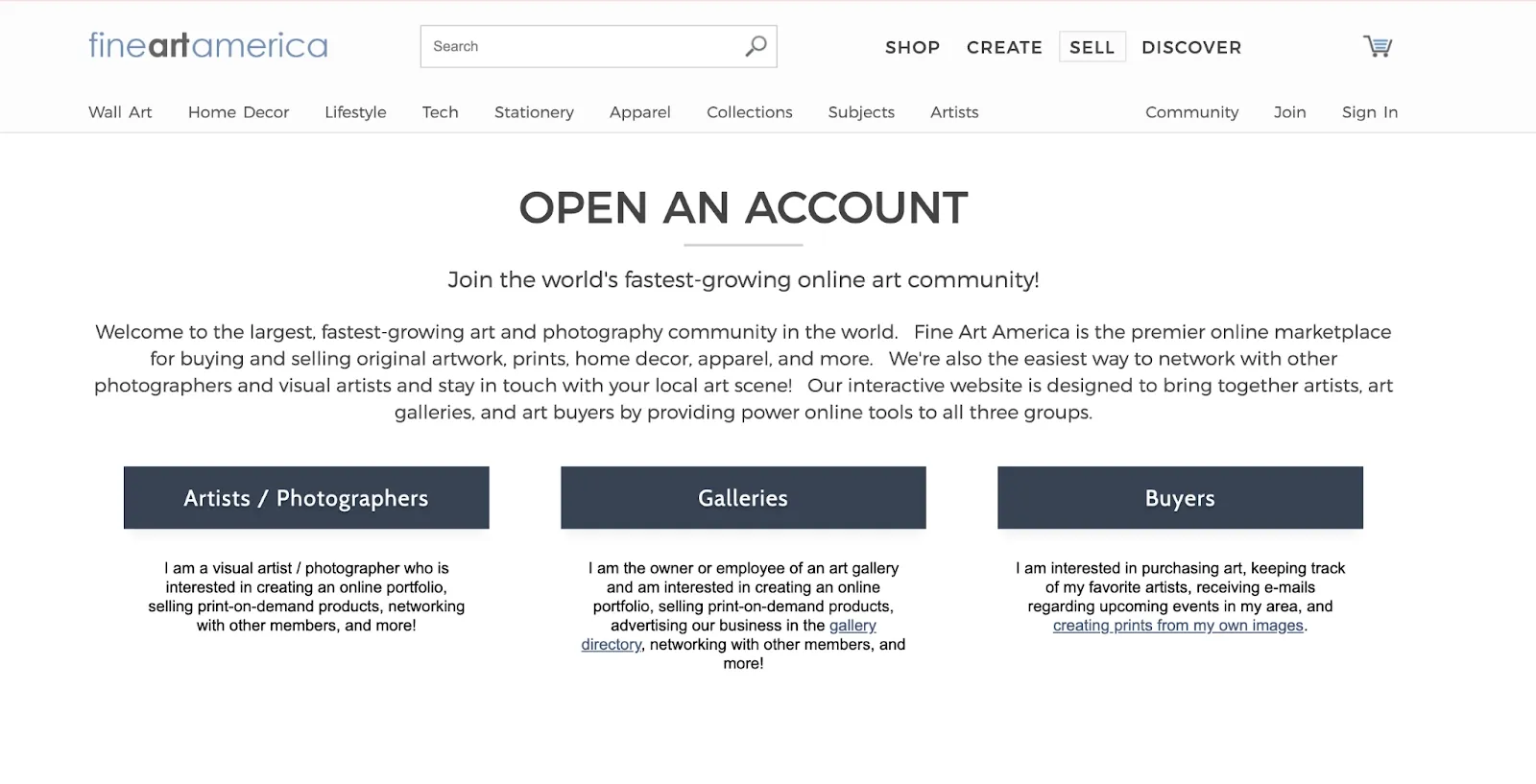
10. Fine Art America: Best for POD merch
Fine Art America is a hybrid platform combining a print-on-demand marketplace with an independent artist storefront builder.
Why I picked Fine Art America
I chose Fine Art America because it offers something unique: both marketplace exposure (like Etsy) combined with the ability to create a custom storefront (like Sellfy) and sell through multiple channels simultaneously. For an artist with a body of work but no manufacturing setup, uploading one image and having it appear on a hundred product types is a genuinely different proposition to anything else on this list.
The catch showed up at payout. Settlement is slow. Expect to wait rather than get paid on sale.
Standout features
- Catalog of 100+ product types: prints, wall art, home décor, and even digital downloads
- Portfolio showcase and artist profile: build credibility with a featured bio, artist story, and complete portfolio visibility
- Artist licensing program: generate additional income when buyers license your work for commercial use
- Full price control per product: set individual markups for different product types and sizes
What you can sell
- Prints
- Digital downloads
- Photography and posters
- Framed art
- Canvas prints
- Phone cases
- Greeting cards
- Branded merchandise
Integrations
Fine Art America connects with personal websites through widgets and offers tools for promoting and embedding art galleries externally. It doesn't have a wide array of third-party app integrations, but its built-in social media sharing options make marketing simpler.
Pricing
- Starter plan: Free of charge. You can upload up to 25 pieces of artwork.
- Best value plan: $30 per year. Unlimited uploads, so you can showcase your full portfolio.
Pros and cons
Best for: artists and photographers who want their work on physical products without touching production.
Skip it if: you need fast payouts, or you sell anything that isn't an image.
Free Etsy alternatives worth trying
If budget is the blocker, four options on this list cost nothing to start:
- Big Cartel: free forever for up to 5 products, with a custom domain included. The catch is no digital products on the free tier.
- Storenvy: free standalone store for up to 20 items, no commission on your own store's sales. Marketplace listings cost 15% if you opt in.
- Fine Art America: free for up to 25 uploads, and you set your own markup on every product.
- Bonanza: no monthly fee, but there's a $14.99 activation charge and ~3.5% + $0.40 per sale, so "free" only applies until you sell something.
A word of caution on free tiers: they're a great way to test whether leaving Etsy works for you, but every one of them caps something that matters: product count, digital files, or payout speed. Treat them as a trial, not a destination. If the test works, the $10–25/month tiers remove the caps and still cost less than Etsy's fees on modest volume.
How did I choose and test Etsy alternatives
When I was creating the list of where to sell other than Etsy, I tested several platforms that sellers usually prefer after leaving Etsy. Each one is designed for a different type of creator, so I wanted to see how they actually perform in real use rather than relying on what's promised on their websites.
What I actually did on each platform: I created a real account, went through the full onboarding, built a storefront, uploaded at least one digital product (a PDF template) and one physical or print-on-demand listing where the platform supported it, set a price, configured payments, and pushed the store live. Where the platform offered a free trial, I used it. Where it charged upfront, like Bonanza's activation fee, I paid it. That's how I know it stings.
I timed the setup on each one, tested what the checkout looks like to a buyer, and where possible ran a test purchase through to see how the file delivery and the payout actually behave. Then I went looking for the limits: file size caps, what the free tier won't let you do, which features are locked behind the next plan up.
I tested things like how easily you can send digital downloads, deal with shipping settings, or track basic analytics. I paid attention to things like:
- How quick and simple to set up an account
- How much creative freedom do you have
- Pricing
- The products that platforms support
How to migrate from Etsy
The transfer process between platforms will vary because each site operates differently. You need to verify which Etsy data points can be exported directly and which information requires manual reconstruction.
Use a quick breakdown to help you get started:
| Data/asset | Exportability | Notes |
| List of products | Yes | You can save your listings as a CSV file with Etsy's export option. |
| Customer information | Yes | Customer contacts and order history can also be downloaded in CSV format. |
| The store design | No | You'll need to recreate your shop's look manually on the new site. |
| SEO | Partially | Certain parts can transfer, but it's better to redo your SEO once you move. |
| Policies and product descriptions | Yes | You can copy this and add it to the new platform. |
| Orders and transaction data | Yes | Your sales data can be exported and imported for bookkeeping or records. |
| Reviews and ratings | No | Reviews stay on Etsy. Plan to rebuild social proof from scratch. |
A migration checklist that won't lose you sales
- Export everything from Etsy first. Go to Settings → Options → Download Data and pull your listings CSV, orders CSV, and customer contacts before you change anything.
- Build the new store before you touch the old one. Get it live, tested, and taking payments while Etsy is still running. There is no reason to have a gap.
- Check whether your new platform has an Etsy importer. Big Cartel, Bonanza, and IndieMade all do, which saves hours of re-listing.
- Rewrite product descriptions rather than copy-pasting. Etsy listings are written for Etsy's internal search. On your own store you're writing for Google and for a buyer who arrived from your Instagram. Different job.
- Set up payments and tax before launch. Connect Stripe or PayPal, configure VAT or sales tax, and place a real test order with your own card to confirm the money lands and the file delivers.
- Redirect your audience deliberately. Update your Instagram, TikTok, and Pinterest bio links. Add your new store URL to your Etsy shop announcement and packing slips while you still can.
- Run both for 60–90 days. Keep Etsy live while the new store builds traction. Closing early costs you revenue for no benefit.
- Email your existing buyers. This is the one thing you can only do if you exported your customer list in step one. It's usually the single biggest source of first-month sales on a new store.
Next, be prepared to rebuild your shop's layout, rework your SEO, and set up things like shipping, payments, and taxes on your new platform.
Which Etsy alternative comes out on top?
Your best Etsy alternative comes down to two things: what you sell and how much control you want over your brand. There isn't one winner. There's a right answer per seller type.
| If you are… | Start with | Why |
| A creator selling digital downloads | Sellfy or SendOwl | 0% per-sale fees and proper file protection |
| Selling to an Instagram or TikTok audience | Stan Store | Built for link-in-bio conversion |
| A maker of physical handmade goods with no audience | Amazon Handmade | The traffic is real, if you can absorb 15% |
| A hobbyist testing the water | Big Cartel or Storenvy | Free, and you can leave at any time |
| An artist or photographer | Fine Art America | 100+ products from one upload, $30/year |
| Running real volume across channels | Shopify | Built to scale, worth the learning curve |
| Wanting both a store and a marketplace | Storenvy | The only true hybrid on this list |
For a lot of creators, Sellfy is the sensible default. It's quick to launch, flexible enough for most catalogs, and lets you spend time selling instead of fiddling with settings. For example, many Etsy sellers drive most of their traffic from Pinterest. So, you can sell on Pinterest from a Sellfy store without paying Etsy's 6.5% transaction fee and $0.20 listing fee on every sale.
But be honest about the traffic question. If you genuinely have nowhere to send buyers and no plan to build an audience, a marketplace will make you more money in year one than any own-store platform, ours included.
If you're still on the fence about whether to switch, try Big Cartel, Storenvy, or Fine Art America. Their free tiers let you start at zero cost. You can test the whole idea for less than the cost of a month of Etsy fees.
Frequently asked questions
Who is Etsy's biggest competitor?
Amazon Handmade is Etsy's biggest direct competitor as a handmade marketplace. It has a far larger buyer base and the backing of Amazon's fulfillment network, though it charges a 15% referral fee against Etsy's 6.5% transaction fee. If you define "competitor" more broadly, Shopify is the bigger threat. It doesn't compete for the same buyers, but it takes Etsy's sellers by letting them run independent stores.
Why are sellers leaving Etsy?
Four reasons come up repeatedly: the combined fee load (roughly 10% of a sale once listing, transaction, and payment processing are added together, more with Offsite Ads), no ownership of the customer relationship or mailing list, unpredictable changes to Etsy's search algorithm, and frustration that handmade items compete directly with mass-produced and drop-shipped goods.
What are some free alternatives to Etsy?
Big Cartel is free for up to 5 products and includes a custom domain. Storenvy gives you a free standalone store for up to 20 items with no commission on your own store's sales. Fine Art America is free for up to 25 artwork uploads. Bonanza has no monthly fee but charges a $14.99 activation fee plus about 3.5% + $0.40 per sale.
How much does Etsy take from a $100 sale?
About $9.95, or roughly 10%. That's a $0.20 listing fee, a 6.5% transaction fee ($6.50), and payment processing of roughly 3% + $0.25 ($3.25). Offsite Ads add another 12–15% when a sale comes through them, and promoted listings cost extra on top. Check current rates on Etsy's fees page and run your own figures in our Etsy fee calculator.
Can I sell digital products on these Etsy alternatives?
Most of them, yes. Sellfy, SendOwl, Stan Store, IndieMade, Storenvy, and Fine Art America all support digital downloads. Big Cartel supports them on paid plans only. Shopify needs a third-party app. Amazon Handmade does not allow digital products at all.
Can I sell on Etsy and another platform at the same time?
Yes, and most sellers should during a transition. Etsy doesn't require exclusivity. Running both for 60–90 days lets your new store build traffic without cutting off your existing income, and it gives you a real comparison of what each channel actually earns you.
Which Etsy alternative has the lowest fees?
For per-sale cost, the subscription platforms win outright. Sellfy, SendOwl, IndieMade, and Big Cartel all charge 0% on sales, so you only pay your monthly plan plus payment processing. On low volume, Big Cartel's free tier and Fine Art America's $30/year plan are the cheapest overall. On high volume, a flat monthly fee beats any commission model comfortably.
Is it worth leaving Etsy?
It depends almost entirely on whether you have your own audience. If you get meaningful traffic from Instagram, Pinterest, email, or search, you're already doing the marketing and paying Etsy a commission for it. Moving to your own store puts that margin back in your pocket. If Etsy's internal search is your only source of buyers, leaving means starting from zero. In that case, add a second channel first and leave later.

Tips & Tricks
![Stan Store vs Etsy: Definitive Comparison [January 2026]](https://d369wu82uo9y4b.cloudfront.net/_astro/Satan-Store-vs-Etsy.C5RMYp8P_3Fg5j.webp)
Tips for creators
Join thousands of creators receiving sales tips, marketing resources, and inspiring stories. No spam, pure value.