- tips & tricks
- |By Aleksey Haritonenko, Last Updated:
10 Best E-commerce Platforms for a Small Business, Tested and Scored (2026)
Picking an e-commerce platform shouldn't be a guessing game. After years of launching e-commerce sites and selling digital products hands-on, I can tell you that real-world performance is what matters. This breakdown helps you match your actual inventory setup to the builder best equipped to handle it.
A note on who wrote this: Sellfy publishes this blog, and Sellfy is one of the ten platforms reviewed below. I scored Sellfy on the same rubric as everything else and it did not finish first — Shopify (9.4) and Wix (9.1) both scored higher than Sellfy (8.9). Where a competitor is the better tool for what you sell, this article says so.
- There's no single best e-commerce platform, the right one depends on what you sell and how technical you're ready to get.
- Shopify, Wix, and Square Online lead for physical products and local retail, thanks to their inventory engines and visual flexibility. Sellfy leads for digital downloads, subscriptions, and print-on-demand, with 0% transaction fees.
- Every platform's cost below is compared at a common $10,000/year sales volume, not just the sticker price.
Quick picks by what you sell
There is no single best e-commerce platform for a small business, and any article that crowns one is flattening a real difference. The highest-scoring platform for a shop with stock and shipping is the wrong tool for selling an ebook, and the reverse is just as true. So rather than name one winner, here is the winner for each job:
- Physical products and room to scale: Shopify
- Digital products, subscriptions, and print-on-demand: Sellfy
- A first store, with no technical experience: Wix
Best e-commerce platforms for small business at a glance
When evaluating e-commerce platforms, I focused on balancing monthly costs, design flexibility, and real-world sales features. The table below breaks down how all 10 tools scored based on my testing process.
| Platform | Best for | Starting price | Score (out of 10) | Platform cost at $10k/yr |
| Shopify | Scaling physical product stores | $29/mo | 9.4 | $348 |
| Wix | Beginners and visual builders | $29/mo | 9.1 | $348 |
| Sellfy | Digital products and subscriptions | $29/mo | 8.9 | $348 |
| Squarespace | Design-led brands and portfolios | $16/mo | 8.8 | $348 |
| Square Online | In-person and online hybrid selling | $0 + processing fee | 8.7 | $0 |
| BigCommerce | Large product catalogs | $29/mo | 8.5 | $348 |
| Podia | Creator courses and communities | $42/mo | 8.2 | $1,004 |
| Gumroad | First-time digital creators | $0 (10% fee) | 7.8 | $1,050 |
| Etsy | Handmade goods and marketplace reach | $0.18 per listing | 7.6 | ~$730 |
| Ko-fi | Tips, commissions, and small sales | $0 | 7.3 | $72 |
How the cost column works: platform cost is the annual subscription on yearly billing plus any platform transaction fees, for a store doing $10,000 in sales across roughly 100 orders. It excludes card processing (about 2.9% + 30¢), which goes to Stripe or PayPal and is close to identical on every platform, and it excludes optional apps. Each figure uses the cheapest plan that covers $10,000 in sales; see each platform's pricing section below for its full plan range. Etsy is an estimate: 6.5% transaction fees plus listing renewals, before its own payment processing and any offsite ads fee.
Our pick for digital products: Sellfy
I recommend Sellfy as one of the best platforms to sell digital products. General online store builders treat digital delivery as an add-on rather than a core feature. Shopify's own Digital Products app is free and handles file delivery and download limits, but anti-piracy features like PDF stamping aren't part of it, and most other builders route you to a third-party app instead. Sellfy includes secure file hosting, automated delivery, download limits, and PDF stamping natively on all plans with 0% transaction fees.
How I tested and scored these platforms
I tested these tools using a weighted evaluation model to assign a clear score out of 10. My scoring rubric focuses on five key criteria:
- Ease of use and setup (25%): speed of getting started, clarity of dashboard, and overall ease of use.
- E-commerce features and flexibility (25%): catalog management, checkout customization, digital delivery pipelines, and payment processing.
- Pricing and overall value (20%): subscription costs, transaction cuts, and any apps you need to add.
- Design and customization (15%): quality of store templates, mobile responsiveness, and how much freedom you have with page layout.
- Marketing and support (15%): built-in email tools, SEO options, abandoned cart recovery, and how easy it is to find support.
I set up active stores on Shopify, Wix, Squarespace, Square Online, Sellfy, Podia, Gumroad, and Ko-fi to get real setup times, order processing, and file uploads. BigCommerce and Etsy were assessed from platform documentation, current published pricing, and feature specifications rather than a live store of my own.
Software fees, plan limits, and feature availability were verified against each platform's public pricing page in August 2026. E-commerce platforms change quickly, so check each platform's own site before committing.
The 10 best e-commerce platforms for small business, reviewed
To help you find the right fit, I put these 10 platforms through real-world testing. Here's my assessment of how each tool compares, who it's best for, and its limitations.
1. Shopify: best for scaling a growing store
Shopify is one of the best e-commerce platforms for small businesses looking to build physical product catalogs. It offers robust inventory management, international tax features, and thousands of software integrations all in one system.
Best for: Growing retail brands, inventory-rich catalogs, and merchants selling through online and offline channels.
Why I picked it: Shopify scales well without technical glitches. It was stable during testing with product option creation, inventory variants, and shipping rates. The store backend offers clear order tracking, return processing, and real-time sales metrics. Thousands of apps means your store can adapt to almost any logistics setup.
Where it falls short: App costs add up quickly. Core store templates are basic, and premium themes are costly with steep one-time fees. Key functions like advanced custom fields or subscription setups often require paid monthly plugins, which pushes your operating budget up. The dashboard also takes more time to learn than visual drag-and-drop builders.
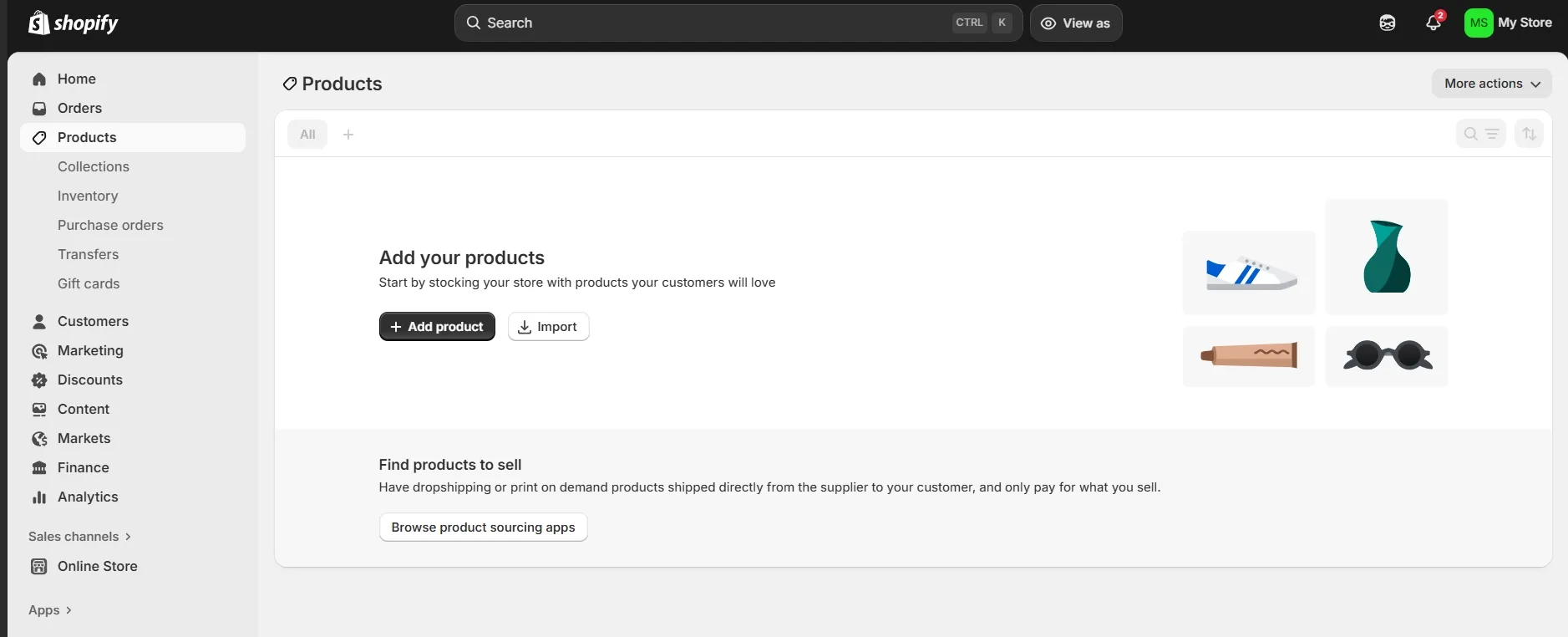
Pricing: Basic Plan $29/month (billed annually), Grow Plan $79/month (billed annually). All plans include a free three-day trial period. See the full Shopify pricing breakdown, or browse creator-focused Shopify alternatives built specifically for digital creators.
Score: 9.4 / 10
2. Wix: best all-in-one for beginners
Wix has a simple store builder for retailers who want full visual control but no coding. It combines general website pages, a blog platform, and e-commerce features into one visual editor.
Best for: Beginners, small boutique brands, and service businesses that want to build a lightweight online store.
Why I picked it: Wix makes it easy to get your store up and running. The drag-and-drop editor lets you position text, images, and product displays anywhere on the page. The e-commerce plans include automated tax calculations, abandoned cart recovery, and booking integrations, so it's a great option if you sell both services and physical products. You don't even need to drag and drop elements anymore — just describe your vision to the AI, and it generates a complete website from scratch, and if needed, you can still tweak it manually.
Where it falls short: Bulk inventory editing is slow compared to Shopify or BigCommerce. If you manage hundreds of product SKUs, managing stock levels gets tedious. Once you publish your store with a chosen theme, switching to a completely new template requires redoing your page designs manually.
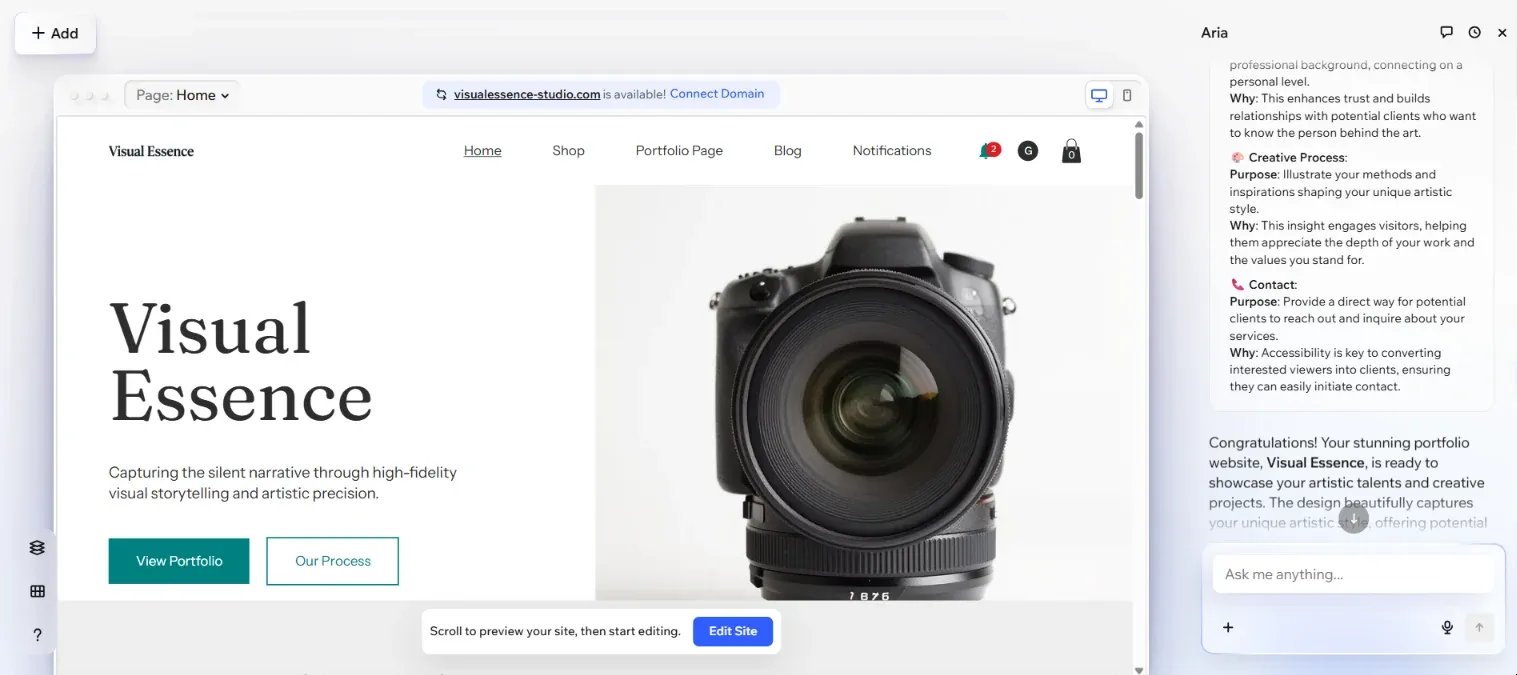
Pricing: Core Plan $29/month, Business Plan $39/month. There's also a Free Plan that includes hosting, the drag-and-drop editor, and templates. Check Wix's pricing page for up-to-date details.
Score: 9.1 / 10
3. Sellfy: best for digital products and subscriptions
Sellfy is a simple e-commerce builder designed specifically for creators selling digital downloads, subscriptions, and print-on-demand merchandise. It reduces technical barriers with file security, automatic delivery, and instant payouts, all within a straightforward dashboard.
Best for: Digital creators, ebook authors, video creators, and merchandise vendors.
Why I picked it: Sellfy lets you create a full store in minutes. It manages cloud file hosting, secure download link generation, and anti-piracy measures like download capping and PDF stamping from the get-go. You can run a stand-alone store or add buy buttons to an existing website, all without platform transaction fees.
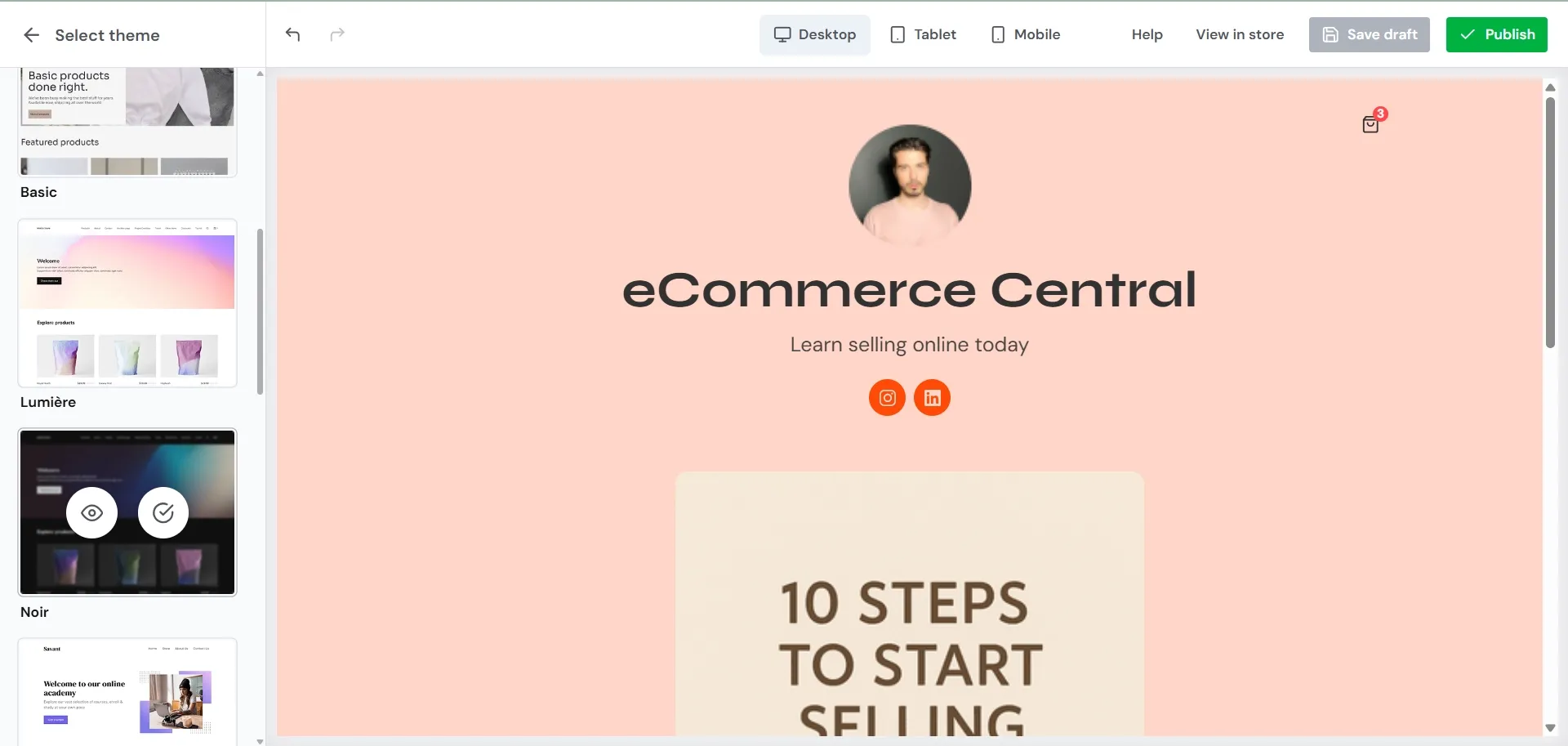
Where it falls short: Sellfy is built for simple catalogs, not for keeping close tabs on complicated physical inventory. It doesn't have the multi-warehouse shipping tools or real-time carrier rate calculators that are crucial for traditional physical retail. Annual sales volume caps also apply to each plan tier.
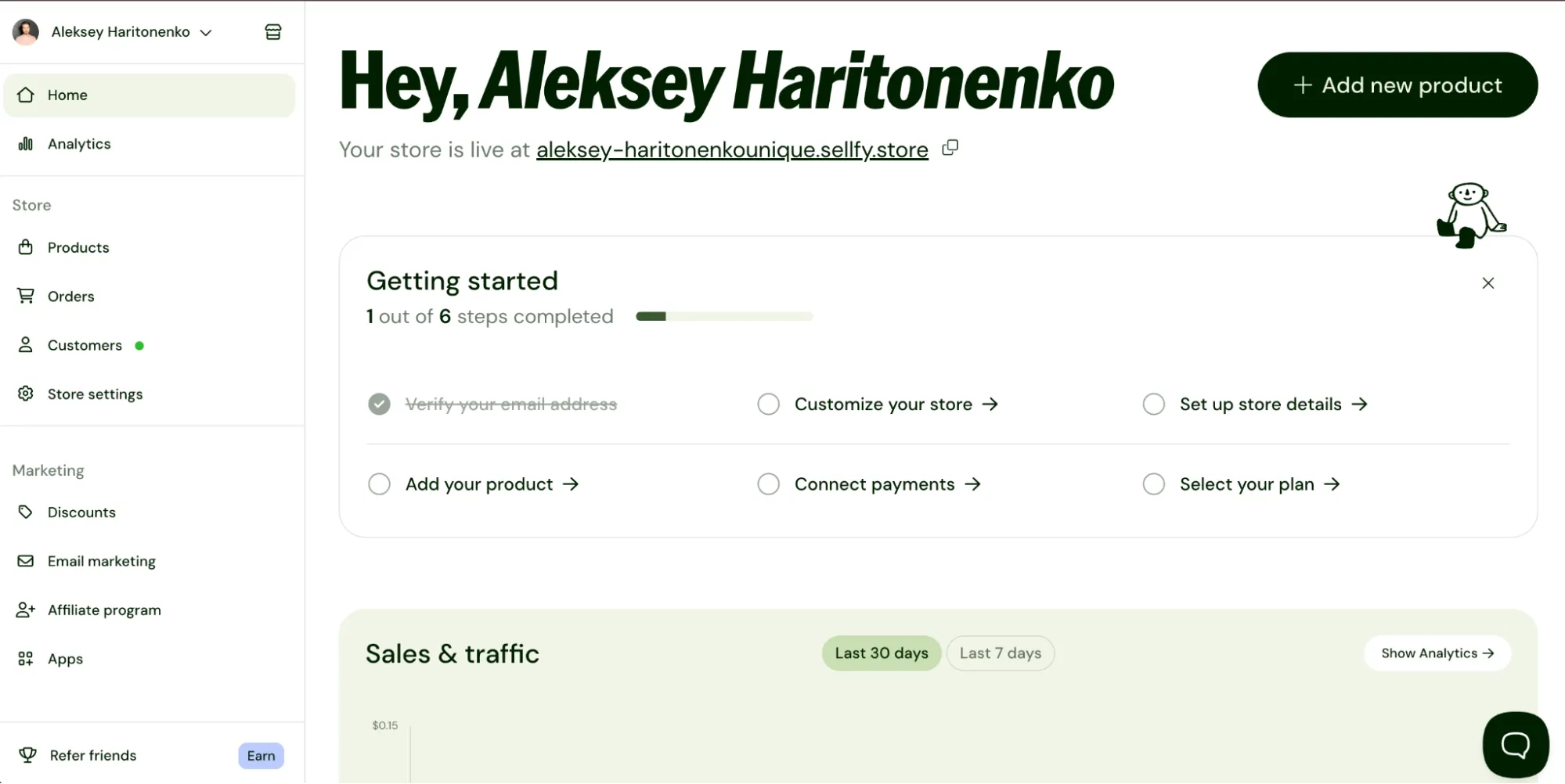
Pricing: Starter Plan $29/month (billed annually, up to $10k yearly sales), Business Plan $59/month (billed annually, up to $50k yearly sales). Sellfy offers a 14-day trial period. See Sellfy's pricing for up-to-date details.
Score: 8.9 / 10
Sellfy is the store builder behind 75K+ creators. One flat monthly fee, and no commissions on your sales.
4. Squarespace: best for design-led brands
Squarespace is built for visually polished layouts, so it's great for visual artists, apparel brands, and creative studios. Its curated template engine keeps your storefront looking clean on every device.
Best for: Visual artists, apparel and lifestyle brands, photographers, and creative studios that need a portfolio and a storefront in the same site.
Why I picked it: I chose Squarespace because it has the cleanest visual presentation available. With the drag-and-drop editor, you can create a polished, high-end storefront in no time without any coding knowledge. This is a great choice if your brand is very visual, portfolio-based, or aesthetic. Squarespace also makes it simple to craft eye-catching emails right out of the box, helping you turn subscribers into loyal fans and drive consistent sales.
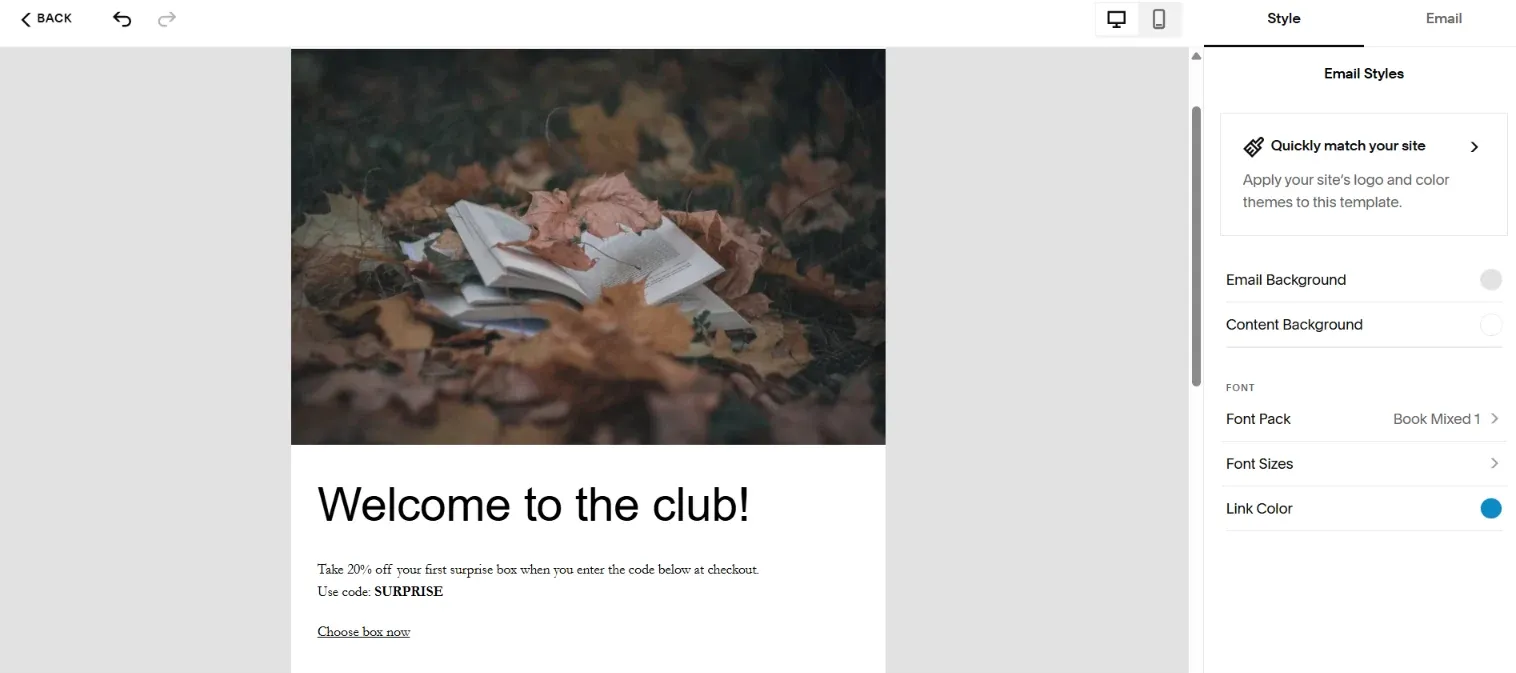
Where it falls short: Product variant setups are limited next to Shopify or BigCommerce, so complex option rules get awkward fast. Advanced SEO controls are thinner than the platform's design polish suggests — though Squarespace does offer tools designed for AI search, a space that's blowing up right now. The Basic plan also charges 2% on store sales, which at $10,000 a year costs $200 in fees and makes the Plus plan cheaper overall despite its higher sticker price.

Pricing: Basic Plan $16/month + 2% transaction fee on store sales, Plus Plan $29/month (0% online store transaction fee). Squarespace offers a free 14-day trial period. Check Squarespace's pricing page for up-to-date details.
Score: 8.8 / 10
5. Square Online: best for selling in person and online
Square Online connects brick-and-mortar retail with an online store. It's made for physical stores, pop-up shops, and local service providers who already use Square Point of Sale hardware.
Best for: Local brick-and-mortar stores, markets, and hybrid businesses that sell in person.
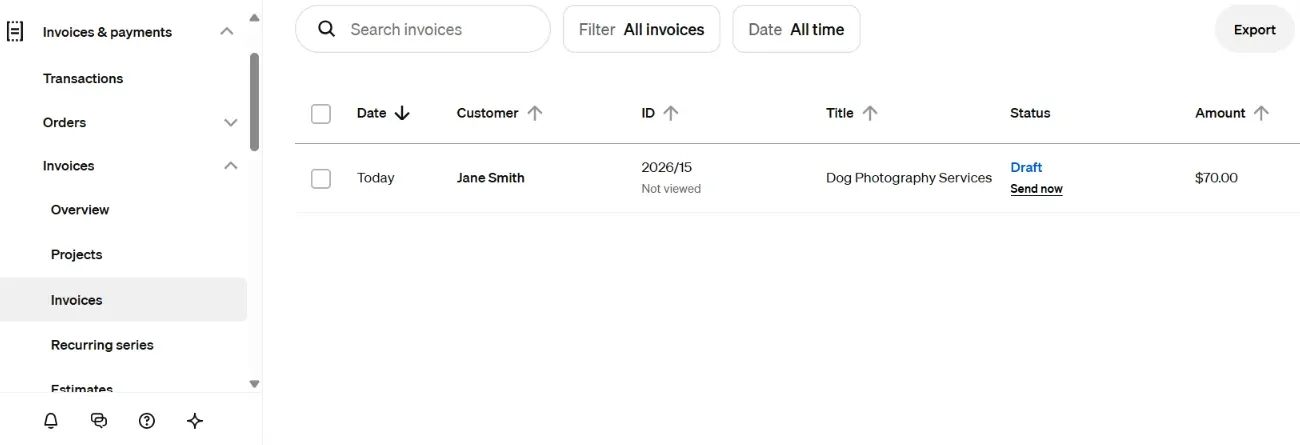
Why I picked it: Inventory is automatically synced between your physical register and online store, in real time. You can launch a fully functional store on the free plan, paying only standard credit card processing fees when customers buy. Setup takes less than an hour. With Square Online, you can control your whole operation from a single dashboard, including sent invoices and their live status.
Where it falls short: Layout editing options are strict, similar to Squarespace. Pages are constructed using rigid section blocks, leaving little room for custom visual design. Advanced SEO controls and complex product variant setups are also fairly limited.
Pricing: Free Plan $0/month, Plus Plan $49/month per location. The platform offers a 30-day trial period for paid plans. Check Square Online's pricing page for up-to-date details.
Score: 8.7 / 10
Sellfy is the store builder behind 75K+ creators. One flat monthly fee, and no commissions on your sales.
6. BigCommerce: best for large catalogs
BigCommerce offers advanced native features and multi-channel integration for high-volume sellers. It's designed to handle large product lines and custom B2B pricing without app downloads.
Best for: High-volume stores, large product catalogs, and B2B sellers.
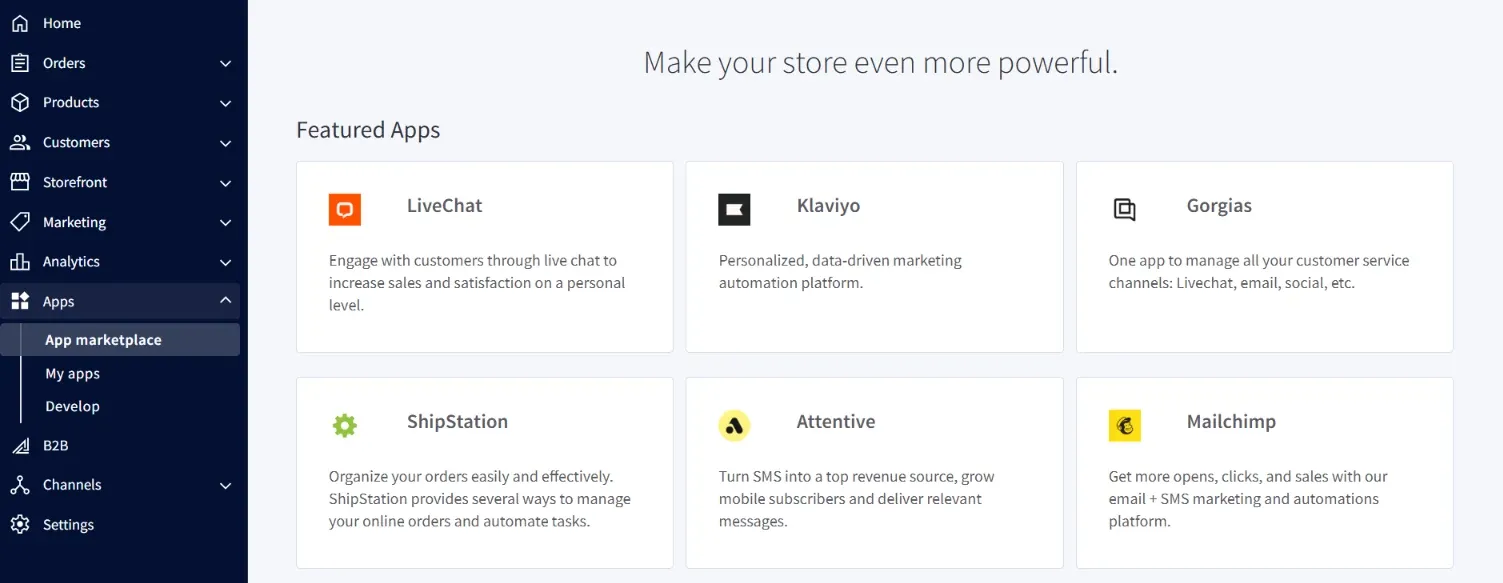
Why I picked it: BigCommerce provides more advanced e-commerce capabilities in its standard plans than many of its competitors. It supports complex product option rules, multi-currency display, and wholesale customer groups natively. BigCommerce charges 0% platform transaction fees as long as you use any of their 20+ supported Embedded Payment Providers (including Stripe and PayPal). BigCommerce packs plenty of built-in tools right from the start, and if you still need extra functionality, there are over 1,200 apps to choose from.
Where it falls short: The admin panel feels complex for non-technical users. Design templates are rigid compared to Wix or Squarespace. Every plan also enforces annual revenue thresholds; if your sales pass the tier limit over 12 months, your account automatically upgrades to a pricier plan.
Pricing: Core Plan $29/month billed annually ($39/month billed monthly), up to $30k in trailing-twelve-month sales. Growth Plan $79/month billed annually ($105/month billed monthly), up to $100k in trailing-twelve-month sales. Note that the Core plan's ceiling is trailing-twelve-month sales, not a monthly figure, so crossing $30k moves you to Growth whether or not your monthly volume changed. BigCommerce offers a 15-day trial period. Check BigCommerce's pricing page for up-to-date details.
Score: 8.5 / 10
7. Podia: best for courses and memberships
Podia is a one-stop shop for digital downloads, video courses, and audience communities. It's designed for solo creators who want to build a business around their content, without having to juggle multiple software tools.
Best for: Course creators, coaches, and digital entrepreneurs building subscriber communities.
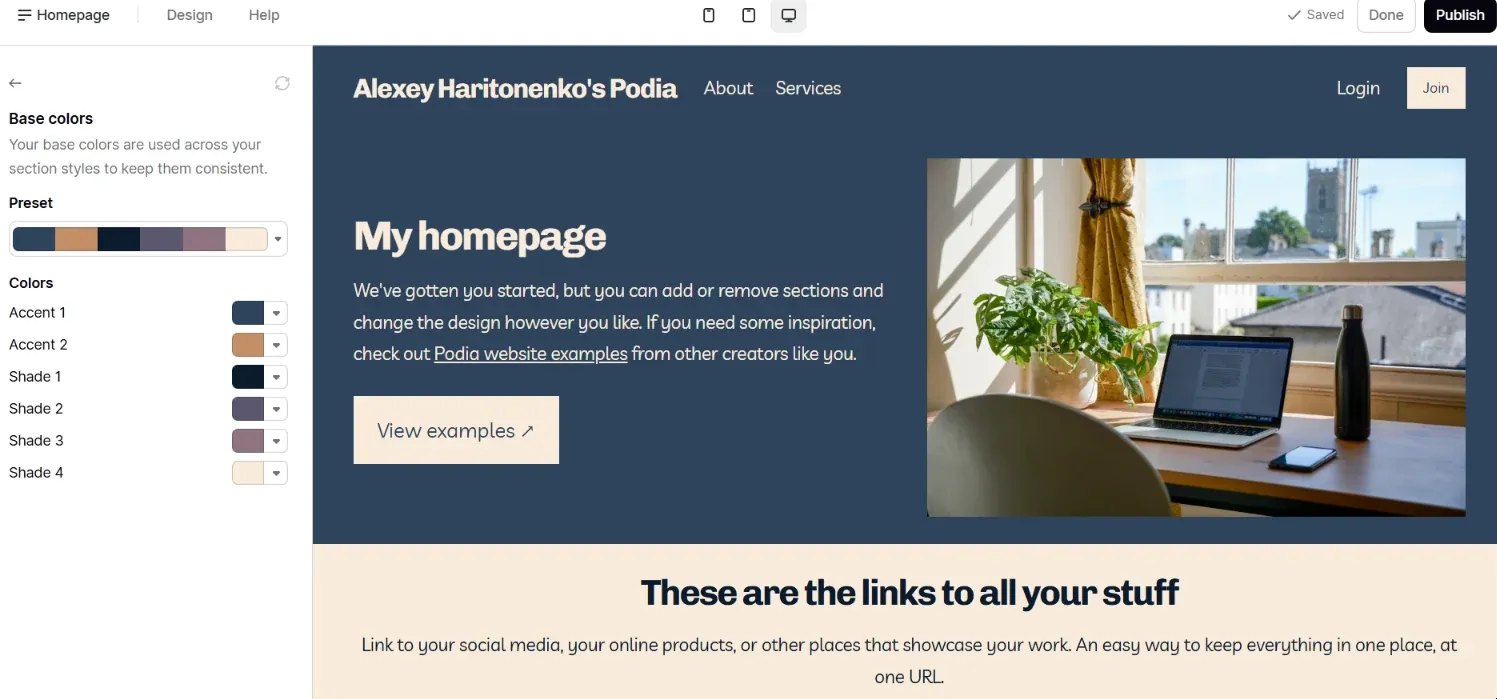
Why I picked it: Podia combines website hosting, course builds, and email marketing features into one clean workspace. You can create gated membership tiers, host live webinars, and sell digital downloads without paying for separate email tools. Podia offers a beginner-friendly website builder with pre-made templates, so you can customize your online store.
Where it falls short: You cannot sell physical products on Podia. Page design options are limited to structured content blocks. The entry-level plan also levies a 5% transaction fee.
Pricing: Mover Plan $42/month (billed annually, 5% transaction fee), Shaker Plan $84/month (billed annually, 0% transaction fee). Podia offers a 30-day trial period. See the full Podia pricing breakdown.
Score: 8.2 / 10
8. Gumroad: best for first-time digital sellers
Gumroad lets creators sell digital files, software licenses, and lightweight subscriptions with simple landing pages or checkout links. It's also free to start.
Best for: First-time creators, developers, and writers testing their first digital products.
Why I picked it: Gumroad makes it very easy to launch digital products. Upload your file, set a price, and start sharing your link immediately. Gumroad takes care of global sales tax and VAT collection automatically, which takes a lot of the admin work out of cross-border sales.
Where it falls short: The flat 10% platform fee gets expensive fast as your revenue grows. Storefront design options are plain, and built-in email marketing tools offer limited automation features.
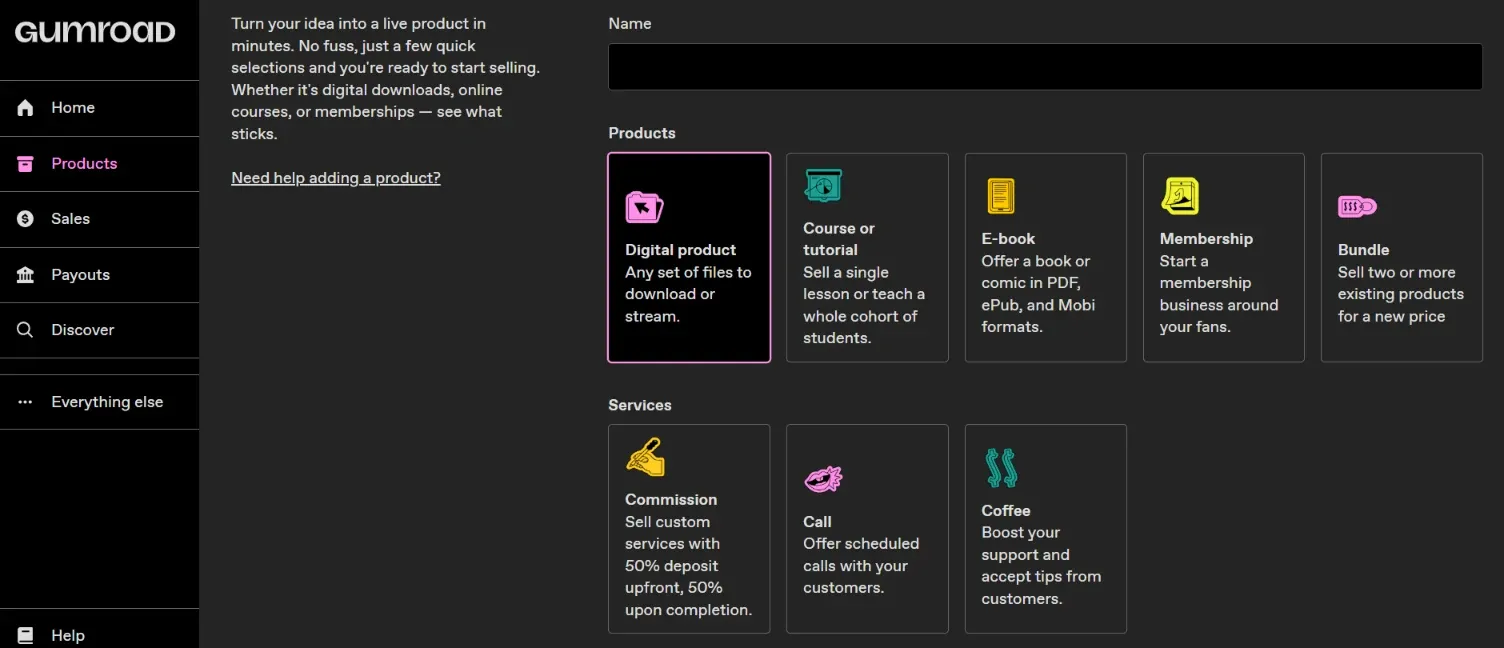
Pricing: Gumroad does not have a monthly subscription fee, but it has transaction fees: 10% + $0.50/transaction for sales through your profile or direct links, and 30%/transaction when new customers find and buy through Gumroad's Discover marketplace. See the full Gumroad pricing breakdown.
Score: 7.8 / 10
9. Etsy: best for handmade goods and marketplace reach
Etsy connects makers, artists, and vintage sellers with a built-in global audience. Because your products go straight into an established marketplace, you can start selling immediately. No website design, coding, or web hosting is required.
Best for: Handmade crafters, vintage sellers, and artists looking for immediate audience reach.
Why I picked it: Etsy provides you with direct access to active buyer traffic. Instead of building customer traffic from scratch, your listings are placed directly inside Etsy search results where shoppers are already searching for unique items. Setting up Etsy requires a few simple steps, including ID verification.
Where it falls short: Etsy is an open marketplace rather than your own standalone website. You have minimal control over store branding, customer contact details are restricted, and total transaction fees add up quickly across listing, processing, and offsite ad cuts.
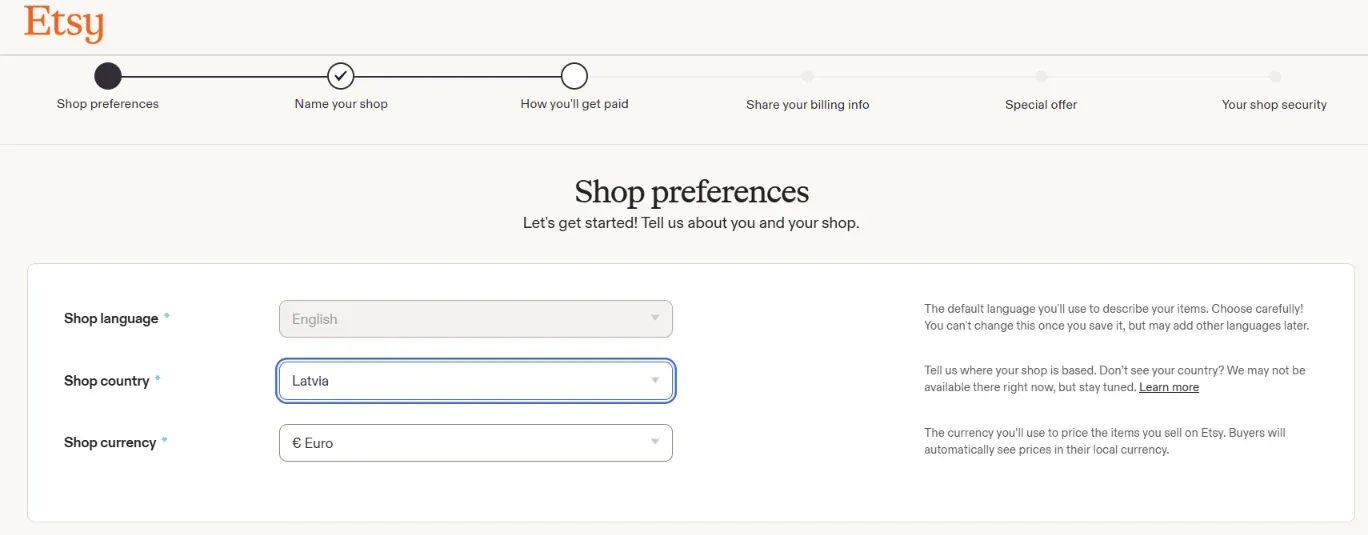
Pricing: Etsy's pricing is mostly pay-as-you-go, with no monthly subscription required: €0.18 per listing, 6.5% transaction fee, 4% + €0.30 payment processing fee, and a 15% offsite ads fee when a sale comes from Etsy's external advertising. See what that leaves you in our Etsy fee calculator. Check Etsy's "Sell on Etsy" page for up-to-date details.
Score: 7.6 / 10
10. Ko-fi: best for tips and small sales
Ko-fi is a lightweight platform for creators who want to accept fan tips, manage small commissions, and sell digital items without running a full store.
Best for: Artists, streamers, and casual creators looking for simple audience monetization.
Why I picked it: I picked Ko-fi because it combines digital storefronts, tip jars, content publishing, and live streaming tools into a single creator dashboard. Earnings land directly in your connected PayPal or Stripe account with no withdrawal delays. Beyond accepting tips and selling products, you can run interactive funding goals, lock exclusive blog or gallery posts for supporters, auto-assign Discord roles, and display real-time tip alerts directly inside Twitch or YouTube streams.
Where it falls short: Ko-fi lacks core store management tools. It offers minimal inventory features, basic store analytics, and limited checkout customization.
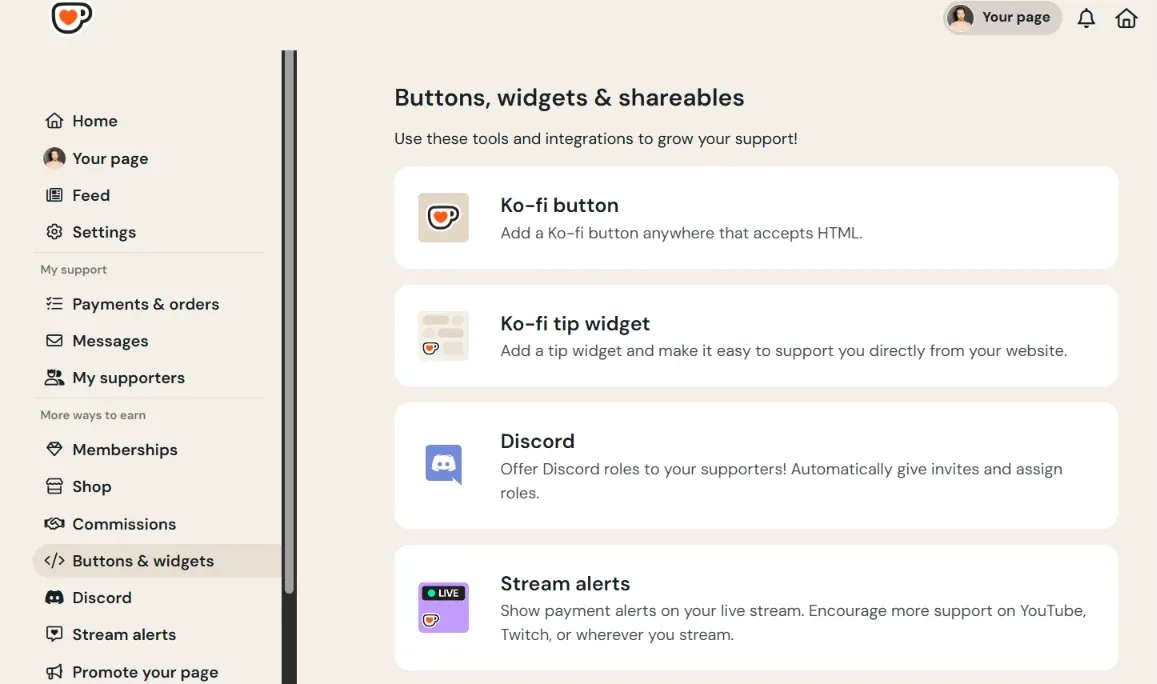
Pricing: Free Plan, $0 fee on tips (5% fee on shop sales and subscriptions), Ko-fi Gold $6/month (0% platform fees across all sales). Check Ko-fi's pricing page for up-to-date details.
Score: 7.3 / 10
Store builder, marketplace, or creator platform: which do you need?
An e-commerce platform gives you a standalone website with custom branding, direct ownership over your customer email list, and complete control over your store pages. An online marketplace like Etsy lists your items inside a shared search directory alongside competitors, offering immediate search traffic in exchange for higher transaction cuts and limited branding. A creator platform like Sellfy or Podia simplifies digital file security, membership access, and subscription billing without forcing you to configure complex physical shipping rules.
Sellfy is the store builder behind 75K+ creators. One flat monthly fee, and no commissions on your sales.
How to choose an e-commerce platform for your small business
When picking the right software, I always suggest starting with your daily routine. Figure out what features you can't live without — like taking payments in person or auto-syncing inventory — before you spend a dime. That way you only pay for what actually helps your business run.
Here's what to look for when selecting an e-commerce platform:
- Count up the true total cost. Don't just look at the monthly plan price; make sure you account for extra app fees and credit card fees on every sale.
- Pick software that fits what you sell. Physical items need shipping tools and stock tracking, while digital files need instant, secure download links and fair pricing.
- Be real about your tech skills. If you hate tinkering with website code, stick to visual builders like Wix or Sellfy that let you drag and drop everything.
- Double-check how people can pay. Make sure your checkout accepts everyday options like Stripe, PayPal, Apple Pay, and whatever local payment methods your customers use.
- Make sure you can leave anytime. Check that the platform lets you download your customer list, past sales, and product info in case you ever want to switch platforms.
- Test their customer service options. Find out if you can actually get a live human on chat when something breaks, or if you'll be stuck waiting on slow email replies.
FAQ
What is the best e-commerce platform for a small business?
Shopify is the best platform for physical retail and inventory growth. Wix is the best e-commerce platform for beginners who want custom visual layouts, and Sellfy is the best e-commerce platform for selling digital downloads and print-on-demand items.
What is the best free e-commerce platform for a small business?
Square Online has the most complete free plan for selling physically, taking only standard credit card processing rates. Gumroad and Ko-fi have free entry-level options for digital sellers, taking a percentage fee on completed sales.
What is the cheapest e-commerce platform for small business?
Square Online offers a free monthly tier. For dedicated subscription tools, Squarespace ($16/month) and Sellfy ($29/month) offer cheap entry plans filled with native features.
What is the easiest e-commerce platform to use?
Wix has the most accessible visual page builder for general store design. Sellfy has the most straightforward backend dashboard for uploading digital assets and launching a storefront in minutes.
Do I need an e-commerce platform or an online marketplace?
You need an e-commerce platform if you want your own custom website, direct control over your brand, and ownership of your buyer email list. You need a marketplace like Etsy if you want immediate access to search traffic and don't want to manage your own website setup.
How much does an e-commerce platform cost?
Base software costs typically run between $0 and $79 per month for small businesses.
| Expense category | Typical monthly range |
| Starter subscriptions | $16 - $42 |
| Growth plans | $56 - $84 |
| Payment processing | ~2.9% + 30¢ per transaction |
What is the best platform to sell digital products?
Sellfy is the best platform for digital products because it includes secure file delivery, download controls, PDF file stamping, and zero platform transaction fees on all plans.
Is Shopify good for a small business?
Yes, Shopify is a great choice if you sell physical products and are looking to grow long term. However, small creators who only sell a few digital downloads might not need to pay for monthly app subscriptions and technical setup.
Which e-commerce platform is right for your small business?
The best e-commerce platform depends completely on what you sell and how you get work done day-to-day.
If you're shipping and managing physical inventory at scale, Shopify has the most robust logistics tools and cross-channel syncing. Square Online is a great choice for brick-and-mortar locations, syncing your physical register hardware directly to your web inventory. If aesthetics are your top priority, Squarespace lets you build clean, boutique-style storefronts without touching code. Digital creators selling downloads or print-on-demand items will find Sellfy tailored for instant file delivery and secure cloud hosting.

Tips & Tricks



Tips for creators
Join thousands of creators receiving sales tips, marketing resources, and inspiring stories. No spam, pure value.