- tips & tricks
- |By Ritvars, Last Updated:
PayPal Fees 2026: How Much PayPal Charges (and How to Cut)
- A US online sale collected through the PayPal or Venmo buttons costs 3.49% plus a $0.49 fixed fee. There is no subscription: opening a business account is free and carries no monthly maintenance fee.
- Accepting a card costs less than accepting the wallet. Card fields on your own page run 2.89%, a standard card 2.99%, in-person QR 2.29% + $0.09, and Pay Later 4.99%.
- The surcharges are where the bill grows: 1.50% on a cross-border sale, a currency conversion spread, $20 per chargeback, and not one cent of the original fee comes back when you refund an order.
- Sellfy charges zero transaction fees on every plan, from $22/mo billed annually. Each plan carries an annual sales cap, so the cost of a Sellfy store is the plan plus your processor's rate.
How much does PayPal charge in fees?
If you run an online store and let customers pay with PayPal, here's the number that matters: a US sale collected through PayPal's own buttons costs you 3.49% plus a $0.49 fixed fee, according to PayPal's merchant fee schedule. Every other rate on this page sits above or below that, depending on how your buyer chooses to pay.
There's no plan to pick and nothing to trial first. PayPal states there is "no fee to open a PayPal Business account and there are no monthly maintenance fees" on its business account page — fees simply come out of each payment as it arrives.
| Rate card | Rate | US fixed fee | When it applies |
| PayPal Checkout (PayPal and Venmo buttons) | 3.49% | $0.49 | Online sales paid with the PayPal or Venmo wallet |
| Advanced / Expanded Checkout | 2.89% | $0.29 | Card fields hosted on your own page |
| Standard credit or debit card | 2.99% | Varies by currency received | Standard card acceptance |
| Pay Later | 4.99% | $0.49 | Installment checkout |
| Micropayments (by application) | 4.99% | $0.09 | Low-value orders, once approved |
| QR code, in person | 2.29% | $0.09 | Face-to-face collection |
We checked every figure above directly against paypal.com on 2 September 2026 — the merchant fee page was itself last updated 1 September 2026, and the consumer fee page on 19 May 2026.
PayPal goods and services fee
The PayPal goods and services fee is that same commercial-transaction rate, 3.49% + $0.49 on a US online sale, and it is charged to whoever receives the money. PayPal's wording is that "you typically pay a fee only when you receive a payment for goods or services". Domestic friends-and-family transfers are free, but they are not a legitimate way to take payment for a product.
Does PayPal charge a fee on every payment?
Yes, on every goods-and-services payment you receive. PayPal then charges again when the sale crosses a border, when the money changes currency, and when you move your balance out by Instant Transfer rather than the free standard withdrawal.
PayPal's rate cards: a breakdown
PayPal sells no plans, so what you pay depends entirely on which rate card your checkout lands on — and your buyer's funding method decides that, not you. If you haven't changed any settings, you're almost certainly on the default: PayPal Checkout at 3.49% + $0.49. The rest of this section covers when it's worth moving off it.
PayPal Checkout
The PayPal and Venmo buttons on an online checkout cost 3.49% + $0.49 in the US. This is the default a creator ends up on, and the most expensive of the rates that apply without an opt-in or an application. Venmo acceptance is US only.
Advanced and Expanded Checkout
Card fields hosted on your own page run 2.89% + fixed fee, which PayPal's business fees page states as 2.89% + $0.29 per transaction. The optional protection tools stack onto this rate.
In practice: on a $35 sale, card fields cost you $1.30 and you keep $33.70. The same $35 sale through the PayPal wallet button costs $1.71, leaving $33.29 — 41 cents less for the exact same order.
Standard credit or debit card
When a shopper pays by card instead of the PayPal wallet button, this is the rate that applies: 2.99% + fixed fee, sitting between the card-fields rate and the wallet rate.
Pay Later
Installment checkout costs 4.99% + fixed fee, listed on the business fees page as 4.99% + $0.49. It ties Micropayments for the highest published percentage, and its $0.49 fixed fee makes it the costliest card overall. That is the trade for offering installments at checkout.
Micropayments
Micropayments is a rate card built for small orders, at 4.99% + $0.09. It beats PayPal Checkout's 3.49% + $0.49 wallet rate below roughly $27 per order, where the $0.49 fixed fee does more damage than the extra 1.50 percentage points. Above that, the wallet rate wins.
In practice: on a $10 sale, the standard wallet rate costs $0.84 and you keep $9.16. Micropayments costs $0.59 on that same $10 sale, so you keep $9.41 — 25 cents more, just from being on the right rate card.
QR code and in-person collection
Collecting face to face by QR code costs 2.29% + $0.09, the cheapest published PayPal rate. It applies in person only, so it does nothing for an online store.
Charity and nonprofit rate
Confirmed charities can apply for a reduced processing rate. PayPal's own charity rate help article describes "lower processing rates" for a PayPal Business account registered as a Nonprofit Organization, once you submit a registered-charity status and standard verification documents, but it doesn't publish the rate on that page. Third-party nonprofit-payment sources commonly report it as 1.99% + $0.49, but treat that as reported rather than PayPal-confirmed until it shows in your own account after approval.
Legacy gateway products
The PayPal merchant fees schedule still lists monthly gateway products: Payments Pro at $30.00 per month, Payments Advanced at $5.00, Payflow Pro at $25.00, and an Invoice Subscription at $14.99, all four stated on the same fee page. Per-transaction rates apply on top of each, and a creator on a hosted store has no reason to add a monthly gateway bill.
Platform and marketplace integrations
This one is for platforms embedding PayPal for their own sellers, not for a single online store — skip ahead if that's not you. PayPal states there are "no upfront or monthly fees associated with our Platform integrations", but the rates are "negotiable across any of our integration models", per its platforms and marketplaces page. No number is published, so this path cannot be costed without contacting sales.
Sellfy is the store builder behind 75K+ creators. One flat monthly fee, and no commissions on your sales.
PayPal's hidden costs
The headline rate is not what a sale costs. Here is the same order at three sizes, through the PayPal buttons, with the surcharges applied in the order PayPal applies them.
| Order value | Domestic (3.49% + $0.49) | Cross-border (+1.50%) | Cross-border, converting currency (+4.00%) |
| $10 | $0.84 fee · $9.16 kept | $0.99 fee · $9.01 kept | $1.39 fee · $8.61 kept |
| $100 | $3.98 fee · $96.02 kept | $5.48 fee · $94.52 kept | $9.48 fee · $90.52 kept |
| $1,000 | $35.39 fee · $964.61 kept | $50.39 fee · $949.61 kept | $90.39 fee · $909.61 kept |
A domestic $100 sale costs 3.98% all in. The same order to an overseas buyer whose payment converts currency costs 9.48%, on a rate advertised as 3.49%. At the small end the fixed fee is the problem rather than the percentage: $0.49 on a $10 order outweighs the 3.49% itself.
Here is every cost that sits outside the headline rate, all of it from PayPal's own fee pages:
- Cross-border surcharge, 1.50% applied on top of the domestic rate for international commercial transactions.
- Currency conversion spread, 4.00% on payment currency conversions and 3.00% on all other conversions, "or such other amount as may be disclosed to you during the transaction". This is separate from the cross-border surcharge and stacks with it.
- The fixed fee changes with your settlement currency. It is $0.49 for US dollars and differs elsewhere (0.39 EUR, for example), so a creator settling outside the US pays a different per-order floor.
- Chargeback fee, $20.00 per chargeback, charged on top of the lost sale.
- Dispute fees, $15.00 for standard disputes and $30.00 for high volume disputes, varying by currency.
- Refunds do not return the original fee. PayPal's wording: "there are no fees to make the refund, but the fees you originally paid to receive the payment are not returned to you".
- Chargeback Protection, 0.40% per transaction, or 0.60% for Effortless Chargeback Protection, added to the Advanced Credit and Debit Card Payments rate. Optional.
- Fraud Protection Advanced, $0.07 per transaction. Optional.
- Instant Transfer, 1.50% of the amount transferred with a $0.50 minimum in the US, on the merchant fee schedule. Faster access to your own money is a paid upgrade, and the standard bank withdrawal below is the free alternative.
- The two official pages disagree on that payout rate. The consumer fee page states 1.75% with a $0.25 minimum and a $25.00 maximum. The rates apply to different account contexts, and a creator selling goods should price against the merchant figure.
- Payouts API, a flat $0.25 per payout in the US. Standard (non-API) Payouts run 2% of the amount sent, capped at $1.00. Relevant if you pay collaborators or affiliates out of PayPal.
- Standard bank withdrawal is free when no currency conversion is involved.
- New sellers wait up to 21 days. PayPal "hold[s] the initial payments you receive for up to 21 days", with release gated on selling history, a confirmed bank account or card, a confirmed cell phone, volume thresholds and a clean dispute record, per its help center article on new-account holds. Marking an order as shipped "will help speed up the release".
- Micropayments is opt-in, not automatic. PayPal's wording is that "you may apply to receive Micropayments pricing for certain lower value transactions", so budget at the standard rate until an application is approved.
- There is no marketplace or discovery fee. PayPal does not run a seller marketplace, so nothing equivalent to a marketplace commission appears anywhere on its fee pages.
The refund line is the one that surprises creators most. A $50 order you refund in full still costs you the $2.24 you already paid to receive it, and PayPal keeps that whether the buyer keeps the product or not. At a 5% refund rate, one order in twenty carries a processing charge against no revenue at all.
How to avoid and lower PayPal fees
Five levers move the number, and none of them require leaving PayPal.
Set your account to settle in the currency your buyers pay in, and the conversion spread stops applying. Withdraw on the free standard bank timeline rather than paying for Instant Transfer. Apply for the Micropayments rate card if your typical order is small enough to clear the crossover point above — on a $10 sale, that alone is 25 cents you'd otherwise leave on the table.
Move buyers onto card fields at 2.89% instead of the wallet rate wherever your checkout allows it. On a $35 order that's 41 cents back in your pocket for identical revenue — small on one sale, real across a month of them.
Disputes are the fifth lever and the least discussed. Clear product descriptions, prompt delivery and fast replies cost nothing, and every dispute avoided is $15.00 that never leaves.
One lever comes with a caveat instead of a number. PayPal does operate a reduced Merchant Rate that higher-volume sellers can apply for, but its application page sits behind a security challenge and no rate or volume threshold for it appears anywhere on PayPal's published fee pages. Older guides quoting a specific Merchant Rate percentage are citing a figure PayPal does not publish. Ask PayPal directly rather than budgeting against a number you cannot verify.
Sellfy is the store builder behind 75K+ creators. One flat monthly fee, and no commissions on your sales.
Who PayPal's rate cards fit
PayPal's fees land differently depending on what you sell and how much of it. Three kinds of seller get a clean answer here: someone selling occasionally to an audience that already trusts the PayPal button, someone running a checkout they control on their own domain, and someone selling high volumes of very cheap products.
Selling occasionally, to an audience that pays with the wallet. A photographer taking a handful of commissions a month, or a musician selling a record on a link in bio, is trading rate for reach. At a few hundred dollars a month the difference between rate cards is a few dollars, and buyer trust in the PayPal name converts better than a card form nobody recognizes. Take the default and move on.
Running your own checkout on your own domain. A creator with a real store, steady traffic and enough volume for percentages to matter should be collecting cards on the page rather than handing checkout to a wallet. This is the group for whom the protection add-ons become a real decision, because the same volume that makes the cheaper rate worth having also attracts the disputes those tools cover.
Selling cheap products in quantity. A creator selling $3 presets, sample packs or single sheet-music downloads is not fighting a percentage, they are fighting the fixed fee, which takes 16% of a $3 order before the percentage applies at all. This is the only group for whom Micropayments is worth an application, and the group most exposed to the payout minimum on small balances.
PayPal customer reviews
What one reviewer likes. The value named most directly is having every payment surface in one place.
"It's a payment platform that allows me to accept customers payments online, on app or in store. I can manage it all in one place and have the icon on my website."Ruth D, Designer, publishing. 5.0 on Capterra, 22 March 2026.
A complaint from a different reviewer. Cost and access to funds show up together in the same short review.
"I do not recommend Paypal, they charge you more than other apps and they keep your money trapped for a long period of time."Wendy D, President, airlines and aviation. 2.0 on Capterra, 6 November 2025.
Both quotes come from Capterra, so treat them as two individual accounts rather than evidence of a trend.
The store around the processor
PayPal moves money and stops there. Its own accept payments page describes checkout buttons, payment links, invoicing, recurring payments and in-person collection. It does not describe a storefront, product hosting, digital file delivery, email marketing or fulfillment, because those are not what PayPal sells. The processing rate is one line in the cost of selling, not the whole of it.
That gap is the part creators underestimate. A buy button takes a payment, but something still has to host the product page, deliver the file the moment payment clears, stamp the PDF, calculate EU and UK VAT at checkout, and put the buyer's email somewhere you can reach them again.
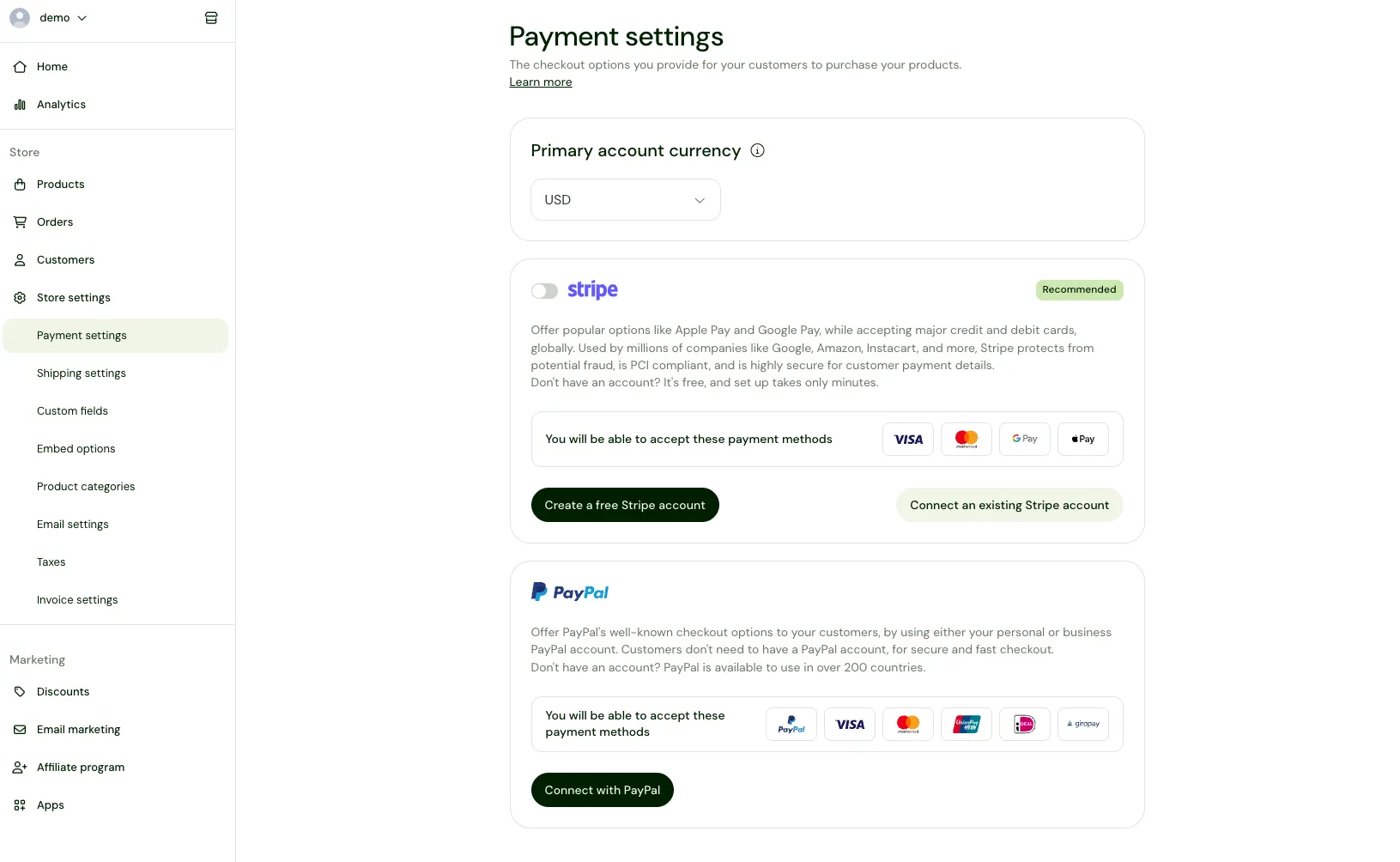
PayPal is the layer that moves the money, and a store builder like Sellfy doesn't replace it — a Sellfy sale still settles into the creator's own PayPal or Stripe account, so PayPal's rate applies on top of a Sellfy plan rather than instead of it. What a platform controls is whether it takes a second cut of its own:
- Sellfy's own transaction fee is zero on Starter, Business and Premium. The percentage taken out of a Sellfy sale is the processor's.
- Starter is $22/mo billed annually, or $29/mo billed monthly, and covers digital products, physical products, subscriptions, print-on-demand and video on demand.
- Each plan has an annual sales cap: $10K on Starter, $50K on Business, $200K on Premium. Exceed your cap without upgrading and Sellfy may charge a 2% overage fee on the revenue above it, so the honest comparison is plan price plus processing, sized to your volume.
- The store parts PayPal does not supply come with the plan: a hosted storefront on your own domain, automatic file delivery, PDF stamping, automatic EU and UK VAT calculation, and built-in email marketing with 2,000 credits a month on Starter.
- Cart abandonment recovery, product upsells and an affiliate program are on Business and Premium, not on Starter.
| Layer | What it charges | What it covers |
| PayPal | 3.49% + $0.49 on a US online sale, no monthly fee | Checkout buttons, wallets, cards, Pay Later, payouts |
| Sellfy | $22/mo on annual Starter, zero transaction fees | Storefront, cart, file delivery, VAT handling, email marketing |
You will see two different processing figures quoted, so here is the reconciliation. Sellfy pricing describes processing as "typically 2.9% + 30¢ per transaction", the long-standing card-processing benchmark. PayPal's own published US rate for its wallet buttons is higher, at 3.49% + $0.49. Price your store against the rate card your checkout actually lands on.
Sellfy has been running since 2011, with 75,000+ creators and $165M+ earned through it. If you're setting up the storefront itself rather than adding PayPal to one you already run, our walkthrough of setting up an online store with PayPal covers the account and checkout-button steps end to end. Our guide to selling digital products with PayPal covers connecting the account and automating delivery, and selling digital downloads covers what the storefront side handles.
The verdict on PayPal's fees
PayPal earns its place for a creator who wants the widest buyer-side payment coverage available from a single integration, and who accepts 3.49% + $0.49 as the price of that reach.
The processing fee itself is not the thing worth optimizing away, because some processor charges it wherever you sell. What is worth removing is the second cut layered on top of it. Sellfy charges zero transaction fees on Starter, Business and Premium, and Sellfy pricing shows what each tier costs and what volume it covers before you sign up for anything. The 14-day trial takes no card, and the 30-day money-back guarantee covers the decision either way.
Sellfy is the store builder behind 75K+ creators. One flat monthly fee, and no commissions on your sales.
FAQ: PayPal fees
How much does PayPal charge per payment?
A US online sale collected through the PayPal or Venmo buttons costs 3.49% plus a $0.49 fixed fee, per PayPal's merchant fee schedule. Card fields on your own page cost 2.89%, a standard card 2.99%, Pay Later 4.99%, and in-person QR collection 2.29% + $0.09.
How much is the PayPal fee on a $3,000 payment?
On a domestic US sale at 3.49% + $0.49, a $3,000 payment costs $105.19 and nets $2,894.81. If the same payment comes from overseas, the 1.50% cross-border surcharge takes the fee to $150.19, and if it converts currency the 4.00% spread adds $120 more, leaving $2,729.81.
Who pays the PayPal fee, the buyer or the seller?
The seller. PayPal's wording is that "you typically pay a fee only when you receive a payment for goods or services", so the fee comes out of what the recipient is paid, not out of the buyer's total.
How do I avoid PayPal fees?
You cannot avoid them on a sale, and the commonly quoted 3% figure is wrong, because PayPal's US online rate is 3.49% + $0.49. What you can remove is the extra. Settle in the currency your buyers pay in so the conversion spread of up to 4.00% stops applying, withdraw on the free standard bank timeline instead of paying for Instant Transfer, apply for the Micropayments rate card if your typical order is under roughly $27, and take card payments at 2.89% instead of the 3.49% wallet rate where you can.
Do you get PayPal fees back on a refund?
No. PayPal charges nothing to issue the refund itself, but states that "the fees you originally paid to receive the payment are not returned to you". A fully refunded order still costs the creator the original processing fee.
Does PayPal charge a monthly fee?
No. PayPal states there is no fee to open a business account and no monthly maintenance fees, and charges per transaction instead. The exceptions are its legacy gateway products, which carry monthly costs from $5.00 to $30.00, plus an Invoice Subscription at $14.99 per month.

Tips & Tricks
Tips for creators
Join thousands of creators receiving sales tips, marketing resources, and inspiring stories. No spam, pure value.