- tips & tricks
- |By Aleksey Haritonenko, Last Updated:
21 Content creator tools and platforms in 2026
Content creation has a problem most guides skip: the tools you need to make things and the tools you need to make money from things are not the same category, and mixing them up leads to expensive mistakes.
This list covers both. We split it into five categories — monetization, research, planning, content creation, and assets — so you can pick what you actually need instead of starting from scratch.
One note before we start: we built Sellfy, a platform for creators who sell digital products, subscriptions, and merch. It's the first tool in this list. We're being upfront about that because we think transparency earns more trust than a fake "unbiased ranking." We'll explain exactly why we recommend it, and we'll name the fees and trade-offs for every competitor on this list too.
Quick comparison: shortlist of top tools in each category
| **Tool | Category | Pricing | Best for** |
| Sellfy | Monetization | From $22/mo (annual) | Selling digital products + subscriptions + merch |
| BuzzSumo | Research | From $199/mo | Content research and competitor analysis |
| Notion | Planning | Free | Flexible workspace for planning and content ops |
| Canva | Creation | Free | Graphic design for non-designers |
| Epidemic Sound | Assets | From $11/mo | High-quality licensed music for video creators |
Monetization and selling platforms
Making great content is step one. Getting paid for it is step two, and it requires different infrastructure than making the content itself. These five platforms handle the payment, delivery, and storefront side of a creator business.
1. Sellfy
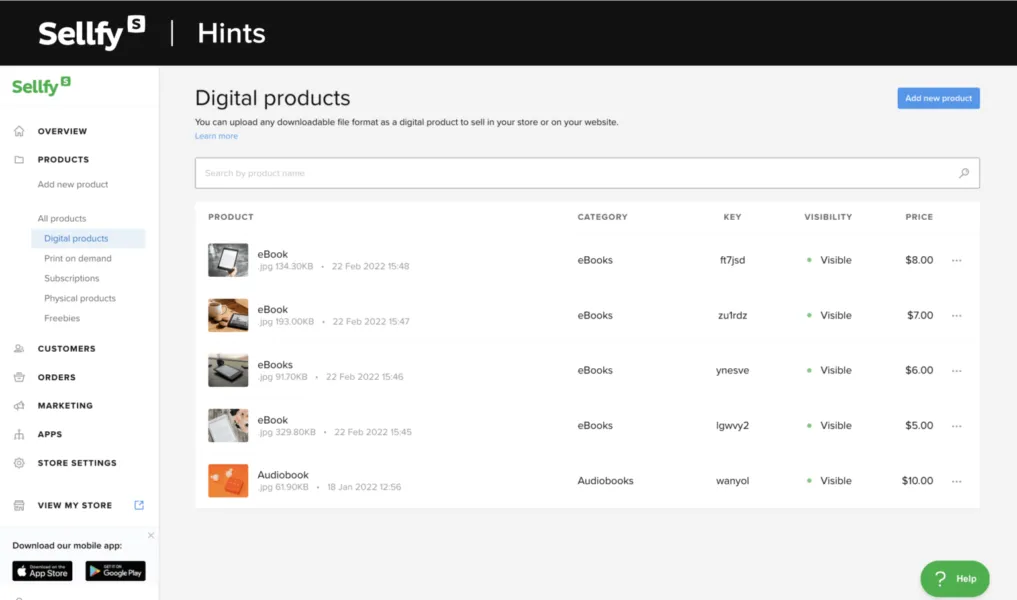
Sellfy is a standalone e-commerce platform for creators who sell digital products, subscriptions, and merch directly to their audience. You get a hosted storefront with your own link, built-in marketing tools, and direct payouts to Stripe or PayPal. Your existing audience can buy from you directly.
Most monetization platforms take a cut of every sale. Sellfy doesn’t. Every Sellfy subscription plan charges 0% transaction fees. You pay a flat monthly subscription (starting at $22/mo on annual billing), and every dollar your customers spend goes directly to your Stripe or PayPal account. No percentage withheld, no marketplace taking a cut, instant payouts.
For context: Gumroad charges up to 10% per sale. Patreon takes 8–12%. Substack takes 10% of paid subscriptions. On a $5,000/month creator business, those fees add up to $500–$600 every single month — money that should stay with you. Our free creator tools include fee calculators for Etsy, Gumroad and Stripe that work out exactly what each one takes from your own prices.
What you can sell on Sellfy:
- Digital downloads: ebooks, PDFs, templates, presets, sheet music, game assets, fonts — any file type, up to 20 GB per file
- Subscriptions: weekly, monthly, or annual recurring memberships
- Physical products: standard-weight merchandise with manual fulfillment
- Print-on-demand: custom merch through Sellfy’s built-in POD with 11 fulfillment centers worldwide (no third-party account needed)
- Video on demand: streamed video content, not a download

**Built-in tools that replace separate subscriptions:**Built-in email marketing (up to 50,000 sends/month on Premium), cart abandonment recovery, product upsells, an affiliate program, and discount codes. All included, nothing to bolt on. On the Business plan ($59/mo annual) you get all of them.
Anti-piracy out of the box: PDF stamping automatically embeds the buyer’s email address into every PDF sold. It’s enabled by default on every plan — no setup required.
Transparency on limits: Annual revenue caps apply. Starter handles up to $10K/year, Business up to $50K, Premium up to $200K. If you’re doing more than $200K, Sellfy will set you up on a custom plan.
David Killingworth, a film overlay creator with 28,000+ YouTube subscribers, described why the model clicked: “I also like the fact that Sellfy doesn’t take a percentage of your sales.” He signed up during a free trial and didn’t look back.
Verdict: The right choice if you’re building a real creator business and don’t want a platform taking a percentage of every sale. Works for digital products, subscriptions, and physical merch in one place, with marketing tools already included.
Pricing: Starter $29/mo (or $22/mo annual), Business $79/mo (or $59/mo annual), Premium $159/mo (or $119/mo annual). 14-day free trial, no credit card required.
2. Uteach
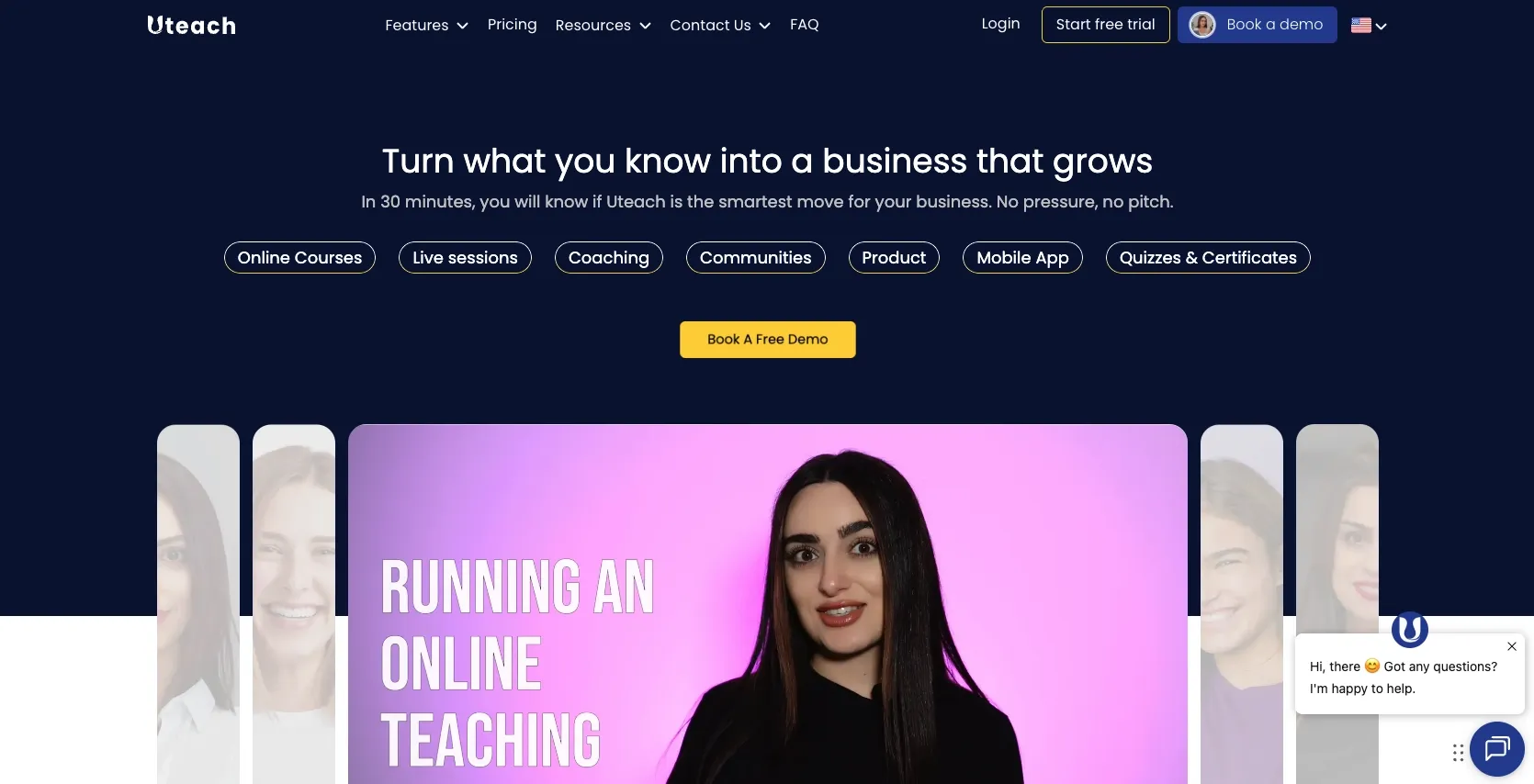
Uteach is an all-in-one platform designed to help creators, educators, and coaches put together and sell online courses, memberships, and digital products all from one place.
You can use Uteach to create unlimited courses and landing pages with quizzes, certificates, and community features to keep your audience engaged. It also includes some useful marketing tools as well as student management features.
While some advanced analytics and deep automation features are more basic compared with higher-tier competitors, Uteach’s ease of use and unrestrictive student limits and course content make it appealing for creators just starting out or selling lower-ticket offerings.
Pricing: Ask - paid plans add custom branding, more students, and advanced features.
Verdict: A strong fit for dedicated course creators. If you need a fully branded online school rather than a general storefront, Uteach is worth evaluating. Not the right tool if digital downloads or merch are part of your mix.
3. Patreon
I’ll be damned if Patreon isn’t the first thing that pops into your head when you think about content and audience monetization.
And there's a good reason for that.
Patreon is a platform that allows you to build a separate revenue stream by closing part of your content behind a paywall while presenting it on a page that looks a lot like a social media platform. It allows you to charge a recurring fee in exchange for various types of content of your choice. You can even offer different tiers of membership with different perks.
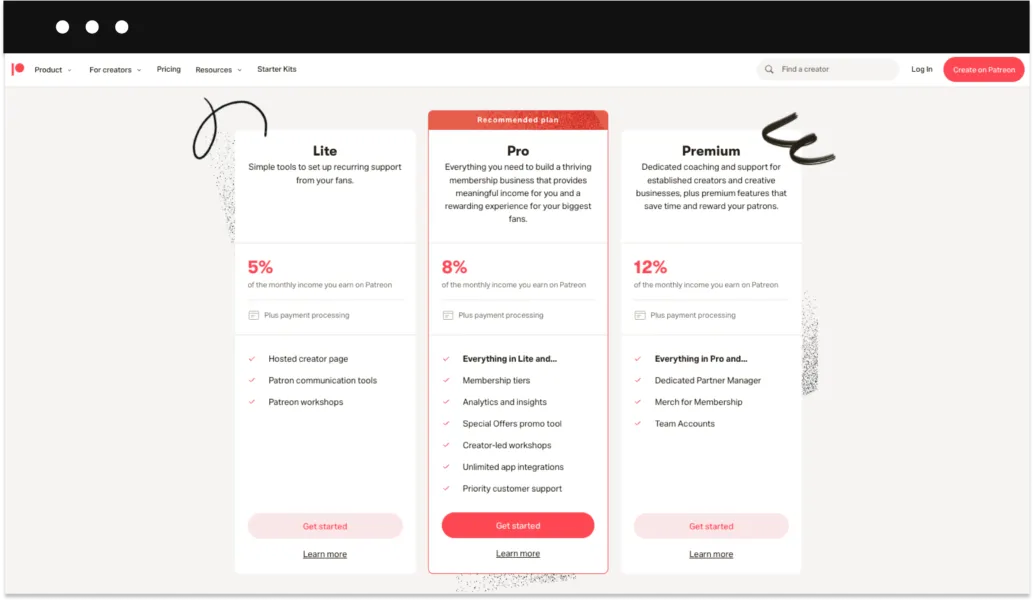
But, the best thing about Patreon is that your membership won’t be tied to your regular content outlets like YouTube, Twitch, Instagram, TikTok, etc. Pricing: Even though Patreon doesn’t have a subscription fee, it’s not quite free to use. Patreon takes 5–12% of your earnings, depending on your plan tier, plus payment processing fees. That’s the trade-off for the built-in audience (Patreon has millions of active patrons who browse for new creators to support) and the familiar membership model. Verdict: Best for creators building an ongoing community with recurring support — artists, podcasters, writers. Less suited for selling individual products at a price point. If you sell digital products (courses, templates, ebooks), the per-sale fee model is expensive compared to a flat subscription platform.
For creators considering Patreon alongside Sellfy, the two can coexist: Patreon for community memberships, Sellfy for one-time digital product sales.
4. Substack
Substack handles newsletters with a built-in paid subscription model. Writers publish to a built-in audience, offer free and paid tiers, and Substack handles billing.
To be more specific, with Substacs, you can get paid through subscriptions and monetize your email list without relying on services like MailChimp or HubSpot. Isn’t that great?
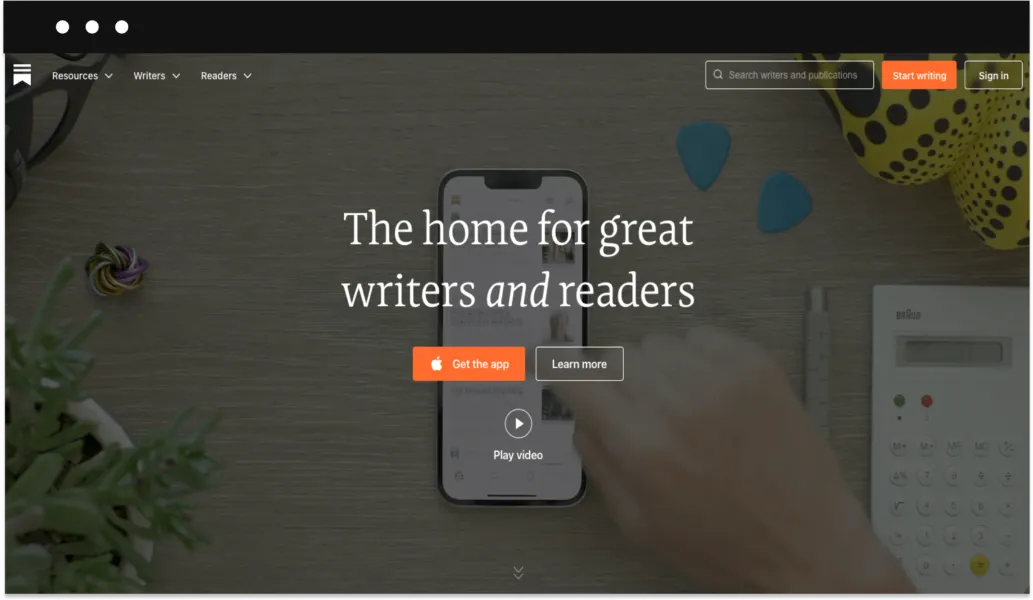
In many ways, Substack works like a blogging platform, but the main difference is that your posts will be automatically emailed to your subscribers. Plus, it has all the tools you need to manage payments and subscriptions:
- Monthly and annual subscriptions.
- Built-in promotional tool.
- Free trials and discounts.
- Analytics tool for following your newsletters’ click-through rates.
Pricing:
Substack doesn’t have a platform fee. However, it will take 10% of everything you get paid for. It means that if you decide to send out your newsletter for free, the tool will be free to use.
Verdict: Built for newsletter writers who want built-in discoverability and don’t need a product storefront. If you have a newsletter audience and want to sell digital products to them, Substack isn’t the right place to do it. You’d need to send readers to a separate storefront like Sellfy.
5. Ko-fi
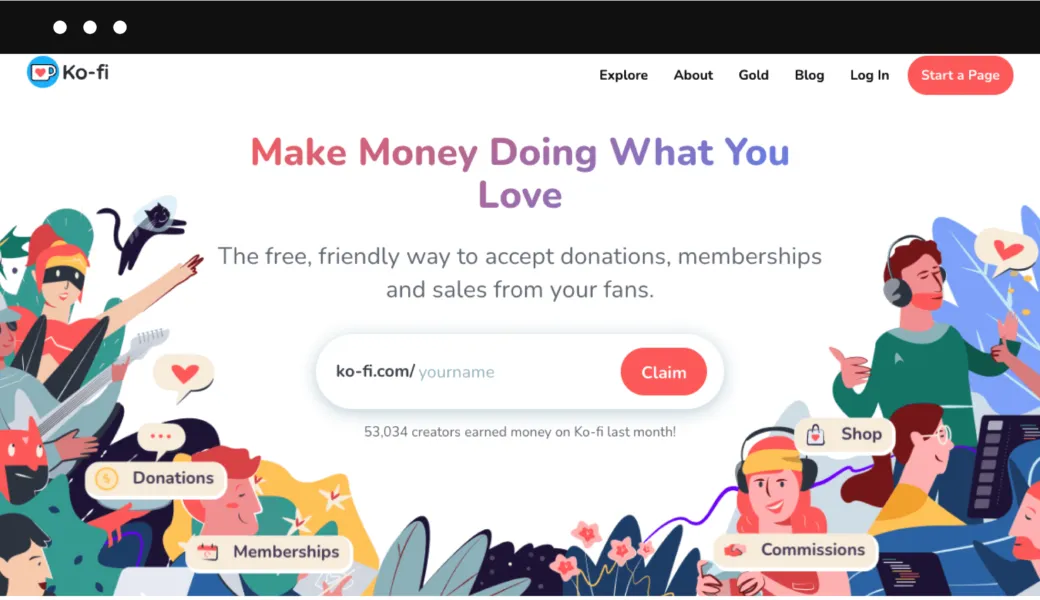
In essence, Ko-fi is a tool that allows your followers to support you and your content with small (and not so small) donations. I like to think of it as a virtual tip jar for digital creators.
There are two ways how you can monetize your audience on Ko-fi:
- You can gather donations.
- You can create a Ko-fi shop to sell physical and digital products. My favorite thing about Ko-fi is that it’s super easy to set up. You just need to pick a username, add a photo and bio, and connect a payment method. It’ll literally take you a couple of minutes to get your Ko-fi page up and running.
Pricing:
You can create your Ko-fi page for free, plus you won’t have to pay a percentage from donations. But, whenever you sell something (a subscription or a product) you’ll be charged a 5% fee per transaction. There’s an option to subscribe to Ko-fi Gold for $6 to remove the transaction fee.
Verdict: Good for low-volume, low-complexity monetization — accepting tips from fans, selling a PDF or two. Not the right infrastructure for creators who want a proper storefront, built-in marketing tools, or POD.
Research and idea generation
6. AnswerThePublic
As a content creator, you must know the most frustrating part of the creative process:
Coming up with content ideas.
Well, AnswerThePublic is a “go-to” tool for that. In essence, it’s a service that combines and analyzes data collected by search engines like Google.
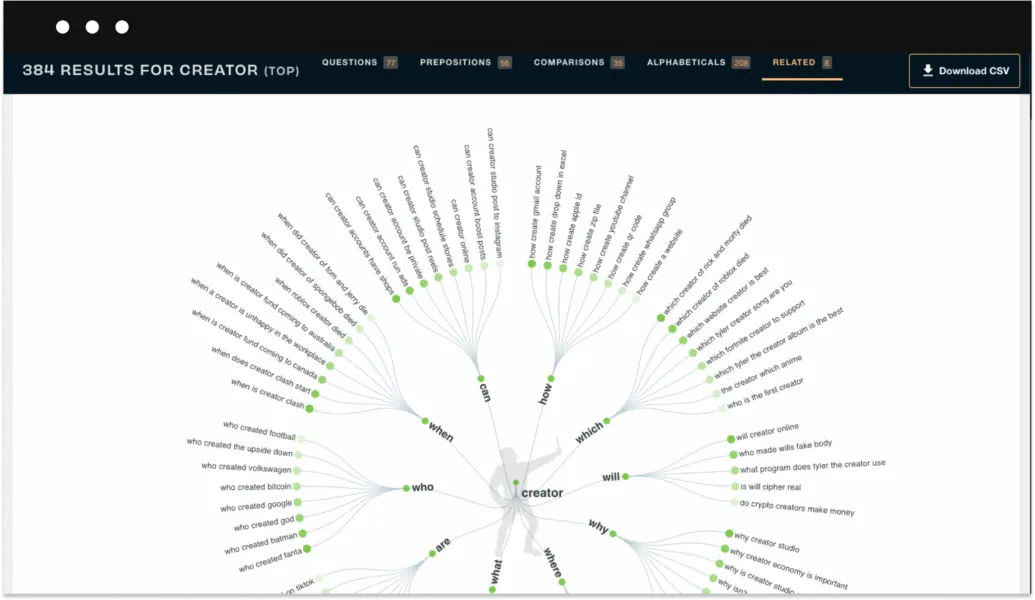
All you need to do is enter the keyword you want to build your content around, and the tool will show you the questions and phrases most searched by the audience. The results you get are a valuable resource of content ideas that will directly answer the needs of your fanbase.
For your convenience, AnswerThePublic’s search results appear in comprehensive diagrams separated into the following categories:
- Questions (who, what, when, etc.)
- Prepositions (with, to, for, etc.)
- Comparisons (vs., and, like, etc.)
- Alphabetical lists (keywords that would show up if you type a, b, c, etc.)
- Related searches
Pricing:
Even though AnswerThePublic no longer has a free plan, they continue to provide FREE searches (over 500k a month). Apart from that, there are three paid plans:
- The Monthly plan is $99 per month.
- The Annual plan is $79 per month.
- The Expert plan is $199 per month
7. Feedly
It’s not a secret that to find inspiration for content creation, you must consume a lot of content produced by other people.
But, there’s a problem:
With millions of blogs, YouTube channels, and social media feeds, there’s never been an information overload of such a huge scale.
Luckily, there’s a solution:
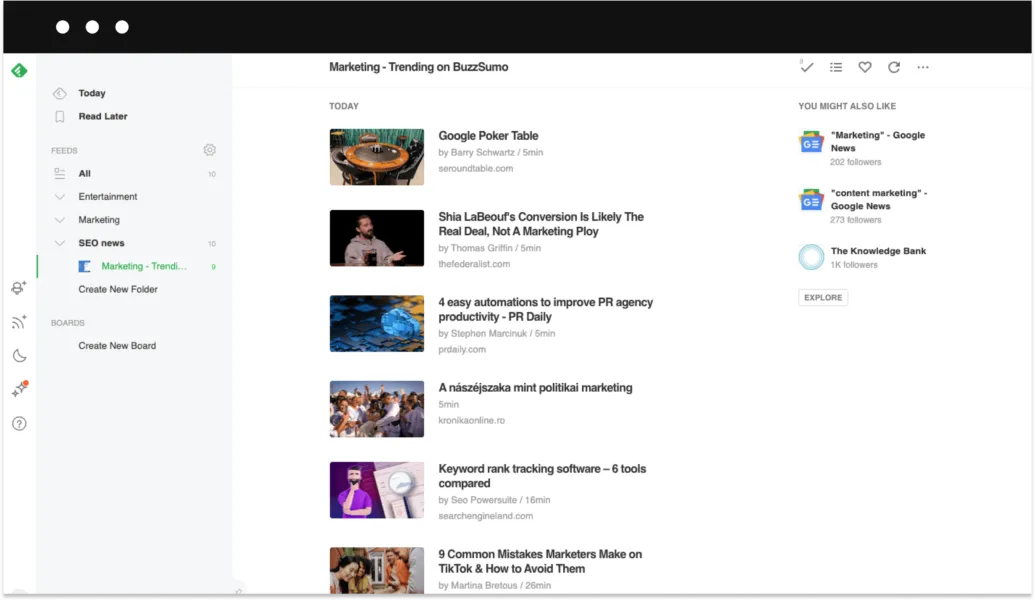
RSS (Really Simple Syndication) feeds, such as Feedly, allow you to pull together all sorts of trending content from all over the internet.
Feedly is a beginner-friendly RSS feed that is loved by more than 15 million content creators worldwide. It helps you organize blog posts, podcasts, YouTube channels, and more into collections and get notifications once new content is published. Plus, Feedly has an AI research assistant called Leo that can read all your articles and prioritize content based on your reading habits.
Pricing:
Feedly offers a generous free plan that allows you to follow up to 100 feeds and organize them into 3 folders. For anyone in need of more features, there are two paid plans:
- The Pro plan is $6 per month.
- The Pro+ plan is $12 per month.
8. TubeBuddy
TubeBuddy is a tool that helps YouTube creators save time managing the channel. It works as a YouTube-certified SEO browser extension and an iOS mobile app that integrates directly with your Youtube account.
Just like Grammarly, but for YouTubers.
Even though TubeBuddy markets itself as a tool that helps YouTube creators to grow the number of subscribers and get more views, it’s a bit overexaggerated. In reality, the primary purpose of TubeBuddy is to help you streamline and manage your content by using the right topics for your titles, writing descriptions, choosing trending tags, and more. And it’s a perfect tool for that.
TubeBuddy offers a lot of useful features for YouTube creators, but here are some of the best ones:
- Keyword explorer
- Suggested tags
- Suggested publishing time
- Video topic planner
- Bulk metadata updates
- Thumbnail generator
Pricing:
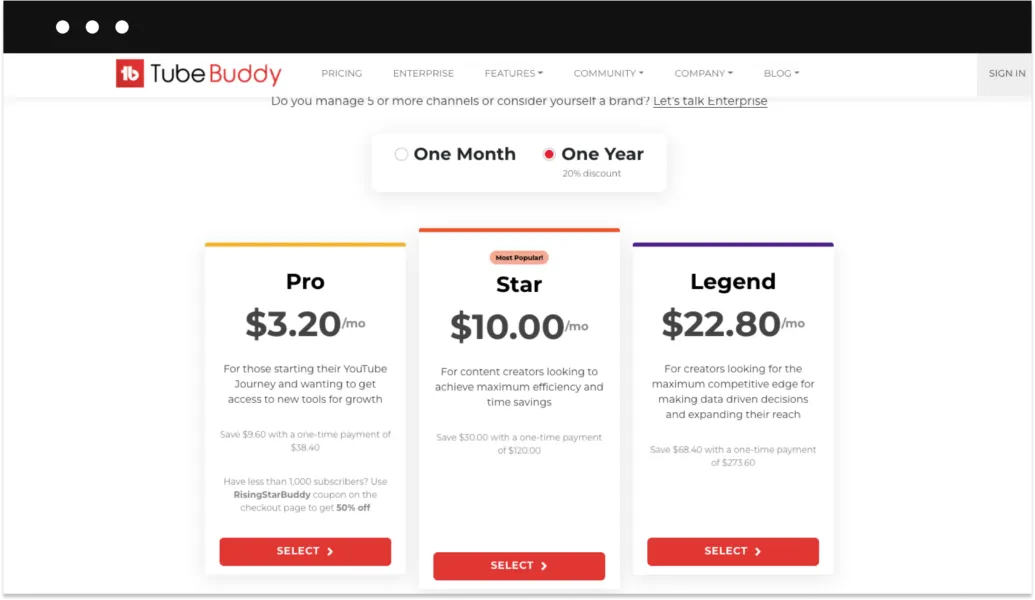
TubeBuddy has a free plan, with a limited list of available features. Other than that, there are three paid plans to choose from:
- The Pro plan is $4 per month.
- The Star plan is $12.5 per month.
- The Legend plan is $28.5 per month.
9. BuzzSumo
BuzzSumo is another content creation tool that helps you find relevant content ideas by analyzing published content. In other words, this tool helps content creators save time exploring various content opportunities scattered across the internet.
Here’s how it works:
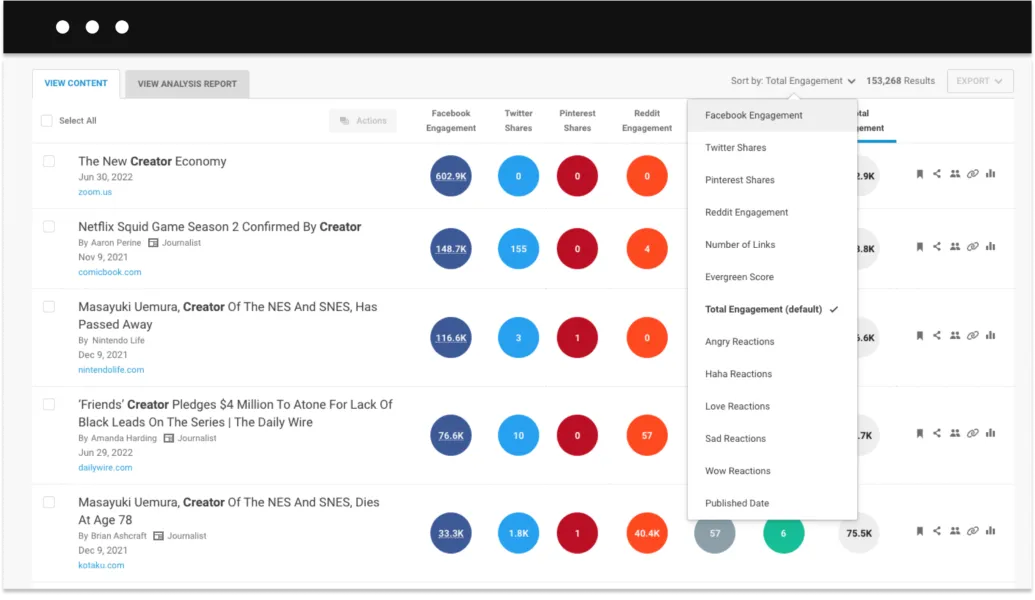
All you need to do is enter your content keyword or topic in the BuzzSumo search tab. Then, Buzzsumo will use its algorithms to browse through the entire web, including websites, social media platforms, and forums, to pull out the results along with all the necessary insights. You can then use filters to narrow down the search results based on language, location, creator, date, and more. Moreover, BuzzSumo helps track down top social media influencers, backlink research, and a lot more.
Pricing:
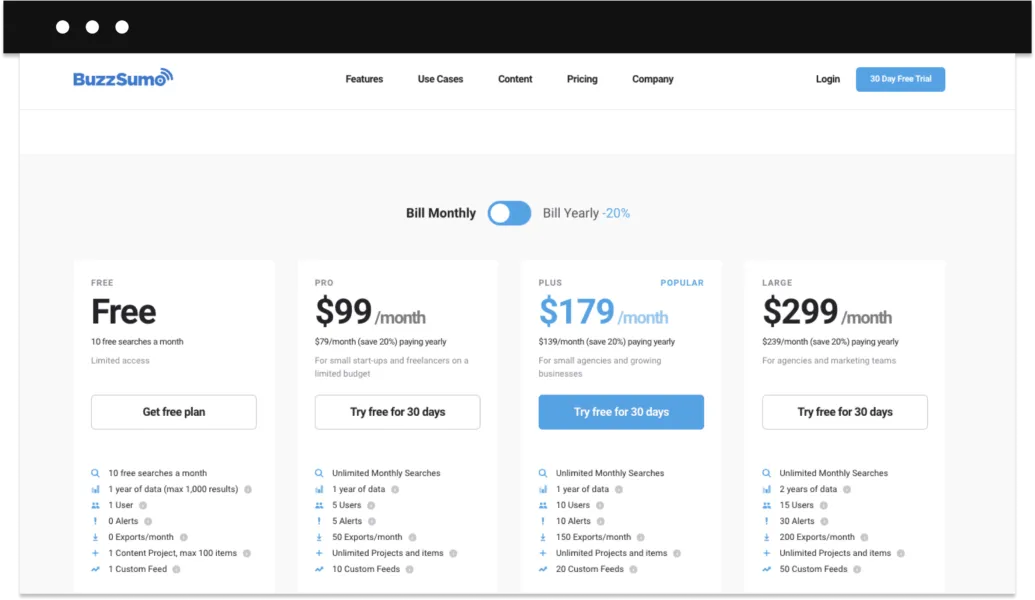
You can use BuzzSumo for free for up to 10 searches per month. Other than that, there are three paid plans to choose from:
- The Pro plan is $99 per month.
- The Plus plan is $179 per month.
- The Large plan is $299 per month.
Planning and management
10. Boards.so
Is the Boards app a simple keyboard extension for your phone?
Yes, it is. But it’s also a lifesaver for content creators, especially the ones who are constantly posting on social media.
Here’s why:
With the Boards app, your content is always just one tap away. The app allows you to customize your keyboard by adding text scripts, photos, videos, links, PDFs, and all sorts of content through an easy-to-use editor. Once you create your custom keyboard, you won't have to browse through your files looking for message templates or a specific YouTube video link—it’ll be literally a part of your keyboard.
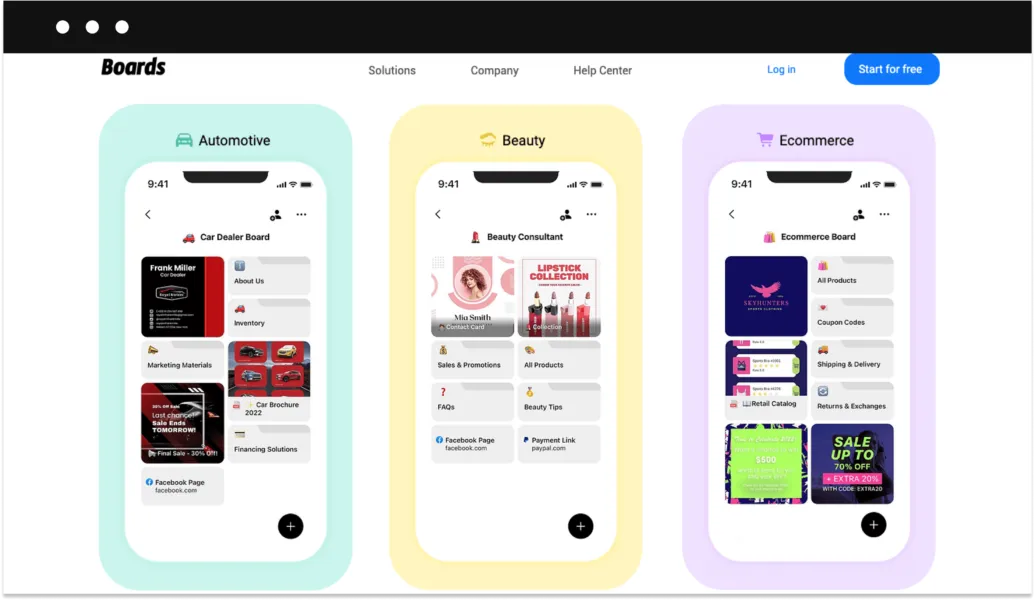
You’ll be able to divide your content into necessary folders. For example, follow-up messages, outreach scripts, answers to FAQs, product photos, and more.
Pricing:
Boards.so is a free mobile app available for download on App Store and Google Play.
11. MediaKits
There’s never been a simple way for content creators to put together a media kit that’d display social media profiles, number of followers, engagement numbers, etc. Sure, you can find media kit templates online or look for a freelancer on Fiverr or Upwork to do the job for you. But it takes effort, time, and money.
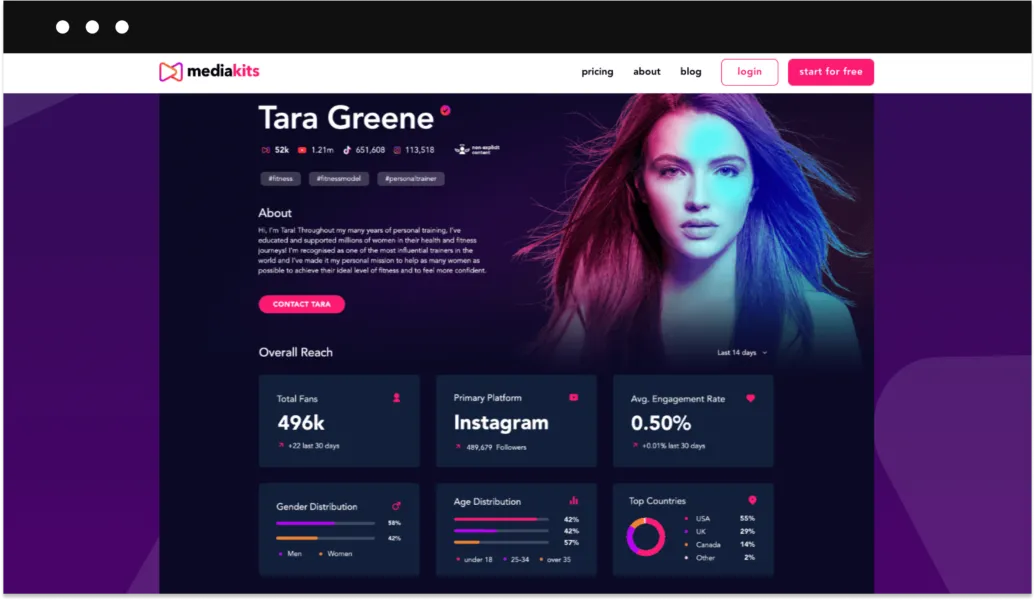
MediaKits is an online platform that helps you create a personalized media kit in a matter of minutes. All you have to do is create a profile, connect all of your social media, and you’re all set.
The tool will automatically collect and display real-time data and analytics such as numbers of followers, engagement rates, audience demographics, songs downloaded, and more. This information is essential for any type of content creator who’s looking to grow their personal brand as well as attract potential advertisers or sponsors.
Pricing:
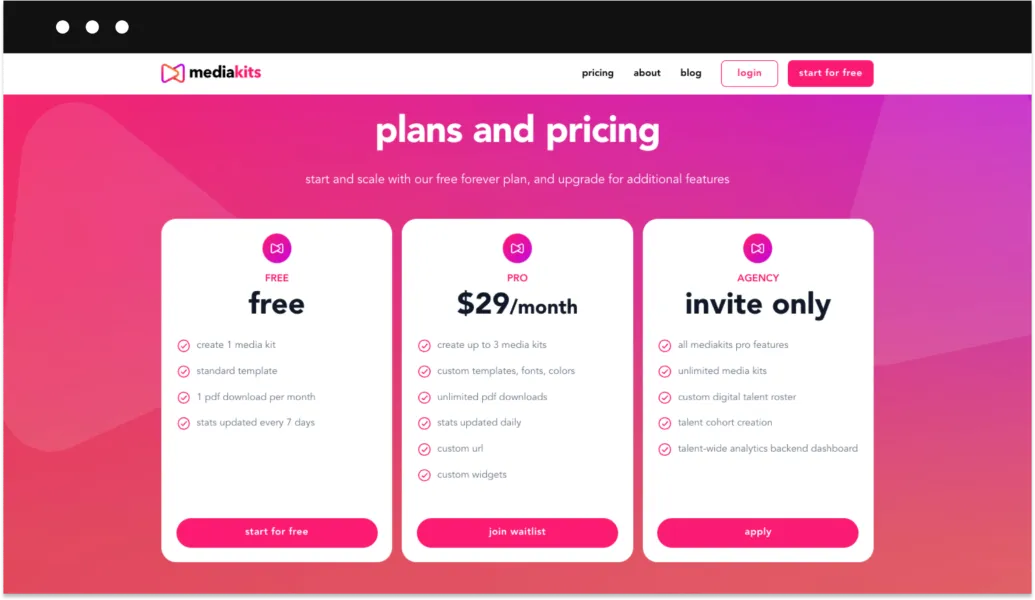
The basic version of the tool is free. But, if you’re looking for more customization you can upgrade to the Pro plan for $19 per month.
12. HootSuite
Each content creator knows that managing social media is an uphill battle. That’s why, in order to “survive”, it’s important to accept any help you can get.
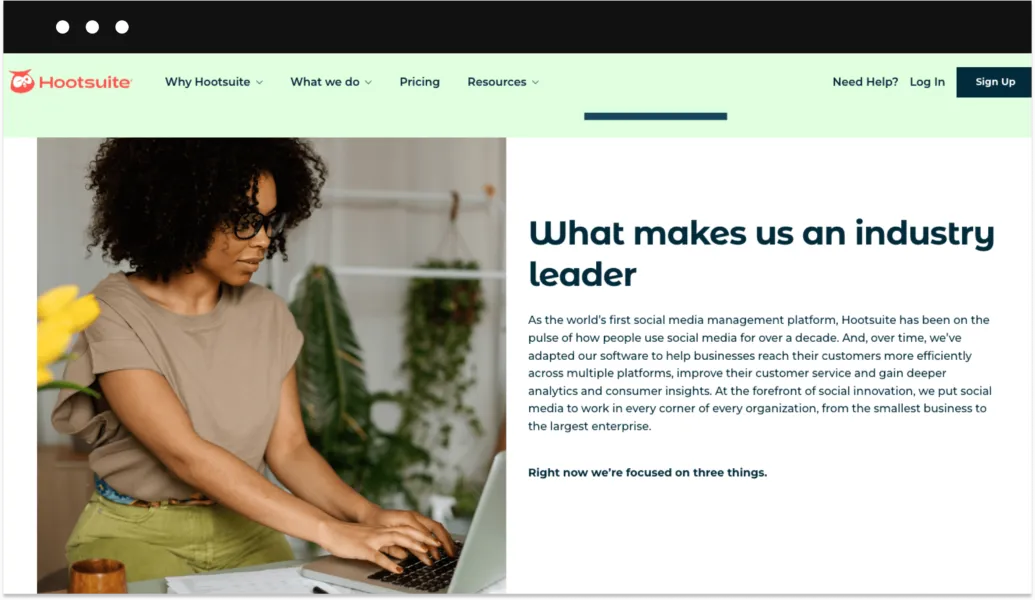
Hootsuite is a tool that helps content creators manage social media accounts, schedule and automate social media posts, analyze key performance metrics, pull analytics data, and organize information sources.
Getting up and running with Hootsuite is quick. But, the best thing about Hootsuite is that it connects with nearly all types of platforms there are: Twitter, Facebook, LinkedIn, WordPress blogs, Instagram, YouTube, and TikTok. Plus, Hootsuite is now heavily focused on adding better video-first support.
Pricing:
You can test the free version of Hootsuite Professional for 30 days. Once the trial period is up you can choose between the Professional plan ($49 per month), Team ($179 per month), or Business plan ($739 per month).
13. Notion
Have you ever created anything? Then you must know how messy the process can get.
Luckily, there’s a solution that can help you structure the creative chaos.
Notion is a platform that is disguised as a simple note-taking tool, but in reality can help you do all of the planning, drafting, note-taking, outlining, analyzing, scheduling, track keeping, and even project managing—all in one place.
Here’s what you can use Notion for:
- Use advanced text editor features to write anything from simple notes to blog posts and scripts.
- Saving and displaying bookmarks.
- Outline and follow up on to-do lists, content calendars, and other tasks.
- Add images, videos, and other types of content.
- Create check-lists
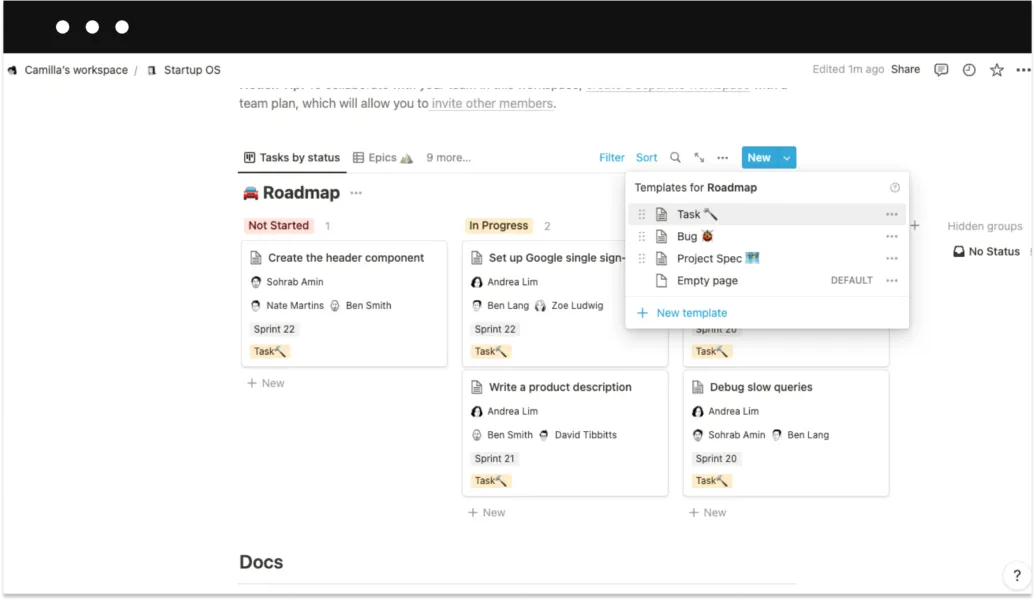
However, the feature that sets Notion apart from other project management tools is that you can customize almost everything. It may not seem like that at the beginning, but once you get your hands wrapped around the thing, Notion can be a very powerful tool.
Pricing:
When compared to similar tools, Notion appears to be very affordable. Not only does it offer a free plan, but the most expensive one will cost you just $8 per month.
Content creation tools
14. Jasper.ai
Writing textual content can be one of the most difficult and time-consuming parts of the content creator’s job.
But, what if I told you that you can trust this job to Artificial Intelligence?
Jasper AI is a robotic writing assistant that can help you produce any type of unique written content—from social media posts to YouTube video scripts. All you have to do is type in a few keywords or a short summary of what you want to write about, and the AI will start creating an original text. Apart from that, Jasper comes with over 50 useful templates, a long-form content assistant, grammar and plagiarism checker, and other useful tools.
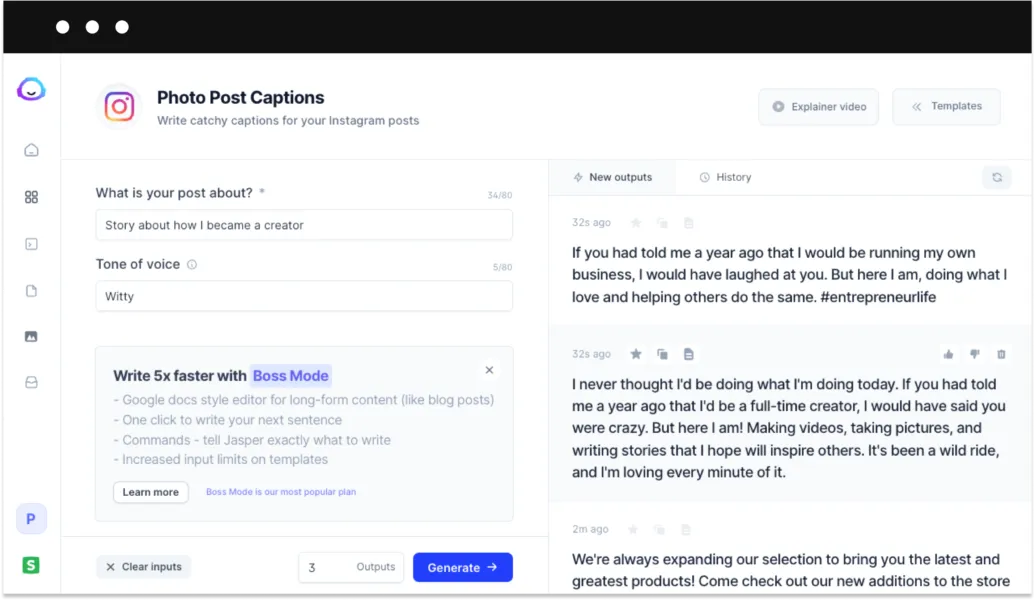
Of course, there’s no tool developed yet that can replace the human brain when it comes to writing actually good content. But, Jasper can really help you overcome writer's block, create better outlines, and give you ideas for blog posts, scripts, and social media posts.
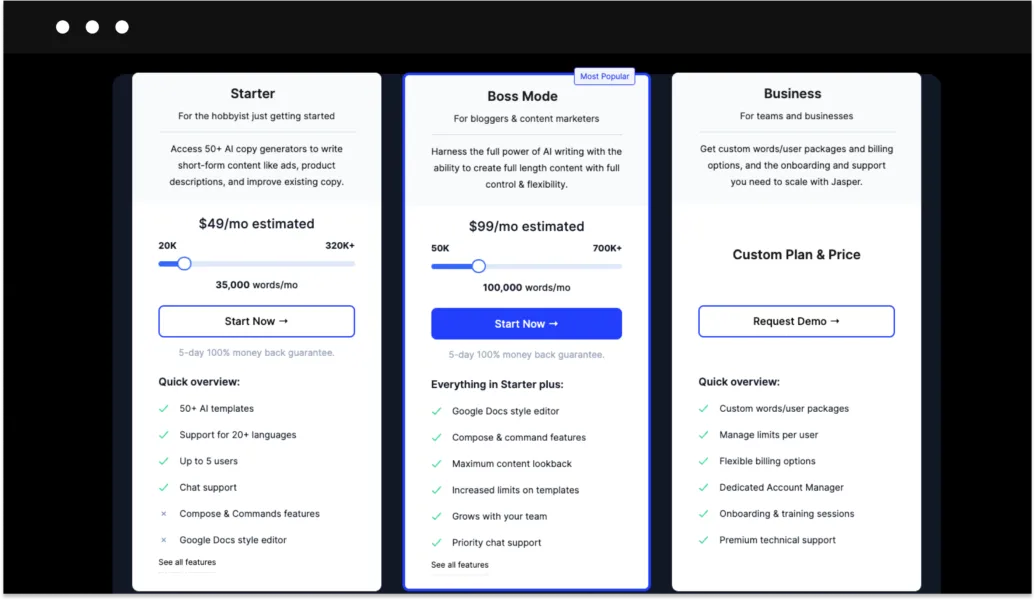
Pricing:
Jasper AI is offering two paid plans right now. However, the pricing will depend on the number of words requirement you have.
15. RunwayML
If you’re creating videos for YouTube, TikTok, or IG Reels, you must agree that video editing can be a tedious and time-consuming task.
RunwayML has introduced video content creators to a brand new way of video creation. In short, this tool combines AI (artificial intelligence), Machine Learning, and other technologies to help smooth out video editing as well as automate the process.
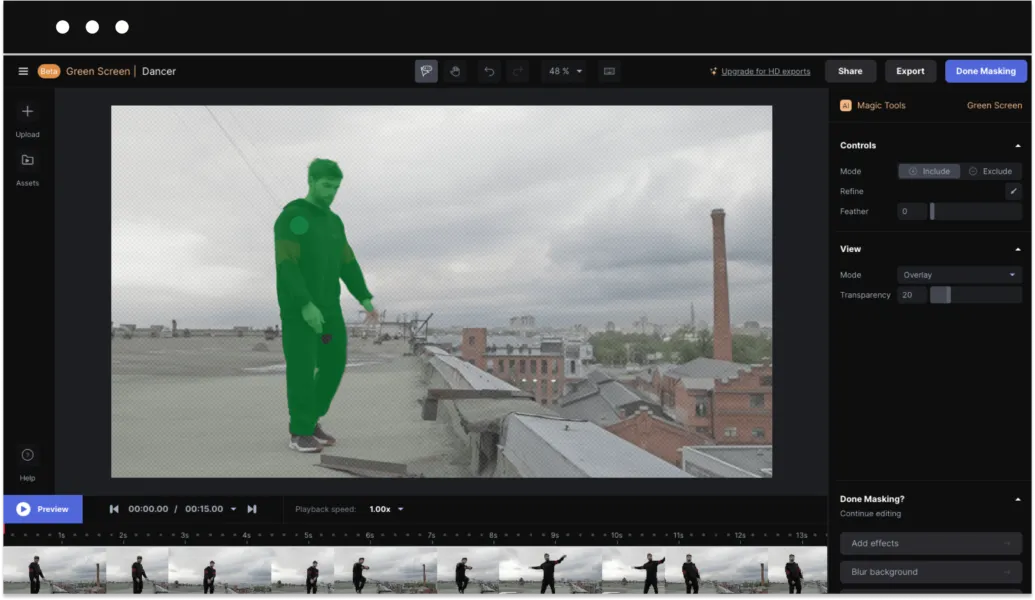
Runway ML offers a host of video content creation tools from video depixelator to inpainting that removes unwanted images. However, there’s one feature that is highly praised by many video creators—the green screen feature. It’s designed to be as automatic as possible and takes just a few clicks to apply any background to your video. You should try it out.
Pricing:
You can use RunwayML for free if you’re okay with exporting 720p videos. Other than that, there are three paid plans that offer more video creation features and cloud storage:
- The Starter plan is $15 per month.
- The Creator plan is $35 per month.
- The Pro plan is $100 per month.
16. Canva
This one is pretty simple:
Canva is a graphic design tool that any content creator will find useful at some point. That’s why it has 75+ million active users all over the world.
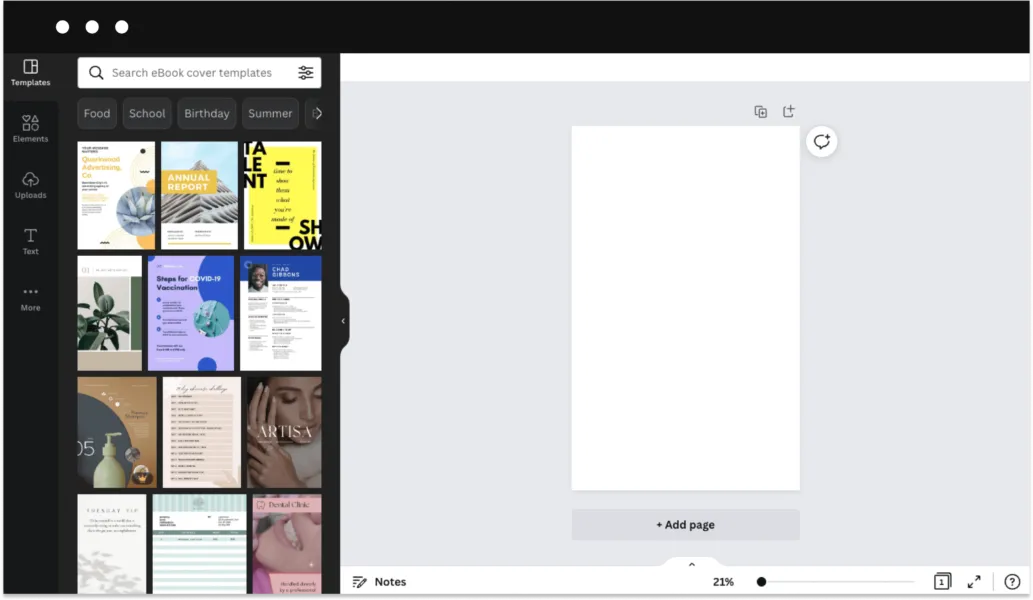
Simply speaking, Canva is an easy-to-use design tool for anyone who isn’t an experienced designer. It allows you to design anything you need in a matter of minutes, including presentations, social media posts, infographics, resumes, newsletters, logos, and even YouTube intros.
There's more:
Apart from saving time and money on complicated design software, Canva also offers a library of stock elements and photos, videos, and templates for every need.
Pricing:
Canva has an awesome free plan with a range of available features and some stock elements. Premium plans start at $11.99 per month.
17. Repusrpose.io
Well, the name of this tool is quite self-descriptive.
Simply put, Repurpose.io helps content creators to take a single piece of content and optimize it to re-publish on various social media platforms.
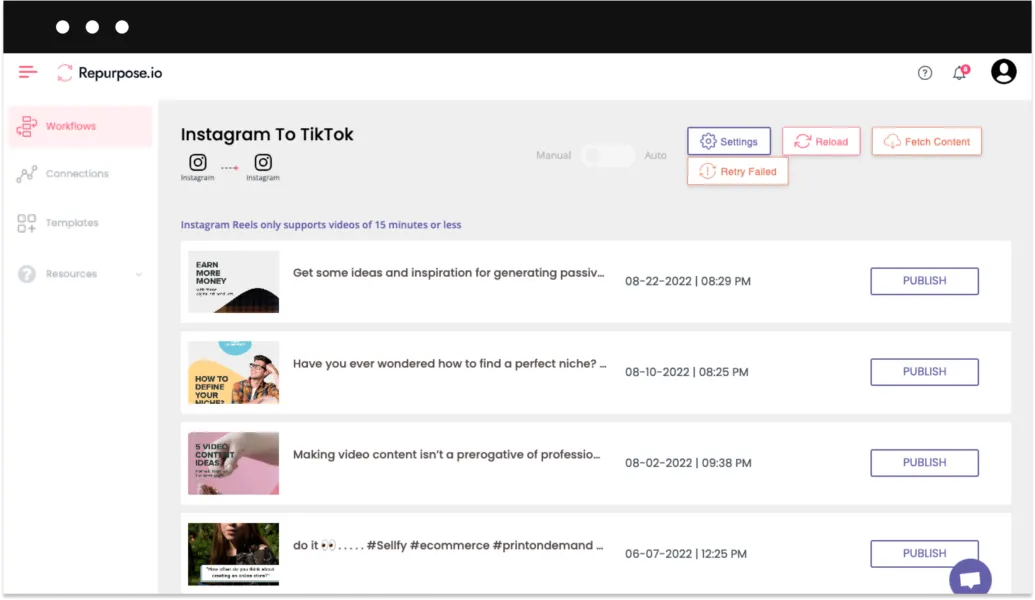
Taking into consideration that most social media platforms are not very friendly to republished content, it’s quite a hassle to do this job manually. Repurpose.io can help you not only save some time and sweat but even somewhat automate the process.
Here’s a basic example:
You can upload your video to cloud-based storage like Google Drive and use Repurpose.io to simultaneously publish it to different platforms like YouTube, IG reels, LinkedIn, etc. Plus, it allows you to resize the videos as well as add various elements from captions and watermarks to GIFs and headings.
Pricing:
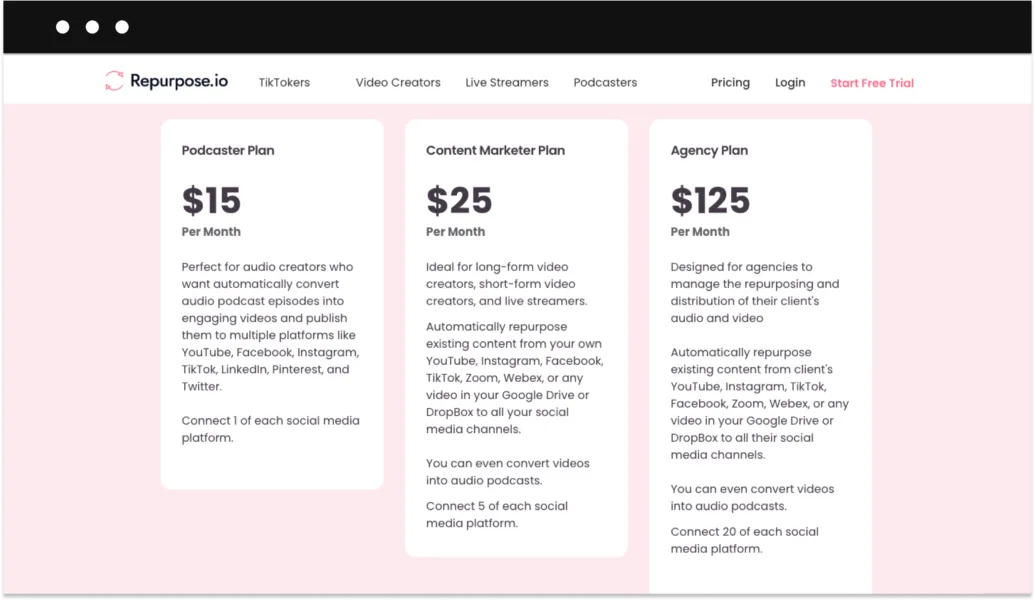
Repurpose.io offers three pricing plans for different types of content creators:
- The Podcaster plan is $15 per month.
- The Content Marketer plan is $25 per month.
- The Agency plan is $125 per month.
Visual and audio assets
18. Envato Elements
Envato Elements offers a subscription to a library that holds over a million digital creative assets including high-quality images, presentation templates, video footage, audio files, and graphic design elements.
They constantly work on adding new high-quality assets to the library. But, what really sets Envato Elements apart from most stock platforms is that it does not limit the downloads—you can get as many assets as you need.
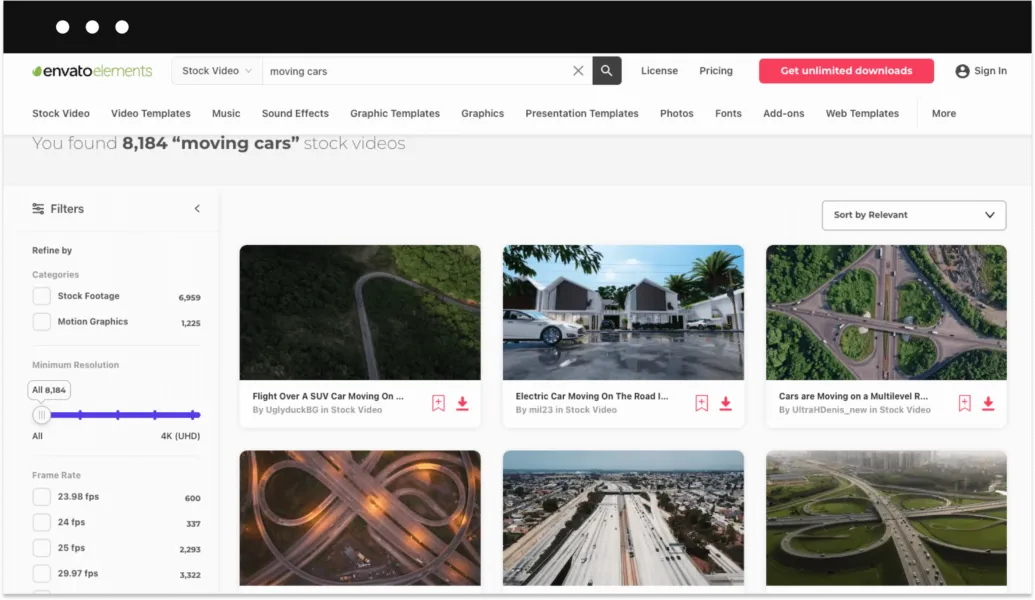
Moreover, Envato Element’s subscription comes with a full commercial license. It means that you can freely use any of the assets without having to worry about copyright violations.
Pricing:
Monthly and annual plans for individuals cost $16.50 and $39.00 per month, plus local taxes.
19. MixKit
If you are creating any type of video (and I believe that most of you are), then you know the pain of finding really good video assets.
MixKit is a relatively new addition to the world of stock video assets that were brought to us by Envato Elements. The platform offers a good selection of stock videos, free stock music, free sound effects, and free video templates.
This selection of asset categories looks truly impressive, especially for professional video creators:
- Stock videos
- Stock music and sound effects
- Video templates
- Stock art and design elements
- Premiere Pro templates
- After Effects templates
- Final Cut Pro templates
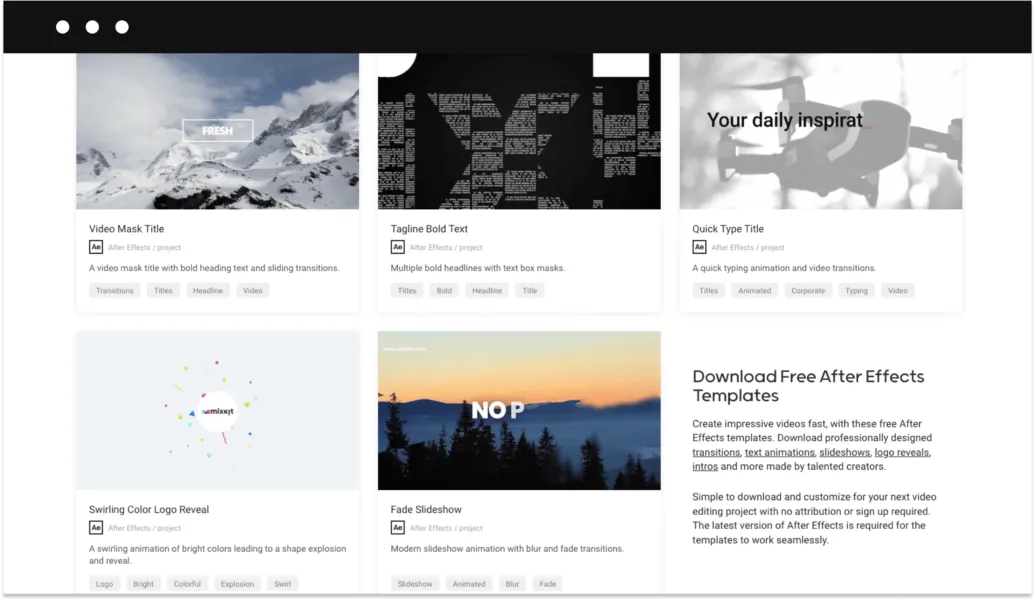
But, the best thing about MixKit is that it doesn't have a subscription fee and allows you to download assets for free. On the flip side, being a platform created mostly to attract more paying users to Envato elements makes MixKit’s library not great but still pretty darn good.
Pricing:
MixKits is free for everyone.
20. Slip.Stream
High-quality sound effects play a huge role in content creation. Just imagine “A Nightmare on Elm Street” without the sound of razor glow scraping the pipes, or Star Wars without the iconic swooshing of the light saber.
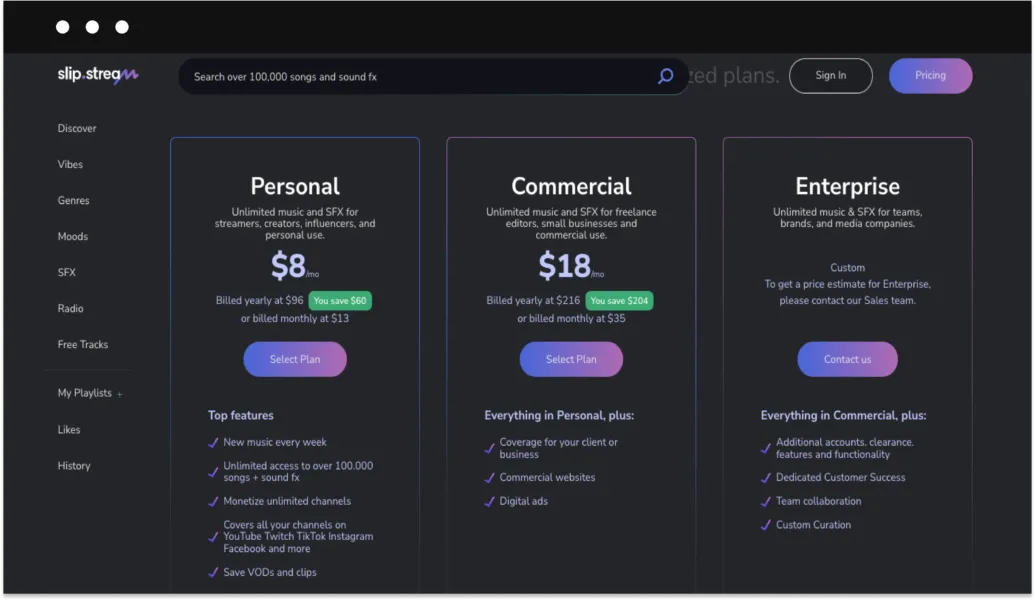
Slip.Stream is a library of 100K+ royalty-free songs and sound effects, which makes it one of the biggest sound effect libraries across the web.
The cool thing about Slip.Stream is that you can not only listen to the tracks for free but also use them during live streaming. The only requirement is that you provide attribution with the artist name, track name, and Slip.Stream.
Pricing:
Slip.Stream offers a great selection of free music and sound effects (marked with a blue “FREE” sticker. Other than that, they have two subscription plans with different access levels:
- The Personal plan is $8 per month.
- The Commercial plan is $18 per month.
21. Epidemic sound
While there are more and more high-quality music and sound effects providers popping up every year, Epidemic Sound is still topping the list.
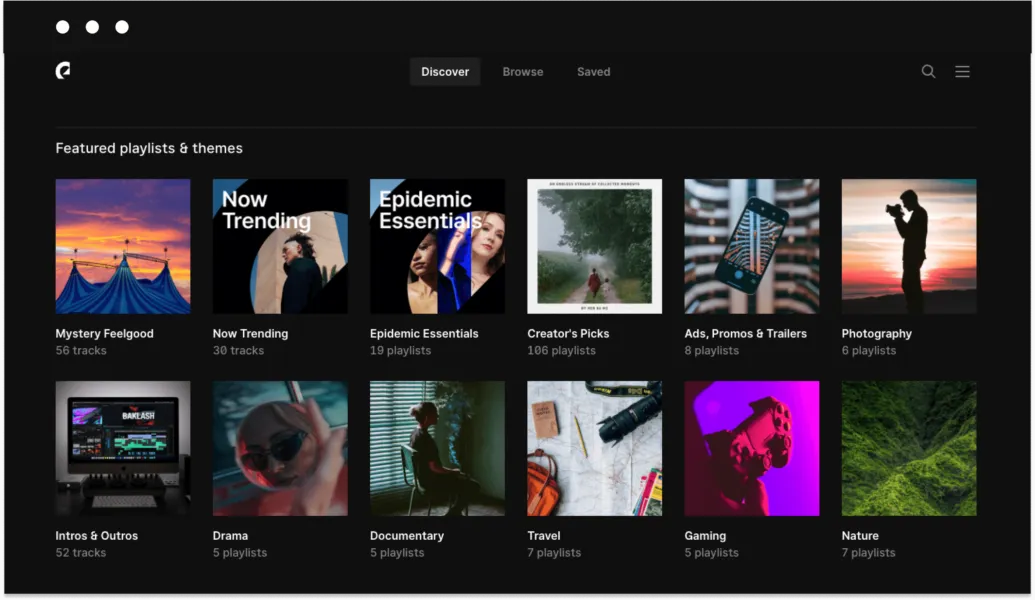
Their library not only consists of 30K+ tracks and 60K+ sound effects but is also growing fast and constant. Epidemic Sound’s search system is plain amazing and is built in a way that helps you discover new music all the time to make your content sounds truly unique.
All music is divided into logical categories like Genres, Moods, Featured, and Albums. Plus, there’s a ‘find similar’ function that makes the search process much easier once you have narrowed down what you are looking for.
Pricing:
Their pricing policy is very similar to Slip.Stream’s. There’s a selection of free tracks and sound effects plus two paid subscription plans:
- The Personal plan is $9 per month.
- The Commercial plan is $19 per month.
Which platform is best for content creators?
In this article, we’ve presented the 20 best content creation tools that can help you not only save time and simplify the creation process but also save some time and money.
It’s quite tricky (and rather pointless) to compare content creation tools from different categories. So, it’s difficult to name the absolute winner among them.
But, even though not everyone likes to talk about it—one of the ultimate goals of creating content is getting money in exchange for the work you do. So, I’d really recommend you take a second look at content monetization tools like Sellfy.
Frequently asked questions
What tools do content creators actually need to start?
At minimum: a monetization platform to get paid (Sellfy, Ko-fi, or Patreon, depending on your model), a design tool for graphics (Canva free tier), and a planning tool to stay consistent (Notion or Boards.so). Research tools and asset subscriptions become useful once you’re publishing regularly and the time cost of sourcing things manually outweighs the subscription cost.
Can I sell products without a website?
Yes. Sellfy gives you a standalone storefront with your own link. You can also embed Sellfy buy buttons directly into a website you already have, or link to your store from TikTok, Instagram, or YouTube bio. Ko-fi and Patreon work the same way.
What’s the difference between a content creation platform and a monetization platform?
A content creation platform (Canva, Jasper, RunwayML) helps you make things. A monetization platform (Sellfy, Patreon, Substack) handles selling and getting paid. They serve different parts of the creator workflow and you’ll likely use both. The mistake is trying to use a creation tool as a storefront, or using a storefront as a creation workspace.
How do I choose a content creator monetization platform?
The key variables: What are you selling (digital files, subscriptions, physical goods)? What’s the fee structure (flat subscription vs. percentage per sale)? Do you need built-in marketing tools or will you run email separately? For most creators selling digital products to an existing audience, a flat-fee platform with 0% transaction fees outperforms a percentage-based model within 2–3 months of consistent sales.

Tips & Tricks


Tips for creators
Join thousands of creators receiving sales tips, marketing resources, and inspiring stories. No spam, pure value.