- tips & tricks
- |By Susanna Puusaag, Last Updated:
10 Top Teespring Alternatives for Your POD Business
I didn’t expect that after many years of using Teespring, I would have to look for alternatives. Sad to say, the platform helped me launch my first print-on-demand (POD) products, and for a long time, it felt like a safe place to test my creative ideas.
But once I started treating my POD work more seriously, the cracks showed fast. Print quality issues, shipping delays, and customer complaints started to appear more often.
And the last straw was to realize I was spending more time fixing things than creating. That’s when I decided to try different companies like Teespring to see which ones were actually worth the switch. I didn’t want to jump blindly either. POD can get messy fast if the platform can’t keep up with demand. I’ve seen what happens when orders pile up, and the system refuses to sync with fulfillment partners. So instead of guessing, I decided to test everything myself.
How did I choose and test Teespring alternatives?
I tested multiple websites like Teespring and compared the same things each time: product catalogs, editor usability, shipping costs, fulfillment speed, pricing transparency, integrations, etc. My goal was simple. I wanted to create a practical guide, not a generic list, so you can easily decide where to build your store or how to move away from Teespring print on demand.
I focused on the small details, too. Things like how the dashboard responds when you bulk-edit variants, how long it takes to push a product to Etsy, and whether the mockup generator freezes under heavy files. I also paid attention to shipping transparency, because hidden fees or unclear delivery estimates can ruin your margins before you even notice.
Sites like Teespring at a glance
Before going deeper into full reviews, here’s a quick snapshot of the platforms that actually survived my testing. At this point you may see the differences at a glance before digging into the details.
| Platform | Best for |
| Sellfy | Selling digital products and POD from your own storefront. |
| Printify | Low-cost print-on-demand with multiple print partners. |
| Printful | Premium POD quality and strong branding options. |
| Redbubble | Artists earning passive income through a marketplace. |
| Spreadshirt | Custom merch with flexible design options. |
| Zazzle | Large catalog of customizable products. |
| TeePublic | Designers selling on a simple marketplace. |
| Teechip | Fast product launches and simple POD campaigns. |
| Bonfire | Fundraising with custom merchandise. |
| Gelato | Fast international print-on-demand fulfillment. |
Top 10 Teespring alternatives I tested this year
Sellfy: The best Teespring alternative for creators
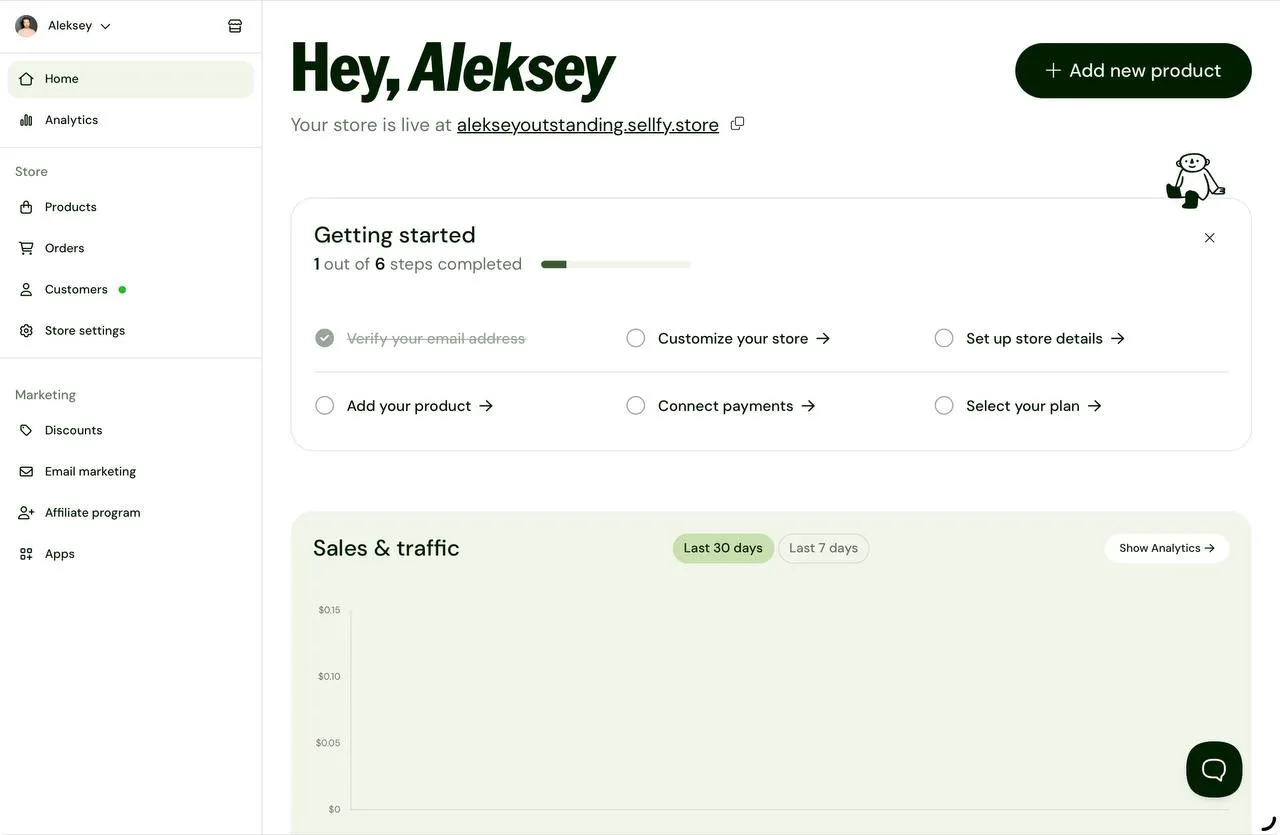
Sellfy is one of the more creator-friendly Teespring alternatives if you want to sell directly from your own storefront instead of relying on a marketplace. It combines a built-in store with support for print-on-demand, digital, and subscription products.
The overall setup is clean and straightforward, and you never get the sense that you’re fighting against the platform.
Why I picked Sellfy
I chose Sellfy because it gives you more control than Teespring's print-on-demand service, without making the setup process overly complicated. From the first login, it’s clear where products, orders, and store settings live, which already felt like a small win.
Another thing that stood out is the 14-day free trial. You can actually explore the platform and see how things work before committing to a paid plan.
Standout features
- Built-in storefront with no marketplace competition
- Multiple product types in one dashboard
- Print-on-demand is available as a standalone product type
- Simple onboarding with no aggressive upsells
- Minimal mobile app for quick access to basic stats
- Built-in email marketing and other marketing features
Products you can sell
Sellfy supports several product types, all available from the same product creation flow:
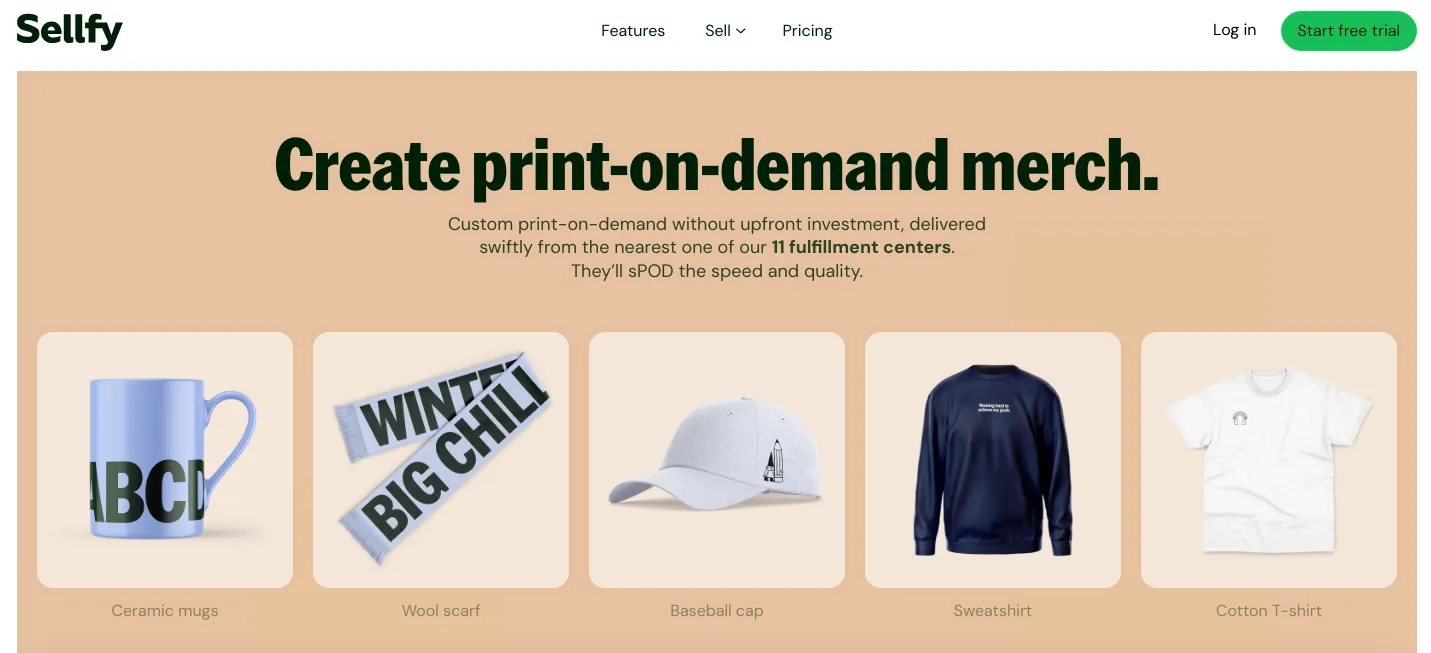
- Print-on-demand (apparel, hats, bags, accessories, home & living items)
- Digital products
- Subscriptions
- Physical products
- Freebies for lead generation I liked that print on demand isn’t hidden inside integrations or advanced settings. This makes it easier to expand beyond standard Teespring products over time and creates a simple way for creators to make and sell merch.
Sellfy is the store builder behind 75K+ creators. One flat monthly fee, and no commissions on your sales.
Integrations
Sellfy integrates with the tools most creators actually need, but there are also Google Analytics, Google Merchant Center, Facebook pixel, Twitter Ads, Zapier, +DIY integrations via webhooks.
Payment providers like PayPal and Stripe
It’s not overloaded with integrations, but the essentials are covered.
Pricing
Starter Plan**: Starter ($22 a month)
- Up to $10k in sales per year
- Downloads, subscriptions, and merch
- Unlimited products
- Email marketing features
- Core marketing features Best Value Plan: Business ($59 a month)
- Everything from Starter, plus:
- Custom fields
- Product upselling
- Cart abandonment functionality
- Affiliate marketing
Pros and cons
Printify: Best flexible print-on-demand network
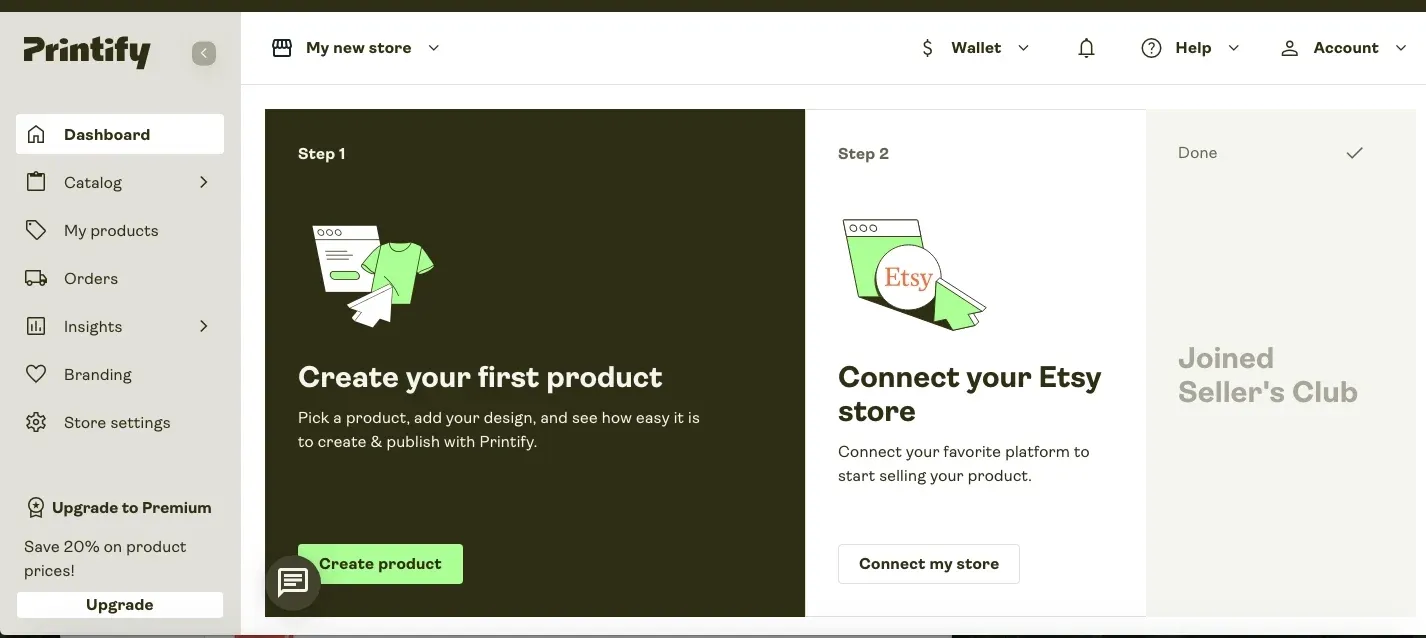
If pricing and production location actually matter, Printify is one of the most flexible Teespring alternatives. Rather than locking you into one fulfillment provider, it connects you to a global network of print partners. This gives you more control over costs, shipping, and production regions.
Why I picked Printify
I picked Printify because it handles print-on-demand very differently. Right from onboarding, the platform pushes you toward practical choices: where you plan to sell, what kind of products you want to create, and which sales channels matter most.
What stood out to me was how much Printify focuses on price and growth. It looks like it's made for creators who care about margins and want to make money off their designs, with features like bulk discounts, provider comparisons, and global fulfillment options.
Standout features
- Global network of print providers
- Ability to compare prices and production locations
- Product collections based on popular categories
- Bulk discounts for larger orders
- Printify Choice global fulfillment program
Products you can sell
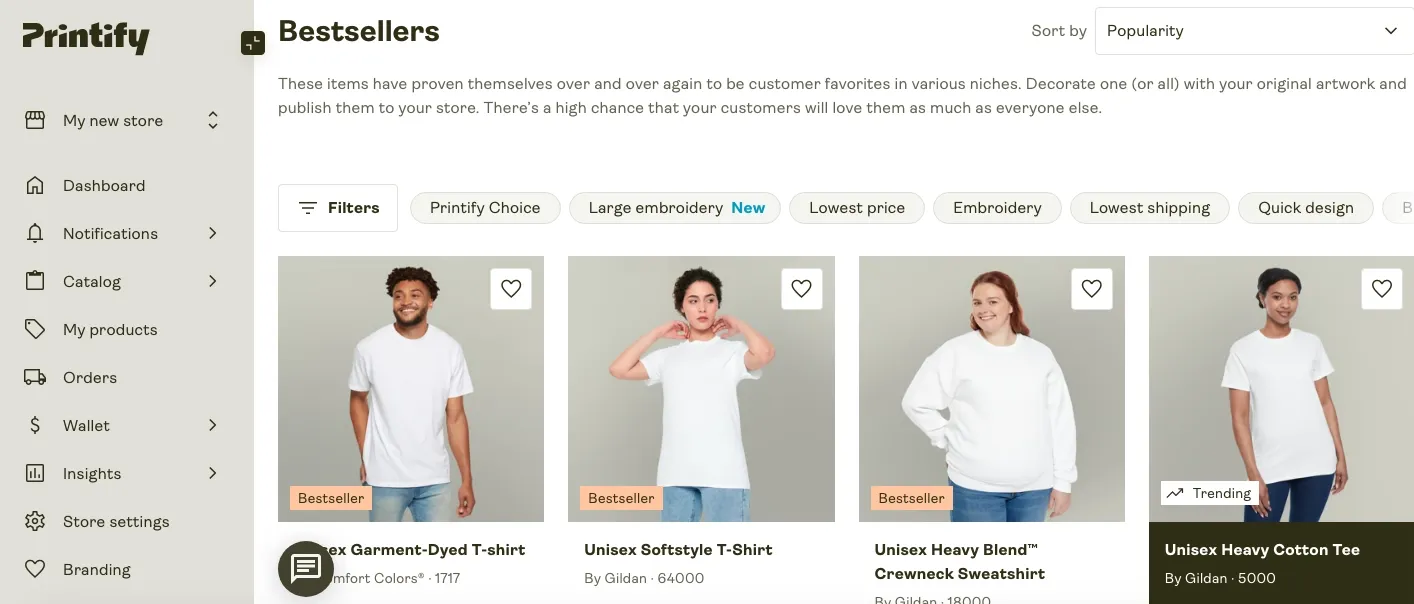
Printify makes product discovery surprisingly easy. When creating a product, you can choose from popular categories like home decor, clothing, phone accessories, and drinkware.
If you don't already know what niche you want to be in, the platform also suggests collections and bestsellers. This makes it easier to move beyond basic Teespring products and test different product categories without starting from scratch every time.
Printify also has built-in trend insights that help creators find popular themes and products before they start making a design. This makes it easier to go from idea to launch without having to do all the research yourself.
Pricing
Starter Plan: Free ($0 a month)**
- 5 stores per account
- Unlimited product designs
- Manual order creation
- Access to global print provider network Best Value Plan: Premium ($39 a month)
Everything from Free, plus:
- 10 stores per account
- Up to 20% off all products
- Save up to 33% on new products
- Up to 33% off custom branding features
- Order management with Printify Connect
- 30-day free trial of Sellers Club Pro
Shipping and global fulfillment
Printify is clearly built with international selling in mind. You can create a single product that automatically adjusts for customers in the US, Canada, the UK, the EU, and Australia. Local production means faster delivery and lower shipping costs.
Integrations
Printify is designed to plug into existing sales channels rather than replace them:
- Etsy
- Shopify It works best if you already have, or plan to build, an external storefront — check our Shopify comparison guide if you're still comparing platforms.
Pros and cons
Printful: Best product catalog
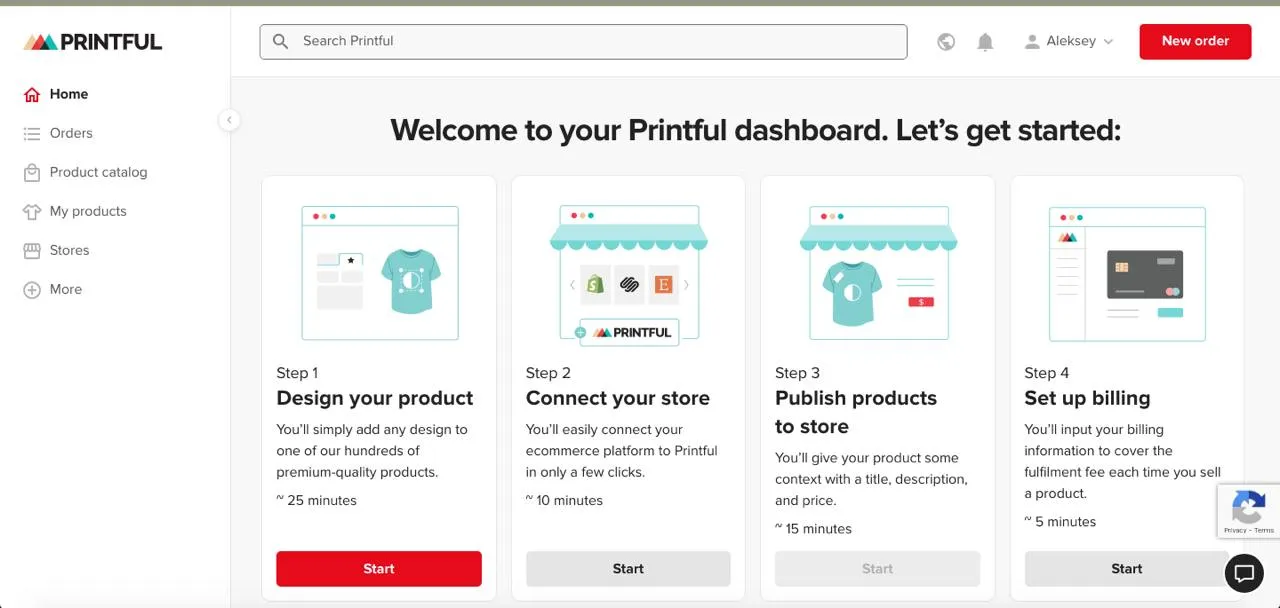
Printful is probably the most recognized name when you start looking into Teespring alternatives. I kept hearing about it everywhere, so I had to test it myself.
Quick note because people get confused about this: Printful and Printify merged recently, but they're still running as separate platforms with different approaches. Printful focuses on in-house fulfillment, while Printify keeps its marketplace model.
The main difference here is that Printful doesn't outsource to random print partners. They handle everything in-house through their own facilities, which honestly makes the whole thing less of a gamble.
Why I picked Printful
I picked Printful because I was tired of the guessing game. With Teespring, you never really knew what you'd get until the product arrived. With Printful, at least you're working with one system instead of hoping different providers don't mess up your orders.
The other thing that got my attention was their support. They actually offer 24/7 customer service, and from what I saw, it's not just some chatbot sending you canned responses. That alone put them ahead of most alternatives to Teespring.
Standout features
- In-house fulfillment
- 24/7 support
- Fulfillment centers in multiple countries
- Built-in order tracking that actually works
- Quality control before shipping Products you can sell
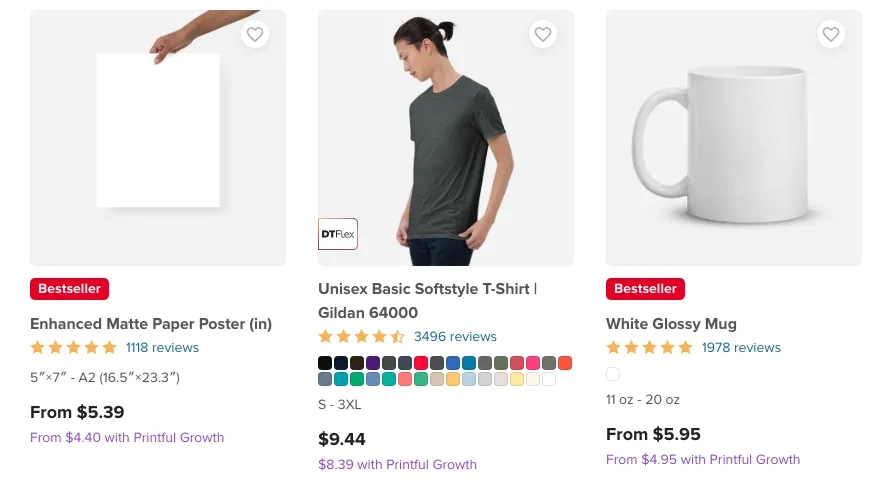
Printful's catalog has over 300 products. I won't list them all, but the range is mostly what you'd expect: apparel, accessories, home decor, and some niche items.
What I mean when I mention best quality: you're not testing different suppliers for the same stuff. If you order a t-shirt today and again in three months, it should look and feel the same. For someone coming from Teespring this mattered more than I expected.
Fulfillment and shipping
Printful has fulfillment centers in the US, Europe, and other parts of the world. For international customers, this means faster shipping, which is a big deal if you sell outside of your home country.
I also liked that you could see where your orders were right from your dashboard. You don't have to search through emails or third-party tracking sites anymore. Everything is there, and it updates in real time (or close enough that I didn't notice any delays).
Integrations
Printful connects to over 20 platforms. Shopify, Etsy, WooCommerce, Amazon, BigCommerce, Wix, Squarespace, and more. If you're already selling somewhere or planning to expand across multiple channels, Printful plugs in pretty easily.
Sellfy is the store builder behind 75K+ creators. One flat monthly fee, and no commissions on your sales.
**Pricing
Starter Plan: Free ($0 a month)**
- 479 custom premium products
- Design Maker with built-in tools, 20K+ visuals, and unlimited paid Premium Images
- Unlimited stores with integrations and 10 with Quick Stores
- 22 integrations with e-commerce platforms and marketplaces
- 20% off sample orders Best value Plan: Growth ($24.99 a month)
- Up to 33% off custom premium products
- 9% off product branding
- 25% off sample orders
- Free digitization (normally, up to $6.50) for sample orders
- Exclusive limited-time deals
- Large front print for select products Pros and cons
Redbubble: Best for passive income
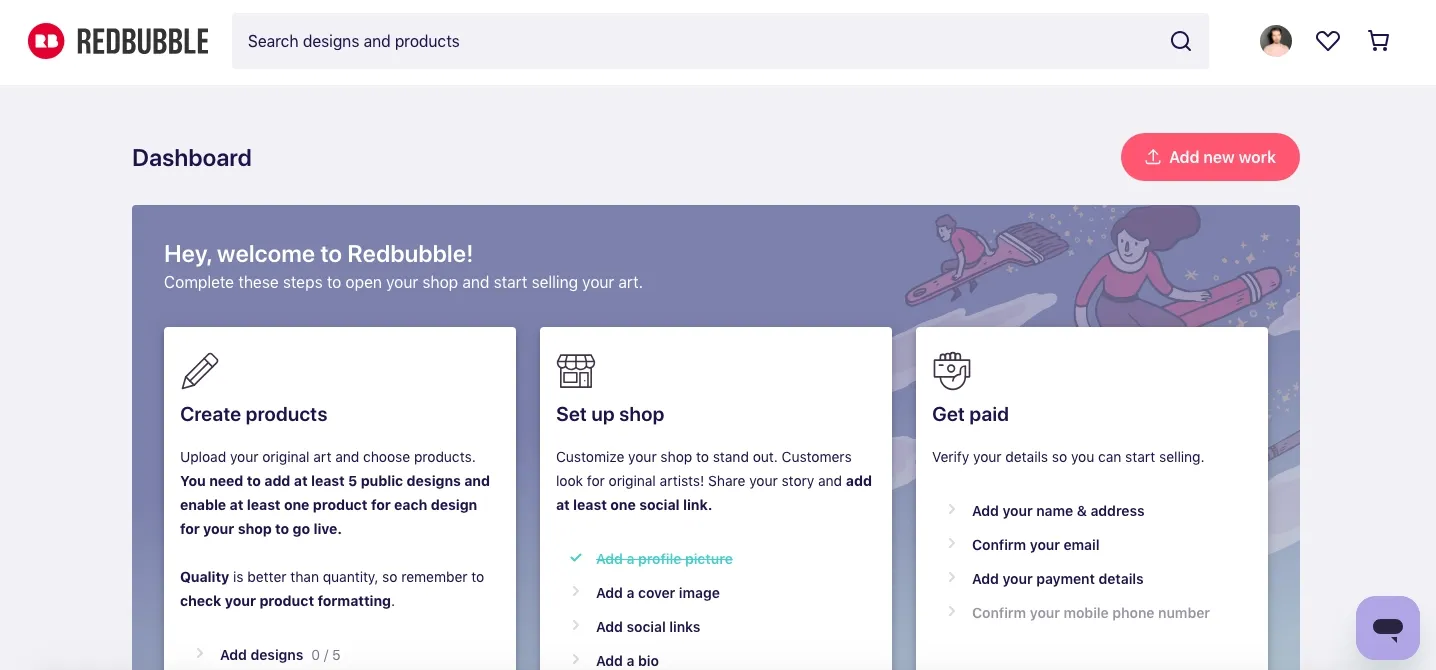
Redbubble works completely differently from the previous Teespring alternatives I tested. It's a marketplace where you upload designs, set your markup, and that's basically it. The platform handles everything else: printing, shipping, customer support, and refunds.
You get paid a percentage based on your markup. It's as passive as print-on-demand gets, which is both good and limiting depending on what you're trying to build.
Why I picked Redbubble
I picked Redbubble because I wanted to test a true marketplace model. With platforms like Printful or Sellfy, you're building your own brand and driving your own traffic. With Redbubble, you're tapping into their existing audience instead.
I uploaded my first design and had it live in under 10 minutes. No payment setup, no domain, no store customization. Just upload, tag, and move on. For artists who want to test designs without committing time or money upfront, this is hard to beat.
Standout features
- Zero upfront costs
- Marketplace with built-in traffic
- Automatic product mockups across 70+ items
- No customer service responsibilities
- Global shipping handled by Redbubble
- Built-in analytics dashboard to track what's selling
- Artist blog with actual useful tips on promotion and design
- Performance-based tier system with lower fees as you grow

Products you can sell
Redbubble automatically applies your design to over 70 products. T-shirts, hoodies, stickers, phone cases, notebooks, wall art, home decor, and more. You don't choose products individually. You upload one design, and it becomes available on everything.
This is great for exposure but limits control. You can't curate which products show your design or adjust placement per product type. It's all or nothing, basically.
Integrations
There aren't really integrations in the traditional sense. Redbubble is a closed marketplace. You can link to your shop from social media or your website, but you're not connecting it to Shopify or Etsy. Everything lives inside Redbubble's ecosystem.
Pricing
Redbubble doesn’t have a traditional subscription model. It charges a share of earnings instead, based on account tier. Even though uploading and listing are free, your payout depends on fees.
Starter Plan: Standard ($0 a month)
- Unlimited designs
- Artists can set own markup
- Production and fulfillment handled by Redbubble
- Artist margin per sale
- 50% platform fee on monthly earnings **Account Tier Fee Structure
- Premium tier** 20% platform fee on monthly earnings
- Pro tier 0% platform fees
- Excess markup fee: 50% on earnings above 20% markup Pros and cons
Spreadshirt: Best customization options
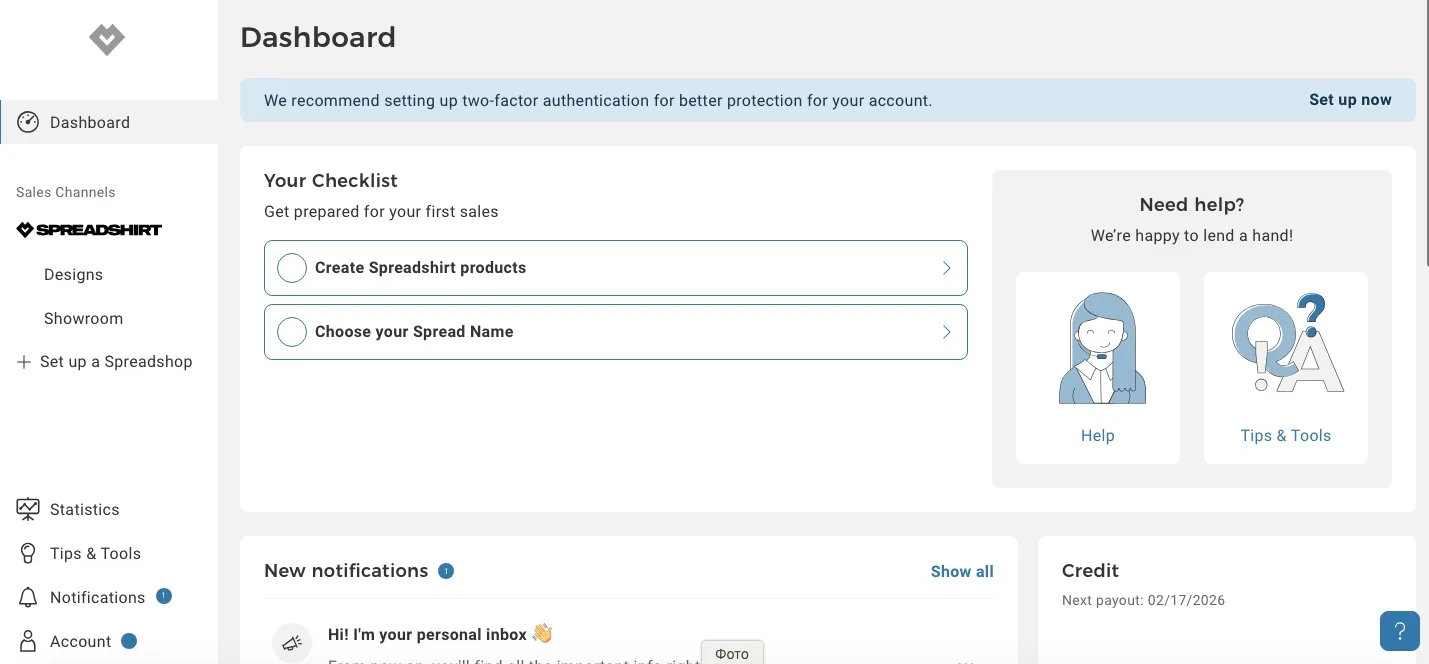
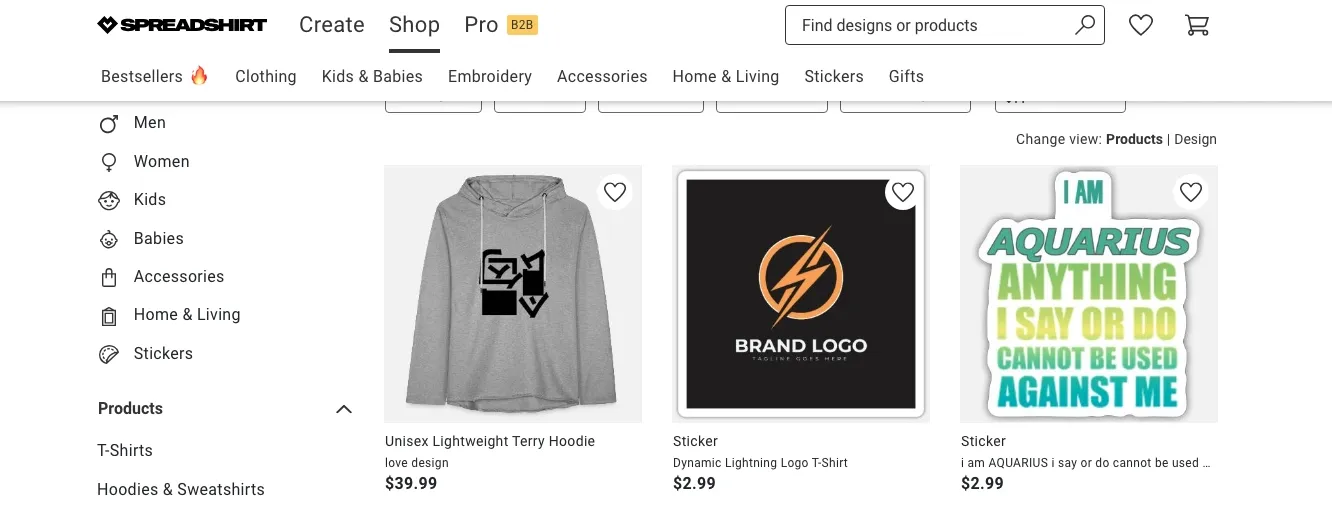
Spreadshirt is one of those Teespring competitors that has been around for a long time and makes t-shirts. It is a worldwide platform for custom clothing and accessories, and it has more than 250 items that you can make your own.
You can either sell your designs through their Marketplace (like Redbubble) or make custom merchandise for your own brand or business.
What struck me right away was how much control you have over the design and selection of products. Spreadshirt is different from other platforms because it lets you choose which products show off your work and where they are placed.
Why I picked Spreadshirt
Spreadshirt is a good choice for me because it is somewhere between a marketplace and a full print-on-demand solution. You get your own showroom, tools to market your designs, and a tier system called the Star Academy that gives good sellers extra benefits.
The other thing that stood out to me was how they give discounts for buying in bulk. Customers get 15% off automatically when they order at least six items. This makes it easier to upsell or get people to buy in bulk without having to set up promotions by hand.
Standout features
- Over 250 products available for customization
- Star Academy tier system with rewards
- Your own Showroom to display and organize designs
- Automatic volume discounts (15% off for 6 items)
- Choice between Marketplace selling or custom merch creation
- Designs can be published across all Spreadshirt domains Products you can sell
Spreadshirt offers a huge product catalog: clothing for kids and adults, accessories, home & living items, phone cases, bags, cushions, and more. You're not locked into just apparel like with some alternatives to Teespring.
One thing I liked was that you could choose which products to activate for each design. This means you can choose which items to show your design on instead of showing it on every item. You don't have to make mugs if the design looks better on t-shirts.
Integrations
Like Redbubble, Spreadshirt is more of a closed ecosystem. You're either selling through their Marketplace or using their tools to make your own merchandise.
There aren't any standard ways to connect to Shopify or Etsy. You can only link to your Showroom from your website or social media.
Pricing
Spreadshirt is free to join, with no monthly fees or listing costs.
You earn a design price (commission) for each sale, depending on the product category and where it is sold. There are three sales channels:
- Marketplace
- External marketplaces (Amazon, eBay, etc.)
- Customize Tool. Pros and cons
Zazzle: Best creative product range
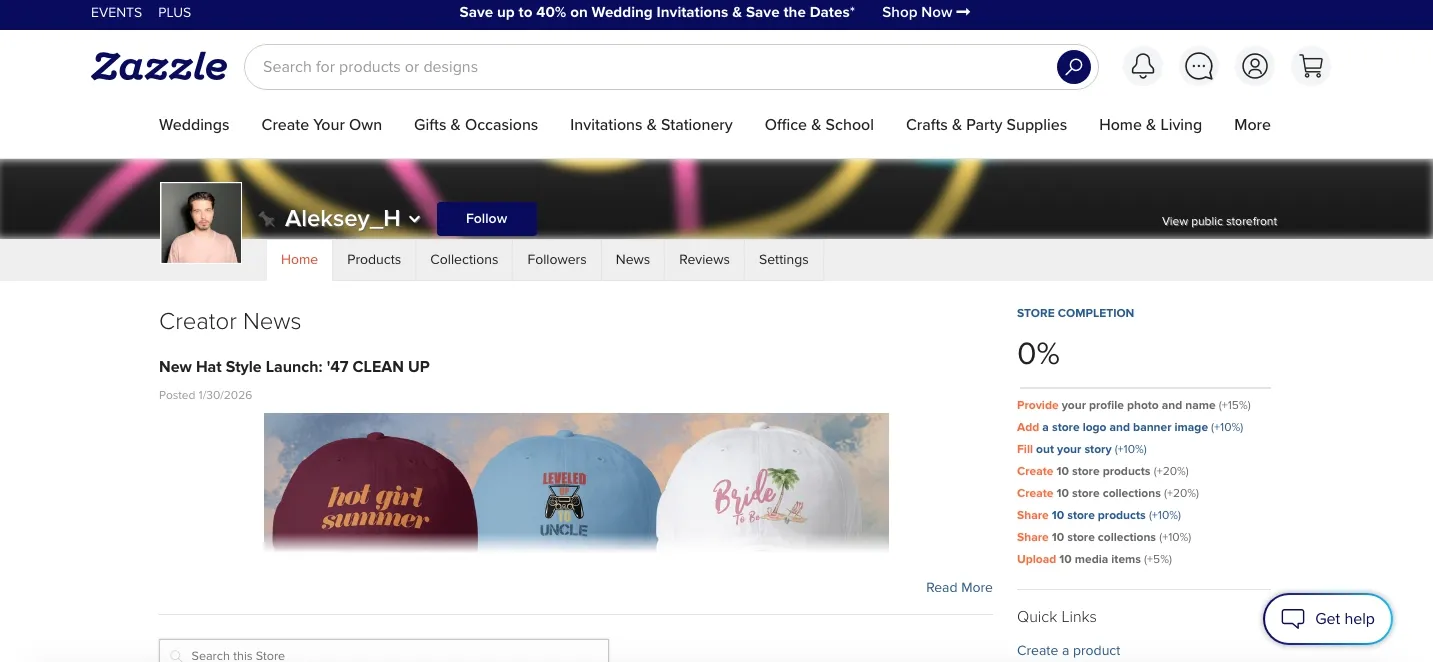
Zazzle is a bit different from other sites like Teespring I tested. It positions itself as "The Make Engine" where designers, makers, and customers all mix.
The platform has been around since 2005, so it's one of the older players in the POD space. What stood out to me immediately was the sheer variety of products.
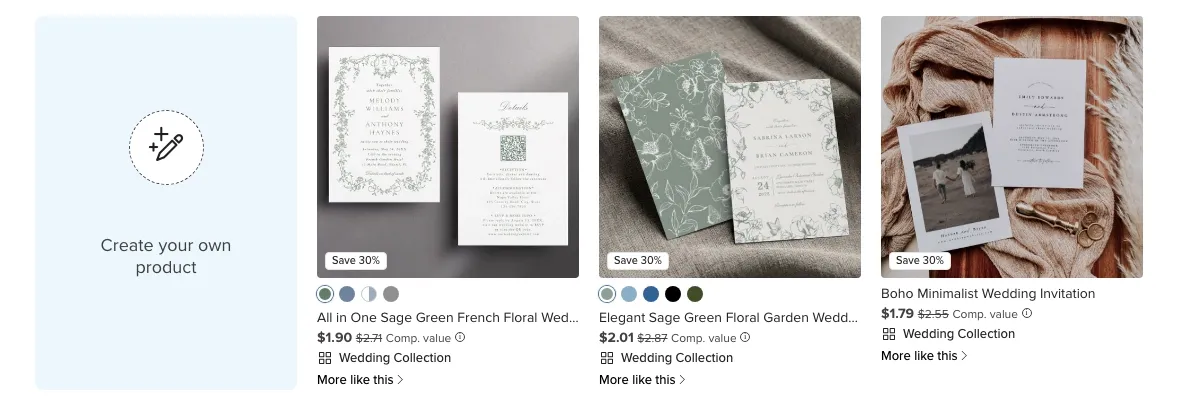
We're not just talking t-shirts and hoodies here. Zazzle has everything from wedding invitations to custom fabrics, wrapping paper, stamps, business cards, and a bunch of niche stuff I didn't even know you could print-on-demand.
Why I picked Zazzle
I picked Zazzle because I wanted to test a platform with a truly creative product catalog. Most companies like Teespring stick to the basics: apparel, mugs, phone cases. Zazzle goes way beyond that.
The other reason was the marketplace model. Like Redbubble and Spreadshirt, Zazzle has built-in traffic, but it feels more design-focused.
There's a strong community of designers and makers, and the platform encourages customization at every level. If you're an artist who wants to experiment with unusual products or test designs across a wider range of items, Zazzle gives you that flexibility.
Standout features
- Massive product catalog
- Marketplace with built-in traffic
- «Name Your Royalty» system
- Strong focus on customization and personalization
- Ambassador program for earning referral commissions
- Active designer community
Products you can sell
This is what makes Zazzle so special. The product range is massive, including some that most print-on-demand sites don't offer.
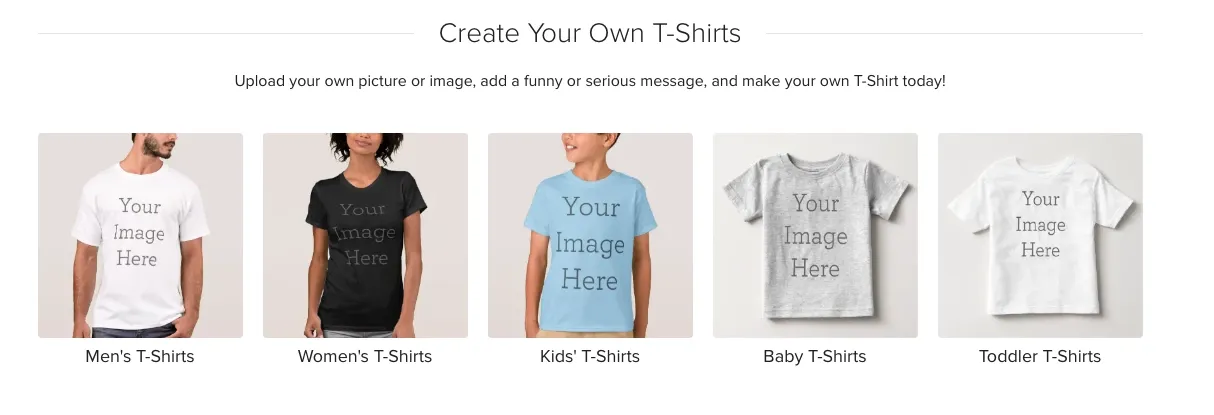
Clothing (t-shirts, hoodies, etc.), home decor (pillows, blankets, wall art), stationery (invitations, business cards, postcards), custom fabrics, wrapping paper, postage stamps, party supplies, office supplies, and a lot of other specific things.
Zazzle is probably the best place for designers who want to try out new formats and go beyond the usual Teespring products.
Integrations
Zazzle is mostly a closed marketplace like Redbubble. You're selling through their platform and leveraging their built-in traffic.
They do offer Developer APIs for makers and manufacturers who want to integrate with Zazzle's order system. But for regular designers, you're working inside Zazzle's ecosystem.
You can promote your Zazzle store through social media or your website, and Zazzle has an Ambassador program that lets you earn referral commissions (up to 15%) when people buy through your links.
Pricing
Zazzle is also free to join. There are no monthly fees, listing costs, or limits on the number of designs uploaded.
Here's where it gets interesting: Zazzle uses a "Name Your Royalty" system. You set your own commission percentage on top of the base product price. Most designers use 10-15% to keep prices competitive.
Pros and cons
TeePublic: Best POD marketplace to start
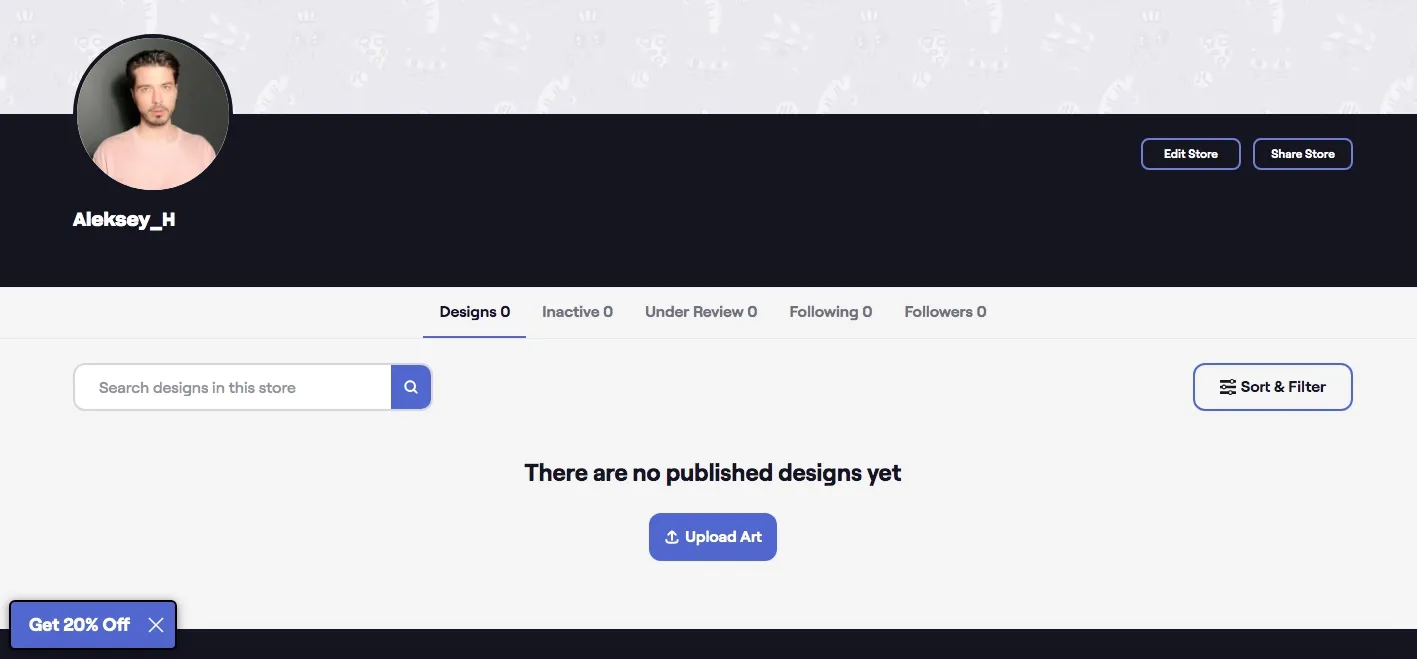
TeePublic is one of the most straightforward Teespring alternatives if you just want to upload designs and start selling without dealing with store setup or marketing. It's owned by Redbubble (they acquired it in 2018), but it operates separately with its own vibe.
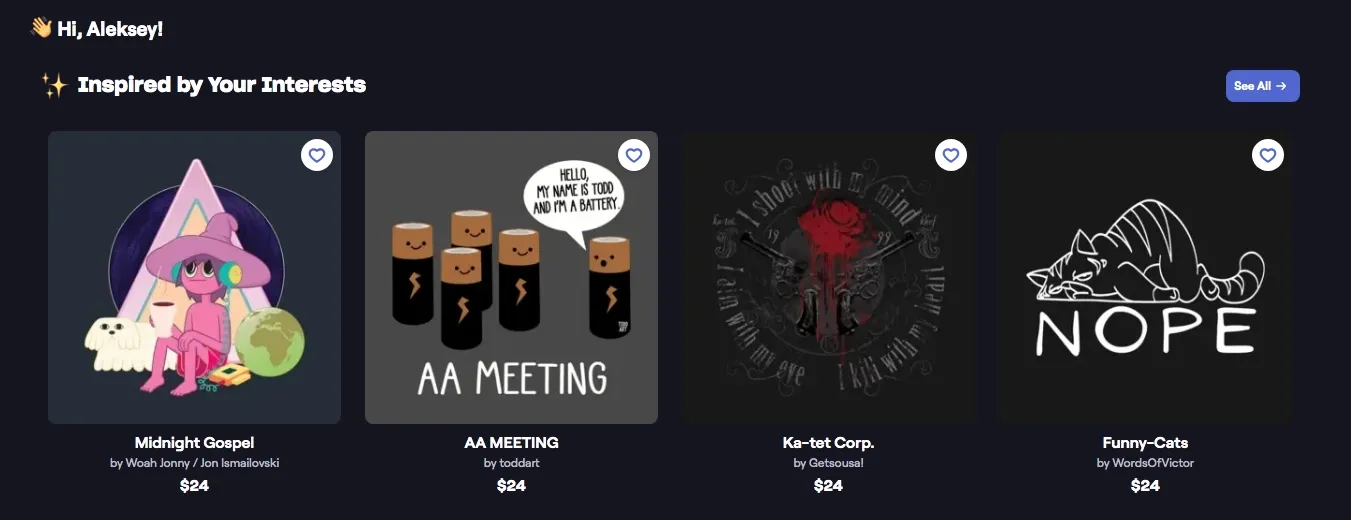
The platform focuses heavily on pop culture, fandoms, and trending topics. If you scroll through TeePublic, you'll see many designs around movies, TV shows, gaming, and internet culture.
Why I picked TeePublic
I chose TeePublic to test the simplest marketplace experience possible. It offers only designs and sales, without any additional features or advanced customization.
The other thing that caught my attention was the built-in audience. TeePublic has a strong community of buyers who specifically browse the marketplace looking for unique designs. You're not starting from zero traffic like you would with your own store.
Standout features
- Zero setup required (upload and sell immediately)
- Strong marketplace traffic
- No approval process
- Frequent site-wide sales that can boost visibility
- Owned by Redbubble but operates independently
- Fixed artist earnings
- One-time store import from Redbubble is available
Products you can sell
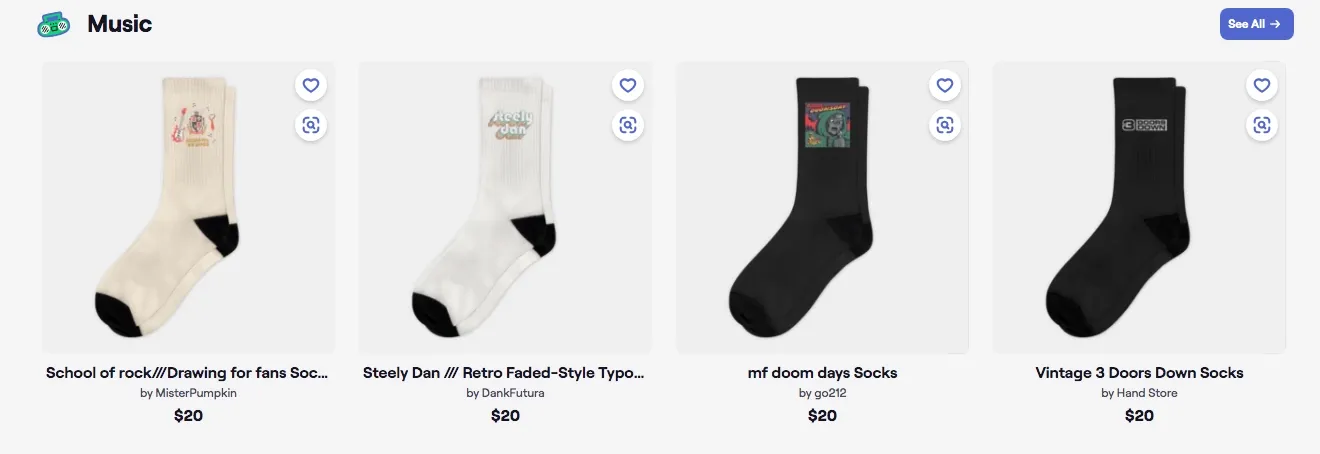
TeePublic has a solid product range of products, including shirts, hats, stickers, phone cases, art prints, kids' clothes, tank tops, sweatshirts, posters, mugs, pillows, totes, and tapestries. They always add to the catalog based on designer feedback.
Your design is automatically applied to all of the products that are available. With TeePublic, you don't have to choose which products to activate, everything is available at once.
Integrations
Like Redbubble, TeePublic is a closed marketplace. You sell through their platform, and they take care of all customer service, shipping, and support.
One great thing about TeePublic is that if you already have a Redbubble store, you can import all of your designs with just one click. It won't sync uploads that are already in progress, but it saves you from having to upload everything again by hand.
Pricing
TeePublic is completely free to join. There are no monthly fees, no listing costs, and unlimited uploads available.
Unlike platforms where you set your own royalty or commission, TeePublic uses fixed artist earnings. You get a set amount per product sold, and it varies between the regular price and the sale price.
Pros and cons
Teechip: Best for rapid product launches
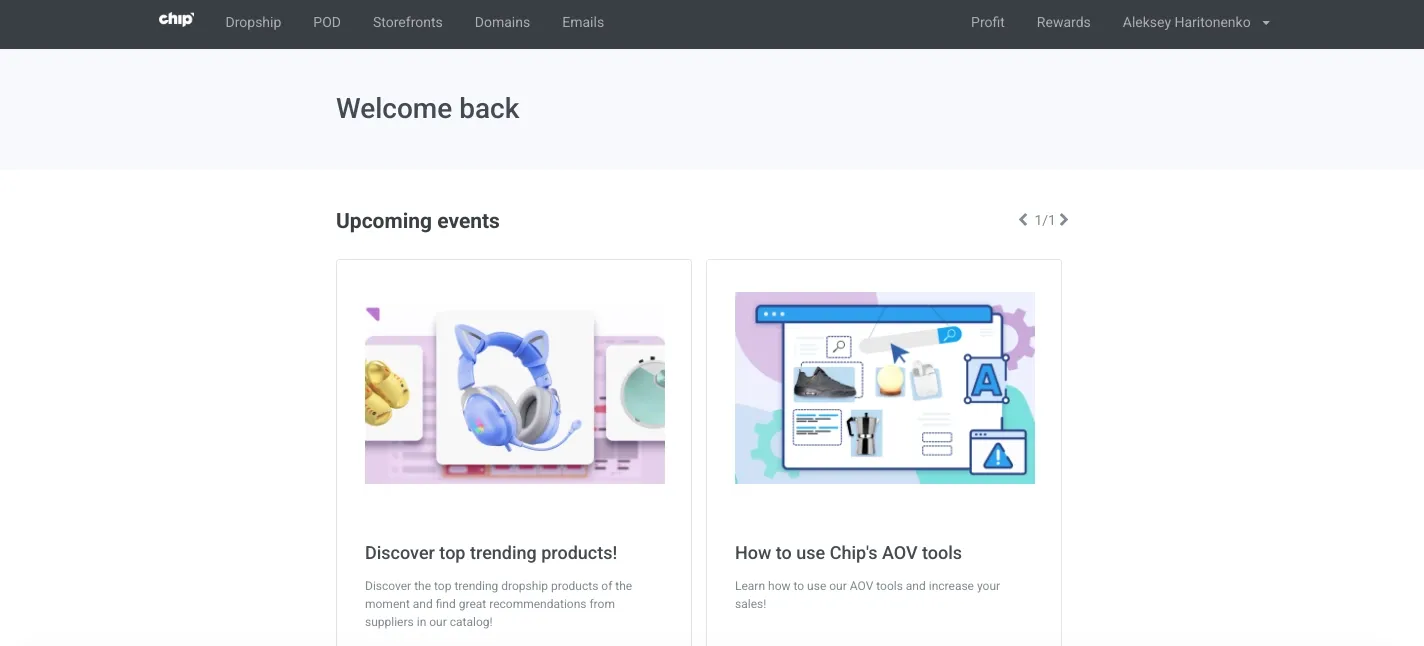
Teechip (operating as Chip for sellers) is a POD platform that combines campaign-based selling with a full e-commerce store builder. You can sell through the Teechip marketplace (free traffic), set up your own custom domain store, or mix both models.
The platform's extensive integration immediately drew my attention. You get marketing tools, conversion features, fulfillment automation, and even an AI-powered sales engine that handles promotions for you.
Why I picked Teechip
I picked Teechip because it sits somewhere between a simple campaign launcher and a full e-commerce platform. If you want to test products fast without building infrastructure, this makes sense.
The other thing that stood out was the pricing model. Teechip is completely free to use, you only pay a 7% processing fee on profits, which covers customer service, fraud protection, and payment processing.
For anyone moving from Teespring print-on-demand, Teechip offers a similar campaign model but with way more built-in tools for conversion and marketing.
Standout features
- Completely free with no monthly fees
- Print-on-demand + dropshipping in one platform
- Campaign-based selling or custom domain store
- AI-powered Automated Sales Engine
- Built-in marketing tools
- Mockup generator
- AliExpress integration for dropshipping Products you can sell
Teechip offers print-on-demand products at flat-rate base costs. The catalog includes standard POD items like apparel, accessories, home goods, and more.
Product personalization is available on 90+ items, which gives customers the option to customize products before purchasing.
You can also add dropshipping products from AliExpress to the same store. This allows you to experiment with various product types without relying solely on POD inventory.
Sellfy is the store builder behind 75K+ creators. One flat monthly fee, and no commissions on your sales.
Integrations
Teechip has built-in integrations for marketing and conversion:
- Facebook Pixel, TikTok Pixel, Twitter Pixel, Pinterest Tag
- Google Shopping integration
- AliExpress for dropshipping
- Email marketing (built-in, no third-party tool needed)
- SEO optimizer
- Retargeting tools Everything is native to the platform, so you don't need to connect external apps or pay for add-ons.
Pricing
Teechip is completely free. There are no monthly subscription fees, setup fees, or listing costs. The profit formula is simple: (Revenue – Base Cost) × 93% = Your Profit. The 7% fee covers payment processing, customer support, and fraud protection.
Pros and cons
Bonfire: Best for fundraising
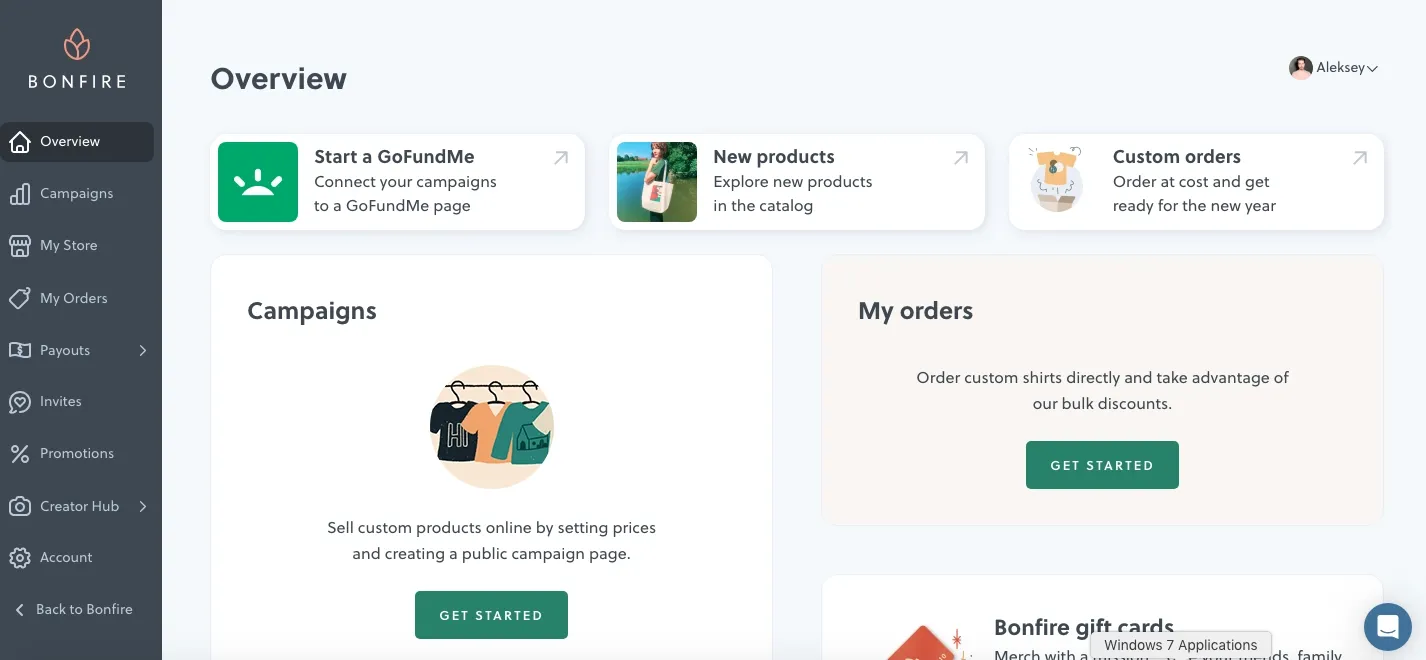
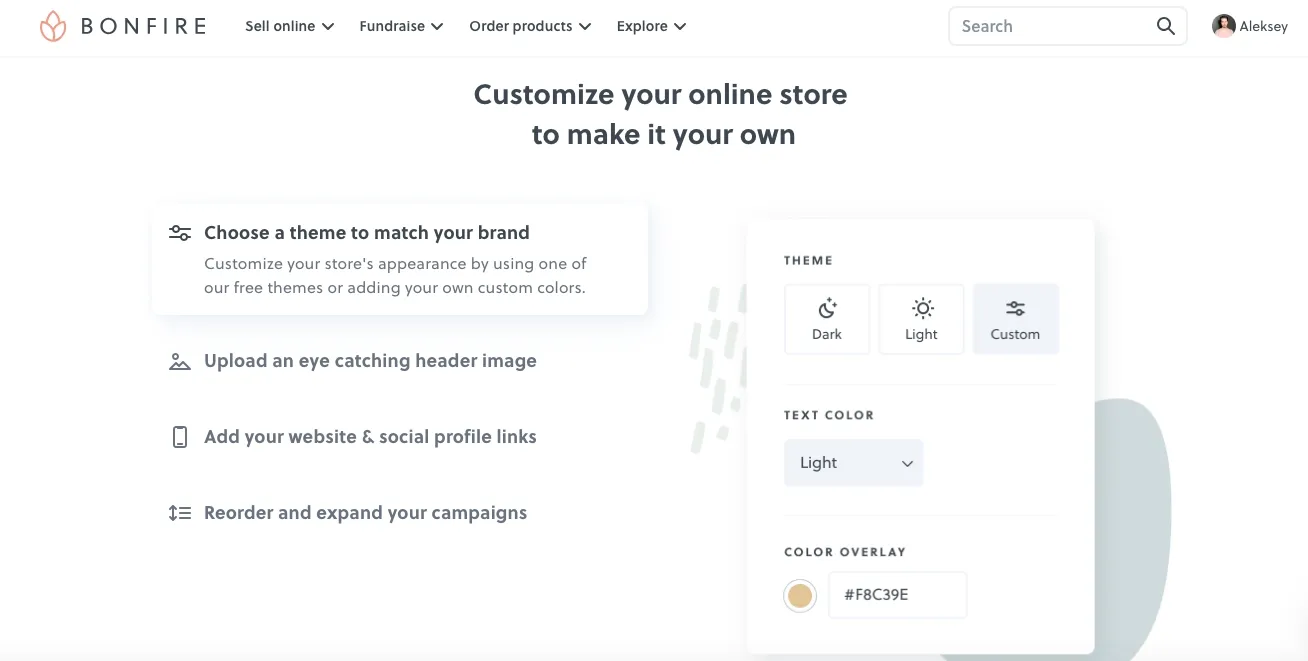
Bonfire is a POD platform that was made with the purpose of raising money. It helps nonprofits, schools, individuals, and communities raise money through custom apparel campaigns, which is different from most sites like Teespring. As a matter of fact, here's a blog post where we thoroughly compare Teesprong to Bonfire.
Bonfire was first made to be a place to raise money, but it has since grown to include sales for businesses and custom bulk orders. You can run batch campaigns that last from 2 to 21 days, or you can use their print-on-demand model to keep making sales.
Why I picked Bonfire
I picked Bonfire because it's the only platform in this list that was made primarily for raising money. This is the easiest way to raise money for a cause, a nonprofit, or a community project.
Setting it up is very easy. You make a product, decide how much to charge for it, start a campaign, and share the link. Supporters buy shirts, Bonfire prints and ships them, and you get the money through PayPal or direct deposit.
Another great thing about this is that buyers can choose to make extra donations on top of their purchase. This «tipping» feature lets people give more money directly to your cause, which is great for raising fundraising potential.
Standout features
- Built specifically for fundraising
- No upfront costs or monthly fees
- Batch campaigns (2-21 days) or print-on-demand
- Optional donation/tipping feature for buyers
- Bulk discounts (the more you sell, the lower your base cost)
- YouTube Merch Shelf integration
Products you can sell
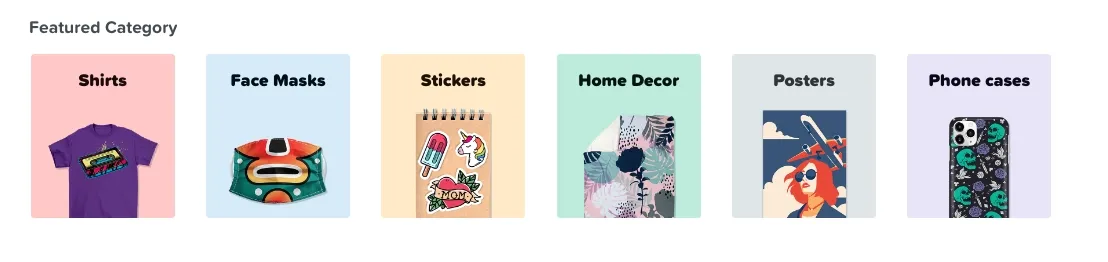
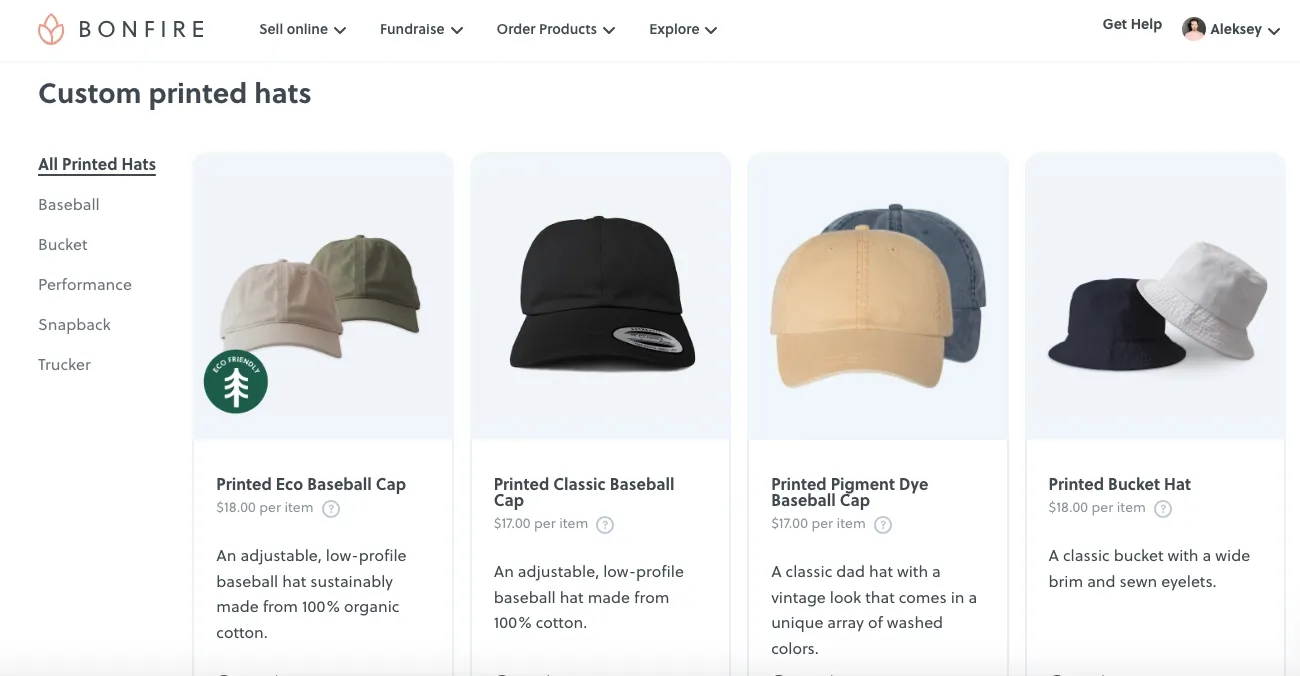
Bonfire offers 150+ products, including shirts, hoodies, hats, tote bags, mugs, water bottles, activewear, and more. The catalog is smaller than platforms like Printful or Zazzle, but it covers the essentials for fundraising campaigns.
They also offer extended sizes and eco-conscious product options. Product quality is consistently high, which matters when you're selling to supporters who care about your cause.
Integrations
Bonfire doesn't integrate with external e-commerce platforms like Shopify or Etsy. You're selling through your Bonfire storefront or campaign page.
The platform does integrate with YouTube Merch Shelf, which lets you sell products directly through your YouTube channel. This is useful for content creators who want to fundraise or sell merch alongside their videos.
Pricing
Bonfire is completely free to use. There are no setup fees or monthly subscriptions required.
You only pay the base cost of products sold. Your profit is the difference between your selling price and the base cost. Bonfire provides a profit calculator in the design tool so you can see estimated earnings before launching.
If you want professional design help, Bonfire offers a studio service starting at $79 for a simple design with up to two revisions, Premium package is $119.
Pros and cons
Gelato: Best for international shipping
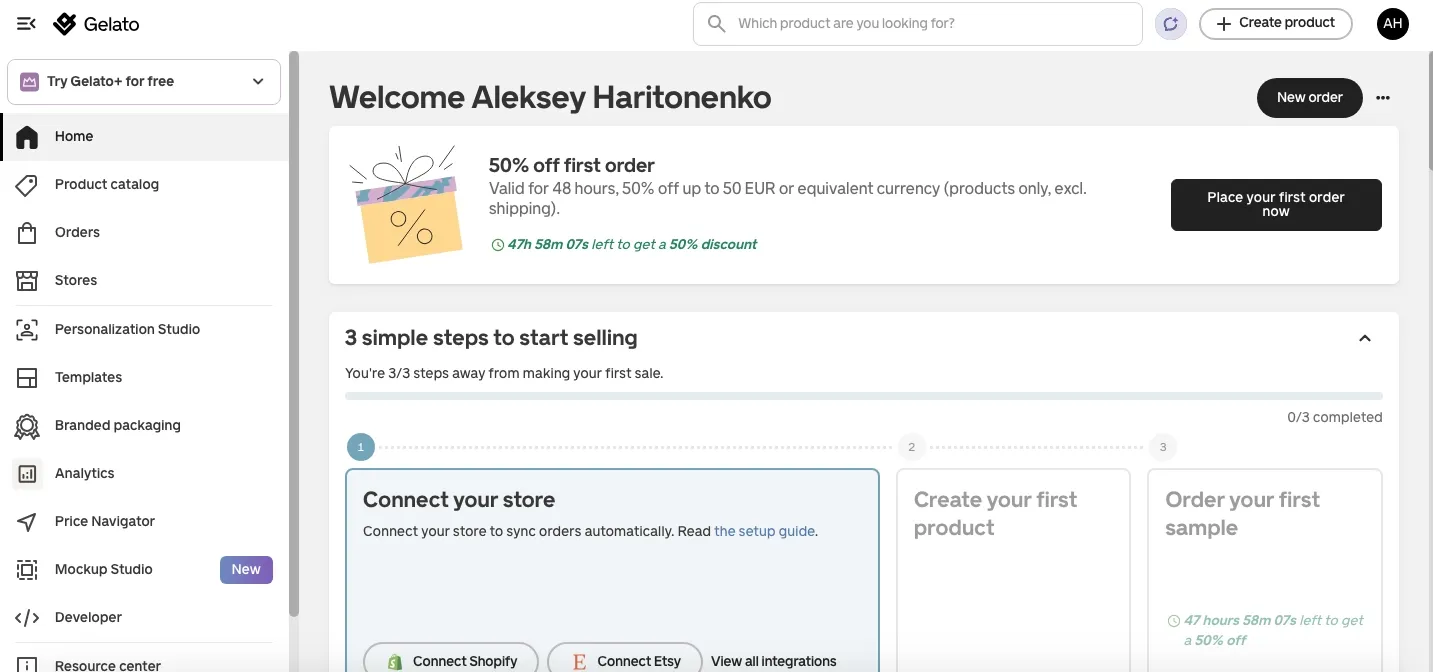
Gelato is a global print-on-demand platform built around local production. Unlike centralized providers, Gelato routes orders to the nearest facility from a network of 140+ print partners in 32 countries. This means faster delivery and lower shipping costs.
The platform delivers to over 200 countries and produces 95% of orders locally (in the same country as the customer). For sellers targeting international markets, especially Europe, UK, and Canada, this setup eliminates most cross-border shipping headaches.
Why I picked Gelato
I picked Gelato because it's the best option for international selling among T eespring competitors. This is due to the fact that a local production network enables delivery times to be reduced from weeks to days.
In major markets like Europe, the UK, and Canada, delivery usually takes 3 to 5 days. This is a huge step up from centralized fulfillment, which sends everything from one place. Customers get their orders faster, and you get fewer complaints about shipping delays.
Worth noting, Gelato recently merged with Printful and Printify under one parent company. However, they still run their own businesses with different models and prices.
Standout features
- 140+ production hubs in 32 countries
- 95% of orders produced locally (same country as customer)
- 3-5 day average delivery in key markets
- Ships to 200+ countries
- AI tools: Magic Mockups, Instant Collections, Price Navigator
- Built-in profit margin calculator
- Personalization Studio for on-demand customization
- Velocity Switch (AI-powered migration tool from other platforms)
- 24/7 customer support Products you can sell
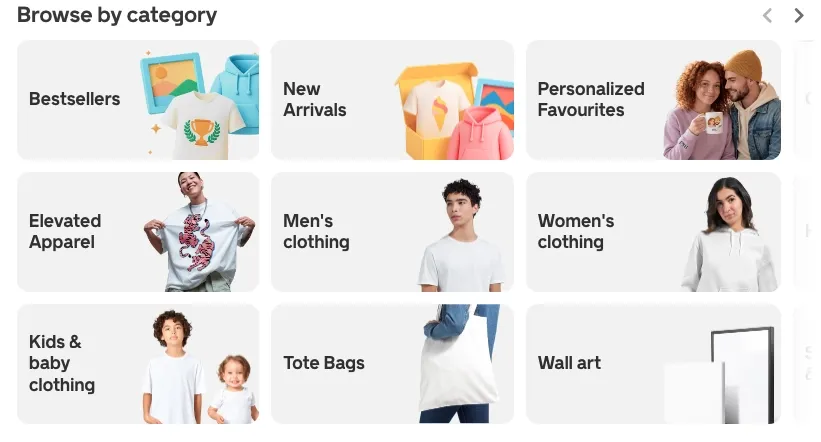
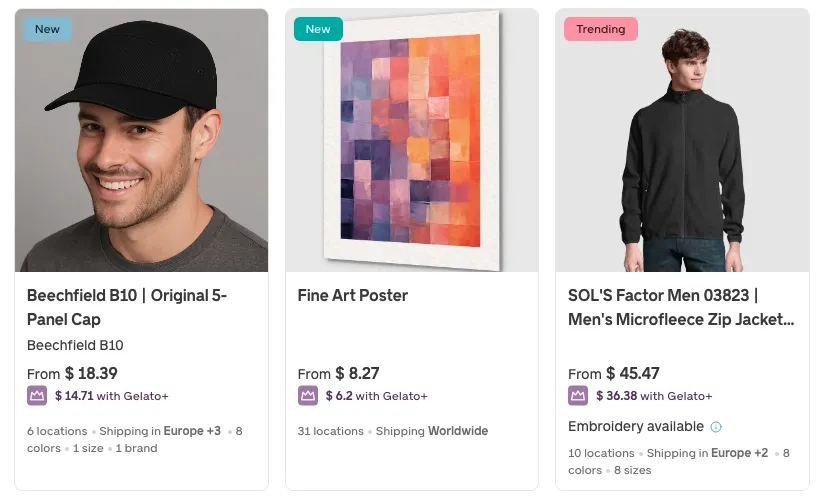
Gelato offers more than 100 custom products, such as clothing, wall art, tote bags, art prints, photo books, greeting cards, home decor, phone cases, and accessories.
A big part of the business is customizing products. Customers can add their own names, dates, and pictures right on your product pages. You don't have to edit the designs for each order by hand because Gelato's Personalization Studio takes care of the print files for you.
Integrations
Gelato integrates with all major e-commerce platforms and marketplaces:
- Shopify, Etsy, WooCommerce, Wix, Squarespace, BigCommerce
- Order Desk, API for custom integrations
- YouTube (for merch) The Velocity Switch tool makes migration easy. It automatically maps your existing products from Shopify, Etsy, or other platforms to Gelato's catalog. No manual work, no downtime.
Pricing
Gelato is free to use. There are no setup fees, monthly subscriptions, or commission charges. You only pay for products and shipping when customers order.
Product-based costs are competitive. For example, a Gildan 5000 Heavyweight t-shirt starts at $8.68 (before customization), which is slightly cheaper than Printify ($9.23) or Printful ($9.25).
**Gelato+ subscription:
- Monthly:** $23.99/month gives up to 25% off products
- Annual: $19.99/month (billed $239.88/year) – up to 35% off products Gelato+ includes:
- Product discounts (save $1.85+ per item on average)
- Personalization Studio ($19/month value if purchased separately)
- AI tools: Magic Mockups, Price Navigator, Instant Collections
- Creative Vault (100M+ licensed stock images)
- Custom packaging and branded labels (from $0.49 each)
- Free shipping promotions If you sell 100+ orders per month, Gelato+ typically pays for itself through product discounts alone.
Pros and cons
How to migrate from Teespring
Moving from Teespring isn’t as dramatic as it sounds. It just requires a bit of patience and some manual work. The tricky part is that Teespring doesn’t give you a clean export button for everything.
You can’t simply download your entire store and upload it somewhere else. Product listings, designs, and customer data don’t transfer neatly. Most of the real work happens on your new platform.
The upside? Most teespring alternatives make product creation easy. Some even support bulk uploads or simple integrations that speed things up.
- Save what you can Start by documenting your store. Screenshot product names, descriptions, pricing, and any details you don’t want to forget.
Download your design files in their original formats – PNG, PDF, or whatever you used. You’ll need them when rebuilding products elsewhere.
If you collected customer emails outside of Teespring (Mailchimp, ConvertKit, etc.), export those lists now. Teespring doesn’t make this part easy, so don’t skip it.
- Choose your new platform Pick the platform that fits your goals. Create an account and explore the dashboard before committing to anything.
Most platforms are free to start. Take advantage of that and test the setup flow before rebuilding your entire store.
- Recreate your products This is the manual phase. Upload your designs and rebuild your listings one by one or in bulk if the platform allows CSV imports.
Add your saved product names, descriptions, and pricing. Set your profit margins carefully, especially if the new platform gives you pricing control. It takes time, but it’s also a chance to improve what didn’t work before.
- Configure your store properly Set up payment processors like PayPal or Stripe. Double-check shipping zones, taxes, and store branding.
If your new platform connects to Shopify, Etsy, or WooCommerce, link those accounts early. Most integrations are straightforward and only take a few clicks.
Import your email list so you can notify customers about the move.
- Test before going live Place a test order. Seriously. It’s better to catch mistakes now and save hours of cleanup after your first real customer.
Check payment processing, confirmation emails, and fulfillment routing. Make sure shipping costs and profit margins look the way you expect.
- Tell your audience Let your customers know you’ve moved. Share the new URL and explain what’s changing and what isn’t.
Update all your links across social media, websites, and email signatures. Make it easy for people to find your new store. Clear communication makes the transition feel intentional, not chaotic.
- Flip the switch Once everything works, start sending traffic to your new platform. Watch the first few orders closely. Fix small issues quickly. Listen to customer feedback. The first week matters more than the next six months.
Migration takes effort, but it’s worth it if you’re moving toward better tools, margins, or support.
Time to pick your Teespring alternative
One thing is clear after testing these platforms: there isn't one obvious winner. What you want to build will determine the best choice.
Sellfy is an ideal pick if you want to have complete control over your brand and your own store. Printify's global provider network gives you flexibility if your main concern is pricing and margins.
Printful seems like the safest infrastructure choice if you want quality, consistency, and support around the clock. If you don't want to run a store, marketplaces like Redbubble or TeePublic make it easy.
Spreadshirt offers more control over presentation and visibility. Zazzle stands out for niche, highly customizable products. Bonfire is built for fundraising campaigns, while Teechip works if you want a zero-ops model.
Gelato is particularly strong for international selling with local production and fast delivery in key regions.
The right platform depends on where you are right now.
- Just starting? Use a marketplace to test ideas without risk.
- Already selling? Move to a platform that improves margins and control.
- Building a brand? Choose a solution that gives you ownership. Be honest about your goals, your margins, and how much control you want before committing to a long-term subscription. Switching later is always possible, but avoiding the sunk cost trap from the start will save you time, money, and a lot of unnecessary stress.

Tips & Tricks



Tips for creators
Join thousands of creators receiving sales tips, marketing resources, and inspiring stories. No spam, pure value.