
Create an instant online store.
Get your 14-day free trial. Pick a professional template, start selling today, and upgrade anytime.


11 best SendOwl alternatives in 2026 – ranked

For some reason, finding the right eCommerce platform for selling digital products is a tricky task. Even though there seem to be so many services out there, the majority of them are still focused on selling physical products.
That’s why SendOwl stands a bit taller among the crowds of similar hosted eCommerce solutions.
On the one hand, it makes perfect sense:
SeldOwl is an eCommerce service that provides integrated on-site checkout that you can use on your own website, social media, and other platforms. It’s easy to set up and use, plus SendOwl doesn’t charge any extra fees apart from the monthly subscription.
Sounds perfect, right?
Not so fast!
Whatever digital product you’re looking to sell, you shouldn’t look at SendOwl as your only option.
Best SendOwl alternatives
In this article, we’ll show you the 11 best SendOwl alternatives, and prove that choosing the right eCommerce solution isn’t a black and white decision. We’ll cover their main functionality, explain whom they suit best, as well as cover how they differ from SendOwl.
Here’s the list of best SendOwl alternatives:
It’s quite a list, so let’s dive right in.
1. Sellfy
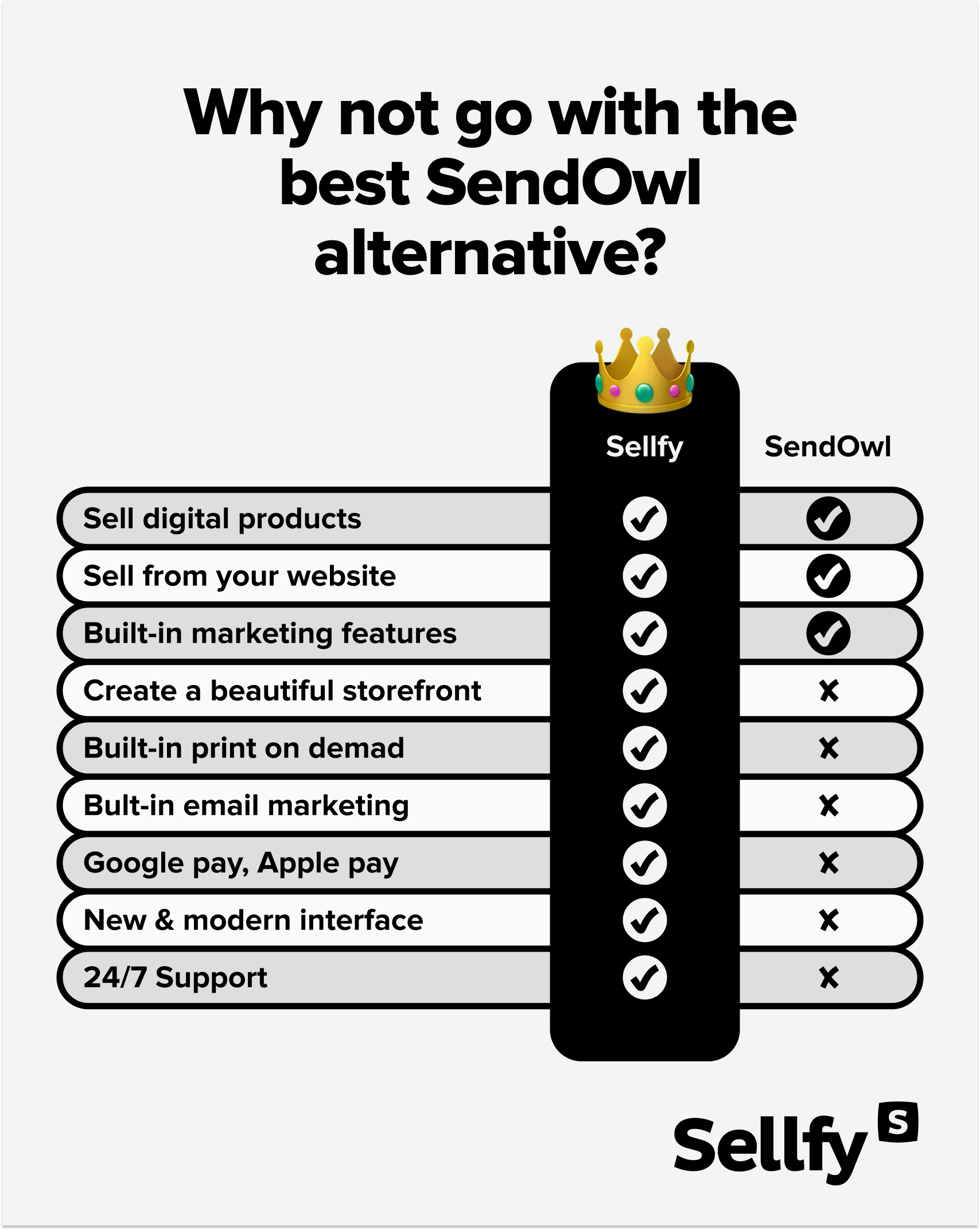
Hands down, Sellfy is by far the best alternative to SendOwl.
Sellfy is a hosted eCommerce platform that was initially developed as a service for selling digital products. Even though Sellfy’s main focus is still on selling digital files and subscriptions, just like most eCommerce platforms, Sellfy allows you to sell almost anything from your store including physical, and even print-on-demand goods.
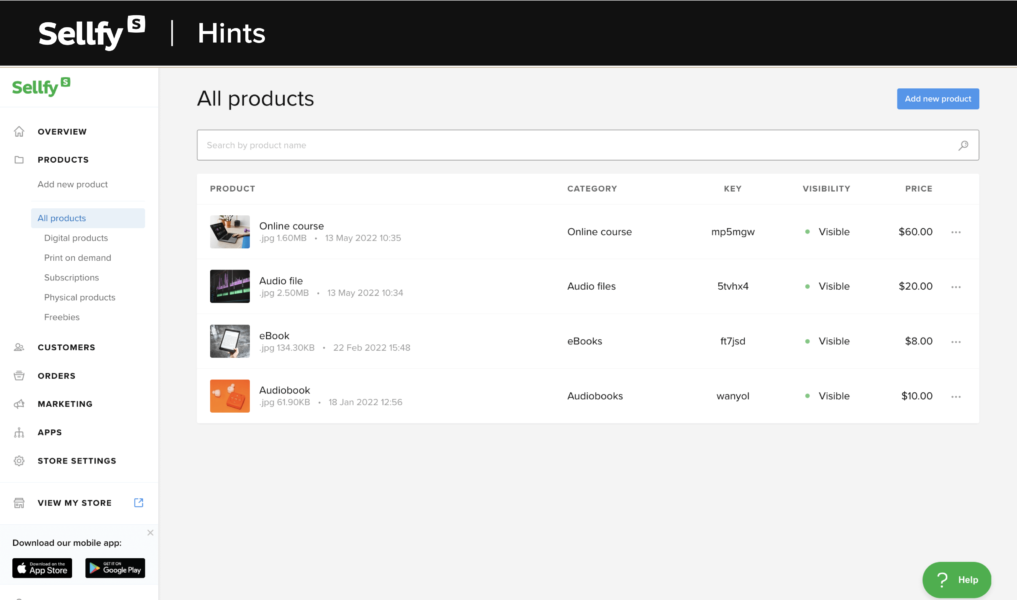
With Sellfy you get:
- A hosted and 100% customizable storefront
- Unlimited products, storage, and bandwidth
- Optimized digital product delivery
- A set of built-in marketing tools
- Store embed options with on-site checkout
- Sharable product links
- Multiple payment options
- Anti-piracy features
- Third-party apps and services
- 24/7 customer support
All this makes Sellfy a perfect eCommerce solution for digital creators, artists, and aspiring entrepreneurs.
SendOwl vs. Sellfy
Both SeldOwl and Sellfy are extremely easy to use—setting up an account and uploading your products is really a matter of minutes.
However, the main difference between these two platforms is that SelndOwl doesn’t let you build your own online store. You can only use it as a shopping cart and checkout solution on an existing website.
On the other hand, Sellfy is an all-in-one eCommerce platform. It means that you get everything you need to start an online business—hosting, online storefront, customization possibilities, built-in marketing tools, etc.
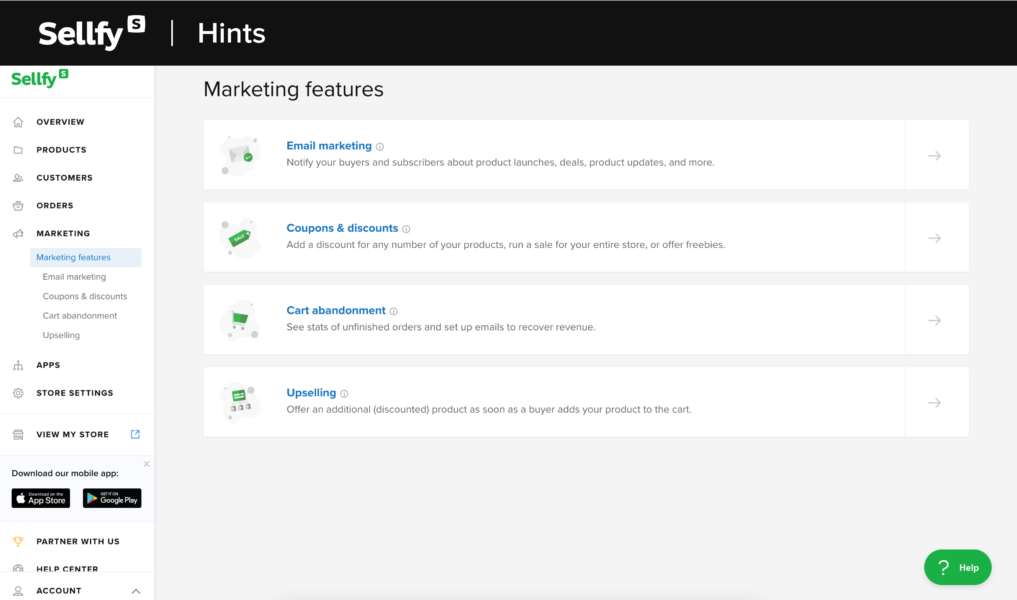
Both Sellfy and SendOwl offer a great set of built-in marketing features like upselling, cart abandonment, discounts, and vouchers, pay-what-you-want pricing. But, Sellfy wins here too, as they offer a great built-in email marketing tool. With SendOwl, you can only integrate an existing email list from an external service like MailChimp. It means that you’ll have to pay for another subscription.
Another benefit of using Sellfy is that even though they are offering the same payment gateways as SendOwl (Stripe and PayPal), there are more payment options like Google and Apple Pay as well as local European payment options.
How much does Sellfy cost?
Considering how much Sellfy has to offer, its pricing structure is super affordable and all plans are reasonably priced. Overall, there are three paid plans starting at $22/mo. It’s a bit more than SendOwl’s cheapest plan, but Sellfy doesn’t have a limit on the number of digital and subscription products you can sell.

Learn how to sell online the simple way
See how2. SamCart
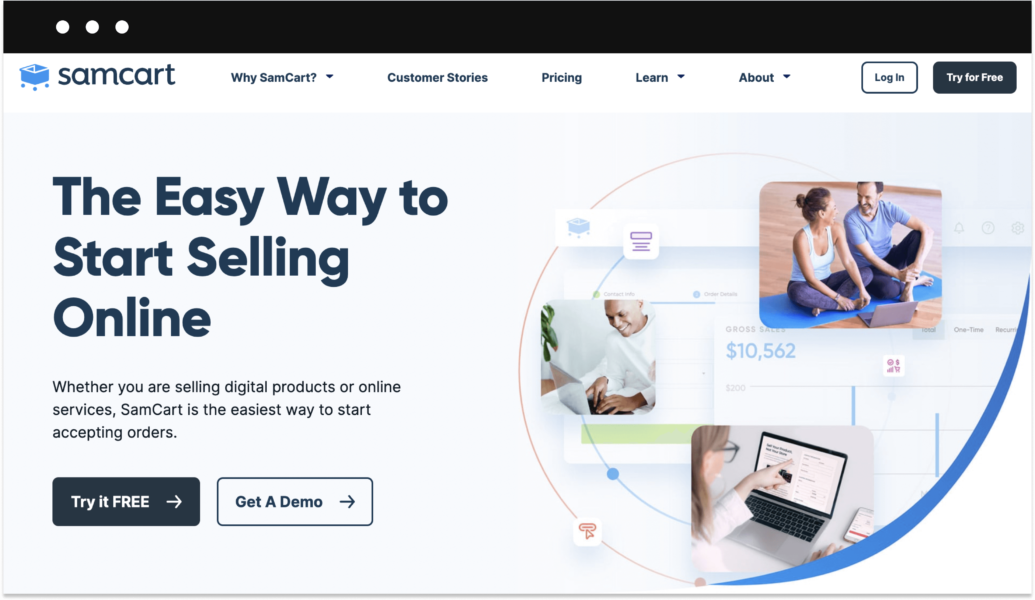
Similar to SendOwl, SamCart is a web-based checkout solution.
With SamCart, designing a product page for your digital products, online courses, or memberships will be a breeze thanks to the drag-and-drop editor. Moreover, there’s a host of premade page templates for different types of products. You’ll also get access to a variety of useful marketing tools like A/B split testing, coupons and trial offers, cart abandonment, affiliate programs, and more.
No, SamCart doesn’t let you build a complete online store like Sellfy, but it’s still a great tool that helps users start selling online by creating an optimized product page.
SendOwl vs. SamCart
According to various researches, most checkout pages… suck.
SamCart, however, does a great job at helping you maximize the conversion rate, thus increasing the earnings you make from each sale.
When compared to SendOwl, SamCart’s page templates are more conversion-optimized — the checkout process is seamless. Plus, features like one-click upsells help boost the conversion rates even more.
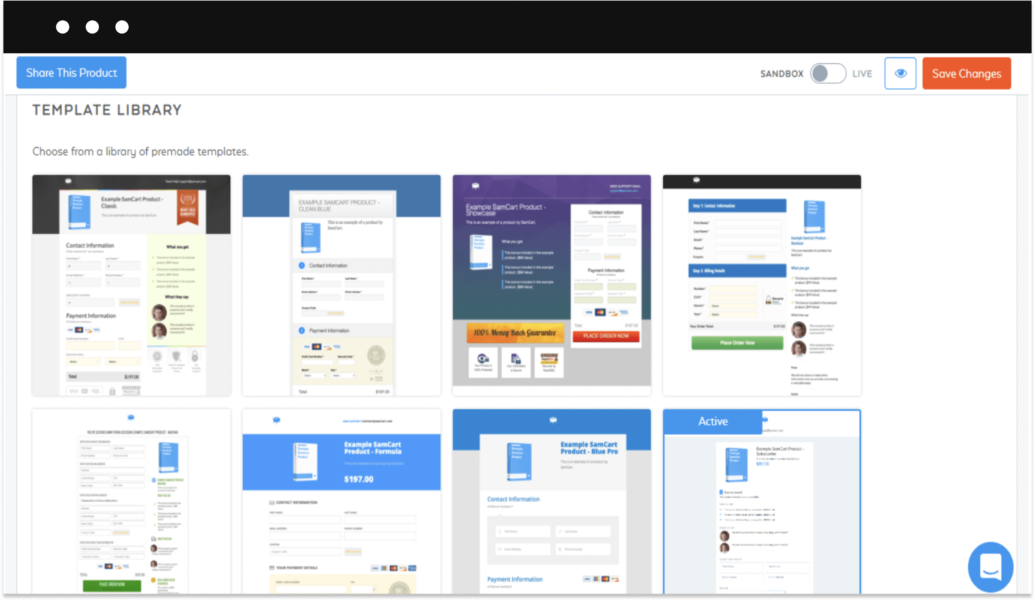
On the other hand, the main issue with SamCart is that it only allows you to build a basic product page instead of a complete online storefront. Unfortunately, this doesn’t put SamCart as the first choice for someone who’s looking to sell various products at the same time.
How much does SamCart cost?
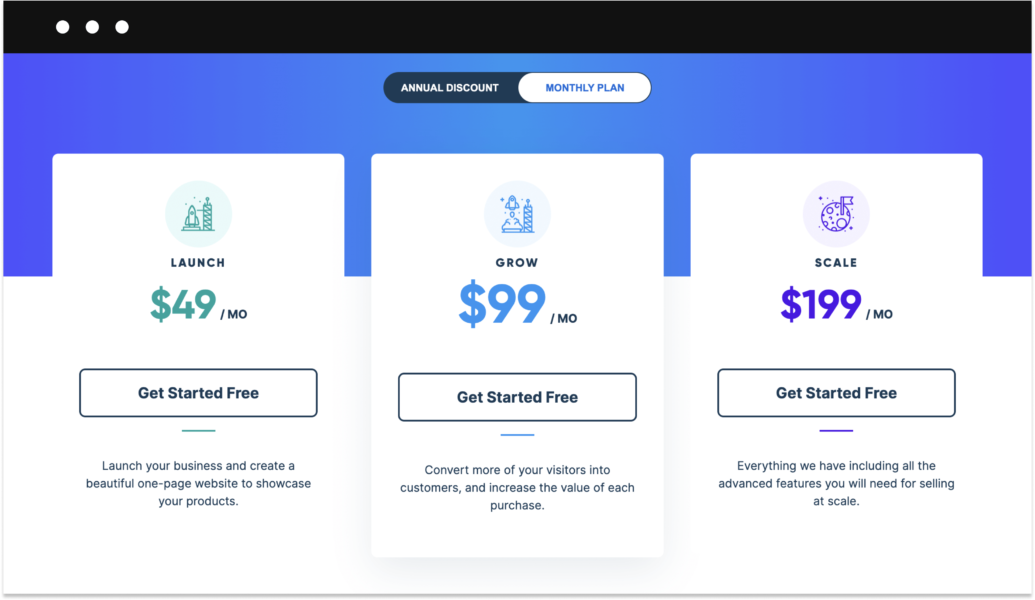
When compared to SendOwl (and many other solutions mentioned in the list), SamCart’s pricing plans are quite expensive. The cheapest plan comes at $49/month.
3. Gumroad
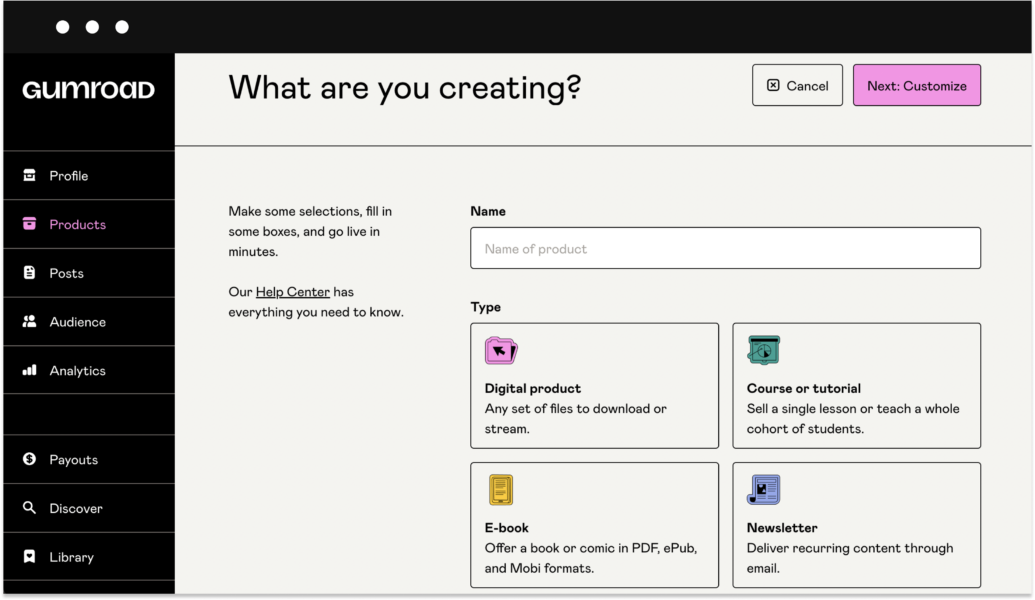
Gumroad is a simple tool that helps artists and creators sell downloads and other products online almost instantly. Similar to Sellfy, it’s an all-in-one platform, which means that you can build an online store from scratch—hosting, online payment integrations, and inventory management are included.
Gumroad supports both digital and physical products. Plus, it allows basic customization of your online store.
Overall, it’s a pretty straightforward tool that gives you a head start without making you spend hours setting up your store. You don’t need to be a tech guru to work it out—the platform is super easy to use.
SendOwl vs. Gumroad
One thing that sets Gumroad apart is that it’s free to use, which makes it one of the most affordable SendOwl alternatives (almost).
Let me explain:
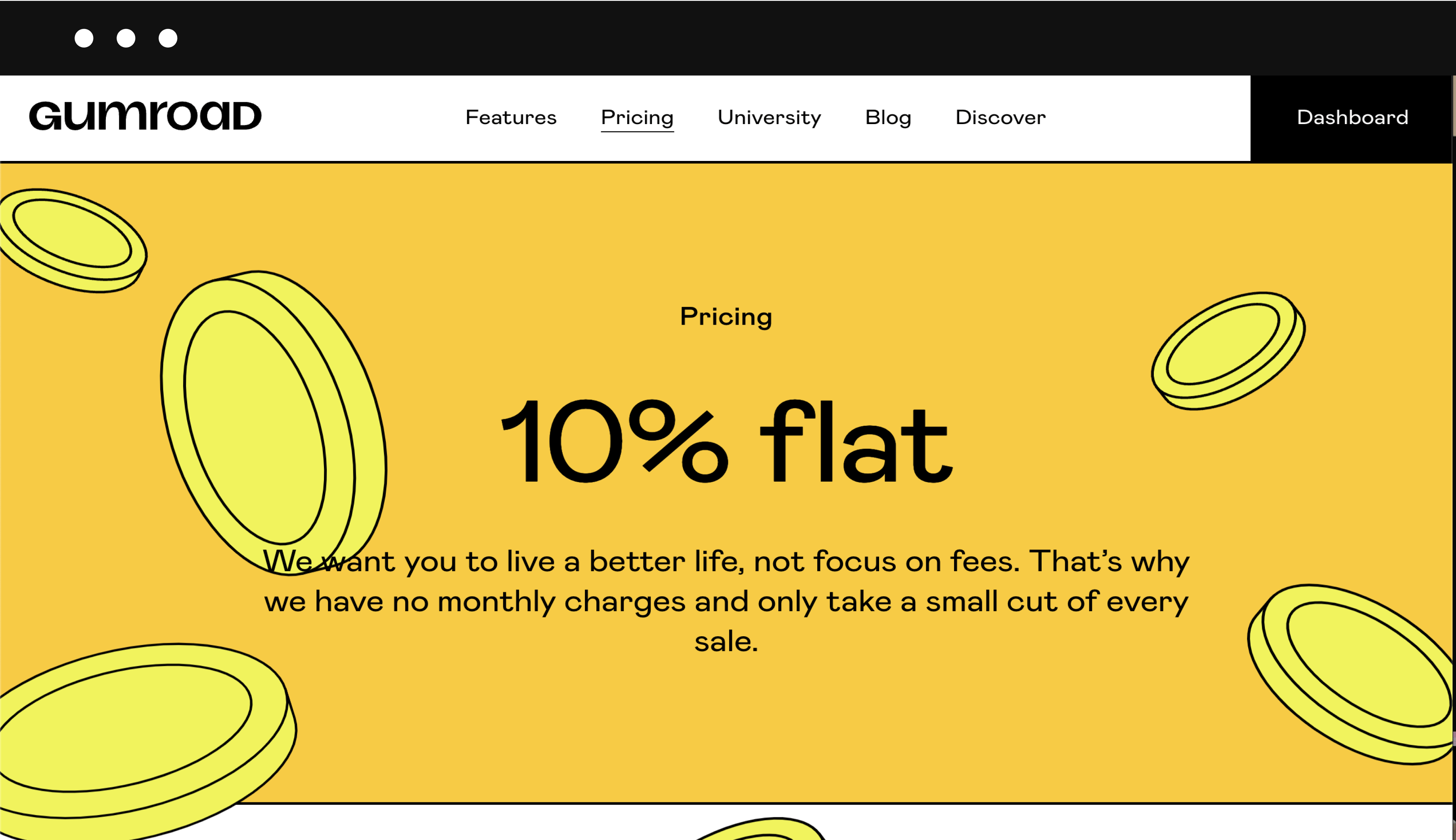
Even though there’s no subscription fee, Gumroad takes a good cut of your income in transaction fees—a ridiculous 9% + 30 cents will be deducted from each purchase. However, it’s worth mentioning that percentage will decrease as your revenue grows.
Unlike SendOwl, Gumroad is more than a checkout solution as it actually allows you to create a basic website for your digital products.
But, it’s important to mention that Gumroad loses points when it comes to built-in marketing features. For example, they don’t have product upselling and cart abandonment, and these features are very important for running an online business.
How much does Gumroad cost?
Since last year, Gumroad no longer charges a subscription fee, but transaction fees start at 10% based on your earnings. However, with the recent loss of PayPal support, creators are now limited to bank transfers for payouts, which aren’t available in all countries. Additionally, Gumroad only offers weekly payouts, so you won’t have instant access to your earnings.
4. Podia
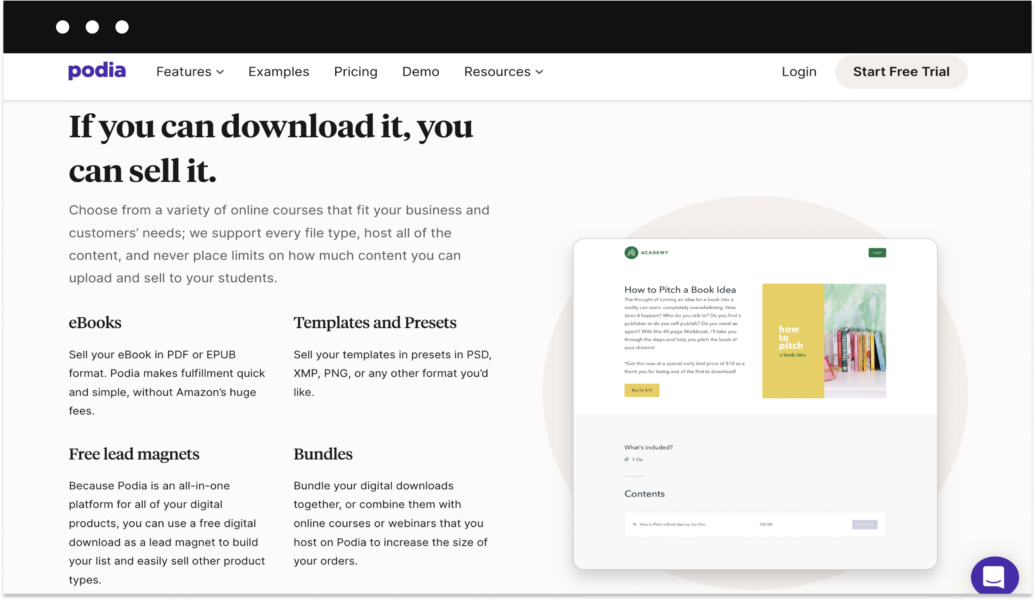
Podia is yet another hosted eCommerce site for creators who are looking to sell anything digital. To be more specific, it’s best suited for selling webinars, online courses, and memberships.
Podia has a relatively intuitive and user-friendly interface. Plus, there’s a useful walkthrough of how the platform works. But most importantly, Podia has a great website builder that allows you to construct a landing page for your digital products—no coding, just simple drag-and-drop.
Apart from this, Podia also offers a decent set of marketing tools including email marketing, upselling, bundling option, discounts, and even affiliate marketing.
SendOwl vs. Podia
Of course, the most obvious difference is that Podia was developed as a tool for selling various digital educational materials. It’s easy to use and it doesn’t take a lot of time and effort to start selling.
One thing you need to take into account is that the service does not support any type of physical product (including print-on-demand integrations). This can be an important factor for any creator who’s planning to launch a personal merch line any time in the future.
Just like SendOwl, Podia doesn’t charge any transaction fees. However, it doesn’t change the fact that Podia’s pricing is unreasonably steep when compared to similar solutions.
Overall, Podia is a great alternative to SendOwls. It’s a perfect fit for small and growing businesses that are focused on digital products.
How much does Podia cost?
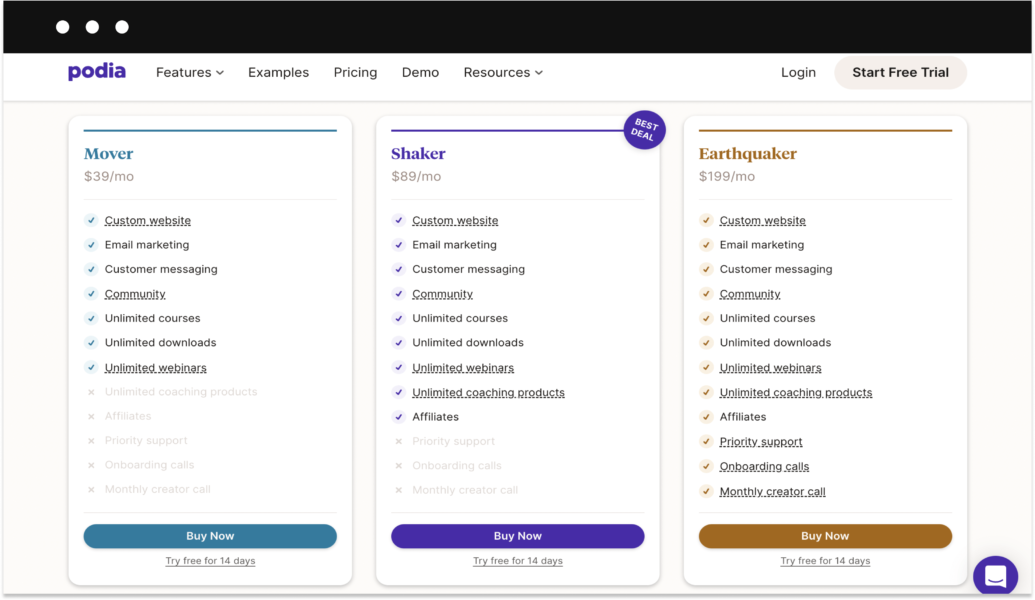
Needless to say that Podia doesn’t offer a free plan. Moreover, they offer three paid plans with prices ranging from $39-179/month.
5. Payhip
Just like most of the services in this list, Payhip offers support for selling digital files, memberships, and online courses. Quite similar to Gumroad, Payhip is a basic checkout solution for all sorts of digital creators looking to start an online business.
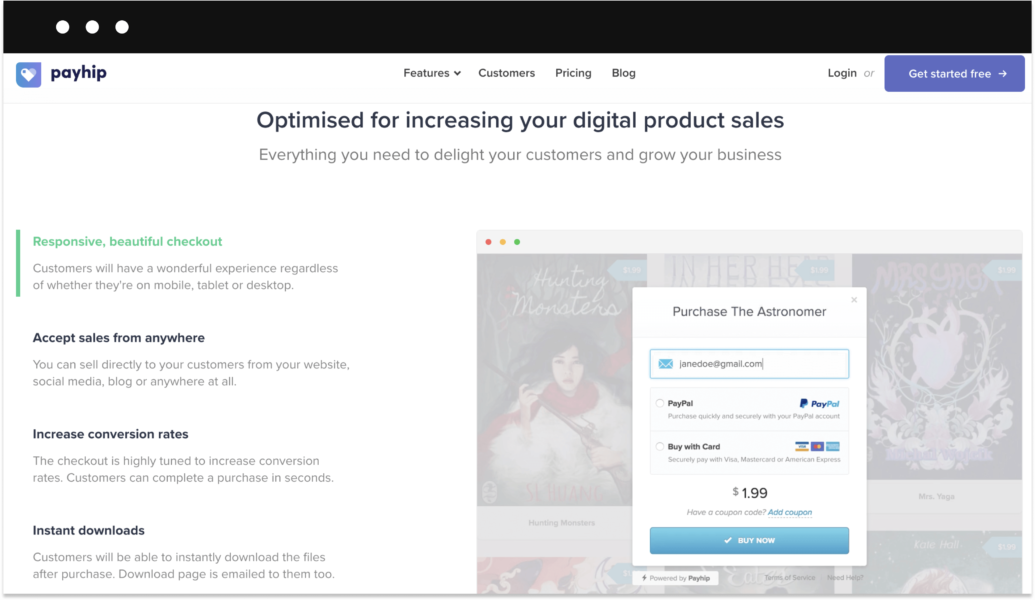
Payhip offers a great set of tools for building your own online storefront. Moreover, you can easily integrate Payhip right into your website or blog to sell your products to an existing audience.
The platform is incredibly easy to use and its user interface is simple to navigate. So, even if you have no clue about how eCommerce works, you’ll find Payhip’s setup efforless.
SendOwl vs. Payhip
Just like SendOwl, Payhip works much better as an integration. The difference is that it also allows you to create a basic online store for your products. However, you shouldn’t expect anything advanced—Payhip’s online storefronts are very simple and barely customizable.

Payhip’s main benefit over SendOwl is that it’s unbelievably easy to use. On the other hand, Payhip is a lot more limited when it comes to marketing and sales features. For example, there are almost no built-in marketing tools apart from coupon codes and cross-selling.
The good news is that Payhip comes with a free plan. The bad news is that it comes with a crazy 5% transaction fee and other payment processing costs. But to be fair, it’s still less than what Gumroad will charge you.
How much does Payhip cost?
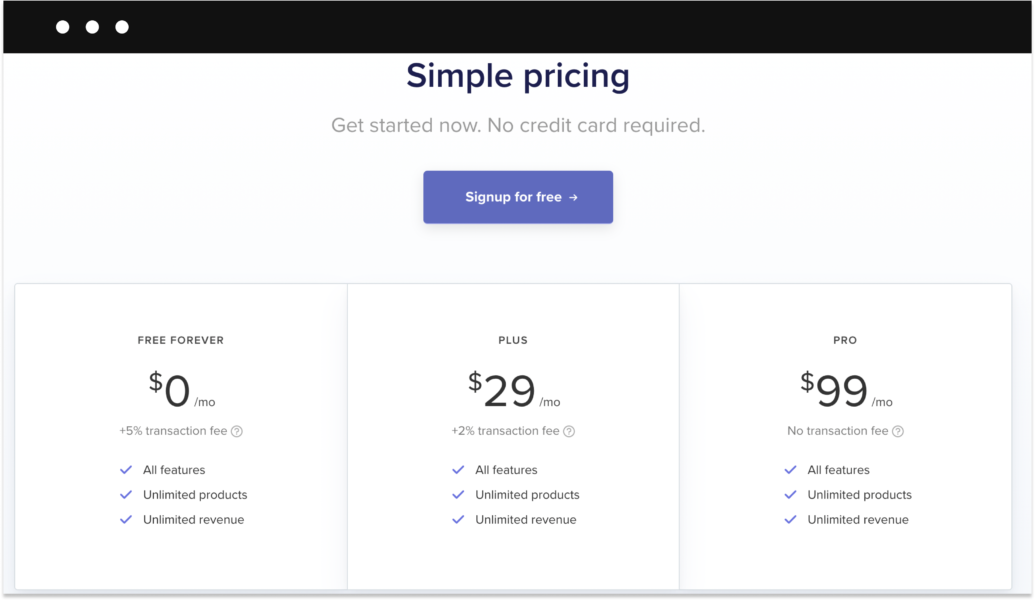
Payhip’s pricing scheme is quite straightforward. There’s a free plan with a 5% transaction fee, a Payhip Plus plan that comes at $29/month and has a 2% transaction fee, and a Payhip Pro plan that comes at $99/month and has no transaction fees.
6. Thrivecart
Thirevecart is one of the most recent additions to the array of online shopping cart solutions, and the internet is buzzing about it. It was launched in 2016 and has since released several versions of the service.
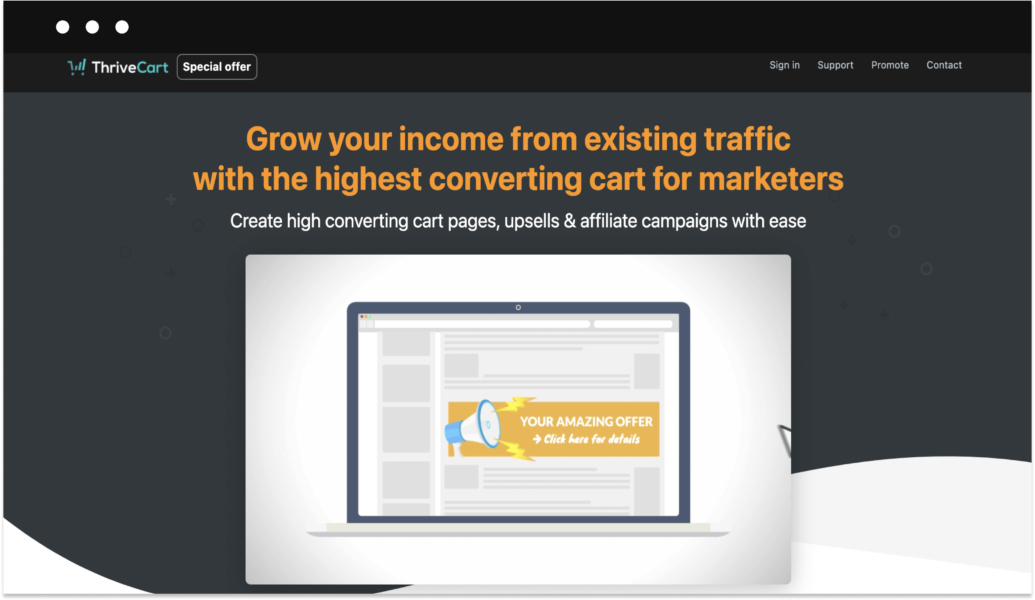
Essentially, Thrivecart is another tool that helps you create a simple sales page or an embeddable shopping cart for your digital products like eBooks, videos, etc.
There’s not much you can customize, but Thrivecart’s checkout page gives you a pretty clean interface to work with.
Learn how to sell online the simple way
See howSendOwl vs. Thrivecart
Even though both SendOwl and Thrivecart appear to be quite similar, there are still some noteworthy differences:
- Thrivecart has an A/B testing utility built right into its cart platform.
- Thrivecart offers a tool to calculate digital sales tax.
- Thrivecart offers more payment options like PayPal, Stripe, Google Pay, Apple Pay, and Authorize.net.
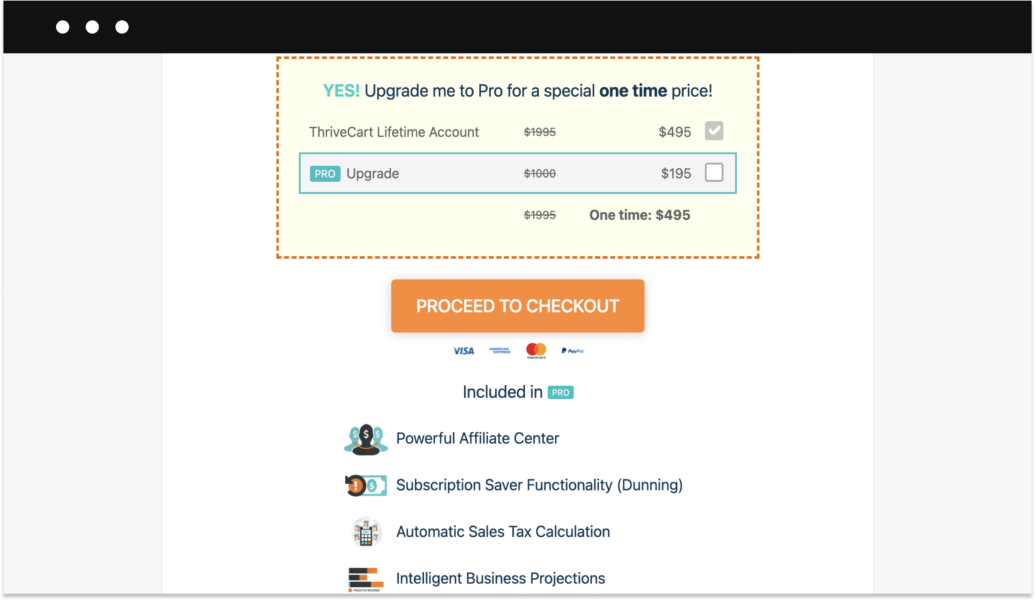
Yes, there are many reviews online that are praising ThriveCart for its high-converting online sales page builder. However, their pricing policy isn’t friendly to those who are looking to tels the service first. ThriveCart doesn’t have a free trial, or a monthly subscription—your only option is to pay for lifetime access.
How much does Thrivecart cost?
Thrivecart is one of the most pricy solutions from this list. For now, you can get lifetime access to Thrivecart for a one-time fee of $495. Once the offer is gone, they will start offering monthly subscriptions again—the cheapest comes at $97/month.
7. Teachable
Teachable is another great alternative to SendOwl for selling digital content. Even though the platform mainly focuses on selling online courses, it’s proven to be a great fit for selling digital products.

The best thing about Teachable is that it allows you to create an unlimited number of online courses as well as build a website from scratch. Moreover, you can easily integrate your educational content into an existing website or blog.
SendOwl vs. Teachable
Both SendOwl and Teachable have a very beginner-friendly setup. You can easily upload and sell any type of files and content including video, audio, photos, text, PDFs, etc.
Unlike SendOwl, Teachable allows you to create a sales page with their drag-and-drop builder—no previous experience is needed. Even though Teachable’s customization options are somewhat limited, there’s a tool called Power Editor that allows more experienced users to tap into the code.
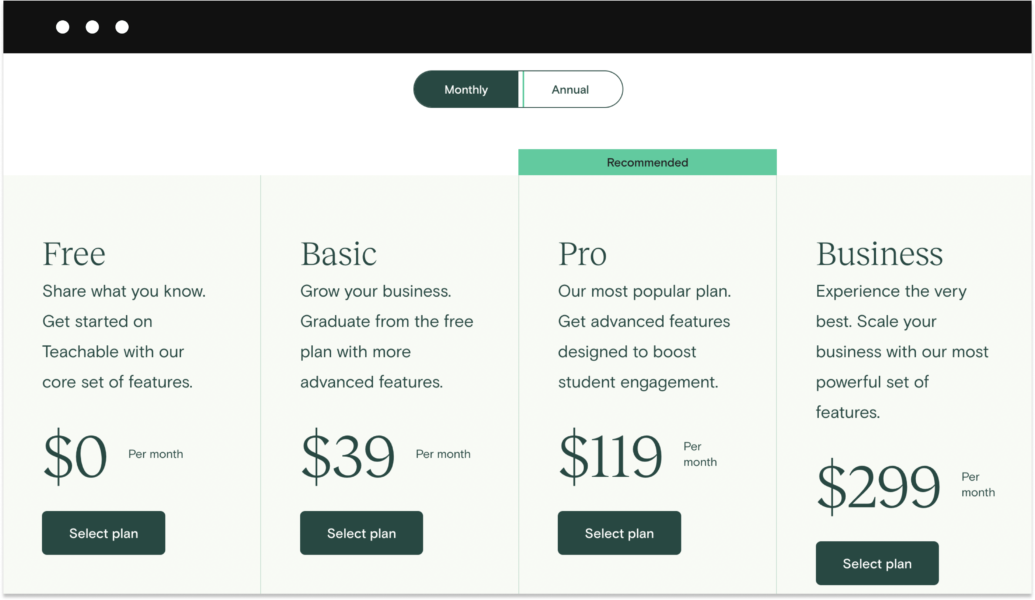
Even though Teachable offers a limited free plan, you’ll have to pay a crazy $1 + 10% for each transaction. And even if you decide to switch to a paid plan, you’ll still have to part with 5% of each transaction.
How much does Teachable cost?
Teachable offers a free plan for unlimited courses and is limited to 10 students. There are also three paid plans starting at $29/month.
8. BigCartel
BigCartel markets itself as an easy-to-use eCommerce platform for creators. In reality, though, the platform targets artists who are looking to showcase and sell their art online.
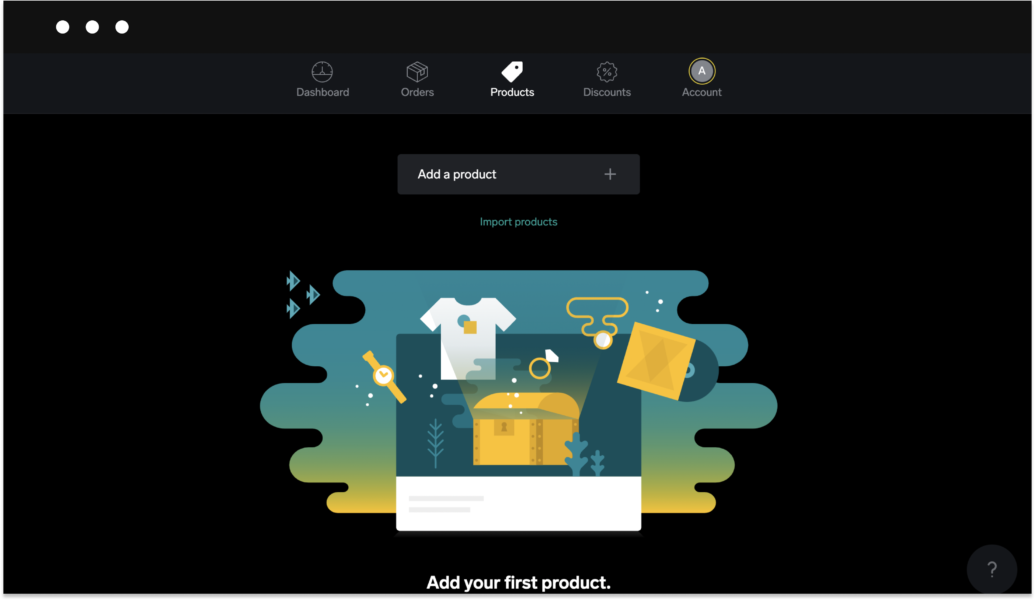
Bigcartel’s main advantage is its simple interface. Overall, the platform is super minimalistic and straightforward—a child can figure out how to use it. Apart from that, it’s one of the few eCommerce platforms on this list that lets you build an online store for free.
SendOwl vs. BigCartel
When it comes to comparing their two solutions, BigCartel seems to be two steps ahead of SendOwl. Here’s why:
- BigCartel offers a free plan.
- BigCartel actually allows you to build an online store for your products.
Now that that’s out of the way, hers’s why BigCarlet might not be a perfect fit for everybody:
- Not enough features. SendOwl’s feature list seems more advanced.
- BigCartel’s store customization capabilities lose when compared to platforms like Sellfy.
- Customer support is only available between 9:00–18:00 EST, Monday-Friday. What are you supposed to do during the weekend?
The bottom line is that anyone who’s simply looking for a way to sell a few products online for free might find BigCartel a perfect fit.
How much does BigCartel cost?
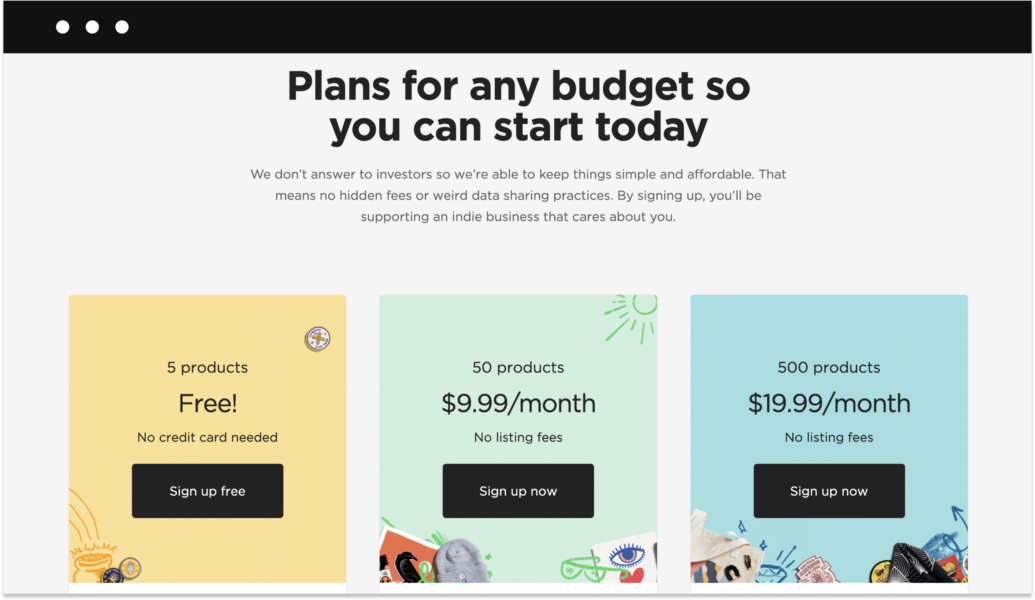
Big Cartel offers a free plan that allows you to sell 5 products. There are also two paid plans with move features ranging from $9.99/month to 19.99/month.
9. E-junkie
E-junkie is yet another solution that helps you start selling digital downloads (and physical products) on your website, social media, blog, and even messengers.
Similar to SendOwl, E-junkie focuses on providing a checkout solution rather than a fully hosted eCommerce store.
The platform was initially developed as a tool for artists and creators to self-publish their works online. With E-junkie, adding a shopping cart to your site, or blog becomes a very simple task. All you have to do is copy your Cart or Buy Now button codes from your Seller Admin page, and paste them onto the page where you’re conducting sales.
SelndOwl vs. E-junkie
E-junkie offers a lot of the same functionality SendOwl does including marketing tools, donations, freebies, and PWYW pricing.
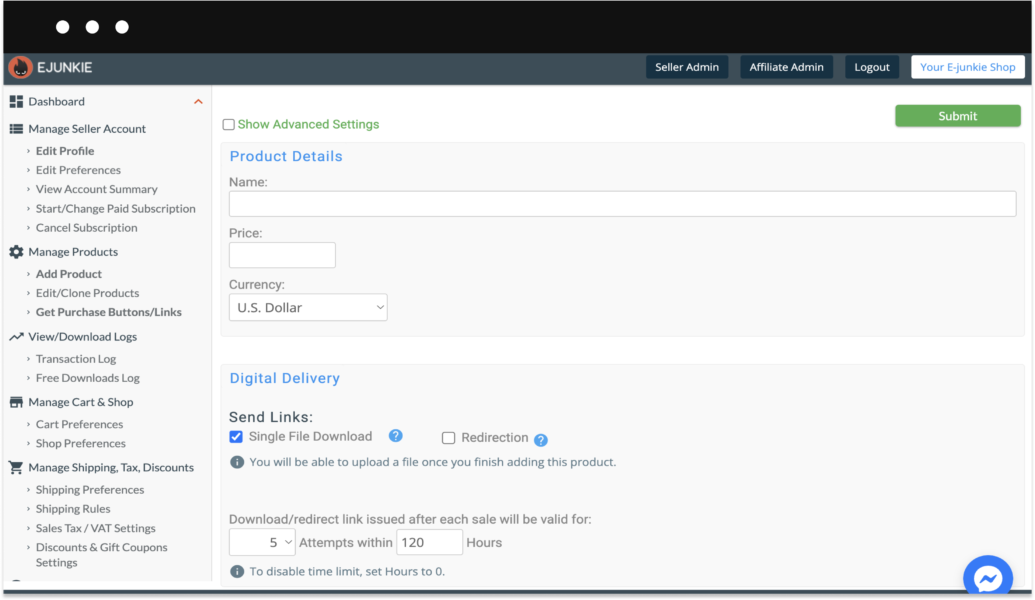
But unlike SendOwl, E-junkie allows you to sell your digital product offline. All you need is to get special codes that you can share with people at events, conferences, or anywhere else. With this code, customers will be able to access your product online.
The main downside of E-junkie, however, is that all of its plans come with product and storage limits. But, to be fair SendOwl has them too.
How much does E-junkie cost?
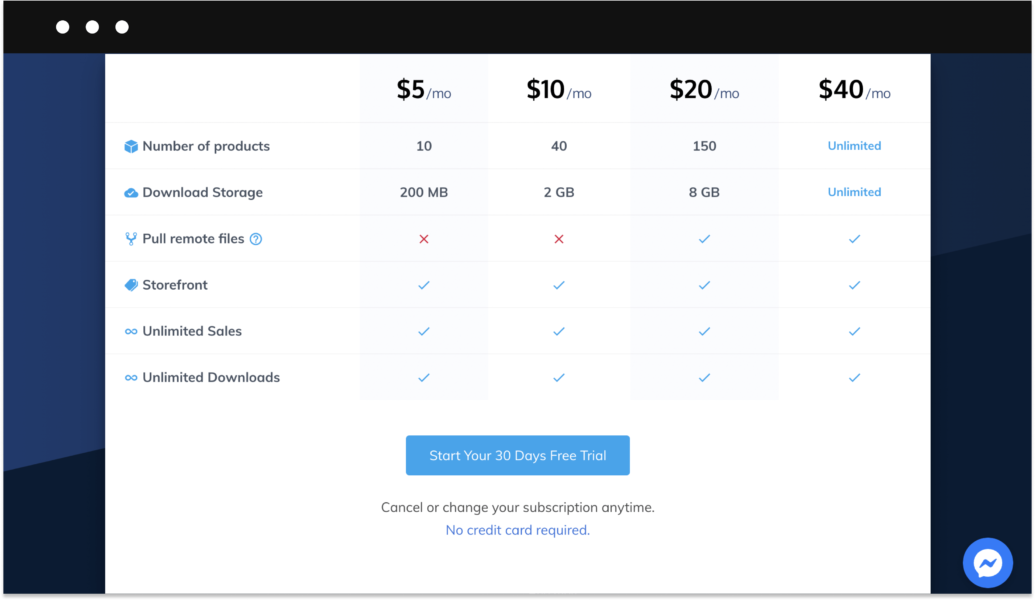
E-junkie doesn’t offer a free plan, but its paid plans are cheaper than SendOwl’s. For just $5/month, you can sell up to 10 products and get 200 MB of storage.
10. WooCommerce
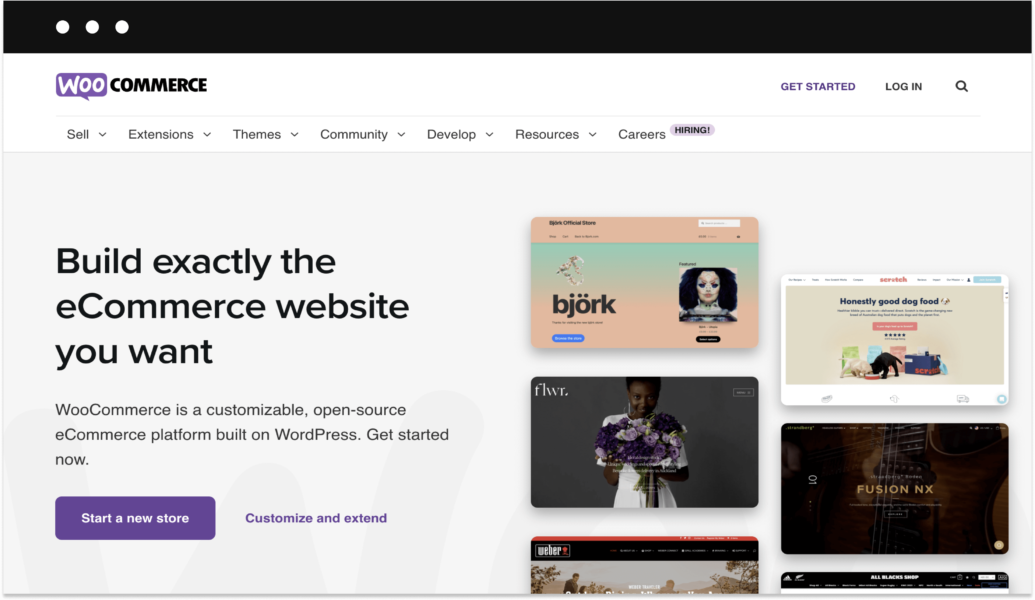
Long story short, WooCommerce is a free open source eCommerce plugin for WordPress.
Yes, both WooCommerce and WordPress are free, but you need to take into consideration you’ll have to do everything yourself. And by everything I mean EVERYTHING.
For example, things like hosting, store themes, a domain name, third-party app integrations, SSL certificate, payment gateways—it’s all on you.
To be fair, WooCommerce is excellent for creators who are looking for more flexibility and advanced customization—that’s why it’s so popular. You’ll find thousands of custom-built plugins (both paid and free) constantly created for WooCommerce users. Plus, you’ll get full control over the selling process and data security.
SendOwl vs. WooCommerce
Truth be told, it’s quite difficult to compare these two services. One is a shopping cart solution for selling digital products, and the other is a free plugin for converting your WordPress website into an eCommerce store.
But, even though WooCommerce and SendOwl have more differences than similarities, it deserves to be included in the list.
The main benefit of WooCommerce is that it’s absolutely free to use. Of course, you’ll still have to pay for most additional plugins, if you’ll need them.
Overall, anyone who’s looking for complete control over their online store, as well as a possibility to extend the functionality, will find WooCommerce a perfect fit.
How much does WooCommerce cost?
WordPress and the WooCommerce plug-in are free but don’t forget about the cost of domain hosting, plugins, extensions, and even web design services.
11. Shopify
Out of all eCommerce platforms mentioned in this list, Shopify, perhaps, is the least suitable for selling digital products. However, being one of the most popular eCommerce platforms, it still deserves a place among SendOwl alternatives.
Shopify is an all-in-one solution that helps you build an online store without any previous experience or web design background. And it’s not just one service—Shopify offers a whole ecosystem that includes 3000+ useful apps and countless store themes.
What sets Shopify apart from other eCommerce platforms in the list is that with the right set of app integrations you can sell pretty much anything on your store—from tangible items to subscriptions and digital products.
SendOwl vs. Shopify
It’s a bit tricky to compare Shopify to SendOwl.
The reason?
For one, in order to sell digital files to your customers, you’ll have to get one of the apps from the Shopify App Store first. Ironically, SendOwl is one of the services that you can integrate into your Shopify store if you’re looking to sell digital products.
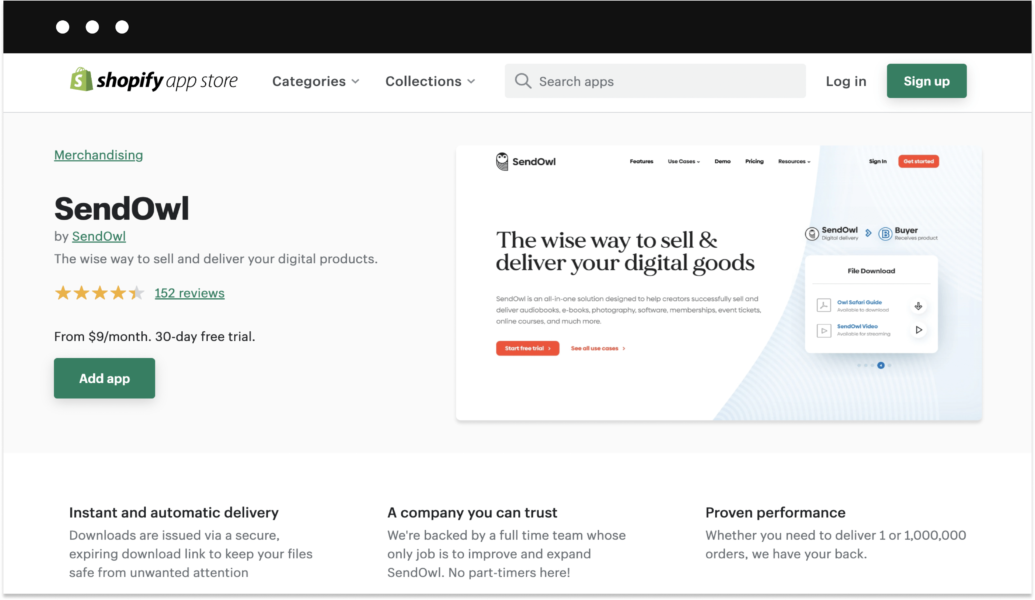
Shopify is a very flexible platform, meaning that you have a lot of freedom when it comes to store functionality and customization. On the flip side, you must be prepared to pay extra for each third-party app. Add this to your subscription fee (Shopify doesn’t have a free plan) and you get a considerable amount of money that you should be ready to pay every month.
Lastly, Shopify isn’t that easy to use. Don’t get me wrong, you don’t need to have web development skills to use Shopify. However, there’s still quite a learning curve.
How much does Shopify cost?
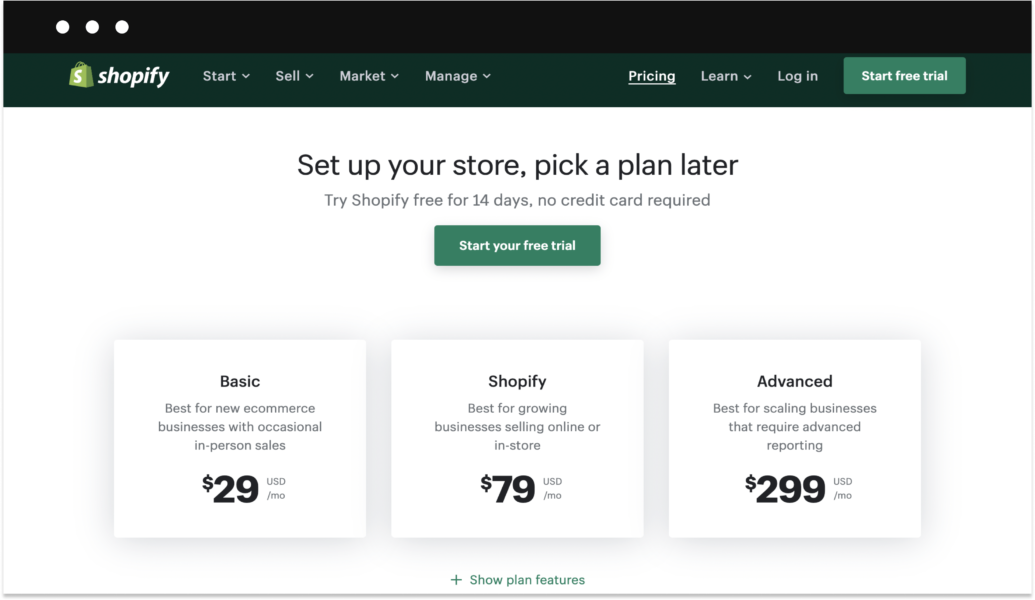
Shopify offers three paid plans with prices ranging from $29-299/month. But, if you choose to integrate a service like SendOwl, you also have to count in at least $9/month in addition.
Conclusion: The best SendOwl alternative
Sellfy is by far the best SendOwl alternative out there for everyone who’s looking to sell digital downloads. Sellfy is a perfect platform not only for selling digital downloads, physical products, and print on demand but also for scaling up your online business.
But, if for some reason you won’t find Sellfy a great fit, there are plenty SendOwl alternatives to choose from. Just look through our list, and pick one!
FAQ: SendOwl alternatives
Is there a free SendOwl alternative?
Yes, BigCartel offers a free plan. There are also two paid plans with move features ranging from $9.99/month to 19.99/month. However, keep in mind that BigCartel’s free plan is quite limited. For instance, there are no built-in marketing tools, and you cannot sell more than 5 products.
What’s the best SendOwl alternative?
Sellfy is an excellent option as this eCommerce platform does not charge any transaction fees. This means that sellers can keep all of the profits from their sales without having to worry about additional fees eating into their earnings.
While other platforms may offer lower monthly fees, Sellfy’s lack of transaction fees can ultimately save users money in the long run.
What is SendOwl’s pricing?
SendOwl offers three pricing plans: Standard, Premium, and Business. The Standard plan costs $15 per month and includes basic features such as product management and instant delivery.
The Premium plan costs $24 per month and offers more advanced features like upsells and affiliate management. The Business plan starts at $39 per month and includes white-labeling and custom checkout pages.


