
12 best Gumroad alternatives in 2026 (free & paid)
If you are an artist, blogger, writer, or any other type of creator, you must have heard of Gumroad. It’s made selling digital products simple and accessible—no complicated setup or coding required.
Nevertheless, you might run into some significant issues that leave you searching for alternatives:
- High transaction fees. Gumroad takes a hefty cut from every sale, plus credit card processing fees.
- Payment limitations. PayPal cut ties with Gumroad, leaving creators without a widely used payment option.
- Unreliable payouts. Gumroad only pays sellers once a week, and if you’re in an unsupported country, you might face even longer delays.
- Payout threshlold. Some users report that they can’t set their threshold to the $10 minimum at all, finding it stuck at odd amounts like $31.66.
- Limited features. Essential e-commerce tools like bump offers and product upselling are missing.
With these drawbacks, Gumroad might not be the reliable, cost-effective platform it seems. That’s why we’ve compiled 11 of the best alternatives to Gumroad—each offering unique features to help you build, manage, and grow your online store.

Learn how to sell online the simple way
See howTL;DR — the best Gumroad alternatives in 2026
Short on time? Here’s the cheat sheet:
- Best overall (digital + physical + print-on-demand). Sellfy has flat monthly pricing, no transaction fees, built-in print-on-demand, and email marketing.
- Best for SaaS, subscriptions & license keys: Lemon Squeezy is a Merchant of Record that handles global tax for you, 5% + $0.50 per sale, no monthly fee.
- Best for physical products at scale: Shopify offers a massive app ecosystem, complete store control, but needs apps (and money) to match Gumroad’s simplicity.
- Best for courses & memberships: Podia offers courses, downloads, communities, and email under one roof.
- Best free starting point: Payhip has a genuinely free plan, 5% transaction fee until you upgrade.
How did I review Gumroad alternatives?
I looked at this from a creator angle, not a “build a big store” angle.
Gumroad is all about simplicity. You upload a product, share a link, and start selling. So I focused on tools that either keep that same low-friction feel or improve on things like checkout, subscriptions, and control.
I tested each platform as if I were actually trying to sell something, not just reading feature pages. Here’s what I paid attention to:
- How easy it is to start. Can you go from signup to selling in minutes, or does it feel like work?
- Whether it actually fits creators. Digital downloads, memberships, simple product pages… the basics Gumroad does well.
- Checkout experience. Does it help you sell more with upsells, bundles, better payment options?
- Pricing and fees. Are you paying monthly, giving up a % of every sale, or both?
- How much control you get. Branding, customer data, and how “yours” the experience feels.
- Built-in stuff vs needing tools. Email, affiliates, analytics… do you get them or have to bolt them on?
- Flexibility. Can it handle subscriptions, bundles, different product types without hacks?
How I tested each platform
- Sign up for the free tier or trial period.
- Build a basic store with available templates.
- Add digital and/or physical products.
- Test integrated marketing and automation tools (emails, funnels, popups, and upsells).
- Publish a demo store and view how it performs on desktop and mobile.
Since I had only days to test and verify all listed features, I based some of my evaluations on each platform’s potential to grow with your business rather than long-term live performance. For example, marketing efficiency, customer conversion, and analytics were assessed this way based on my prior experience in the niche.
Disclaimer: All the pricing, features, trial periods, and stats I offer here are based on the data publicly available at the time of my researching and writing this article. Things change quickly, so some details might be different by the time you read this. For getting the most up-to-date information, please always check directly with the platform.
Best Gumroad alternatives at a glance
Best for | Key features | Pricing | |
Sellfy | Overall best eCommerce platform for creators and online businesses looking for a powerful yet simple solution. | Supports digital, physical, subscription products, and print-on-demand. Offers built-in marketing tools, customizable storefronts, and instant payouts via PayPal or Stripe. | Plans start at $22/month for a yearly plan. |
Sendowl | People looking to sell digital products and straightforward checkout process. | Quick setup with "Quick Sell" links, social media sharing, and embeddable "Buy Now" buttons. Built-in features like upselling, cart abandonment, and discounts. | Pricing starts at $18/month. |
Shopify | Businesses aiming for a scalable and robust eCommerce platform. | Comprehensive eCommerce features, extensive app integrations, customizable themes, suppor for online and offline sales. | Plans start at $29/month for a yearly plan. |
Podia | Creators looking to sell online courses, memberships, and digital downloads. | Built-in course builder, membership options, and email marketing, and a 5% transaction fee on the cheapest plan. | Plans start at $39/month for a yearly plan. |
Lemon Squeezy | Best for creator looking to sell SaaS, subscriptions, and license keys. | Lemon Squeezy acts as a Merchant of Record (MoR). It means that they collect, file, and remit VAT for you. | Free plan with 5% + $0.50 per transaction. |
Teachable | Educators and creators specializing in online courses. | User-friendly course builder, customizable sales pages, and student management tools. | Free plugin; additional costs for hosting, premium themes, and plugins. |
Payhip | Sellers looking for a simple platform with flexible pricing. | Supports digital downloads, memberships, and coaching services. Offers marketing tools like coupons, affiliates, and social discounts. | Free plan with a 5% transaction fee; paid plans start at $29/month with a 2% transaction fee. |
Samcart | Sellers focused on optimizing the checkout experience. | High-converting checkout templates, one-click upsells, order bumps, and subscription support. | Plans start at $59/month. |
Stan Store | Social media influencers and content creators | Seamless social media integration, supports digital products and services, no transaction fees, easy setup. | Plans start at $25/month for a yearly plan. |
Etsy | Artisans and crafters looking for marketplace exposure | Access to a large marketplace customer base. | $0.20 listing fee per item, 6.5% transaction fee. |
Paddle | Software developers and SaaS businesses. | Beautiful, designer-quality templates, free custom domain, and support for digital products. | Plans start at $25/month; Pro plan at $79/month. |
12 best Gumroad alternatives
1. Sellfy
Here’s what makes Sellfy a good Gumroad alternative:
It was initially developed as a platform for selling digital downloads and has quickly become a leader in that niche. Later on, Sellfy was transformed into a full-fledged hosted e-commerce solution for creators and artists. Now, on par with its top competitors, Sellfy allows you to sell just about any type of product—digital, physical, subscriptions, and even print on demand.

Sellfy’s setup is even more effortless than Gumroad’s—something I wish I had known back in the day when I was trying to set up a shop on the same platform.
With Sellfy, you can start selling your products almost instantly—it won’t take you more than 10 minutes to build an online store from scratch. All you need to do is upload your first product, choose a payment method and start selling.
It’s also important to note that Sellfy stores are fully customizable—you’ll be able to make your store look the way you want just by using the Store Customizer tool.
Built-in print on demand is one of the coolest Sellfy features. So, if you decide to sell custom print-on-demand products you won’t have to look for external solutions or costly integrations (like you’d have to do with Gumroad). Moreover, Sellfy will take care of everything—after you make a sale, each order is automatically fulfilled, printed, and shipped to your customers worldwide. With Sellfy’s print on demand, you won’t have to make any upfront investments or worry about the unsold leftovers—you’ll be charged for product fulfillment only after you sell something.

Unlike Gumroad, Sellfy doesn’t take a part of your income in commission, transaction fees, or any other way. You also never have to worry about unnecessary or hidden costs. Plus, Sellfy offers flexibility with payments by supporting both PayPal and Stripe for transactions and payouts—something Gumroad recently struggled with due to issues with PayPal support. This makes it easier for you to receive funds smoothly, with payment options that suit both you and your customers.
Finally, Sellfy offers a great set of marketing tools to help you grow your business:
- Discount and coupon codes feature that allows you to issue discount codes, discount separate products, and even customize your sales by adding start/end time, changing the look of SALE badges, etc.
- Sellfy’s built-in email marketing tool is the best for email marketing automation. You’ll be able to craft your own email campaigns, send out newsletters with the latest product updates, and thank customers for shopping in your store.
- You’ll be able to send cart abandonment emails and offer additional discounts to customers who left your store without checking out.
- Instead of offering freebies, you can just use pay-what-you-want pricing and let your customers decide how much they want to pay for your product.
- There’s an upselling and cross-selling feature to offer an additional (discounted) product to the buyer when they add one of your products to the cart.
Learn how to sell online the simple way
See howIs Sellfy right for you?
As the best Gumroad alternative, Sellfy is a perfect solution for all types of creators and artists. Everyone looking for an e-commerce platform with an effortless setup and tons of useful features will find Sellfy an excellent fit.

How much does Sellfy cost?
In January 2023, Gumroad implemented a pricing change from a tiered to a flat 10% fee system, excluding payment processing fees. Many big sellers left the platform, as the new pricing left some of the sellers with a fee that’s now four times higher.
Sellfy, on the other hand, does not have any additional fees. As a creator, you would only need to pay the subscription fee. Sellfy offers three paid plans with a starting price at $22/mo if you take a yearly subscription).
Pros and cons
| Pros | Cons |
|
Fully-hosted eCommerce platform
|
Limited third-party app integrations
|
|
Effortless setup
|
No advanced product filtering or sorting options
|
|
Support for EU VAT & sales tax
|
|
|
100% customizable storefront
|
|
|
Support for digital, physical & subscription products
|
|
|
Built-in print-on-demand
|
|
|
Built-in marketing tools
|
|
|
Pay-what-you-want pricing
|
|
|
Possibility to embed your store into the website
|
|
|
Has a mobile app
|
|
|
Fast and clean payment gateway
|
|
|
Various payment options such as Google Pay
|
|
|
Google Analytics & app integrations
|
2. SendOwl

SendOwl has proven to be one of the best Gumroad alternatives for people looking for a simple way to sell digital downloads. Its main focus has always been to provide a straightforward and clean checkout solution for creators and small businesses. And they’re doing it pretty well.
SendOwl is super easy to use. All you have to do is create an account and upload your product. Once it’s done, you immediately get a Quick Sell link, a possibility to share your product on social media, and a generated code snippet that allows you to embed a Buy Now button on your website or blog.
To make your life easier there are some use cases and demos on their home page that will help you understand how their service works.
Apart from that, SendOwl offers a bunch of useful marketing features like upselling, cart abandonment, discounts and vouchers, pay-what-you-want pricing, and gift certificates. SendOwl also works well with most e-commerce solutions and external marketing services.
But, there’s one very important thing that’s worth mentioning:
Even though SendOwl offers a simple and quick way to start selling online, you won’t be able to build a storefront with this platform. So, if you’re looking for a way to create an online store you’ll find platforms like Gumroad or Sellfy much more useful.
Is SendOwl right for you?
If you’re looking for an e-commerce back office for your existing website or a blog, you will find SendOwl a great alternative to Gumroad. Not only is it easy to use, but it also offers a solid set of e-commerce features.

How much does SendOwl cost?
SendOwl offers flexible pricing with a 7-day free trial and a $1/month fee for the first 2 months on all plans. After that, the Starter plan is $18/month with a 5% fee per order, Growth is $37/month with a $0.47 fee per order, and Pro is $89/month with a $0.28 fee per order.
Pros and cons
| Pros | Cons |
|
Simple setup
|
No possibility to build an online store
|
|
Support for digital, physical & subscription products
|
No free plan
|
|
Built-in marketing tools
|
Limited customization
|
|
Pay-what-you-want pricing
|
No live chat support or Facebook groups
|
|
Integrates well with other services
|
|
|
Supports multiple currencies
|
|
|
Simple and responsive checkout
|
3. Shopify

As one of the most popular e-commerce platforms, Shopify definitely deserves a spot among Gumroad alternatives.
Shopify is an all-in-one e-commerce platform that allows you to build an online store without any previous experience or web design background. Moreover, they’ve managed to create a whole ecosystem that includes 3000+ useful apps and countless store themes.
Shopify’s main advantage is that it’s fully customizable and with the right set of app integrations, you can sell pretty much anything in your store—from tangible items to subscriptions and digital goods.
On the flip side, you should be ready for Shopify to charge you extra for most third-party app integrations. For example, Shopify’s paid store themes cost between $140–$180, while the monthly fees for the apps can vary from just a few dollars up to $100 per month. Add this to your subscription fee (Shopify doesn’t have a free plan) and you get a considerable amount of money you should be ready to pay every month.
Plus, even though Shopify gives you access to advanced marketing integrations, solutions like Gumroad and Sellfy offer much more advanced in-built marketing functionality.
Lastly, Shopify positions itself as an easy-to-use platform for building an online store. In reality, even though you don’t need to have web development skills to use Shopify, it still comes with a huge learning curve. Otherwise, there wouldn’t be so many “how-to” guides on starting a Shopify store.
Is Shopify right for you?
In general, almost anyone looking for a complete e-commerce solution and who is ready to invest time and money (mainly on third-party apps) will find Shopify a great fit.
How much does Shopify cost?
Unlike Gumroad, Shopify doesn’t offer a free plan and has three paid plans with prices ranging from $29-299/month.
Pros and cons
| Pros | Cons |
|
Fully hosted e-commerce platform
|
Key functionalities require the installation of an app
|
|
An ecosystem of useful app integrations and store themes
|
App integrations may require additional expenses
|
|
Fully customizable online store
|
Steep learning curve
|
|
Store embed functionality
|
Shopify charges transaction fees
|
|
Built-in blog
|
Not enough built-in marketing tools
|
|
Supports multiple currencies
|
Multi-currency selling is available only for Shopify Payments users
|
|
Unlimited product bandwidth
|
|
|
Has a mobile app
|
4. Podia

If you’re looking for a Gumroad alternative to sell your online courses, digital downloads, membership, or webinars then you definitely should consider Podia.
Podia is a hosted e-commerce platform with a focus on selling online courses. It allows you to sell anything digital and has a relatively clean interface that lets you construct a landing page for digital downloads—no coding, just simple drag-and-drop.
Apart from decent customization options, Podia also offers a great set of built-in marketing features including email marketing campaign, upselling and cross-selling, product bundles, coupon codes, affiliate marketing, and more. Plus, they offer speedy and clean checkout that is optimized to improve your conversion rates as it doesn’t require customers to create an account.
Learn how to sell online the simple way
See howOf course, there are some limitations to Podia that more experienced users may find unacceptable, like basic customization options or almost no possibility to integrate external services. It also won’t fit anyone who at one point may decide to start selling physical products (including merchandise).
One of the main differences between Gumroad and Podia is that the latter doesn’t take a part of your income in transaction fees. On the other hand, Podia’s pricing seems to be a bit too steep when compared to other solutions. So, we’ll leave it to you to decide which one is better.
Is Podia right for you?
There’s nothing much to say here. Like Gumroad, Podia is great for small business owners who focus on selling digital downloads. It’s easy to use and it doesn’t take a lot of time and effort to start selling.

How much does Podia cost?
Podia doesn’t have a free plan; instead, they offer two paid plans with prices ranging from $34-75/month. But keep in mind that the cheapest plan comes with a 5% transaction fee.
Pros and cons
| Pros | Cons |
|
Fully-hosted eCommerce platform
|
Limited third-party app integrations
|
|
Effortless setup
|
No advanced product filtering or sorting options
|
|
Support for EU VAT & sales tax
|
|
|
100% customizable storefront
|
|
|
Support for digital, physical & subscription products
|
|
|
Built-in print-on-demand
|
|
|
Built-in marketing tools
|
|
|
Pay-what-you-want pricing
|
|
|
Possibility to embed your store into the website
|
|
|
Has a mobile app
|
|
|
Fast and clean payment gateway
|
|
|
Various payment options such as Google Pay
|
|
|
Google Analytics & app integrations
|
5. Lemon Squeezy

Lemon Squeezy is one of the best Gumroad alternatives for people selling software, SaaS, or digital products. It launched in 2021, was acquired by Stripe in 2024, and has built a strong following among indie SaaS founders, app developers, and creators selling license keys.
What makes Lemon Squeezy stand out is that it acts as a Merchant of Record (MoR). When a customer in Germany buys your $29 download, Lemon Squeezy collects, files, and remits VAT for you. The same goes for sales tax in the US, GST in Australia, and dozens of other countries. Gumroad doesn’t handle this for most regions.
Setting up a store takes about 10 minutes. You get a hosted storefront, an embeddable checkout, license key generation, subscription billing, an affiliate program, and email automations like cart recovery and post-purchase follow-ups. The checkout runs on Stripe, so it’s fast and works well on mobile.
Apart from that, Lemon Squeezy handles refunds, fraud detection, and chargeback protection. If a customer disputes a charge, Lemon Squeezy fights it instead of you.
Lemon Squeezy works best for digital products, SaaS subscriptions, software licenses, and one-time downloads. It’s not built for physical products or print-on-demand, so if your roadmap includes merch, it’s not the right pick.
Is Lemon Squeezy right for you?
If you’re selling software, SaaS, or digital products and want someone else to handle global tax compliance, Lemon Squeezy is one of the best Gumroad alternatives out there. If you sell physical products or want flat, predictable pricing as you scale, Sellfy or Shopify are a better fit.
How much does Lemon Squeezy cost?
There’s one thing worth mentioning: the fee. Lemon Squeezy charges 5% + $0.50 per transaction with no monthly subscription. That’s lower than Gumroad’s 10%, but it’s still a per-sale cut — the more you sell, the more you pay.
Pros and cons
| Pros | Cons |
|
Acts as Merchant of Record (handles global tax compliance)
|
5% + $0.50 per sale adds up at scale
|
|
No monthly fee
|
Not built for physical products or print-on-demand
|
|
Built-in license key generation
|
Limited storefront customization
|
|
Subscription & one-time billing
|
International transaction fees stack up
|
|
Affiliate program included
|
|
|
Built-in cart recovery and email automations
|
|
|
Stripe-powered checkout
|
|
|
Chargeback and fraud protection
|
6. Teachable

Teachable is another great alternative to Gumroad for selling digital content. Just like Podia, the platform mainly concentrates on selling online courses, but it has also proven to be a great fit for selling digital products.
Simply speaking, Teachable is another online course platform that helps people deliver their learning and educational experiences. Teachable lets you easily create an unlimited number of online courses as well as build a website from scratch, or integrate your educational content into an existing website or blog.
Just like Gumroad, Teachable allows you to upload any type of files and content including video, audio, photos, text, PDFs, etc. However, in case you’re looking for a way to sell a mix of digital content and physical products, it’s impossible to do it on Teachable.
Teachable has a beginner-friendly setup. So, you’ll be able to quickly and easily create a sales page with their drag-and-drop builder—no previous experience is needed. Even though Teachable’s customization options are somewhat limited, there’s a tool called Power Editor that allows more experienced users to tap into the code.
Teachable offers a solid marketing toolkit that includes coupons, promotions, affiliate programs, and email marketing. You’ll also have the possibility to create bundle courses and subscriptions, as well as choose various pricing options.
On the downside, even though Teachable offers a limited free plan, it will also charge you a crazy $1 + 10% for every transaction. And even if you decide to switch to a paid plan, you’ll still have to pay a 5% transaction fee.
Is Teachable right for you?
Teachable is a great service for everyone who is ready to share their skills with the world and make some income on the side by selling their knowledge and experiences.
How much does Teachable cost?
Teachable doesn’t have a free plan, but it offers three paid plans starting at $39/month.
Pros and cons
| Pros | Cons |
|
Fully hosted e-commerce platform
|
No support for physical products
|
|
Offers a free plan and three paid plans
|
Transaction fees
|
|
Simple setup
|
Not perfect for selling memberships
|
|
Supports for online courses and digital downloads
|
Limited integrations
|
|
Store embed functionality
|
|
|
Built-in marketing features
|
|
|
Option to host your own affiliate program
|
7. Payhip

When we compare Payhip to Gumroad, it appears that these two platforms are more similar to each other than the other ones mentioned in the list. Just like Gumroad, Payhip is a basic checkout solution for artists and creatives looking to start selling digital or physical products, as well as memberships.
Payhip is an all-in-one e-commerce platform that offers a host of useful tools to start an online business. You can easily embed the service right into your website or blog, or build your own Payhip storefront to sell products directly to your audience.
Though Payhip works much better as an integration for your own website, you can still build a basic storefront for your products. However, you shouldn’t expect full customization—the storefront you get with Payhip looks very basic.
Payhip’s main benefit is that it’s fantastically easy to use. Even if you have no clue about how e-commerce works, you should feel right at home with Payhip.
On the flip side, Payhip’s ease of use and basic setup come with a few limitations when it comes to marketing and sales features. For example, there are almost no built-in marketing tools apart from discounts and discount codes. Even though Payhip has a free plan, it comes with a crazy 5% payment processing fee and other fees (that’s actually a bit less than what Gumroad will charge you).
Is Payhip right for you?
Payhip works well for anyone taking baby steps in e-commerce. But, in case you’re looking for something more than a simple checkout solution with limited sales and marketing capabilities, Payip may disappoint you.

How much does Payhip cost?
Payhip has a very simple pricing scheme. There’s a free plan with a 5% transaction fee, a Payhip Plus plan that comes at $29/month and has a 2% transaction fee, and a Payhip Pro plan that comes at $99/month and has no transaction fees. Additionally, you also have to pay the transaction fees charged by payment processors (usually 2.9%).
Pros and cons
| Pros | Cons |
|
It’s free to start
|
Limited marketing and sales features
|
|
Simple setup
|
Transaction fees
|
|
Supports for digital downloads and memberships
|
Limited store customization
|
|
Store embed functionality
|
Not perfect for selling physical products
|
|
Option to host your own affiliate program
|
8. SamCart

SamCart is a shopping cart software that helps creators start selling online by building an optimized product page.
Yes, there’s a reason for calling SamCart a shopping cart instead of e-commerce software. The difference is that a shopping cart may not offer the same extended functionalities as a typical e-commerce platform like Sellfy.
At first sight, SamCart seems to be a more feature-reach solution than Gumroad as they offer some great e-commerce tools to help sellers increase their conversions. For example, one-click upsells, A/B split testing, coupons and trial offers, cart abandonment, affiliate programs, and many more.
Designing your product page with SamCart won’t be a difficult task thanks to the drag-and-drop editor. Apart from that, SamCart offers a host of premade page templates you can use instead of designing from scratch.
However, SamCart will only build a simple product page instead of a fully-fledged online store. It means that this solution might not be a perfect fit for someone looking to sell various products at the same time.
Is SamCart right for you?
If you want to sell just one or a few products, SamCart might be a good fit for you. However, even with all of the built-in e-commerce features, SamCart’s pricing might appear a little too high.
How much does SamCart cost?
SamCart doesn’t have a free plan and offers three paid plans that are quite expensive when compared to many other solutions mentioned in our list. SamCart’s cheapest plan starts at $59/month.
Pros and cons
| Pros | Cons |
|
It’s easy to use
|
No free plan
|
|
Support for digital, physical, and subscription products
|
Paid plans are quite expensive
|
|
Supports multiple pricing models
|
Limited customization options
|
|
Great set of built-in e-commerce features
|
No possibility to build a complete online store
|
|
No transaction fees
|
No marketing features
|
9. Stan Store

Stan Store is a platform tailored specifically for content creators and social media influencers who prioritize quick setup and seamless integration with platforms like Instagram and TikTok. Its link-in-bio style allows creators to sell digital products, subscriptions, and services directly to their followers. It is an ideal solution for those looking to monetize their content effortlessly.
Stan’s biggest strength is its simplicity. The setup process is quick—just upload your products, select a theme, tweak some colors and fonts, and you’re ready to go.
While Stan Store primarily focuses on digital downloads like PDFs, templates, and eBooks, it also supports services such as webinars via Zoom or Google Meet, coaching sessions, and eCourses. However, there are some limitations, such as a maximum file size of 4GB and basic customization options that might not satisfy users looking for more advanced features.
Stan Store also provides basic marketing tools such as discount codes, affiliate marketing, and email sequences, but these are only available on the higher-tier plan. The platform offers analytics to track store visits, revenue, and leads, although these features are not as comprehensive as those offered by Sellfy.
Want more options tailored for creators? Check out our full guide on Stan Store alternatives.
Is Stan Store right for you?
Stan Store is an excellent choice for social media influencers and content creators who want a straightforward, efficient way to sell digital products and services directly to their audience.
How much does Stan Store cost?
Stan Store operates on a subscription-based pricing model without any transaction fees. The platform offers two pricing plans: Creator at $25/month and Creator Pro at $79/month, with the latter including advanced marketing features like email flows and affiliate management.
Pros and cons
| Pros | Cons |
|
Seamless social media integration
|
Limited customization and design options
|
|
User-friendly interface
|
Basic marketing tools only available on higher-tier plans
|
|
Affordable pricing with no transaction fees
|
Not suitable for physical product sales or larger businesses
|
|
Ideal for digital products and services
|
File size limitations for digital products
|
10. Etsy

Even though Etsy doesn’t seem like an obvious alternative to Gumroad, it’s still an option worth considering.
Why is that?
Well, the main reason is that Etsy is usually the first solution that pops up in people’s heads when they think about selling creative work.
But, what is Etsy? And, most importantly, what makes it so different from solutions like Gumroad?
First and foremost, Etsy is not a fully hosted e-commerce platform—it’s a creative marketplace. In other words, comparing Etsy to Gumroad is like trying to compare an art fair to a standalone art store. Plus, you should keep in mind that there’s no way to sell your services on Etsy as it’s mostly a marketplace for handmade and physical goods.
Etsy’s main benefit is that, just like most marketplaces, it has an established customer base interested in the arts and crafts. It gives you a chance to access your target audience more easily.
On the one hand, you have 30+ million potential buyers browsing Etsy who can notice your products. And, on the other hand, you have 50+ million other products to compete with.
However, Etsy offers a bit more than just a marketplace. There’s also a service called Pattern by Etsy that allows you to create a personal storefront for your products. The solution is somewhat similar to fully-hosted platforms like Gumroad, but not as advanced or customizable. It’ll cost you a monthly fee of $15, but it’s nothing more than an add-on for someone already selling their products on Etsy.
Learn how to sell online the simple way
See howIs Etsy right for you?
Etsy can be a great place for a small business as it’s free and easy to use. So, if you’re not looking for any complicated setups and customization (the only thing you can customize on Etsy is your logo), you should definitely give it a try.

How much does Etsy cost?
Etsy doesn’t have a subscription fee, but there’s a 6% transaction fee for every item you sell as well as a $0.20 fee for every digital download listed in your store.
| Pros | Cons |
|
It’s free to start
|
No customization options
|
|
It’s easy to use
|
Transaction and listing fees
|
|
Good for exposure of your products
|
No control over your store
|
|
Strict product guidelines
|
|
|
No marketing features
|
11. Ko-fi

Ko-fi is another great alternative to Gumroad for digital creators. In essence, Ko-fi is a platform that resembles Patreon as it allows people to donate money to support their favorite creators. In other words, you may think of Ko-fi as a virtual tip jar.
There are several ways to earn money on Ko-fi. For example, you can set up a fan page where your audience donates your money (buy a virtual cup of coffee) in exchange for some additional content.
Apart from gathering donations from fans, you can also create your own Ko-fi Shop to sell digital and physical products (just like Gumroad). Yes, setting up a Ko-fi Shop allows you to start selling your work directly to your fans, but the number of available e-commerce features is very limited. Storefront customization is also super basic and there are almost no built-in marketing features to help you promote your products.
It goes without saying that Ko-fi is super easy to set up. You just need to pick a username, add a photo and bio, and connect a payment source like PayPal or Stripe. The whole process will literally take just a minute or two and you’ll have your page up and running.
Ko-fi doesn’t take a single cent from your donations, however, there’s a 5% transaction fee for every item you sell from your Ko-fi Shop. Do you also want a mobile app for your online store? Well, there’s also no mobile app on this platform, so you won’t be able to manage your account from your phone.
Is Ko-fi right for you?
Ko-fi is an effortless way to crowdsource your creative business. Bloggers and content creators will find this platform more suitable since they already have an audience that’s ready to support them or buy their products.
How much does Ko-fi cost?
Ko-fi is free to use, but Ko-fi Shop users should be ready to pay a 5% transaction fee for each product sold. There’s also a Ko-fi Gold plan that will cost you $6/month and will give you access to more advanced features.

Pros and cons
| Pros | Cons |
|
It’s free to start
|
No customization options
|
|
Effortless setup
|
Transaction fees
|
|
0% commission from donations
|
Limited integrations
|
|
Support for digital and physical products, fundraising, and donations
|
No mobile app
|
|
Instant payouts
|
No marketing features
|
|
Shopping cart embed functionality
|
12. Paddle
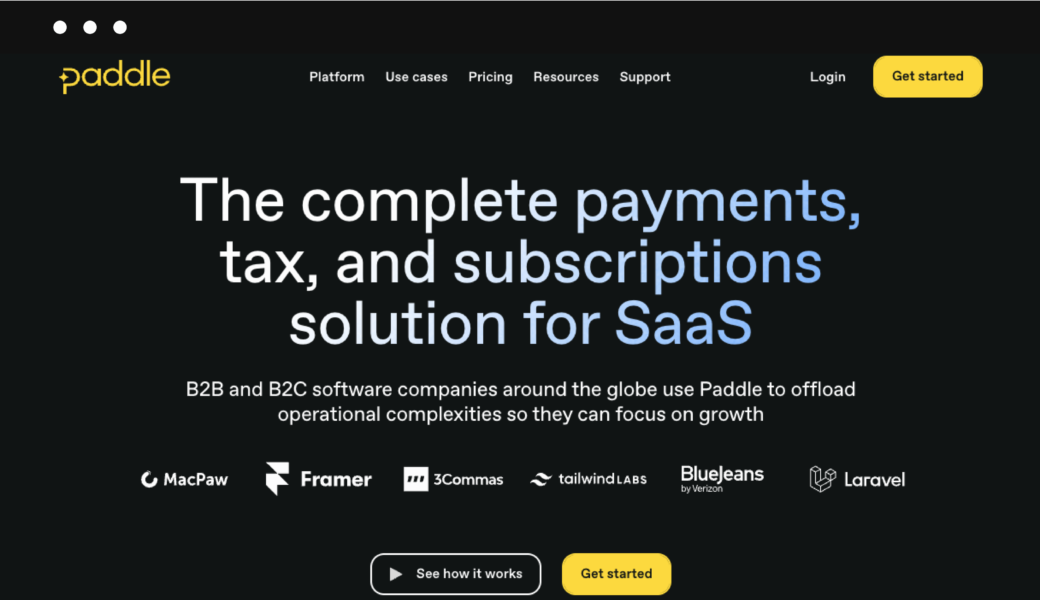
Paddle is a service that makes it quite easy to sell apps, games, and other digital downloads. Their main focus is on helping businesses that sell software as a service with processes like handling payments, managing subscriptions, and streamlining checkouts.
Paddle allows you to easily create a checkout page for your software and digital downloads that you can integrate into your existing website. The good thing is that Paddle takes care of all the complicated stuff like managing checkout processes, invoicing, subscriptions, and recurring payment.
Padlle allows you to customize the checkout page to match your website’s overall look and feel. Plus, with the help of an overlaid checkout screen, your customers can buy your product without leaving the product page.
On the other hand, you won’t have the possibility to build your own storefront, which automatically makes this platform not suitable for those looking for a way to build an online storefront.
Is Paddle right for you?
If you create and sell apps, games, and similar software products and don’t mind the transaction fees, you should definitely give Paddle a try.
How much does Paddle cost?
There are no monthly costs for using Paddle. You will be charged a flat 5% of the transaction amount + 50 cents per transaction.
Pros
- Perfect for selling apps, games, and software
- It’s free to use
- Possibility to integrate a shopping cart into a website
- Great set of built-in e-commerce features
Cons
- No possibility to build a storefront
- Transaction fees
- Limited customization options
- Limited marketing features
- Not suitable for selling physical products
Why consider Gumroad alternatives for e-commerce?
Gumroad is simple. That’s the appeal. But once you start selling seriously, the cracks show pretty fast.
Here’s where it falls short:
High transaction fees
Gumroad takes a big cut.
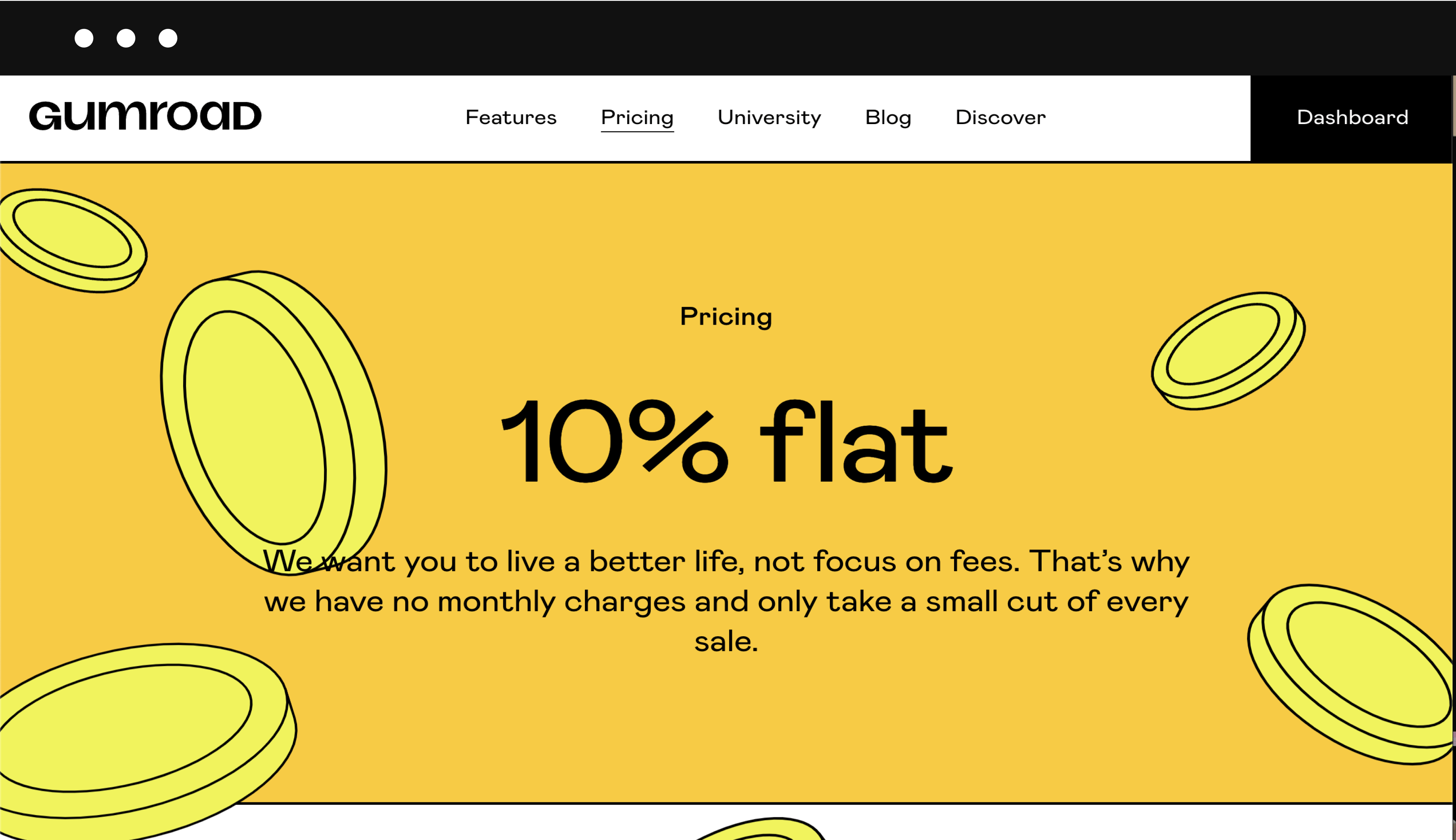
You’re looking at around 10% + payment fees on every sale. That’s fine at the start, but it adds up quickly once you get traction.
At that point, you’re basically paying a premium for simplicity.
PayPal situation
This is the big one.
Gumroad lost PayPal support, which creates two problems:
- Customers can’t pay with PayPal anymore (which hurts conversions)
- Creators can’t rely on PayPal for payouts
Limited payment flexibility
No PayPal means fewer ways for customers to pay.
And fewer payment options usually mean fewer sales. Simple as that.
Weak support
The thing is that Gumroad’s support is hit or miss.
And when payments or payouts are involved, “hit or miss” is not what you want.
Missing marketing features
Gumroad keeps things minimal, sometimes too minimal.
No real upsells. No cart abandonment. No real email marketing. Which means you’re leaving money on the table every time someone buys.
Slow payouts
You get paid weekly.
Not terrible, but not great either, especially if cash flow matters.
So, if you’re looking for the best Gumroad alternatives, you’ve come to the right place. We’ve done our own research and found the 12 best Gurmoad alternatives in 2026.
Over to you
As you may have noticed, there are plenty of sites like Gumroad for you to choose from. Which of these Gumroad alternatives did you find suitable for your business?
One thing is clear:
If you’re looking for a better alternative to Gumroad that is suitable for beginners, has a better feature list, and simply performs better, you should take a closer look at Sellfy.
FAQ: best Gumroad alternatives
What is the best alternative to Gumroad?
When it comes to alternatives to Gumroad, Sellfy clearly stands out as a top choice. Sellfy offers a user-friendly platform for creators to sell digital downloads, including e-books, music, videos, and more. With its robust features, customizable store, and seamless payment processing, Sellfy provides a reliable and efficient alternative to Gumroad.
Is Gumroad free to use?
Gumroad doesn’t have a subscription fee. However, Gumroad takes a significant amount of your income in transaction fees — a crazy 10% (+ credit card fees) is deducted from your income each time someone buys your product. So, even though Gumroad doesn’t charge a monthly subscription fee, it would still cost money to use it if you actually want to sell something.
Why is Sellfy the best alternative to Gumroad?
Sellfy offers several advantages that make it a much better choice than Gumroad. Sellfy doesn’t charge transaction fees, allowing sellers to keep 100% of what they earned. Sellfy’s user-friendly interface, robust marketing tools, customizable online storefront, and secure file delivery make it a perfect choice for starting an online business. Additionally, Sellfy’s pricing plans offer flexibility and scalability to accommodate different business needs.


